
The number itself also needs its proper label. PIRG’s Electronic Waste Graveyard project said up to 400 million PCs could be unable to upgrade to Windows 11 because of Microsoft’s hardware requirements. That is an estimate of PCs at risk of being sidelined by the transition, not a measured count of computers that have entered recycling streams or landfills. SlashGear’s article turns that distinction into a present-tense e-waste total, which is more dramatic than the record supports.
There is a second problem with the urgency of the claim: Microsoft has extended the consumer Windows 10 Extended Security Updates program through October 12, 2027. BleepingComputer, Ars Technica, Windows Central, and other outlets reported in June that Microsoft quietly added an extra year to the program. For enrolled personal Windows 10 systems, the cliff has moved; it has not disappeared.
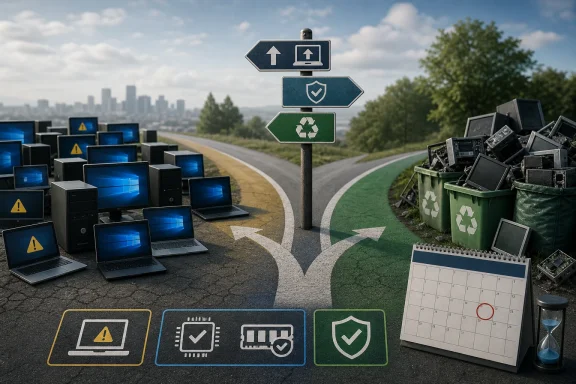 Windows 10 support ended, but millions of PCs remain usable
Microsoft ended normal support for Windows 10 version 22H2 on October 14, 2025. A standard installation no longer receives the monthly security fixes, reliability updates, or technical support that it did before that date. That is a real security concern, especially for PCs used for email, banking, remote work, or access to business systems.
But “unsupported” and “nonfunctional” are very different conditions. A Core i5 desktop from 2016, for example, can still run office applications, web browsers, local software, and many games perfectly well. The obstacle is that a machine which falls outside Windows 11’s supported CPU list or lacks TPM 2.0 may be denied the normal Windows 11 upgrade path despite having enough memory, storage, and processor performance for everyday use.
Windows 11’s baseline requirements include a compatible 64-bit processor, UEFI firmware capable of Secure Boot, and TPM 2.0. Microsoft has defended those requirements as part of a security baseline intended to support features such as hardware-backed credential protection and modern firmware safeguards. The company has not, however, offered a broadly supported Windows 11 channel for the many Windows 10 PCs that miss one requirement while remaining operational.
That policy has created the environmental argument PIRG is making. Hardware compatibility rules can shorten a device’s practical software life even when the device itself is repairable and serviceable. The concern is valid. Calling every affected PC e-waste today is not.
The 400 million figure is a risk estimate, not a disposal count
PIRG’s language matters here. Its published material described “up to 400 million PCs” that would not be able to move to the next version of Windows. The organization was warning that a large number of devices could be pushed toward premature replacement, adding to an existing e-waste problem. It was not documenting 400 million discarded computers.
That distinction is more than semantic for IT buyers, refurbishers, and municipal recycling programs. A computer becomes e-waste when it is actually discarded, dismantled, exported, recycled, or landfilled—not merely when Microsoft stops issuing ordinary patches for its installed operating system.
There is no public disposal registry showing that hundreds of millions of Windows 10 PCs have been retired since October 2025. Nor does the PIRG estimate separate consumer PCs from managed commercial hardware, systems that can receive paid ESU coverage, machines that have been repurposed, or computers that can run another operating system.
The number is also old enough to require caution. It emerged in the debate before Windows 10’s end-of-support date and before Microsoft’s consumer ESU extension to October 2027. It remains useful as a warning about the size of the compatibility problem, but it should not be treated as a real-time measure of current electronic waste.
Microsoft’s ESU extension changes the immediate decision
SlashGear correctly notes that Microsoft is offering Extended Security Updates, but the practical details are more important than the headline. Microsoft originally positioned consumer ESU as a one-year bridge beyond Windows 10’s October 2025 retirement. In June 2026, the company extended consumer coverage for enrolled personal devices through October 12, 2027.
That extension gives owners of Windows 10 PCs more than a year from now to make a deliberate decision rather than replacing a machine solely because a calendar date has passed. It does not restore normal Windows 10 support. ESU is designed for critical and important security updates; it does not promise feature updates, broad product support, or a return to the regular Windows 10 servicing model.
For organizations, the picture is different. Microsoft’s lifecycle documentation continues to list Windows 10 commercial ESU coverage in annual periods through October 10, 2028 for qualifying Enterprise, Education, and commercial Pro deployments. That coverage is a paid transition program, and administrators need to confirm licensing, edition eligibility, activation, and budget rather than assuming that consumer arrangements apply to managed endpoints.
The consumer extension has been reported as free for enrolled personal devices, but Microsoft’s public guidance has changed during the life of the program and can vary by region. Owners should verify the ESU enrollment status on the specific PC in Windows Update, rather than assuming that an installation running Windows 10 is protected merely because the extension exists.
A security deadline should not become a replacement order
For a home user with an incompatible Windows 10 computer, there are now several legitimate paths, each with trade-offs:
- Enrolling an eligible personal Windows 10 PC in ESU can extend security patch coverage through October 12, 2027 without requiring an immediate hardware purchase.
- Replacing hardware can make sense when the PC is already failing, lacks sufficient performance for current workloads, cannot run needed software, or would require costly repairs.
- Moving a still-capable device to a supported Linux distribution can keep it useful for web, productivity, programming, media, and some lightweight business workloads, though application compatibility and user training need honest consideration.
- Reusing a device as a local server, media endpoint, offline workstation, or lab machine may be sensible if it is kept away from sensitive accounts and exposed internet services.
There is also the unofficial Windows 11 route. It is possible to install Windows 11 on some unsupported PCs by bypassing hardware checks, but Microsoft does not support that configuration and does not guarantee updates. IT departments should not confuse a technical workaround with a viable endpoint-management policy. A machine that installs today may create support, compliance, and update-risk problems later.
The most defensible sustainability outcome is not to insist that every old PC stay in service forever. Aging systems consume more power, fail more often, and can become expensive to maintain. The better outcome is to separate devices that genuinely need replacement from devices that are being replaced only because their current operating system’s support model changed.
The policy problem is software longevity, not a dead-PC count
Microsoft’s Windows 11 requirements have contributed to a much larger upgrade cycle than a simple software release normally would. The company’s Windows 10 end-of-support date is clear, and it is reasonable for Microsoft to define a security baseline for a newer OS. The weak point is the gap between that baseline and the long service life of the hardware excluded from it.
PIRG’s warning should be read as pressure on vendors to make software support, repairability, parts availability, and reuse part of product-lifecycle planning. It should not be read as proof that 400 million computers have already become trash.
For Windows 10 users, the immediate practical date is now October 12, 2027 for consumer ESU enrollees, not October 14, 2025. That extra year does not solve the eventual migration problem, but it removes the excuse for treating a working PC as disposable this month.
