
Windows 11 Insider PCs running older Experimental or Beta builds have until August 11, 2026 to install a build carrying Microsoft’s renewed flight certificate, or Windows Update will stop offering them new Insider Preview builds. The immediate action is simple: check
For the Insider deadline, the consequence is the loss of the preview-update path—not a deactivated Windows installation, a revoked license, or an expired Secure Boot configuration. Microsoft says devices left on builds signed with the old flight certificate will begin showing expiry notifications and will no longer be offered newer Insider builds until they install a renewed-certificate build.
A Windows Insider Preview build is signed with a certificate that lets Windows recognize it as part of the active Insider servicing stream. Microsoft periodically renews that certificate so systems on old preview builds do not remain indefinitely attached to an obsolete test branch.
The certificate now in use on older Insider builds expires on August 11. Microsoft says the new builds renew that trust and keep a device eligible for future preview flights. In practical terms, an Insider PC that misses the date should still boot and retain its local data, but it can become stranded on its present preview build until an update path carrying the replacement certificate is installed.
Microsoft’s FAQ makes two points that cut through some of the more alarming coverage:
The Insider flight-certificate expiry should not be confused with that Secure Boot work.
The Secure Boot campaign concerns firmware and boot trust. Microsoft’s Insider certificate renewal concerns the signing and servicing of prerelease Windows builds. The two efforts may appear together in Windows Security notices, Windows Update discussions, and third-party reporting because both involve certificates and deadlines, but one does not substitute for the other. A green Secure Boot status does not prove that an Insider installation has the renewed flight certificate, and an up-to-date Insider flight certificate does not confirm that a device received Microsoft’s newer Secure Boot material.
Microsoft’s own explanation is unusually direct: the Insider certificate is “only about the build-signing certificate.” That means admins should not use this August 11 date as a reason to alter Secure Boot settings, clear firmware keys, turn Secure Boot off, or perform BIOS remediation. The prescribed fix is a Windows Insider build update.
All five baseline builds are already available. Microsoft’s Flight Hub also shows that Experimental Future Platforms has moved beyond its minimum to build 29639.1000, reinforcing an important operational point: the listed numbers are floors, not a recommendation to seek out a particular older package. Installing the latest build Windows Update offers for the correct enrolled track is the preferable route.
The channel names deserve extra care because Microsoft reshaped the Insider Program in April. Experimental replaced the former Dev and Canary concepts, while Beta continues as the more retail-adjacent preview ring. Experimental now contains multiple core choices, including Windows 11 26H1, 26H2, and Future Platforms; the same visible “Experimental” label can therefore point to different minimum build numbers.
Microsoft’s Flight Hub identifies Future Platforms as an early development branch not aligned with a retail Windows release. Windows 11 26H1, meanwhile, is a scoped platform release for specific hardware rather than the general annual feature upgrade. The build number—not merely the channel label or version name—is what determines whether the required certificate is present.
That omission matches the practical role of Release Preview: it uses builds much closer to released Windows servicing and is not part of the expiring-flight-certificate set described by Microsoft for this event. It does not mean Release Preview users should ignore normal Windows Updates; it means the August 11 flight-certificate cutoff is not the urgent build gate for that channel.
The broader scope is the real change from prior renewals. Microsoft says previous flight certificate replacements predominantly affected Canary, whereas this one reaches both the revamped Experimental branch and Beta. The April channel consolidation has made the affected population harder to identify by old channel names, especially for systems moved from Dev or Canary into Experimental during the transition.
Administrators should inventory actual OS builds rather than relying on historical enrollment notes. A device documented as “Dev” in an asset system may now report Experimental, and an old Canary test machine could be on either the 26H1 or Future Platforms core. Those distinctions decide which baseline applies.
Do not trust a 2027 date in
The fastest local check remains
However, Microsoft has acknowledged a misleading edge case: some builds older than the stated thresholds can display a 2027 expiration date in
That is a material detail for IT teams. A script or manual review process that checks only whether a machine reports a post-2026 expiration date can incorrectly classify an unremediated device as compliant. The safer inventory rule is to collect both channel/core and full OS build, then test each against the relevant baseline.
For affected devices, the remediation sequence is straightforward:
winver, compare the OS build against Microsoft’s minimum for the enrolled channel and Windows core, then install the current offered update before the certificate expires.
Neowin highlighted the deadline this weekend, but the underlying record is Microsoft’s July 8 post on Microsoft Learn and the corresponding Windows Insider release notes. Microsoft describes this as planned certificate maintenance, not a response to a security incident. That distinction is important because the story arrives amid Microsoft’s broader Secure Boot certificate replacement campaign, yet these are separate deadlines affecting different parts of Windows.For the Insider deadline, the consequence is the loss of the preview-update path—not a deactivated Windows installation, a revoked license, or an expired Secure Boot configuration. Microsoft says devices left on builds signed with the old flight certificate will begin showing expiry notifications and will no longer be offered newer Insider builds until they install a renewed-certificate build.
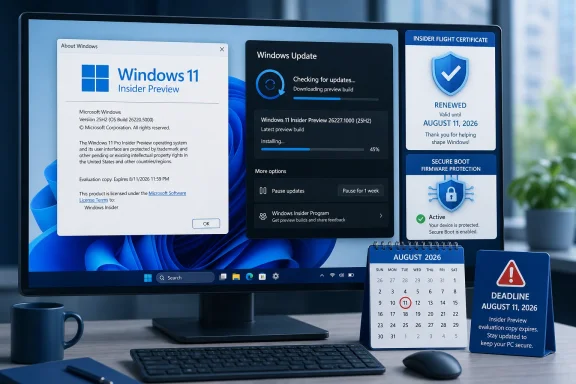 The August 11 deadline is about Insider update eligibility
A Windows Insider Preview build is signed with a certificate that lets Windows recognize it as part of the active Insider servicing stream. Microsoft periodically renews that certificate so systems on old preview builds do not remain indefinitely attached to an obsolete test branch.The certificate now in use on older Insider builds expires on August 11. Microsoft says the new builds renew that trust and keep a device eligible for future preview flights. In practical terms, an Insider PC that misses the date should still boot and retain its local data, but it can become stranded on its present preview build until an update path carrying the replacement certificate is installed.
Microsoft’s FAQ makes two points that cut through some of the more alarming coverage:
- The expiration does not affect Windows activation or licensing.
- The update is delivered through normal Windows Update servicing and should not require a clean installation in most cases.
Secure Boot certificate renewal is a different Windows maintenance event
Microsoft has also spent 2026 deploying replacement Secure Boot certificates, because older certificates used in the Windows boot trust chain are approaching expiration after roughly 15 years. Those changes are meant to maintain protections against bootkits and other malware that can load before Windows itself.The Insider flight-certificate expiry should not be confused with that Secure Boot work.
The Secure Boot campaign concerns firmware and boot trust. Microsoft’s Insider certificate renewal concerns the signing and servicing of prerelease Windows builds. The two efforts may appear together in Windows Security notices, Windows Update discussions, and third-party reporting because both involve certificates and deadlines, but one does not substitute for the other. A green Secure Boot status does not prove that an Insider installation has the renewed flight certificate, and an up-to-date Insider flight certificate does not confirm that a device received Microsoft’s newer Secure Boot material.
Microsoft’s own explanation is unusually direct: the Insider certificate is “only about the build-signing certificate.” That means admins should not use this August 11 date as a reason to alter Secure Boot settings, clear firmware keys, turn Secure Boot off, or perform BIOS remediation. The prescribed fix is a Windows Insider build update.
Five build baselines cover the affected Insider tracks
The complication is that “update Windows” is not sufficiently precise. Microsoft says a device needs to reach a build at or above the certificate-renewal baseline for its channel and core version. An older cumulative update, even if recently installed, does not help if it remains below that threshold.| Insider channel and core | Minimum build with renewed certificate |
|---|---|
| Experimental, Future Platforms | 29634.1000 |
| Experimental, Windows 11 26H2 | 26300.9032 |
| Experimental, Windows 11 26H1 | 28120.2630 |
| Beta, Windows 11 25H2 | 26220.9022 |
| Beta, Windows 11 26H1 | 28020.2623 |
The channel names deserve extra care because Microsoft reshaped the Insider Program in April. Experimental replaced the former Dev and Canary concepts, while Beta continues as the more retail-adjacent preview ring. Experimental now contains multiple core choices, including Windows 11 26H1, 26H2, and Future Platforms; the same visible “Experimental” label can therefore point to different minimum build numbers.
Microsoft’s Flight Hub identifies Future Platforms as an early development branch not aligned with a retail Windows release. Windows 11 26H1, meanwhile, is a scoped platform release for specific hardware rather than the general annual feature upgrade. The build number—not merely the channel label or version name—is what determines whether the required certificate is present.
Release Preview is absent from Microsoft’s renewal table
The current renewal table covers Experimental and Beta only. Release Preview is not assigned a minimum build, and Microsoft’s FAQ says the broader signing change now applies to Experimental and Beta after having primarily affected Canary in previous renewals.That omission matches the practical role of Release Preview: it uses builds much closer to released Windows servicing and is not part of the expiring-flight-certificate set described by Microsoft for this event. It does not mean Release Preview users should ignore normal Windows Updates; it means the August 11 flight-certificate cutoff is not the urgent build gate for that channel.
The broader scope is the real change from prior renewals. Microsoft says previous flight certificate replacements predominantly affected Canary, whereas this one reaches both the revamped Experimental branch and Beta. The April channel consolidation has made the affected population harder to identify by old channel names, especially for systems moved from Dev or Canary into Experimental during the transition.
Administrators should inventory actual OS builds rather than relying on historical enrollment notes. A device documented as “Dev” in an asset system may now report Experimental, and an old Canary test machine could be on either the 26H1 or Future Platforms core. Those distinctions decide which baseline applies.
Do not trust a 2027 date in winver on an old build
The fastest local check remains winver: press Windows+R, enter winver, and compare the displayed OS build with Microsoft’s table. The Windows Insider Program page in Settings can confirm the enrolled channel and core selection.However, Microsoft has acknowledged a misleading edge case: some builds older than the stated thresholds can display a 2027 expiration date in
winver. Microsoft calls that a false positive and says the build-number table, rather than the date shown in the dialog, is the authoritative test.That is a material detail for IT teams. A script or manual review process that checks only whether a machine reports a post-2026 expiration date can incorrectly classify an unremediated device as compliant. The safer inventory rule is to collect both channel/core and full OS build, then test each against the relevant baseline.
For affected devices, the remediation sequence is straightforward:
- Open Settings > Windows Update and select Check for updates.
- Install the currently offered Insider Preview build and restart.
- Run
winveragain and confirm the build is at least the listed minimum for its actual channel and core.
References
- Primary source: Neowin
Published: 2026-08-02T17:32:01+00:00
Loading…
www.neowin.net - Related coverage: neowin.net
Loading…
www.neowin.net - Related coverage: learn.microsoft.com
Flight Hub - Windows Insider Program | Microsoft Learn
Flight schedules and status for Windows Insider Programlearn.microsoft.com - Related coverage: blogs.windows.com
Announcing Windows 11 Insider Preview Build 29634.1000 for Experimental (Future Platforms)
Hello Windows Insiders, Today we’re releasing build 29634.1000 for the Experimental (Future Platforms) channel. Release notes can be found over in theblogs.windows.com - Related coverage: learn.microsoft.com
Loading…
learn.microsoft.com - Related coverage: blogs.windows.com
Announcing new builds for 19 June 2026, version 26H2 for Experimental
Hello Windows Insiders, We have new releases today with builds across Beta and Experimental, including Windows 11, version 26H2 for Experimental. Windows 11, version 26H2 Windows 11, version 26H2 represents our yearly second halfblogs.windows.com - Related coverage: techcommunity.microsoft.com
- Related coverage: techcommunity.microsoft.com
- Related coverage: advocacy.consumerreports.org
- Related coverage: windowscentral.com
Microsoft rolls out 6 helpful new Windows 11 Insider features for early July, including one built to protect your PC from disaster | Windows Central
Microsoft's latest Insider builds in early July introduce Cloud rebuild, big Search improvements, Taskbar customization, and more changes.www.windowscentral.com - Related coverage: techradar.com
Windows 11 looks set for a big update early in 2026, but most people won't get it | TechRadar
Windows 11 might have a 26H1 release next year – for Arm PCswww.techradar.com - Related coverage: windowscentral.com
Windows 11 just took its first major step toward version 26H2, and Insiders can already test 9 features shaping Microsoft’s next big update | Windows Central
Windows 11 Insider builds close out June with the first 26H2 changes, a redesigned Privacy settings page, and more desktop customization.www.windowscentral.com