
The immediate operational issue is that KB5101650, released on July 14, advances Windows 11 24H2 to build 26100.8875 and Windows 11 25H2 to build 26200.8875. Microsoft’s Windows news you can use recap tells organizations to install it for the redesigned Start menu, accessibility changes, Widgets refinements, and network reliability fixes. Yet Microsoft’s Windows Message Center and the update’s own support record also say the update was withheld from a limited set of Dell systems with Intel processors after Dell reported potential unexpected shutdowns, performance degradation, heat, and battery-drain problems.
That is a material qualification missing from the friendly “install the July update” framing. Enterprises with Dell fleets should check safeguard-hold status and device models before escalating deployment rings. Microsoft later issued out-of-band servicing for affected systems, but a July feature roundup is no substitute for checking the release-health entry attached to the exact cumulative update being approved.
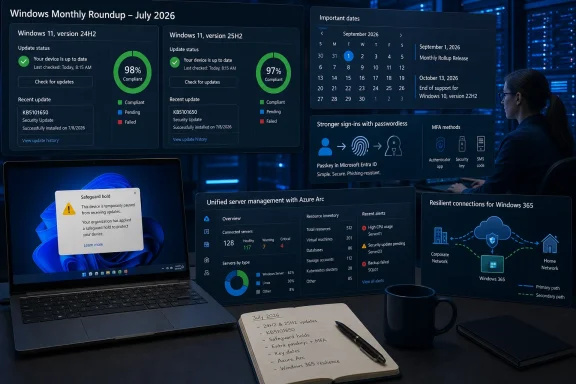 KB5101650 delivers policy controls alongside user-facing changes
The July release’s most consequential addition for managed environments may be an unglamorous registry policy rather than the Start menu. Microsoft’s Entra documentation confirms that Windows 11 24H2 and 25H2 devices with KB5101650 can use AutoAcceptSsoPermission under the Windows AAD policy location to automatically accept the Microsoft single sign-on consent prompt.
The scope is narrow: this applies to managed enterprise devices signed in with Microsoft Entra ID accounts. It does not suppress prompts for personal Microsoft accounts or unmanaged PCs. That limitation matters for help desks, because an organization can deploy the policy successfully and still see the familiar SSO consent screen on BYOD devices, shared personal-account scenarios, and machines outside policy control.
Automatically accepting that permission should be a deliberate identity decision, not merely a UI-cleanup change. The prompt controls whether Windows sign-in credentials are used to sign the person into other Microsoft applications and services. Organizations already managing Conditional Access, device compliance, and Entra registration may reasonably decide that the prompt adds friction without adding a meaningful choice; organizations with mixed-tenancy or less tightly governed devices should validate the behavior in a pilot ring first.
The redesigned Start menu is also now available on commercial and managed Windows 11 devices, with Microsoft pointing administrators to Start Policy CSP settings including controls for category visibility and pinned content. The practical change is that Start layout configuration is becoming a policy-management task again, not a one-time image-engineering exercise. Teams that maintain locked-down or role-based desktops should review their existing pinned-app and Start-layout policies against the new experience before users encounter a layout that differs from documentation or training material.
Microsoft also says the July security update brings a full-screen color overlay, finer Magnifier zoom control, and expanded Voice Access and voice-typing support in French, German, and Spanish. Those are live capabilities, though the company still labels rollout as gradual. “Installed” and “visible to every user” are not synonymous in Windows servicing, particularly for feature-controlled changes delivered in cumulative updates.
The same distinction applies to the July optional preview release. File Explorer’s Details view showing appropriate size units instead of KB-only values, Voice Isolation for Voice Access, Korean Voice Access support, and Windows Hello Enhanced Sign-in Security support for peripheral fingerprint readers are previewed in July for broader August security-update rollout. The latter deserves attention from desktop teams: ESS support for external fingerprint sensors can expand passwordless sign-in beyond laptop-integrated hardware, but it also creates a new compatibility-validation job across sensor firmware, drivers, desktop docking arrangements, and Windows Hello policy.
Entra passkeys now have a date attached to them
Microsoft’s statement that passkeys are becoming the default phishing-resistant authentication method is more than a broad recommendation. Microsoft Entra documentation sets September 1, 2026, as the date when users enabled for SMS or voice authentication in public-cloud tenants will be automatically enabled and prompted to register passkeys during MFA sign-in.
The stronger enforcement milestone follows on February 1, 2027. Microsoft says it will retire Microsoft-provided SMS and voice delivery for Entra MFA then, with customer-managed telecom providers positioned as the alternative for organizations that must retain those methods. Users left with SMS or voice as their only MFA option and no configured provider will be required to register a passkey to continue sign-in.
That creates a migration program, not an authentication toggle. Administrators need to identify users who still depend on SMS or voice, account for workers without ready access to compatible personal devices or security keys, test recovery and break-glass paths, and make sure help desks can distinguish Windows Hello for Business, FIDO2 security keys, and passkeys stored in Windows Hello containers. Microsoft provides a temporary opt-out for the September 2026-to-February 2027 transition period, but not for the February enforcement behavior.
There is a useful Windows-specific option here. Microsoft Entra passkey on Windows, currently documented as a preview, lets users create a FIDO2 passkey inside their device’s local Windows Hello container. The device does not need to be Entra joined or registered for that credential to authenticate to Entra ID. That can reduce the friction of moving users away from SMS, but preview status means it should be assessed against an organization’s support model before it becomes the primary answer for a broad workforce.
Microsoft also previewed KMS changes based on TPM-backed hardware attestation. The company’s stated aim is to tie activation to a trusted KMS host rather than a software configuration that could be tampered with. It is a sensible hardening direction, particularly for organizations operating their own activation infrastructure, but Microsoft’s July recap does not provide a deployment date, supported KMS host versions, upgrade path, or fallback behavior. Administrators should inventory KMS hosts now, but there is not enough published detail to schedule production changes from this announcement alone.
AI security announcements need separation from Patch Tuesday
Microsoft bundled two related but different AI-security messages into its July recap: AI-assisted vulnerability work and Project Perception, a new agentic security platform. Microsoft says its internal AI work is helping discover issues earlier, accelerate remediation and improve validation of security updates. That is an explanation of Microsoft’s development and response process, not a new Windows client control that administrators can enable.
The July Patch Tuesday volume made the claim more concrete. Independent reporting from Windows Central and PC Gamer described Microsoft’s July release as covering more than 600 vulnerabilities across its product range, an unusually large release that Microsoft linked to faster AI-assisted vulnerability discovery. A larger fix count does not automatically mean that each Windows environment faced more exploitable risk, but it does mean patch teams should resist using feature-news fatigue as a reason to defer the underlying security release.
Project Perception is separate again. Microsoft describes it as a platform combining security signals, organizational context, models, and specialized agents to continuously identify and respond to risk. Ars Technica, Axios, and other outlets reported that the offering is meant to automate parts of vulnerability research, prioritization, remediation, and validation. Its performance claims, however, remain Microsoft claims based on its chosen benchmarks and internal framing; the product is new enough that there is no independent operational record showing whether it reduces risk without creating alerting, change-control, or remediation problems.
For IT leaders, the near-term consequence is governance. Automated discovery can shorten the time between a flaw being found and a recommended fix reaching the security queue. It can also multiply the number of findings that need asset ownership, business-impact assessment, maintenance scheduling, and rollback plans. The bottleneck moves from discovering vulnerabilities to deciding what an automated system is authorized to change.
Windows 365 and Arc improvements raise network and patching expectations
The July set also highlights changes that matter most in cloud-managed estates. Windows settings backup has absorbed Enterprise State Roaming management beginning in July 2026. Microsoft says the service preserves supported user settings and Microsoft Store app configuration to help users move to new devices, particularly during PC refreshes and Windows 11 transitions.
The important caveat is embedded in Microsoft’s own documentation: moving ESR management into Windows settings backup covers backup policy, while restore policy still needs separate administrative configuration. Organizations that assumed current ESR settings would automatically produce a complete replacement-device experience should test actual restore results, including which settings and apps return, how long synchronization takes, and what happens when the user receives a device under a different management profile.
RDP Multipath is another reliability feature that carries an infrastructure cost. For Windows 365 Cloud PCs, it maintains multiple transport paths between a local Windows device running Windows App and the Cloud PC, moving traffic to an alternate route when the active one degrades or fails. Microsoft recommends Windows App version 2.0.1069.0 or later and RDP Shortpath as the primary transport protocol to obtain both redundant UDP and redundant TCP capabilities.
This is not a zero-impact resilience switch for network teams. Microsoft’s documentation says an active session can establish up to five outbound transport paths: as many as three UDP paths and two TCP paths. Firewall rules, NAT capacity, port-exhaustion thresholds, and proxy assumptions therefore need to be sized for concurrent connections rather than the traditional one-session, one-transport expectation. Multipath can make Cloud PC sessions more durable, but only if the network is engineered for the additional paths.
Windows Server 2025 hotpatching through Azure Arc has also changed materially. Microsoft says hotpatching for Arc-enabled Windows Server 2025 Standard and Datacenter machines became available at no extra cost on May 19, 2026, eliminating the earlier per-core subscription charge. Eligible machines still need Azure Arc, Virtualization-Based Security, a supported Server 2025 edition, and enrollment through Azure Update Manager.
Hotpatching does not eliminate reboots all year. Microsoft’s documented cycle requires baseline cumulative updates and restarts in January, April, July, and October; the intervening months can receive security hotpatches without a restart. July was therefore a baseline month. The value is fewer emergency maintenance windows between baselines, not a promise of uninterrupted patching or a reason to retire reboot planning.
October 13 is the date that should be on every migration calendar
Microsoft’s lifecycle reminders carry the clearest deadline in the July roundup. Windows 11 24H2 Home and Pro reaches end of updates on October 13, 2026. Enterprise and Education editions of 24H2 remain supported until October 12, 2027, while Windows 11 25H2 has support through October 2027 for Home and Pro and October 2028 for Enterprise and Education.
The edition difference is easy to overlook when inventories report only “Windows 11 24H2.” Devices on Home, Pro, Pro Education, or Pro for Workstations need a feature-update plan now, even where 24H2 is otherwise stable. Microsoft says unmanaged 24H2 Home and Pro systems will be offered Windows 11 25H2 automatically, but managed organizations should not rely on automatic targeting as a migration strategy. Feature-update policies, hardware eligibility, application compatibility, and rollback capacity still determine whether the fleet moves on time.
Windows 10 Enterprise LTSB 2016 also reaches end of support on October 13, 2026. Microsoft recommends Windows 11 Enterprise LTSC 2024 as the current destination and says Extended Security Updates will be available for customers needing more time. ESU is a paid last-resort bridge, not feature support or a substitute for resolving old application, hardware, and driver dependencies.
Windows Server 2022 enters extended support on the same date. Security updates continue at no additional charge through October 14, 2031, but mainstream support ends, meaning no new features and no ordinary design-change requests. Organizations do not need a security-driven emergency migration off Server 2022 in October, but they should recognize that postponing modernization past the mainstream-support boundary narrows the vendor’s obligation to them.
July’s real message is therefore less about a new Start menu or another AI announcement. It is that Windows administration now combines feature-controlled cumulative updates, cloud identity enforcement dates, network-capacity implications, and diverging lifecycle clocks. The immediate work is to validate KB5101650 against affected Dell hardware, pilot the SSO and Start policies, begin the Entra SMS-and-voice migration before September 1, and separate October’s client and server lifecycle decisions by edition rather than by product name alone.
