

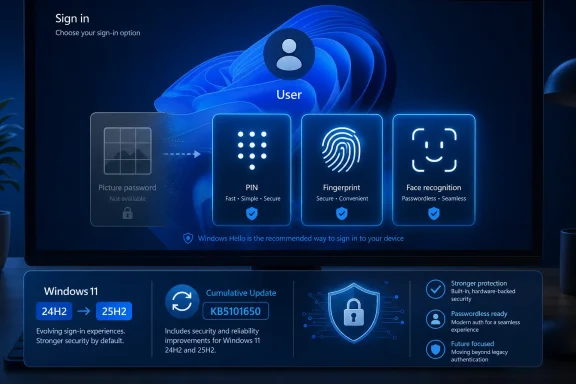
Neowin first highlighted the policy change after Microsoft amended the release notes for July’s KB5101650 cumulative update. Microsoft added the picture-password notice to the update’s change log on August 5, three weeks after KB5101650 shipped on July 14. That delayed documentation is why a sign-in change that had already reached patched PCs is only now drawing attention.
The practical rule is blunt. A user who already has a picture password configured can keep using it. A user who has never configured one, or who removes or disables an existing picture password, cannot create it again. Microsoft directs users toward a Windows Hello PIN, facial recognition, or fingerprint recognition instead.
For Windows users, the immediate implication is simple: do not delete a working picture password expecting to restore it later. For IT administrators, the more important finding is that this is a credential-provider retirement by attrition, not a removal that requires a migration project. Existing accounts keep their configured method; fresh builds and newly provisioned accounts lose the option.
KB5101650 applies to Windows 11, not Windows 10
The submitted report says the retirement affects Windows 11 and Windows 10 “going forward.” Microsoft’s primary record does not support that claim.
KB5101650 is the July 14, 2026 cumulative update for Windows 11 version 24H2 and Windows 11 version 25H2. Microsoft’s Update Catalog likewise lists only Windows 11 24H2 and 25H2 packages, with build 26100.8875 for 24H2 and build 26200.8875 for 25H2. The support article’s declared scope is equally specific: all editions of those two Windows 11 releases.
Windows 10 has separate cumulative updates, separate build branches, and separate support documentation. Microsoft has not attached the picture-password notice to a Windows 10 update in the record examined here. That does not prove picture password will remain enrollable on every supported or extended-support Windows 10 configuration indefinitely. It does mean the headline claim that Microsoft has already retired it for Windows 10 users goes beyond the documented rollout.
There is a second boundary worth noting. KB5101650’s picture-password notice names 24H2 and 25H2 because those are the versions the update services. Windows 11 23H2 received a different July cumulative update, KB5099414. Microsoft’s KB5099414 notes do not carry the same picture-password announcement. Administrators should therefore avoid assuming that every Windows 11 release has identical behavior until Microsoft documents that broader scope or the change is observed on those builds.
Microsoft added the retirement notice after Patch Tuesday
Microsoft did not announce picture password’s end in a Windows Insider post, feature-deprecation article, or a dedicated security advisory. Instead, it inserted the item into KB5101650’s revision history on August 5, 2026.
The wording matters. Microsoft says picture password “is no longer available for new enrollment,” rather than saying the feature has been removed from Windows. It then explicitly preserves existing configurations: users who already set up a picture password “can continue to use it to sign in to Windows.”
That makes this a one-way configuration change. It will be most visible on newly installed PCs, newly created Windows accounts, reimaged lab devices, virtual machines, and machines where someone resets sign-in options during troubleshooting. A person with an established picture password may see no immediate difference at all, which also explains why the change could arrive in a cumulative update without generating widespread reports.
The irreversible part comes next. Microsoft says picture passwords cannot be set up again if they are removed, disabled, or were never configured. In practice, “I’ll remove it temporarily and recreate it later” is no longer a valid recovery path on the affected Windows 11 builds.
That is a meaningful operational change even though the feature itself is old. Picture password has survived since Windows 8, where it offered an alternative to typing a traditional password: users selected an image and repeated a sequence of taps, circles, and straight-line gestures at particular locations. It was designed for touch-capable hardware and consumer PCs, at a time when Windows Hello biometric hardware was far less common.
Existing picture passwords are grandfathered, not upgraded
Microsoft has not said that KB5101650 converts picture-password users to Windows Hello, deletes their gesture data, or forces a PIN at the next sign-in. The supported behavior is continued use of an existing picture password.
That distinction should prevent unnecessary remediation. There is no reason for an administrator to hunt down and remove picture-password credentials merely because the setting is being closed to new enrollment. Doing so would create the exact permanent loss Microsoft describes, while providing no documented security benefit beyond what organizations may already enforce through their own sign-in policies.
Users should, however, make sure they retain a usable fallback sign-in method. Picture password has never eliminated the need for the account’s ordinary authentication and recovery path. If Windows Hello is available, set up a PIN before making changes to existing sign-in options. On a shared or family PC, verify that each account has its own viable sign-in method rather than assuming one account’s biometric enrollment helps another user.
For managed Windows endpoints, picture password is generally a legacy consumer-facing option rather than a central enterprise authentication control. Organizations that use Microsoft Entra ID, Windows Hello for Business, smart cards, FIDO2 security keys, or passwordless policies have already been moving users away from it. The real administrative impact is likely to fall on provisioning documentation, kiosk-like test devices, training images, and support scripts that still describe picture password as an available alternative.
Microsoft’s own language also leaves some unanswered implementation questions. The company has not published a separate policy reference for the enrollment cutoff, stated whether it can be overridden by Group Policy or MDM, or explained whether an in-place upgrade preserves a picture password in every supported upgrade scenario. The release note establishes the supported user-facing behavior, but not a new management control.
Windows Hello is a different kind of credential
Microsoft frames the change as a security improvement and recommends Windows Hello PIN, face recognition, or fingerprint recognition. That recommendation is not merely a preference for newer hardware.
A Windows Hello PIN is device-specific. It is not simply a shorter version of a Microsoft account password, and it is not transmitted to Microsoft services as a reusable password. Microsoft’s Windows Hello documentation describes the model as a device-bound credential protected by a user gesture, with the underlying key material protected through the device’s security hardware where supported.
Facial and fingerprint sign-in add a biometric gesture to that local, device-bound approach. The key security benefit is resistance to credential reuse and remote phishing: a stolen Windows Hello PIN alone is not useful on another device, while a stolen conventional password can often be attempted against other services.
Picture password does not offer the same model. It is a local graphical secret: knowledge of a selected image, the three gestures, their types, directions, relative locations, and sequence. Its strength depends heavily on the user’s choices and on how easily someone can observe or infer them. Microsoft did not cite AI image-generation tools, image recognition, or any specific attack as the reason for the retirement, so claims that generative AI directly forced the decision are speculation rather than an established explanation.
The more supportable reading is that picture password no longer fits Microsoft’s broader passwordless strategy. Microsoft has spent the past several years pushing device-bound Windows Hello credentials and passkeys across Windows, Edge, Microsoft accounts, and Entra. The company has been steadily reducing older sign-in choices rather than investing in a graphical-password mechanism created for the Windows 8 era.
What users should do before changing sign-in options
Anyone still using picture password on Windows 11 24H2 or 25H2 should treat the current configuration as grandfathered.
- Keep the picture password in place if it remains a preferred, working sign-in method and there is no immediate need to change it.
- Set up a Windows Hello PIN before altering picture-password settings, because the PIN works on hardware without a compatible camera or fingerprint reader.
- Enroll a face or fingerprint credential only after confirming that the PC’s hardware and drivers support Windows Hello reliably.
- Record and test the account recovery path, especially on Microsoft-account devices where a forgotten account password can complicate recovery even when everyday sign-in normally uses a PIN.
- Update deployment and help-desk documentation to remove instructions that tell users to create or recreate a picture password on Windows 11 24H2 and 25H2.
The first tangible consequence arrives when an affected user removes the credential: the Picture Password setup path is no longer a reversible convenience setting. On Windows 11 builds 26100.8875 and 26200.8875 and later servicing built on them, it is now an aging sign-in method that Microsoft will allow to persist only for the people who already chose it.