
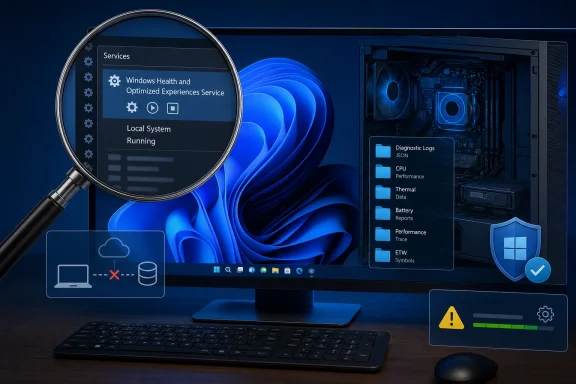
whesvc service is not automatically sending CPU, thermal, and battery data to Microsoft every 15 minutes, according to a detailed reverse-engineering review by Xusheng Li that goes substantially beyond Microsoft’s earlier public denial. The important finding for Windows users and administrators is more complicated than the viral “spyware” claim: Windows Health and Optimized Experiences is a legitimate local diagnostics service, but it is built on a highly privileged scripting framework with far broader capabilities than its ordinary jobs require.
Neowin’s report on Li’s work lands on the same conclusion Microsoft engineer Scott Hanselman gave after the claim spread earlier this month. The service can create targeted performance traces when Windows detects sluggish behavior, retain them locally, and make them available for a Feedback Hub submission. PCWorld and Windows Latest independently reported Microsoft’s explanation that the traces remain under %SystemRoot%\Temp\DiagOutputDir\Whesvc unless the user elects to include them in feedback.
What Li adds is the missing technical evidence: an inspection of the shipped Windows binaries and scripts, rather than an interpretation of a service description, a Registry setting, or a suspiciously named telemetry interval.
 The “15-minute upload” was a real setting attached to the wrong conclusion
The viral allegation was not invented from nothing. Earlier reporting on a Windows 11 Canary build found references to an environment variable named WINDIAG_ECP_TELEMETRY_FREQUENCY_MINUTES, alongside code dealing with battery condition, thermals, brightness, CPU load, and power mode. Windows Latest reported those clues in May 2025, when Windows Health and Optimized Experiences first surfaced publicly in Windows 11 Canary build 27863.
That is enough to explain why people assumed whesvc was an always-on uploader. It is not enough to establish it.
Li examined the version installed on a Windows 11 Pro build 26200 system, with service binaries marked 10.0.26100.8972. His unpacking and disassembly of all 84 bundled Lua modules found a 900-second summary routine, but its output was JSON written locally. Across those scripts, he found one URL: Microsoft’s public symbol server. The related code is gated on an environment variable that is not set on a normal retail installation.
More importantly, Li found no script path that makes arbitrary HTTP requests, no socket APIs in the examined binaries, and no network endpoints held by the running service. That does not mean Windows as a whole never sends diagnostics—Windows diagnostic-data collection is a separate and well-established system—but it undercuts the specific claim that this service silently transmits a PC summary every 15 minutes.
The distinction is practical. A locally generated diagnostic artifact is something an administrator can inspect, retain, or remove under normal Windows management processes. A service that continually exfiltrates data would require a different privacy and network-control response. The evidence available now supports the first description, not the second.
whesvc is a small host for a much larger diagnostics engine
The service visible in Services is called Windows Health and Optimized Experiences; its short name is whesvc. It runs automatically with delayed start under LocalSystem, through svchost.exe. That LocalSystem context is why the architecture deserves scrutiny even though the spyware claim does not hold up.
Li found that whesvc.dll mainly initializes two other components: windiag.dll and whesvc_assets.dll. The first contains an embedded Lua 5.4.7 interpreter. The second is a resource container holding 61 Lua libraries, 23 diagnostic scenarios, and five Windows Performance Recorder profile files.
In effect, Microsoft has implemented a general-purpose diagnostic automation engine inside Windows. Rather than hard-coding every performance investigation in C++, it can update the signed asset DLL with scenario logic that determines what to observe, what data to collect, and which built-in diagnostic tools to invoke.
That design explains why the binaries contain capabilities that seem excessive when viewed beside the friendly service name. Li catalogued 79 native functions exposed to the Lua layer, including Registry reads and writes, file operations, process creation, WMI queries, Event Tracing for Windows collection, security-token inspection, power and thermal queries, cabinet-file creation, symbol downloads, and a foreign-function interface for native Windows interaction.
Those permissions are not evidence of malicious behavior. They are evidence that the service should be treated as a privileged diagnostics platform, rather than as a tiny battery-monitoring helper.
The shipped scripts are mundane, but the trust boundary is real
The immediate use of the powerful interfaces is generally ordinary Windows troubleshooting work. Li found that the service’s Registry writes are mostly its own retained counters and state. Its system_summary scenario creates a local summary file. Another module can run powercfg.exe /sleepstudy to create a Sleep Study report, while a separate path invokes wpr.exe -merge to process Windows Performance Recorder traces.
The scenarios cover recognizable sources of user complaints: applications that hang, slow application launches, services stuck in a pending state, display problems, input delays, battery drain, sleep blockers, and sustained power use. The memory-leak scenario is especially illustrative. Rather than flagging any rising memory number, it tracks memory and handle counts through several intervals and uses consecutive increases plus a linear-regression slope to separate possible leaks from ordinary growth.
Li also checked a module named NOISY_FAN, a name that could easily fuel the idea that Windows is listening through the microphone. It is not. He found no audio APIs in the relevant binaries. The routine relies on fan RPM data exposed through the OEM and platform thermal stack, using the time a fan spends above defined speed zones as a proxy for noise. Systems that do not expose fan telemetry simply do not support that scenario.
There is, however, one caveat that Microsoft’s original reassurance did not fully address. The Lua code is constrained from loading arbitrary scripts from disk in the normal whesvc service process, which limits casual code injection. But the engine itself has broad native capabilities and runs as SYSTEM. Li found that the operational boundary rests principally on Windows file permissions and on Microsoft shipping trusted scenario assets—not on a narrow capability sandbox around each individual scenario.
That is a normal trust model for many Windows components, but it is not a trivial one. Enterprises that inventory privileged services should classify whesvc accordingly: as a Microsoft-managed LocalSystem service that can collect performance evidence and run approved diagnostics, not as harmless background fluff.
A patched elevation-of-privilege flaw validates the security concern—not the spyware claim
There is a direct security history here. Microsoft assigned CVE-2025-59241 to the Windows Health and Optimized Experiences Service in October 2025. The National Vulnerability Database describes it as an improper link-resolution, or link-following, flaw that could let an already authorized local attacker elevate privileges.
Microsoft rated the vulnerability 7.8 out of 10 under CVSS 3.1. The affected Windows 11 ranges were 24H2 builds below 26100.6899 and 25H2 builds below 26200.6899. October 2025’s KB5066835 raised both branches to build 26100.6899 or 26200.6899, respectively.
Li’s examination appears to show the nature of the correction. Older artifact-handling behavior could interact dangerously with writable locations and filesystem junctions—an old and familiar problem when a SYSTEM process creates, follows, or deletes paths that lower-privileged users can influence. Current service startup logic enables Windows’ process redirection trust policy, intended to block traversal through junctions and symlinks created by less-trusted principals. The scripts also avoid descending into reparse points during recursive directory operations.
This is the material finding buried beneath the telemetry controversy. A service can be benign in its intended behavior and still expand the attack surface because it runs privileged, handles files, and is built to execute flexible diagnostics. CVE-2025-59241 is concrete evidence of that risk. It was a local privilege-escalation issue, not a data-collection incident, and systems that remained below the patched builds should be updated rather than “fixed” by disabling the service.
What Windows users and administrators should do
For most current Windows 11 installations, there is no evidence-based reason to disable whesvc solely because of the claim that it secretly uploads hardware information every 15 minutes. Disabling a Windows service can also remove diagnostic evidence that is useful when investigating intermittent sleep, performance, or power failures.
Administrators should instead verify normal patch and telemetry controls:
- Confirm Windows 11 24H2 devices are newer than OS build 26100.6899 and Windows 11 25H2 devices are newer than build 26200.6899, the thresholds Microsoft published for CVE-2025-59241.
- Treat the service’s temporary artifacts as diagnostic files, and inspect
%SystemRoot%\Temp\DiagOutputDir\Whesvcand%ProgramData%\Whesvcif a performance investigation requires it. - Use existing Windows diagnostic-data policies to govern the broader telemetry posture, rather than assuming a startup type change for one service controls all diagnostic collection.
- Investigate unexpected executable, DLL, or ACL changes around
whesvc.dll,windiag.dll, andwhesvc_assets.dllas an integrity issue, not as routine tuning.
The reverse engineering also leaves one future-facing limitation worth stating plainly. It establishes what Microsoft shipped in the examined binaries and scripts; it cannot guarantee what a future signed Windows update may add or change. whesvc registers for Windows configuration changes, but that fact alone is not proof that Microsoft can remotely introduce new executable behavior or turn on a hidden uploader.
For now, the record is clear: Windows Health and Optimized Experiences is a local performance-diagnostics service with a surprisingly expansive SYSTEM-level engine behind it. The viral spyware accusation was wrong. The more useful lesson is that privileged diagnostic services still need ordinary patch discipline, code-integrity monitoring, and clear documentation—especially when their names tell users almost nothing about what is actually running.