
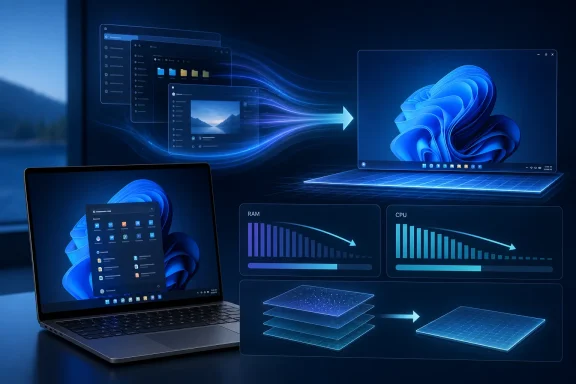
 A framework problem has become a Windows problem
For years, Microsoft’s modern Windows app strategy has promised polished Fluent Design interfaces, modern controls, and a common development model for desktop software. WinUI—delivered through the Windows App SDK—is the company’s recommended native UI framework for new Windows desktop applications written in C# or C++, and Microsoft says parts of the Windows shell and several built-in experiences already use it. Microsoft’s WinUI documentation makes clear that this is not an isolated application framework; it is intended to power production-grade software and first-party Windows experiences.
That ambition raises the stakes considerably.
A sluggish media player, settings utility, or standalone third-party app can frustrate a user, but it rarely changes their perception of Windows itself. A sluggish Start menu, notification panel, File Explorer surface, or task-related shell component is different. These are elements people interact with dozens of times each day. They have to appear immediately, animate smoothly, and avoid consuming resources out of proportion to the jobs they perform.
The criticism of Windows 11 native apps has often been practical rather than ideological. Users notice lag when opening an interface, delays as content populates, and the cumulative pressure created when multiple modern applications remain running. On PCs with ample RAM and fast SSDs, those issues can be masked. On entry-level laptops, older desktops, virtual machines, and work systems carrying a heavy workload, the same overhead can become obvious.
Microsoft’s apparent response is significant because it recognizes that modern design language is not enough. A framework’s long-term success depends on its ability to provide attractive interfaces without imposing a disproportionate cost in memory, CPU time, graphics resources, battery life, or developer effort.
That is why the planned WinUI performance work should be viewed as more than a conventional bug-fixing cycle. It is an attempt to make the platform credible as a substrate for larger portions of Windows 11.
The Start menu rewrite raises the pressure
The reported WinUI-based Start menu remains one of the most consequential parts of this story. Microsoft is internally validating memory, reliability, and performance improvements before shipping the rewritten Start menu, while the Agenda view planned for Notification Center is also still in development.
That sequence is sensible. Replacing an existing shell component with a modernized implementation may produce a more consistent visual experience and give Microsoft greater flexibility to evolve the interface. But doing so without first addressing the framework’s fundamentals would be risky.
The Start menu is not a feature that can hide behind a “preview” label for long. It is among the most visible surfaces in Windows, and users quickly notice even small problems:
- A delay after pressing the Windows key.
- Animation hitching while typing a search query.
- Stuttering when expanding pinned apps or recommendations.
- Increased memory use after repeated opening and closing.
- A heavier experience on lower-specification systems.
- Reliability failures that interrupt a basic navigation task.
A WinUI Start menu does not need to look radically different to make a practical difference. In fact, the lack of a dramatic visual redesign could be an advantage if the engineering work translates into faster input response and lower resource use. The most welcome Windows 11 improvements are often the ones that disappear into the background because the interface simply behaves as expected.
Still, Microsoft should resist treating this migration as a one-time technical milestone. The ultimate measure will not be whether the Start menu is built with WinUI. It will be whether it launches, searches, renders, and recovers at least as reliably as the implementation it replaces.
Why lower RAM use affects more than Task Manager
Memory consumption is not a cosmetic metric.
Microsoft’s own Windows app performance guidance explains that application memory use affects runtime performance and overall system responsiveness. When active apps displace data that had been resident in memory, Windows may need to trim or page out content and reload it from storage later—a process users can experience as slowdown when returning to the shell or switching applications. Microsoft’s memory-performance documentation also notes that dynamic memory is where significant app memory use and leaks commonly appear.
That context explains why a WinUI memory reduction could have consequences beyond a lower number in Task Manager.
On a well-equipped desktop with 32GB of RAM, a few hundred megabytes of additional framework overhead may be unremarkable. On a 4GB or 8GB Windows laptop running a browser, office applications, antivirus software, sync tools, and the shell, it is not. Reduced baseline usage means more headroom for foreground work, less pressure on the page file, and a better chance that the system remains responsive during ordinary multitasking.
It also matters for battery-conscious devices. Microsoft advises Windows App SDK developers that desktop apps continue consuming memory while running rather than being automatically suspended, and says proactive memory management can improve both system responsiveness and battery life. Its desktop memory-management guidance recommends releasing cached images, GPU render resources, view-model data, and cached navigation pages when a window is minimized or hidden.
For Windows shell components, the principle is even more important. The shell is always nearby. It cannot behave like a conventional app that can be safely ignored until the user explicitly opens it again.
Moving toward the system compositor could be the deeper change
The most technically interesting element of the reported plan is the shift from WinUI’s current composition arrangement toward the Windows system compositor. Microsoft expects the compositor work to produce further performance improvements alongside the memory optimizations.
That statement deserves attention because compositing is central to how a modern UI looks and feels.
A compositor coordinates how windows, visual layers, effects, surfaces, and animations are brought together for display. The architecture behind that process can influence resize behavior, animation fluidity, GPU usage, visual consistency, and the cost of rendering UI effects. It is not a magic cure for every performance issue—poor layout, inefficient data binding, excessive element counts, and unnecessary allocations can still hurt an application—but it is a meaningful foundation.
Microsoft describes its Visual Layer composition system as framework-agnostic and designed with performance in mind. Crucially, the animation system can operate independently from the UI thread, a design intended to preserve smoothness and scalability while the application itself is busy. Microsoft’s Visual Layer overview explains that model and its role in WinUI desktop applications.
The current architecture has practical complications. Microsoft documents that the Microsoft.UI.Composition compositor in Windows App SDK applications runs inside the app and only has access to the pixels it drew. That can create limitations around external content such as WebView2, video elements, swap chains, and backdrop materials. The same documentation details why these boundaries complicate transparency, blur effects, and compositing relationships between content layers.
A move closer to the system compositor therefore has potential benefits beyond raw frame-rate improvements:
- Better shell integration for interfaces that must coexist with desktop-level rendering.
- More coherent window behavior during resizing, movement, and state transitions.
- Less duplicated infrastructure between an app-level compositor and broader Windows composition.
- A clearer path for visual consistency across WinUI applications and shell experiences.
- Potentially lower overhead where current composition boundaries require extra work or compromise.
The important caveat is that Microsoft has not published public before-and-after measurements for the planned changes. No concrete RAM reduction figures have yet been disclosed. That means it would be premature to promise that a particular application will shed 50MB, 100MB, or more after updating.
The right expectation is not a single universal benchmark. Different applications have different visual trees, data models, cache policies, background tasks, media needs, and third-party dependencies. The stronger indicator will be whether Windows 11’s common native experiences become measurably faster under real-world workloads.
Performance work must include the unglamorous fundamentals
The most reassuring part of Microsoft’s position is arguably its stated emphasis on performance, fundamentals, quality, and bug fixes before a rush toward eye-catching new capabilities. The Build discussion frames this as a conscious prioritization of core platform needs.
That is exactly what WinUI requires.
Modern UI frameworks often become vulnerable to a specific kind of product pressure: new controls, new material effects, new AI-assisted experiences, and new visual language updates make persuasive demonstrations. Yet developers who are deciding whether to migrate a business-critical desktop product do not primarily need another showcase animation. They need stability, diagnosability, predictable deployment, sufficient controls, and confidence that a platform will remain supported for years.
Microsoft’s current WinUI performance documentation indirectly illustrates the scale of that fundamentals work. Its guidance on XAML loading says parsing XAML into objects can be time-consuming for complex interfaces and recommends loading only what is needed for the initial screen. Microsoft’s XAML optimization guide emphasizes minimizing visual element counts, deferring content that is not immediately visible, and avoiding memory costs for UI that users have not yet requested.
This is not merely advice for developers who write inefficient apps. It is a reminder that a UI framework creates a cost model. The platform should make efficient patterns practical, encourage good defaults, provide useful diagnostics, and avoid adding avoidable overhead before an application’s own code even begins meaningful work.
The value of better defaults
WinUI’s underlying improvements could matter most when they reduce the amount of specialized tuning required to reach acceptable performance.
Developers should still profile applications, use virtualization, defer expensive content, and manage resource lifetimes responsibly. But a widely used platform cannot depend on every team discovering every performance trap independently. Its baseline needs to be solid.
Microsoft’s ListView and GridView guidance makes the case clearly. The company identifies two central costs in collection-heavy interfaces: time spent by the UI thread creating items and the memory consumed by both the dataset and the UI elements that render it. The WinUI collection-performance documentation recommends UI virtualization, where elements are created on demand rather than for every item in a large collection, and reclaimed when they are unlikely to be shown again.
For data-heavy Windows software—inventory systems, administration consoles, engineering tools, financial dashboards, mail clients, and enterprise line-of-business applications—these details are decisive. A framework that is strong in simple settings pages but weak under dense data workloads will struggle to displace established desktop technologies.
DataGrid and charting fill a conspicuous enterprise gap
Microsoft is also preparing built-in DataGrid and Charting controls for WinUI, according to the Build reporting. The controls are intended to broaden the framework's ability to handle data-oriented scenarios and reduce reliance on separate libraries.
This may sound like an incremental developer feature, but it has strategic importance.
Enterprise applications are rarely defined by attractive navigation panes alone. They live or die on the quality of their data interaction:
- Dense and editable tables.
- Sorting, filtering, grouping, and virtualization.
- Keyboard-first navigation.
- Charts for monitoring, forecasting, and reporting.
- Accessible controls that work with assistive technology.
- High-performance rendering for large collections.
- Reliable behavior across different display scales and hardware.
When a platform lacks those pieces, developers have several unattractive choices. They can build custom components, pull in third-party packages, retain older frameworks for critical screens, or avoid migration altogether. Each path increases maintenance work and weakens the argument that the platform is ready for broad adoption.
Native controls do not automatically make an application lightweight. A complicated grid showing thousands of records can still consume substantial memory and graphics resources, especially if it creates too many elements or disables virtualization. Microsoft itself warns that UI element creation and layout cost directly affect responsiveness in collection scenarios. Its GridView and ListView guidance explains why creating UI for every entry in a large collection is wasteful and why virtualized layouts are essential.
But built-in controls can make best practices easier to access and more consistent. They can also reduce the risk that different applications use incompatible third-party implementations for basic enterprise patterns.
More than convenience for developers
A first-party DataGrid and charting stack could help WinUI in three ways.
First, it lowers the adoption barrier. Teams evaluating a migration need fewer external dependencies before creating a credible prototype.
Second, it gives Microsoft a direct responsibility for quality. Developers can file issues against the platform rather than waiting for a separate library maintainer to resolve gaps.
Third, it creates a feedback loop. If more serious applications adopt WinUI, Microsoft receives better evidence about the stress cases that matter: accessibility, high-DPI layouts, enterprise authentication flows, remote desktops, input-heavy tables, large datasets, and long-running sessions.
That said, Microsoft will need to prove that these controls are not merely present but mature. A DataGrid that lacks expected editing, accessibility, performance, templating, selection, clipboard, or virtualization behavior would not solve the core adoption problem. It would simply move the gap into a first-party namespace.
Microsoft is confronting the feature-gap problem directly
Performance is only one reason developers have been hesitant to make WinUI their default Windows desktop framework. Microsoft has acknowledged broader feature gaps, including limitations around system tray support and richer data controls, with developers often turning to open-source libraries to bridge missing functionality.
That admission is important.
A desktop framework is not judged solely by how quickly it draws a button. It is judged by whether it supports the messy, everyday requirements of real Windows applications:
- Tray icons and notification-area integration.
- Window lifecycle and multi-window management.
- File and protocol handling.
- Drag and drop.
- Printing and clipboard workflows.
- Accessibility and automation.
- Command routing and keyboard behavior.
- Interoperability with existing Win32,.NET, and C++ code.
- Reliable behavior in managed enterprise environments.
Some of these capabilities are available through Windows APIs or interoperation patterns, but ease of use matters. If the standard path requires too much workaround code, developers will reasonably conclude that the platform remains incomplete.
Microsoft’s broader Windows developer documentation now explicitly highlights performance resources for WinUI and clarifies its terminology: what was commonly called WinUI 3 is now simply WinUI, while the older UWP-focused branch is identified separately as WinUI for UWP. Microsoft’s developer update page describes both the expanded performance documentation and the naming change.
The terminology adjustment has symbolic value. Dropping the version number suggests Microsoft wants WinUI to be seen as an ongoing platform rather than a temporary successor awaiting another reset. But branding is the easy part. The real test is sustained compatibility, transparent roadmap execution, and a willingness to close the practical gaps that slow migration.
A commitment that needs to be earned through delivery
Developers have good reasons to be skeptical of new Windows UI frameworks. Microsoft’s desktop development history includes Win32, Windows Forms, WPF, Silverlight, UWP, XAML Islands, and multiple generations of app packaging and SDK strategy. Each technology has a legitimate place, but the sequence has left many teams cautious about betting on the next abstraction layer.
Microsoft’s reported assurance that it does not intend to introduce another replacement framework is therefore useful, but it cannot alone resolve the confidence problem. The company intends to continue with WinUI rather than announce a new framework, while also simplifying the platform’s name.
The strongest proof of commitment will be visible in four areas:
- Windows itself must use WinUI successfully.
Shipping major shell components on the framework creates accountability. Microsoft will experience the same performance, accessibility, deployment, and reliability demands that outside developers face. - The framework must receive predictable releases.
Developers need clear release notes, reliable servicing, actionable issue tracking, and compatibility guidance that does not force unnecessary rewrites. - Feature gaps must close at a practical pace.
System tray support, data-centric controls, and other everyday desktop requirements cannot remain permanent backlog items. - Performance results must be observable.
Microsoft does not need to promise one headline RAM number for every application. It should, however, publish representative measurements, explain testing conditions, and show how improvements affect typical WinUI workloads.
The company’s existing performance material is a useful sign of maturity. Microsoft offers guidance covering startup, memory, XAML loading, animations, and collection rendering, and it has grouped those topics under its WinUI performance resources. The Windows developer update documentation points developers toward that expanded body of advice.
Yet documentation is not a substitute for framework improvements. It is most valuable when it accompanies a platform that has already removed the largest systemic bottlenecks.
What Windows 11 users should realistically expect
The immediate outcome of this work may be understated rather than flashy.
Users should not necessarily expect a dramatic new Start menu design at the same moment that memory optimizations land. The rewritten Start menu is expected to see limited visible change at first, with the intended practical gains centered on reduced stutter and lower memory use, particularly on lower-end hardware.
That could still be a meaningful Windows 11 improvement.
The best scenario is a Start menu that opens more consistently under load, notifications that appear without interrupting the rest of the desktop, smoother animations during window interactions, and native apps that no longer feel heavier than their purpose justifies. Better behavior on modest hardware would be especially valuable because it addresses a longstanding perception that Windows 11’s modern interface is designed primarily around newer, well-resourced PCs.
The risks are also clear. If Microsoft moves more shell experiences to WinUI before the underlying improvements are mature, it could amplify the very complaints the work is meant to address. A more unified Windows interface is desirable, but not if consistency arrives at the expense of responsiveness.
For that reason, Microsoft’s decision to prioritize memory usage, composition performance, reliability, and missing fundamentals before pursuing more decorative platform features is the right one. WinUI does not need another reinvention. It needs to become leaner, more complete, more predictable, and visibly trusted by the Windows components that users rely on most.
If the coming changes deliver on those goals, the WinUI performance boost could become more important than any single Start menu redesign. It would give Windows 11 a stronger native foundation—one capable of making modern apps feel less like an added layer on top of the operating system and more like a natural part of it.
Update: Microsoft confirms File Explorer Properties dialog is a full WinUI rebuild (July 30, 2026)
Microsoft Partner Director of Design March Rogers has confirmed that File Explorer’s redesigned Properties dialog was rebuilt in WinUI rather than receiving a visual layer over its legacy Win32 code. Rogers also said Microsoft’s plan is to move more Windows UI onto WinUI, while characterizing some legacy dark-mode changes as lower-risk, short-term fixes.
That provides a concrete example of the broader shell migration discussed previously. The Properties dialog is a particularly notable target because its older design dates back decades, and its rebuild suggests Microsoft is investing in replacing underlying code—not solely modernizing colors, icons, or spacing.
Microsoft has already moved the Run dialog and file-copy dialog to WinUI, with the common file-open dialog reportedly next. Microsoft telemetry cited in the report shows the newer Run dialog loading in 94ms, compared with 103ms for the legacy version—evidence that a WinUI rewrite does not inherently require a performance penalty.
For Windows users and IT teams, the practical implication is that legacy dialogs may increasingly be replaced with native Fluent-style counterparts rather than patched in place. However, the report reinforces that WinUI’s memory and rendering improvements remain essential before Microsoft extends the approach to highly visible shell experiences such as Start.
Update: Microsoft reportedly plans a faster, customizable Windows 11 context menu (July 30, 2026)
Neowin, citing Windows Central, reports that Microsoft is working on a more compact Windows 11 right-click context menu designed to open faster and reduce clutter. The reported design would prioritize common actions while adding a Customize button that lets users rearrange, hide, or otherwise control visible commands.
The performance benefit may come from avoiding the need to load every third-party extension when the menu opens. That could reduce the familiar delay seen on systems with numerous installed applications, especially in File Explorer and other shell-heavy workflows. Reliability improvements are also reportedly planned, although specific changes have not been disclosed.
The report is notable because Windows 11 context menus already use WinUI technology. Rather than representing another legacy-dialog migration, this appears to be an effort to make an existing WinUI-based shell surface leaner and more configurable. For users and IT administrators, it could mean quicker right-click actions and less interference from unnecessary application commands, though Microsoft has not announced a release timeline or confirmed how broadly customization settings would apply.
Update: Microsoft expands its memory-efficiency plan to WebView2 and Chromium components (July 31, 2026)
PCWorld reports that Microsoft’s Windows chief Pavan Davuluri has provided more detail on how the company intends to make Windows 11 less demanding on 8GB PCs. In addition to tuning WinUI 3 so apps consume less memory by design, Davuluri cited a more efficient memory allocator intended to reduce overhead across Windows apps and components.
The effort also extends beyond native XAML interfaces. Davuluri said Microsoft is pursuing efficiency gains in Chromium and WebView2 components used within Windows, a potentially important distinction given how embedded web content can add memory pressure in modern system experiences. He indicated that Microsoft expects this feedback-driven work to continue through the end of 2026.
For users and IT professionals, this broadens the earlier WinUI-focused story into a wider attempt to reduce baseline memory consumption across the operating system. The practical test will be whether those platform-level changes make multitasking, shell responsiveness, and browser-heavy workflows more tolerable on common 8GB hardware—not merely whether individual WinUI surfaces report lower memory use.
Update: Microsoft formally targets a lower Windows 11 memory footprint for 8GB PCs (July 31, 2026)
Pavan Davuluri, Microsoft’s President of Windows and Devices, has now explicitly identified memory optimization for “8GB and above” PCs as a Windows priority through the end of 2026. Davuluri said Microsoft aims to reduce Windows’ memory footprint to keep the experience responsive across the hardware customers use daily.
This is more specific than the earlier focus on making individual WinUI and WebView2-based experiences more efficient. Microsoft is now framing the work as an operating-system-level effort, rather than solely a framework or application optimization initiative.
For Windows users and IT teams, the practical implication is that improvements should eventually benefit 16GB and higher-memory systems as well—not just entry-level laptops. Microsoft has not provided memory-use targets, build numbers, or a single delivery update; the work will arrive incrementally, beginning with Insider testing and continuing through late 2026.
Update: Microsoft’s 8GB optimization push also includes setup and parental-controls work (August 1, 2026)
Digital Trends reports that Microsoft’s memory-efficiency effort is not limited to lowering Windows 11’s baseline RAM use. Pavan Davuluri’s stated priorities also include a smoother out-of-box setup experience and improvements to parental controls.
That broadens the practical scope of the 8GB-PC initiative. For users setting up lower-cost laptops, a less resource-intensive first-run experience could matter as much as improvements after arriving at the desktop. For families and IT administrators managing child accounts, reliable parental-control behavior would address a separate usability concern alongside performance.
The report does not provide technical details, release builds, or measurable targets for these additional changes. Microsoft’s wider objective remains a more responsive Windows experience across the hardware people use daily, with work expected to arrive incrementally rather than as one single update.
Update: Insider builds reveal early context-menu cleanup features (August 1, 2026)
Softonic reports that recent Windows 11 Insider builds already show signs of Microsoft’s proposed context-menu redesign. File Explorer now includes a “Manage file” submenu intended to group less frequently used actions, while icon-based commands have gained text labels to make their purpose clearer at a glance.
The report also attributes a more specific direction to Windows design chief Marcus Ash: context menus are being developed to be “faster, simpler by default” and configurable around the actions users rely on most. That reinforces earlier reports of customizable commands while suggesting Microsoft is testing practical decluttering measures before a wider rollout.
Microsoft still has not formally announced the redesign, shared developer API plans, or set a public release date. For admins and power users, the key unanswered question remains how third-party shell extensions will be handled—and whether the faster-loading design can avoid recreating the clutter it is meant to reduce.
Update: Microsoft says wider Windows 11 quality improvements will begin this fall (August 1, 2026)
VideoCardz reports that Microsoft now expects broader availability of parts of its Windows 11 quality-improvement program to begin this fall, although individual features will remain dependent on Insider testing and the servicing schedule.
The report adds specific File Explorer work not previously detailed: architectural changes intended to improve launch speed, navigation, and reliability, alongside fixes for blurry thumbnails, unstable Home transitions, keyboard navigation, file renaming, and file-size formatting.
Microsoft also reportedly identifies Search, Start, the taskbar, Widgets, and Windows Update as areas already covered by the ongoing effort. For users and administrators, this suggests the memory-reduction work is being delivered alongside targeted repairs to everyday shell workflows rather than as a standalone RAM optimization package.
Update: Insider builds show a WinUI-based Print Management app (August 2, 2026)
Windows Latest reports that Microsoft is quietly testing a modern Print Management app in Germanium-based Beta and Experimental Windows 11 Insider builds. The new tool appears alongside—not yet in place of—the existing Microsoft Management Console snap-in, making it an early but concrete extension of the company’s WinUI shell-modernization effort into administrative utilities.
Unlike the legacy MMC experience, the app is packaged as a standalone SystemApps application and appears in Start’s All apps list. It reportedly retains access to core printer-management functions, including printers, drivers, ports, and related options—important for IT administrators in business, education, and shared-printing environments.
The implementation remains incomplete. Windows Latest says it must currently be launched manually with “Run as administrator,” apparently because it cannot request elevation automatically, and some workflows still open legacy dialogs. Microsoft has not announced it as a replacement or provided a release timeline.
For Windows admins, the development suggests that Microsoft’s WinUI work is reaching beyond consumer-facing shell surfaces and into older management tools. The practical test will be whether a modernized interface preserves the MMC snap-in’s administrative depth while improving consistency, responsiveness, and accessibility.
