
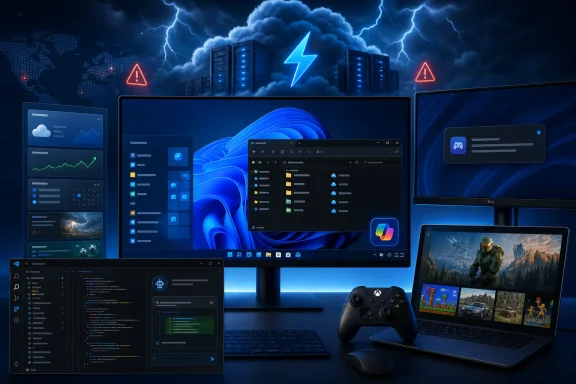
 Overview: A Busy Week With a Clear Theme
Windows has long been a local operating system that could function independently even when online services were unavailable. That principle is steadily changing. Windows Update, Microsoft Store downloads, account-connected features, cloud gaming, AI assistance, device companion apps, and work collaboration now all rely on a web of Microsoft-operated services.
This week put that dependency in plain view. A power-related Azure incident affected Windows Update delivery, Microsoft Store app installs, the Microsoft Update Catalog, and update workflows used by IT administrators. It arrived shortly after a separate Microsoft 365 disruption affected core collaboration services including Microsoft Teams and SharePoint.
The immediate operational problems have been resolved, but the events leave a longer-term lesson. Windows users can tolerate a delayed feature rollout; organizations cannot easily tolerate interrupted patch management, blocked application delivery, or inaccessible collaboration platforms.
At the same time, Windows 11 preview builds continue to show Microsoft working through a difficult balancing act. The company is making practical interface improvements, including a cleaner Widgets layout and expanded dark-mode work in File Explorer. Yet those changes are paired with more Copilot placements, renewed activation controls, and an awkward episode involving an LG companion app that appeared on some systems without a conventional installation decision from the user.
Azure Outage Shows the Limits of Cloud-First Windows Servicing
The outage affecting Windows Update and associated delivery services is arguably the week’s most important Microsoft story for IT professionals. A Windows PC can still boot and run local applications during a cloud issue, but its ability to receive security updates, download Store apps, and access certain managed update infrastructure can be impaired.
What Was Affected
The disruption affected multiple services tied to Windows software distribution:
- Windows Update delivery
- Microsoft Update Catalog access
- Microsoft Store app installations and downloads
- Windows Server Update Services synchronization and update operations
- Some server-side update workflows used by enterprise administrators
Microsoft restored Windows Update and Store functionality, although some administrators encountered residual latency in Windows Server update operations after the primary incident had been addressed.
The fact that the incident affected both consumer-facing and enterprise-facing update channels matters. Consumers may simply see an update fail or a Store download refuse to begin. For IT teams, however, an interruption can delay scheduled patch deployment, complicate compliance reporting, and force administrators to spend time distinguishing a Microsoft-side service incident from a local networking or configuration problem.
Why Update Availability Is Now a Business Continuity Issue
The old assumption was that endpoint management was mostly a local infrastructure problem: maintain a WSUS server, control Group Policy, stage updates, and handle bandwidth. That model has been evolving for years as Microsoft encourages cloud-managed servicing through services such as Intune, Windows Autopatch, Windows Update for Business, and Azure-based management tooling.
That modernization has obvious advantages:
- Faster access to newly released updates
- Less on-premises infrastructure to maintain
- Better support for remote and hybrid work
- Simpler deployment rings and compliance views
- More consistent management across geographically distributed devices
The risk is concentration. When a core Microsoft cloud dependency has a regional or wider service problem, many layers of the Windows ecosystem can become impaired at the same time.
For enterprises, this strengthens the case for a realistic update-resilience plan. That plan should include tested emergency procedures, clear service-health monitoring, staged deployment schedules, and documented fallback options for systems that require rapid patching. It should also avoid treating a cloud-managed update workflow as automatically immune to disruption merely because it removes a local WSUS server.
Two Incidents, One Trust Problem
The Azure service problem followed a Microsoft 365 outage that affected Teams and SharePoint. These were distinct incidents, and it would be inaccurate to merge their technical causes. From the customer perspective, though, the distinction matters less than the pattern.
When Teams, SharePoint, Windows Update, and Store delivery suffer disruption in close succession, the message received by customers is that Microsoft’s productivity and endpoint ecosystems are tightly coupled to a service estate they cannot control.
That does not mean cloud services are inherently unreliable. In fact, Microsoft can often restore globally distributed services more quickly than many organizations could restore equivalent systems on their own. But it does mean that businesses need to evaluate service continuity in practical terms rather than assuming a subscription service transfers all operational risk to the provider.
The LG Monitor App Incident Raises Hard Questions About Consent
The week’s most uncomfortable Windows 11 story involved the LG Monitor App Installer, a companion app that was reportedly delivered to some PCs through Microsoft’s Windows distribution mechanisms after compatible LG displays were connected.
The software became controversial because users reported that it arrived without the kind of explicit installation approval normally expected for a monitor utility. It also displayed prompts related to McAfee software, turning a background hardware-support mechanism into an apparent advertising channel.
Microsoft Stops the McAfee Bundling, But the Larger Problem Remains
Microsoft has worked with LG to stop the McAfee component from being bundled through the installer. That is a welcome immediate outcome. Nobody expects a newly connected monitor to trigger unwanted security-software promotions on a Windows desktop.
However, preventing one specific bundle does not fully settle the central issue: why was companion software installed so quietly in the first place?
A monitor is not inherently suspicious hardware. Modern display utilities can provide legitimate features such as:
- Firmware updates
- Color-profile management
- Screen-split and productivity layouts
- Input selection controls
- Brightness and contrast adjustment
- Gaming presets
- USB hub and peripheral configuration
Those capabilities can be useful, especially for premium monitors with sophisticated on-screen controls. The problem comes when the deployment model blurs the line between a useful driver-adjacent utility and unwanted software.
Automated Content Recognition Concerns
The LG discussion also drew attention to Automated Content Recognition, a technology associated with identifying material displayed on a screen. Such technology can be used for analytics, personalization, content matching, or feature-specific functionality. It can also alarm users who reasonably expect a computer monitor to remain a passive display rather than an active data-collection endpoint.
The key issue is transparency. If an application has broad permissions, telemetry functions, or screen-content-related capabilities, those functions must be clearly disclosed before installation. Users should be able to decline them without losing basic monitor functionality.
This incident highlights a broader Windows ecosystem concern. Microsoft’s hardware discovery and companion-app pathways are convenient when they surface a helpful printer driver or configuration tool. They become damaging to trust when vendors use them to push promotional software or when users do not understand what has been installed.
A Better Model for Hardware Companion Apps
Microsoft should consider a more explicit opt-in model for companion applications. A notification could identify the connected device, name the available app, explain why it may be useful, and let the customer make an informed choice.
That approach would preserve convenience while respecting consent. It would also reduce the likelihood that Windows Update becomes associated with advertising, bloatware, or stealthy software installation.
For affected users, the practical recommendation is straightforward: review installed applications, uninstall the LG utility if it is not needed, and check whether any display-management features can be handled through the monitor’s built-in controls instead. Administrators should also review whether device companion applications can be restricted through their endpoint-management policies.
Windows 11 Preview Builds: Useful Polish Amid More Copilot
Microsoft released new Windows Insider builds across the Beta, Experimental, and Release Preview channels. The most notable consumer-facing additions center on Widgets, File Explorer, dark mode, and Copilot controls.
The release cadence reinforces a familiar reality: Windows 11 development is now less about one giant annual launch and more about a continuous stream of feature drops, controlled rollouts, and testing branches.
Widgets Finally Get a More Sensible Structure
The biggest improvement in the Release Preview updates is a refined Widgets experience. Microsoft is separating conventional widgets from the Discover feed, reducing the visual collision between useful glanceable information and the news-driven material that many users regard as clutter.
This is an overdue correction. The Widgets board has often struggled with identity. Is it a productivity dashboard? A personalized news feed? A promotional surface for Microsoft services? A mix of all three?
Separating Widgets and Discover does not eliminate that tension, but it gives users more control over how they interact with the panel. A weather, calendar, watchlist, sports, traffic, or productivity widget serves a different purpose from a stream of web content and algorithmic recommendations.
The strength of the redesign is conceptual clarity. The lingering risk is that Microsoft may still use the Discover area to funnel users toward Bing, MSN, and Copilot-driven content even when they only wanted a lightweight dashboard.
File Explorer Gets More AI Hooks
File Explorer Home is gaining quick actions that can appear when users hover over recommended files, including Open file location and Ask Copilot. The functionality reflects Microsoft’s belief that AI should be present at the point where documents are found, not only in a separate Copilot application or browser tab.
There is a sensible use case here. If a user finds a long document in File Explorer, asking Copilot for a summary, context, or next steps could save time. It is also logical for Microsoft to surface AI assistance close to the files users already work with.
Yet the implementation deserves scrutiny. Recommended files and cloud-connected document features are not the same as traditional file management. Users who prefer File Explorer as a fast, predictable tool for browsing local folders may see these additions as interface noise.
The availability limits also matter. Microsoft commonly ties new AI features to particular account types, licensing conditions, regions, or Copilot-capable systems. A feature that exists in a preview build is not necessarily available to every Windows 11 user at release.
Dark Mode Continues Its Slow March Through Legacy Dialogs
A modern dark-mode version of the classic Properties experience has been spotted in an Experimental build, with initial work appearing around deletion-related dialogs. The sighting suggests Microsoft is continuing to unify Windows 11’s appearance in places where legacy white dialogs still break the dark theme.
This is a good sign, but it is also a reminder of how unfinished Windows 11’s visual modernization can feel. File Explorer may have a dark shell, but file copy dialogs, permission prompts, properties windows, error dialogs, and administrative tools have not always followed the same design language.
Users should welcome the work while tempering expectations. Hidden or partially enabled interface changes can remain experimental for months, change substantially, or disappear entirely before they reach stable Windows 11 builds.
A Small but Important Copilot Hardware Key Escape Hatch
Microsoft is testing a “Do nothing” option for the Copilot hardware key. It is a small setting with outsized symbolic value.
The Copilot key has become one of the clearest examples of Microsoft’s AI-first PC strategy. Newer hardware increasingly reserves a physical keyboard key for launching Copilot, whether users actively rely on it or not. For those who value the assistant, immediate access is convenient. For those who do not, the dedicated key can feel like a permanent reminder of a feature they never requested.
Allowing the key to do nothing is not as flexible as allowing broad remapping to any desired application or command. Still, it recognizes that a hardware button should not force an AI workflow onto every user.
This is the kind of choice Microsoft should expand. Windows 11 will be easier to accept as an AI-enhanced operating system if its AI integration remains controllable, dismissible, and respectful of user preference.
Copilot Deep Research and Podcasts Face a Sudden Deadline
Microsoft is retiring Deep Research and Copilot Podcasts in the consumer Copilot app on August 18, 2026. The distinction between the two retirements is important.
Existing Deep Research reports will remain accessible. Depending on the subscription type, users can still find reports through chat history or through Microsoft’s Researcher experience, and they can open saved reports in Word for preservation.
Copilot Podcasts are different. Existing generated podcasts are set to become unavailable after the retirement date, with no built-in export option. That is a much more problematic outcome.
Deep Research Moves Toward a Premium Model
Deep Research was one of the more compelling consumer Copilot features because it attempted to create long-form reports and structured analyses rather than short chatbot replies. Retiring it from the consumer app while retaining Researcher for Microsoft 365 Premium customers makes the strategic direction clear: advanced research functions are moving into paid product tiers.
That is not unusual for software services. Premium features fund development and infrastructure. Still, Microsoft should be precise about the value distinction between free Copilot, consumer subscriptions, and business-grade Copilot experiences.
If the free version increasingly becomes a demonstration layer for features that later move behind subscriptions, customers may become reluctant to invest time in new Copilot workflows.
The Podcast Decision Is a Digital Ownership Warning
The decision to make generated podcasts inaccessible without an export path is harder to defend. Even if the content was generated by an AI service rather than manually produced audio, users may have created podcasts around meaningful research, personal projects, presentations, or shared discussions.
When a service generates a user-facing artifact, preserving it should be the default expectation. A Word export option for Deep Research is sensible. The absence of an equivalent download or export option for podcasts suggests that content portability was not treated as a priority.
The lesson for users is broader than Copilot. Do not assume that cloud-generated output will remain accessible indefinitely. Export reports, save documents locally, download media where possible, and keep copies of work that matters.
Visual Studio Code Makes AI Agents More Independent
Visual Studio Code’s latest architecture work may be more important to developers than the headline version number suggests. The editor is moving agent sessions into a dedicated Agent Host process, with the Agent Host Protocol providing a shared framework for AI coding agents.
This architecture is designed to support agents such as Copilot, Claude, and Codex through a common session model. More significantly, it allows agent sessions to persist independently from a single editor window.
Why the Agent Host Matters
Traditional editor extensions are closely tied to the lifecycle of the application window and extension host. That is not ideal for long-running agentic tasks, remote workspaces, or workflows where an AI system continues working while the developer changes windows or reconnects from another machine.
The dedicated Agent Host model introduces several potential benefits:
- Agent sessions can be shared across multiple VS Code windows
- Long-running tasks can continue without a visible editor window
- Remote execution can run near the source code and build tools
- Different AI providers can plug into a common architecture
- Busy or misbehaving extensions are less likely to block agent execution
This is a mature direction for AI-assisted development. It recognizes that coding agents are moving beyond autocomplete and chat toward persistent, multi-step systems that inspect repositories, edit files, run commands, and maintain task state.
The security implications are equally significant. A background-capable coding agent with access to a workspace, shell commands, remote servers, and credentials requires careful permission design. Developers should continue treating agent actions as reviewable work, not as autonomous truth.
KMS Hardware-Secured Activation Targets Fake Hosts
Microsoft is also strengthening Windows volume activation through a forthcoming capability called KMS Hardware-Secured. The technology uses TPM-based attestation to verify that a Key Management Service host is running on trusted hardware before it can activate Windows devices.
For organizations using legitimate volume activation, the change aims to make KMS infrastructure more resistant to cloning, spoofing, and unauthorized activation scenarios. In plain terms, Microsoft wants activation trust to rely less on a host merely presenting the right network behavior and more on cryptographic proof tied to the host’s hardware and boot environment.
A Security Improvement With Deployment Consequences
The potential benefits are clear:
- Harder-to-clone KMS host identities
- Better protection against unauthorized activation servers
- Stronger linkage between activation services and trusted hardware
- More resistance to common piracy techniques
The deployment implications also deserve attention. TPM attestation depends on correctly configured firmware, Secure Boot, TPM health, certificates, and supported server environments. Organizations with legacy server hardware, heavily virtualized activation infrastructure, or unusual disaster-recovery arrangements should start assessing compatibility early.
As with many Windows security hardening changes, stronger protection can expose weak assumptions in older environments. The best approach is to audit KMS architecture before enforcement becomes mandatory, not after activation failures appear.
Xbox Backward Compatibility Comes to PC
Xbox delivered one of the week’s most enthusiast-friendly announcements with the early release of Xbox Backward Compatibility on PC. The initiative brings classic original Xbox titles to Windows 11 PCs and supported handhelds, marking a new stage in Microsoft’s game-preservation strategy.
The first four titles are:
- BLiNX: The Time Sweeper
- Conker: Live and Reloaded
- Crimson Skies: High Road to Revenge
- Fuzion Frenzy
These are not merely old games made visible in a streaming catalog. Microsoft is bringing them to PC with updated technical options including resolution scaling, VSync, display-mode controls, anisotropic filtering, anti-aliasing settings, and customizable language and audio options.
The Strongest Xbox PC Story in Years
For years, Xbox backward compatibility was primarily a console story. Expanding it to PC is strategically important because it turns preservation into a cross-device platform feature rather than a benefit tied to owning a particular console generation.
The approach also aligns with Xbox Play Anywhere. Where a supported digital license carries across console and PC, the purchase becomes more durable and more useful. That is an especially meaningful promise at a time when digital libraries, subscriptions, and streaming services often make ownership feel conditional.
Microsoft has also said achievements are planned for select original Xbox backward-compatible games later this year. The initial games will receive achievements in a future update rather than at launch.
There are limitations. The early catalog is very small, availability may vary by region, and original licensing agreements can make expansion complicated. Not every classic Xbox or Xbox 360 game will be technically or legally feasible to bring forward.
Still, the initiative is a promising start. It treats older games as software worth maintaining rather than disposable products trapped on aging hardware.
Ad-Supported Xbox Cloud Streaming Tests a New Trade-Off
Microsoft is also testing an ad-supported Xbox cloud streaming option for Xbox Insiders. The concept is simple: users can stream select games they already own without buying new hardware or subscribing to a Game Pass tier that includes cloud gaming, but they must watch an advertisement before a session begins.
Each session is limited to one hour. Microsoft says ads will not interrupt active gameplay, which is an important distinction. A pre-roll ad is disruptive, but it is far less damaging than a commercial break appearing in the middle of a race, multiplayer match, or story sequence.
Accessibility Versus Monetization
There is a real accessibility benefit to the test. A person who owns a compatible Xbox title but does not own a console, gaming PC, or Game Pass subscription could potentially play on a laptop, tablet, handheld, or other supported screen.
That is a compelling expansion of the Xbox ecosystem. It could make purchased games usable in more situations and lower the upfront barrier to entry for casual players.
The trade-offs are obvious:
- Advertisements add friction before play
- One-hour sessions can be inconvenient for long games
- Network performance still determines the experience
- The eligible game catalog is limited
- Cloud access remains dependent on Microsoft’s service availability
The larger concern is precedent. Microsoft says paid cloud gaming tiers remain ad-free, and the test is specifically framed around a no-cost option. That boundary should remain firm. Ads may be a reasonable exchange for a free streaming tier, but they would be far harder to justify in premium subscriptions already funded by monthly fees.
The Week’s Bigger Lesson for Windows Users
This week’s Microsoft news is not a story of simple progress or simple decline. It is a picture of a company extending Windows and Xbox in ambitious directions while repeatedly testing the limits of user trust.
The positive side is substantial. Windows 11’s Widgets panel is becoming more coherent. Dark mode is reaching more legacy surfaces. The Copilot key may finally be ignorable. Visual Studio Code is developing a serious architecture for persistent AI coding agents. Xbox is preserving older games on PC and experimenting with cheaper paths into cloud gaming.
The risks are equally real. Cloud outages can interrupt essential services. Hardware companion software can overstep user consent. Copilot features can disappear or move behind higher-priced subscriptions. AI integration can crowd established Windows workflows. Cloud gaming offers flexibility, but it also makes play dependent on servers, licensing, and network quality.
Microsoft’s success will depend on whether it can make these interconnected services feel empowering rather than compulsory. Windows 11 users do not need more features merely because they are technically possible. They need reliable services, clear choices, portable data, transparent installation practices, and controls that work as advertised.
That is the standard this week’s announcements should be measured against.
