
The distinction is no longer cosmetic. A family trying to call across iPhones, Android phones, Windows PCs, and browsers has different constraints from a Microsoft 365 tenant subject to retention policy, or a teacher who needs students to join without installing desktop software. Security claims in the comparison also need sharper treatment: “encrypted” and end-to-end encrypted are not interchangeable, and several leading meeting products trade the latter for recording, transcription, polls, AI summaries, or enterprise administration.
For Windows users and IT administrators, the best 2026 shortlist is less about a universal winner than choosing the service whose limitations do not collide with the job.
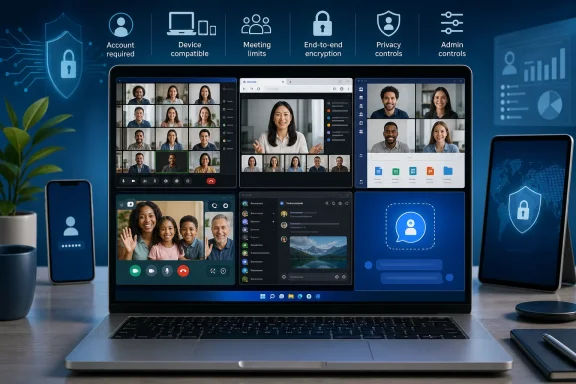 Zoom remains the strongest host-controlled meeting tool
Zoom still has the most mature controls for meetings where one organizer needs to run the room. Its breakout rooms, pre-assignment options, webinar tooling, host controls, recording workflow, and large-meeting options give it an advantage for instructor-led training, public presentations, hiring panels, and external customer meetings. Zoom’s own documentation says breakout rooms can be split into as many as 100 sessions, with larger capacities dependent on the account’s meeting limit and add-ons.
The catch remains material for free users. Zoom confirms that meetings hosted by Basic accounts are generally limited to 40 minutes, including one-to-one calls where another participant is present. That makes its free tier a poor default for long family calls, tutoring sessions, and recurring small-team meetings unless the host has a paid license. TechCityNG notes this limit, but its 9.5/10 “best overall” score gives the restriction too little weight: a platform that terminates a scheduled group call at 40 minutes is not the best general-purpose free calling app.
Zoom’s much-advertised security story also requires configuration context. Regular meetings use encrypted transport, but end-to-end encryption is an optional meeting mode. When a host enables it, Zoom disables or limits features including cloud recording, live transcription, polling, streaming, Whiteboard, and AI Companion functions. That is a rational security trade-off, but it means an organization cannot simultaneously treat E2EE as the default privacy answer and depend on the cloud-based productivity features that make Zoom appealing.
Use Zoom when the organizer needs formal meeting operations and can justify a paid host license. Do not choose it simply because it is recognizable, and do not describe Zoom’s standard meeting mode as end-to-end encrypted.
Google Meet is the simplest Windows-first free option, within a hard one-hour boundary
Google Meet is arguably the cleaner default for ad hoc calls involving Windows PCs because a participant can join from a modern browser without managing a separate client. The Gmail and Google Calendar connection remains its practical advantage: people already receive the invite, see the event, and click the link. For schools and freelancers already using Google Workspace, that reduced friction can outweigh Zoom’s deeper moderation and webinar controls.
But the free-plan limits need to be stated precisely. Google’s current support material sets a maximum of 100 participants for meetings created with a personal Google account. One-to-one meetings can run for up to 24 hours, while meetings with three or more participants are capped at one hour. TechCityNG calls the free plan “excellent,” but that assessment has the same problem as its Zoom rating: the group duration cap is a decision point, not a footnote.
Meet is also more fragmented than the article suggests. Google differentiates between scheduled or link-based meetings, Meet calls, legacy calls, and enterprise client-side encrypted meetings. Standard Meet meetings are cloud-encrypted, meaning media is protected in transit and at rest but Google’s services participate in the encryption architecture. Enterprise and education tenants can deploy client-side encryption, but only with supported Workspace editions, an external identity provider, and a key-management service. That protected mode also disables a long list of conveniences, including recordings, captions, breakout rooms, noise cancellation, polls, Q&A, transcription, live streaming, and Gemini meeting features.
For a student group, a one-hour collaborative call may be enough. For a school administering sensitive meetings, Meet’s client-side encryption is a serious option, but it is an IT project with feature loss—not a toggle consumers should assume is present. Google Meet wins on frictionless joining and calendar workflow, not on being the most capable platform in every scenario.
Microsoft Teams is a collaboration system first and a consumer calling app second
TechCityNG is right that Microsoft Teams is the natural choice for organizations already committed to Microsoft 365. The reason is not merely that Teams has video: it consolidates meetings with Outlook scheduling, Teams chat, SharePoint and OneDrive files, Microsoft 365 identity controls, tenant administration, retention policies, and workspaces that persist after the call ends. If a Windows-based company already manages users in Microsoft Entra ID and documents in Microsoft 365, moving the meeting to another platform often introduces more duplication than benefit.
Teams Free, however, should not be confused with a no-cost equivalent of a Microsoft 365 business deployment. Microsoft says the free version supports meetings of up to 100 participants for up to 60 minutes and does not include meeting recording or breakout rooms. Microsoft 365 Personal and Family subscriptions extend meeting duration to 30 hours and raise capacity to 300 participants, while business licensing varies by plan and policy.
There is another important security correction. Microsoft Teams encrypts calls and meetings in transit and at rest, but Teams end-to-end encryption is not the standard state for all meetings. Microsoft’s documentation describes E2EE for unscheduled one-to-one calls, with both parties needing supported clients and the feature enabled. It also says that E2EE calls lose functions including transcription, recording, adding participants, transfer, apps, and live captions. Microsoft now exposes a separate end-to-end encrypted meeting policy for Teams Premium customers, but that is an administrator-controlled premium capability rather than a blanket guarantee for all meetings.
For IT departments, Teams should be selected because it is the most operationally coherent choice inside Microsoft 365. For a family or casual study group, the account complexity, tenant behavior, and interface density remain more burden than value. Teams is the work choice when Microsoft 365 is already the work system.
WhatsApp, FaceTime, Discord, and Signal solve different personal-call problems
The consumer side of the comparison deserves more than a “friends and family” bucket. WhatsApp has become more credible on Windows and browser-based devices than its reputation as a phone-only messenger suggests. Meta announced in July that WhatsApp Web can now place and receive individual and group voice and video calls directly in the browser, with screen sharing, reactions, a Calls tab, transfer between devices, noise suppression, and optional approval before people enter a call link. Meta says those web calls are end-to-end encrypted and carry no time limit or cost.
That makes WhatsApp a strong family recommendation when the deciding factor is reach: relatives often already have accounts, international calls do not require a paid conferencing host, and the service now works more naturally from a Windows browser. It is still not a substitute for an education platform or moderated webinar service. Its file organization, participant management, meeting lifecycle, and presentation controls are weaker because the product’s center of gravity remains messaging.
FaceTime continues to provide the most polished call experience for Apple-centric households. Apple states that FaceTime audio and video are protected with end-to-end encryption, and Android and Windows users can join an Apple-created FaceTime link through a web browser. But “can join” should not be read as equal participation: the Apple user is still the person who creates the link and controls the Apple-native experience. FaceTime is a very good answer for a family whose organizers use iPhones, iPads, or Macs; it is a less sensible choice when Windows and Android users need to initiate calls independently.
Discord deserves a stronger privacy rating than the supplied comparison gives it, at least for audio and video. Discord says end-to-end encryption became mandatory for audio and video conversations in direct messages, group messages, voice channels, and Go Live streams on updated supported clients beginning March 2, 2026. That is a meaningful change for clubs, gaming groups, student communities, and persistent volunteer spaces where people move between text, voice, screen sharing, and video over time. Stage channels and stream previews are exceptions, and Discord still lacks the meeting governance and archival model that a company needs.
Signal remains the clearest recommendation when private conversation outweighs collaboration features. Signal says every message and call is end-to-end encrypted by default, its client and server code are publicly available for inspection, and encrypted group video calls currently support up to 75 participants. Its group calls require everyone to be in the same Signal group, a design that reduces the casual “send a link to anyone” convenience found in Zoom, Meet, and Teams. That inconvenience is part of why Signal is appropriate for journalists, advocates, and privacy-sensitive personal conversations rather than open classes or external business events.
The comparison’s missing category is deployment cost and administrative fit
TechCityNG says it compares pricing, but it provides no actual prices, plan names, licensing thresholds, capacity entitlements, or costs for recording and AI features. That omission matters most to the people who have to support the service after the first successful call. Zoom’s free limit is 40 minutes; Google Meet’s free group limit is one hour; Teams Free has a 60-minute limit and excludes recording; encryption modes across Zoom, Meet, and Teams can disable features that management may assume are included.
For a Windows household, choose WhatsApp when the priority is getting a mixed-device family onto a private call with minimal setup, or use Google Meet when browser-based access and Calendar invitations matter more. For Apple-led families, FaceTime remains the smoother experience, with browser invitations as a useful bridge rather than full platform parity.
For work, choose Teams if Microsoft 365 is already the identity, files, chat, and compliance platform. Choose Zoom when external-facing event management, breakout sessions, and host control are the core requirement. Choose Google Meet when the organization lives in Google Workspace and needs the lowest-friction browser meeting workflow. Signal and Discord have real strengths, but neither should be smuggled into a regulated or formal enterprise meeting role merely because the calls are encrypted.
The practical consequence is straightforward: standardize the business platform, but keep a second consumer-grade option available for the calls it handles better. In 2026, video calling has stopped being one category of software; it is a set of incompatible trade-offs between reach, meeting control, data governance, privacy, and the amount of setup the least technical participant can tolerate.
