Member details
- Joined
- Feb 5, 2009
- Messages
- 1,707
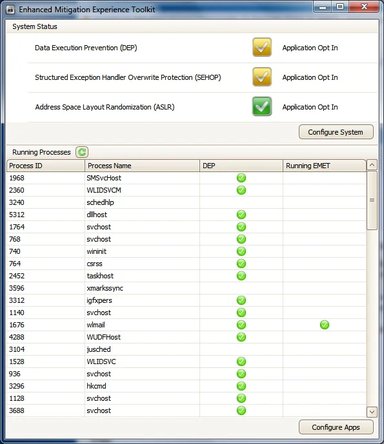
I guess the first question I should ask is do the experts here at this forum think this thing is worthwhile. It looks like this might be the way of hardening my operating system that I have been thinking I'd like to have. It also looks like it could hinder the operation of a computer.
I've already installed it but I don't understand it. I was wondering if anyone here really knows how this should be set up. The literature I've found online hasn't really helped. It seems to basically say " try it and see".
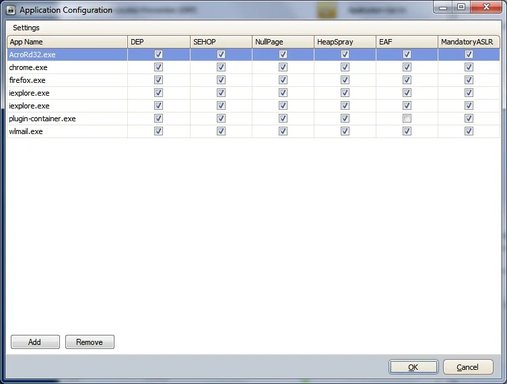
I've set up my browsers, the plugin container, email program and Adobe Reader in it. I had to disable "EAF" in the plugin container or I couldn't stream NetFlix video.
That's all I've done so far. I don't know where to go from there.
I've already installed it but I don't understand it. I was wondering if anyone here really knows how this should be set up. The literature I've found online hasn't really helped. It seems to basically say " try it and see".
I've set up my browsers, the plugin container, email program and Adobe Reader in it. I had to disable "EAF" in the plugin container or I couldn't stream NetFlix video.
That's all I've done so far. I don't know where to go from there.