📎 AI Summary:
The user is experiencing display issues with certain text appearing as squares on their Windows 10 system after reverting from Comic Sans MS to Segoe UI, despite resetting font settings and unchecking related options. Contributors suggest checking language settings, rebooting, and creating a new user profile to diagnose if the problem is system-wide or profile-specific. Overall, the discussion is technical and focused on troubleshooting font display problems, with the user seeking solutions to resolve the issue.

ilank1009

New Member
Joined
Oct 30, 2018
Messages
16
Thread Author #1
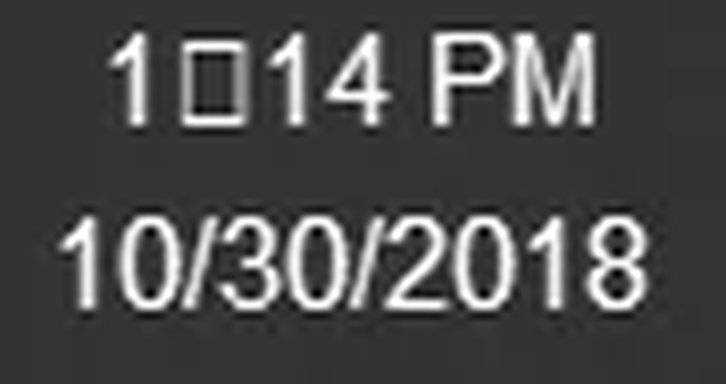
Ok so a month ago I changed to comic sans ms for fun but it had a problem with Hebrew so I changed back to Segoe UI and now I have a problem of some text showing as squares like:
the time
play button in Groove music
checkbox
and some other stuff

I tried the control panel thing it didn't help (control panel>fonts>reset default settings )

I'm using
dell Inspiron 15 gaming
windows 10

Thanks.
An image from 'Help Some text showing as squares!!!!!!'. Screenshot showing a music app interface with a blue circular play button icon.
 

Attachments

  • Time.webp
    Time.webp
    1.1 KB · Views: 295
Last edited by a moderator:
Solution
Also, are you on a really old build of Windows 10? If you click Start, and type in winver and click on it, it will tell you your version. If its older than 1803 you should consider updating.

Josephur

Windows Forum Admin
Staff member
Premium Supporter
Microsoft Certified Professional
Joined
Aug 3, 2010
Messages
1,283
Well perhaps someone else on the forum that uses multiple languages can provide you with an answer, I'm out of ideas. I really don't think it's system corruption.. I think it has to do with unicode character displaying incorrectly because of language/region settings or misconfiguration.