

Hi everyone, first time posting here,
I'm trying to reinstall windows on my dell xps 15 from USB, but when I go to choose a drive to install on, they are GPT and need to be MBR, according to my tech friend. However, I can't access command prompt to change this through bios, and my hard drive is totally wiped. So i'm kind of stuck!
Any replies appreciated!
I'm trying to reinstall windows on my dell xps 15 from USB, but when I go to choose a drive to install on, they are GPT and need to be MBR, according to my tech friend. However, I can't access command prompt to change this through bios, and my hard drive is totally wiped. So i'm kind of stuck!
Any replies appreciated!


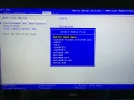

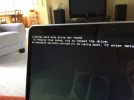
 You need to find out which drive is was booting your Windows; the 1TB or the 32GB SSD drive! You can check this in your BIOS setup, and simply look for the lowest numbered SATA # drive in the list of drives under the storage tab in your BIOS. The bootdrive will always be Drive #0. If the 1TB HDD is showing there, that's your bootdrive. If the 32GB SSD drive is showing there, then your SSD drive is the boot drive. Whichever drive is NOT the bootdrive must be manually disconnected--you have to physically open your case to do this! YOU CANNOT DISABLE IT IN BIOS--THIS IS NOT SUFFICIENT!!
  By the way, the VERY first thing the Tech will do once they attempt to troubleshoot your problem, will be to disconnect that secondary drive. Most home users have no idea that they are supposed to do this. But, if your secondary drive has a failure, that could also keep your USB key from working with a Windows boot repair or install. The fact that you do not know which drive is your bootdrive, tells me you are missing things. UEFI can be very tricky to work with. Ordinarily, if you can't produce a Windows bootable media on USB with your computer on either of your drives, it's very likely you have a hardware failure.
 The other thing you can try is to produce the Windows bootable media on DVD as a test. If that doesn't work either, either 1 or both of your drives have failed and must be replaced.
 If you get to this point; you should really take your computer to a local shop and pay a Tech to sort it out for you.
