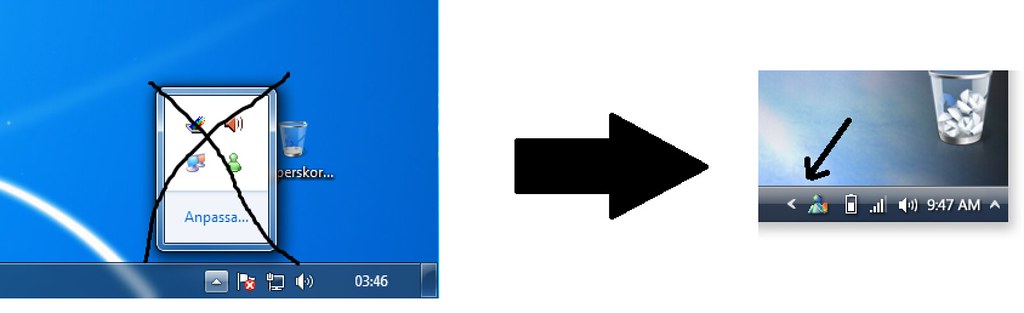
Is there a way I can change the Show Hidden Icons thing back to the previous style, where it expanded to the right instead of opening a box above the taskbar?
Yes... right click on the program or icon and run in VISTA mode. That's the way people get Live Messenger out of the hidden icon location.
Also there are 3 types of customizations you can select for the way icons are displayed... combined or sometimes combined or never combined.. I like never... right click on the task bar and click properties and you'll see those options.
Yes... right click on the program or icon and run in VISTA mode. That's the way people get Live Messenger out of the hidden icon location.
Also there are 3 types of customizations you can select for the way icons are displayed... combined or sometimes combined or never combined.. I like never... right click on the task bar and click properties and you'll see those options.
But I mean like not to get the popup for hidden icons. Would be great to get it as in Vista and XP when you press the "show hidden icon arrow" and it just slides to the left instead of the "popup window".
But I mean like not to get the popup for hidden icons. Would be great to get it as in Vista and XP when you press the "show hidden icon arrow" and it just slides to the left instead of the "popup window".