

The researcher’s claims are not yet an independently validated affected-version assessment. MSNightmare, also known as Nightmare-Eclipse, describes BigDiskBuster on GitHub as a “Windows Defender Update Denial of Service Vulnerability,” but acknowledges that the implementation is buggy and needs rewriting. The reviewed evidence does not identify a Microsoft advisory, CVE assignment, or confirmed fix.
How the reported update blockage works
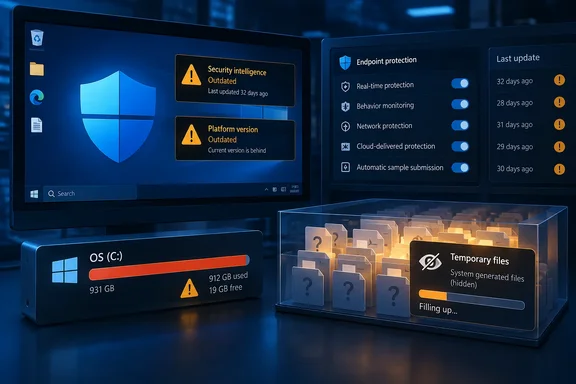
According to Cyberpress, BigDiskBuster monitors filesystem activity associated with Defender platform and definition updates. When it detects relevant changes, it checks free space on the system drive and creates a hidden temporary file intended to consume nearly all remaining capacity. It reportedly repeats that process when space becomes available again.
The intended failure is straightforward: an update needs local storage to stage, unpack, and install its contents. Consuming that storage can prevent an update from completing even if the endpoint can still reach its update service. The reported mechanism targets this servicing dependency rather than directly switching off Defender’s antivirus service or real-time protection.
Cyberpress also reports that BigDiskBuster retains an open handle to MRT.exe, the Microsoft Malicious Software Removal Tool executable, with restrictive sharing permissions. That may interfere with replacement, modification, or removal of the executable while the handle remains open. The available evidence does not establish how much this behavior contributes to the claimed Defender update blockage, so it should not be treated as a separately confirmed Defender failure.
CybersecurityNews also reported the PoC’s release and its stated aim of blocking platform and security-intelligence updates. That additional coverage supports the existence of the publication, but does not establish independent reproduction of the technique.
The repository’s claim that it “seems to work on all supported Windows versions” remains the author’s assessment. There is no verified build-by-build test matrix in the reviewed material, and the precise privileges needed for reliable exploitation are not established. Administrators should not interpret the claim as confirmation that every supported Windows client and server configuration is vulnerable.
Enabled protection and current protection are separate checks
Microsoft’s security-intelligence documentation explains that these updates continually refine detection logic and coverage for new threats, working alongside cloud-based protection. Microsoft also publishes separate engine and platform version information.
Those distinctions help explain what to inspect:
| Component | What administrators should establish |
|---|---|
| Security intelligence | Whether signature versions and update timestamps continue advancing as expected. |
| Scanning engine | Whether the installed engine version matches the organization’s expected baseline. |
| Defender platform | Whether the installed product/platform version matches the approved deployment baseline. |
| Service and real-time protection | Whether antivirus protection is enabled, independently of update freshness. |
A device can therefore pass an “antivirus enabled” check without demonstrating that update servicing is healthy. Conversely, a stale signature timestamp alone does not prove BigDiskBuster is running; it establishes an update problem that needs investigation.
The reported consequence is a growing gap between installed protection and newly distributed updates. It does not demonstrate that existing detections cease working or that every newly encountered threat will evade Defender. Nor does the evidence establish that cloud-based protection is disabled.
Check Defender status without running the PoC
On a Windows endpoint with the Defender PowerShell module available, Microsoft documents this read-only status command:
Get-MpComputerStatus
Its output includes service state, real-time protection state, engine and product versions, and antivirus signature information. For a focused assessment:
- Record
AMServiceEnabled,AntivirusEnabled, andRealTimeProtectionEnabledto establish the reported protection state. - Review
AntivirusSignatureVersion,AntivirusSignatureLastUpdated, andAntivirusSignatureAgeto establish update freshness. - Compare
AMEngineVersionandAMProductVersionwith approved deployment baselines and similarly managed endpoints. - Correlate unexpected staleness with Defender Operational logs, repeated update failures, and available space on the system volume.
Do not use Microsoft Learn’s sample command output as a current version baseline. Its example illustrates the available fields using historical version numbers. Equally, comparing a managed endpoint against a single public “latest” version without considering its deployment ring can misclassify an intentional rollout delay.
If an update is expected to be available, success means the relevant version or timestamp advances after servicing—not merely that the service continues to report True. Platform servicing and security-intelligence servicing should be checked separately.
Investigate recurring space loss alongside update failures
Cyberpress recommends watching for sustained low free space, unexpectedly large hidden files in temporary locations, and repeated Defender update failures. It also identifies unusual processes accessing Defender update paths or retaining handles on Microsoft security binaries as investigation leads. These are behavioral signals, not unique identifiers for BigDiskBuster.
The reported repetition mechanism has an important operational implication: freeing disk space once may provide only temporary relief if the process consuming it remains active. Where update failures coincide with unexplained space depletion, investigate the responsible process and preserve relevant endpoint telemetry before treating the incident as routine storage cleanup.
Microsoft documents manually triggered security-intelligence updates as a general troubleshooting option. That is not a verified BigDiskBuster remediation, and a successful signature update would not by itself prove that platform servicing has recovered.
For now, the evidence supports checking update health rather than deploying an unverified exploit-specific fix. The useful control is concrete: monitor Defender’s protection state, signature freshness, component versions, and recurring storage pressure together, so an enabled antivirus service does not conceal stalled updates.