

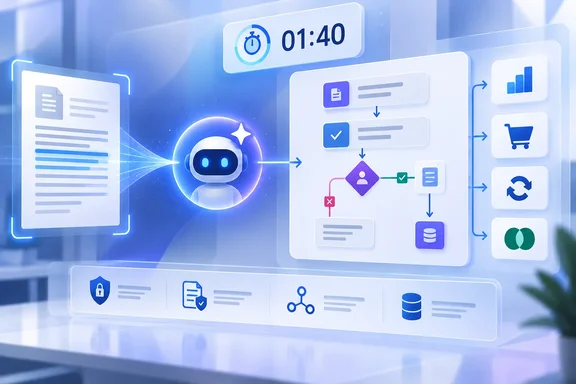
The announcement, published on the Microsoft Copilot Blog on April 10 and modified on September 15, describes two directions of integration: a workflow can pause at an agent node for interpretation or judgment, then continue through its defined steps; conversely, an agent can call a workflow when it reaches a repeatable, rules-bound task such as creating a purchase order or processing a refund. Microsoft Learn documentation now fills in constraints that the launch post glosses over: workflow tools must be published, respond synchronously, and return within 100 seconds.
For Copilot Studio administrators, this is less a new automation philosophy than a more direct way to implement a longstanding control boundary. Let the model classify, summarize, retrieve, or recommend. Keep approvals, financial changes, record updates, and external-system writes in an explicit flow with known connectors, conditions, and owners.
Agent nodes put a model step inside a defined process
Microsoft’s new agent node allows a Copilot Studio workflow to call an existing agent—or create an inline one—at a specific point in a flow. The workflow can pass along values produced in earlier steps, receive the agent’s response, and use that response in later branches or actions.
That structure is useful where a conventional Power Automate-style flow tends to fail: incoming documents with inconsistent layouts, free-form customer requests, contract language that must be compared against policy, or exception routing that depends on several pieces of context. Microsoft’s examples include evaluating supplier proposals, generating role-specific onboarding material, and recommending a response for complicated service cases.
The practical limit is important. An agent node does not convert the rest of a workflow into a deterministic system. It creates a bounded AI decision point within one. If the agent is allowed to retrieve knowledge, use connectors, or invoke MCP tools, the quality and safety of the result still depend on its instructions, available data, identity configuration, and tool permissions.
Microsoft’s current Learn documentation also shows that the capability has developed since the April blog post. The agent-node documentation describes adding MCP servers and connectors as tools, grounding the agent with sources such as SharePoint sites or public websites, and creating inline agents directly in the workflow designer. Those options make the node much more capable than a simple “summarize this document” step—but they also widen the review surface for IT teams.
A procurement flow, for example, should not take an agent’s unstructured conclusion and automatically release a purchase order solely because the model said a proposal complied with policy. A more defensible design has the agent return a constrained recommendation and rationale, sends the result through deterministic validation and approval stages, and records the inputs and result for review.
Workflows as agent tools come with a 100-second ceiling
The reverse pattern—an agent calling a workflow—has a clearer operational purpose. An agent can reason through a user’s request, determine which standard action applies, and call a workflow to perform the action. Microsoft cites quote generation, discount approval, refund processing, and ERP purchase-order creation as examples.
But the vendor’s current documentation places hard requirements around this handoff. A workflow used as an agent tool must use the “When an agent calls the flow” trigger and a “Respond to the agent” action. It must be published, configured for a real-time rather than asynchronous response, and normally complete within the 100-second action limit.
That requirement means agent-facing workflows are poorly suited to every existing back-office process. Long-running approvals, batch reconciliations, large data exports, document-processing queues, and slow third-party ERP transactions may require a different pattern: have the agent submit a request, return a confirmation or tracking identifier, and let the longer business process run outside the agent’s synchronous tool call.
The 100-second limit is not a small implementation detail. It determines whether a workflow can be treated as a conversational tool at all. A maker who simply adds an existing flow to an agent without checking duration, response behavior, and output size may find that the agent cannot reliably use it in production.
Microsoft also says the agent’s orchestration runtime uses a workflow’s name and description to decide when to invoke it. That is a useful convenience feature, but it should not be mistaken for a policy engine. Vague tool names such as “Order Helper” or overlapping descriptions for “Create order,” “Update order,” and “Order processing” increase the chance that an agent chooses the wrong action or fails to call one when it should.
Administrators and makers should treat descriptions as executable configuration. State the condition that should trigger the workflow, the permitted action, the expected inputs, and the result returned. Then test tool invocation in Copilot Studio’s activity trace before publishing the agent.
The launch message understates the governance work
Microsoft’s blog frames the combined design as a way for business teams to adapt automation while compliance and security teams retain auditability. The platform can support that division of labor, but the controls do not arrive automatically because a process contains a workflow.
Copilot Studio inherits Power Platform data-policy controls that can restrict connectors, knowledge sources, HTTP requests, event triggers, unauthenticated chat, and publishing channels. Microsoft’s administration documentation says those policies are enforced in real time, and an agent that violates a policy can be blocked from publishing or fail for users with a DataLossPreventionViolation error.
This matters more once workflows and agents can call each other. A workflow that hands a case to an agent may expose customer or financial context to the agent’s configured knowledge sources and tools. An agent that calls a workflow may be able to initiate a write operation in Dataverse, Dynamics 365, Outlook, SAP, ServiceNow, or another connected system. The technical boundary is no longer just “what can this chatbot answer?” It is “what data can this agent receive, and what action can its tools cause?”
The minimum review should therefore cover the full execution chain:
- The workflow’s connectors, connection references, and run-only identities should match the data and action the process is authorized to use.
- The agent’s knowledge sources, tools, authentication model, and instructions should be reviewed alongside the workflow rather than as a separate chatbot configuration.
- The agent response should be constrained to fields a downstream flow can validate, instead of passing free-form prose directly into a sensitive transaction.
- High-impact actions should retain approval, policy validation, idempotency checks, and error handling inside the workflow.
Microsoft’s documentation specifically warns that data policies can block connectors and make production agents fail if administrators’ configurations do not match deployed workloads. That makes policy testing a deployment prerequisite, not a cleanup task after makers have built an agent-workflow chain.
“Deterministic” applies to the flow, not the model’s selection
Microsoft describes workflows as the predictable half of this design, and that is broadly true when a flow receives known inputs and follows fixed conditions. Yet the agent-to-workflow pattern includes a probabilistic decision before the workflow starts: the agent orchestrator selects a tool based on the user request, agent instructions, and tool metadata.
That distinction changes how teams should assign risk. A workflow can guarantee that a refund request is validated against business rules once invoked. It cannot, by itself, guarantee the model invoked the refund workflow only when it should have. Similarly, an agent node can produce a useful interpretation of a supplier contract, but the flow needs guardrails before treating that interpretation as an authoritative compliance decision.
For sensitive processes, the better implementation is often to split the AI result from the decisive action. Let an agent extract proposed fields, summarize evidence, assign a confidence indicator, or recommend a route. Let the workflow validate mandatory fields, compare values against authoritative systems, require approval where necessary, and write an audit record containing the model output and final decision.
That approach also gives teams a way to measure whether the AI portion is helping. They can examine how frequently an agent routed an item correctly, how often a human overrode its recommendation, how many workflow invocations timed out, and whether tool descriptions are causing misfires. Microsoft’s claim that the combination reduces risk is plausible only when those operational checks exist.
Current documentation signals a shifting product surface
There is a qualification buried in the documentation that should give enterprise buyers pause before standardizing broadly. Microsoft Learn’s newer pages for agent nodes and workflow tools identify the features as being used by agents or workflows powered by the GitHub Copilot harness. Another current page labels the newer method of adding a workflow to an agent as preview and says its documentation is subject to change.
Meanwhile, other Copilot Studio documentation continues to describe similar “agent flow” functionality under the standard harness. The two sets of instructions share important requirements, including published flows, a synchronous response, and the 100-second limit, but they are not presented as a single, interchangeable product experience.
Microsoft’s April announcement says agent nodes are available in all regions. That statement addresses geography, not licensing, harness eligibility, tenant configuration, usage billing, or preview status. Current Learn pages state that usage-based billing and Copilot Credits can apply to building, testing, evaluating, and using agents in the newer experience.
Before moving a production automation to this pattern, organizations should verify which Copilot Studio experience their tenant uses, whether the required workflow and agent capabilities are generally available in that experience, and how the intended usage will be billed. They should also test the process under the same identity, data policy, connector restrictions, and volume expected in production.
The useful change here is real: Copilot Studio can now make a workflow the structure around an AI judgment, or make a workflow a controlled action available to an agent. The consequence is equally real: every handoff between agent reasoning and workflow execution becomes a design, testing, governance, and cost-control boundary that IT teams need to own.
References
- Automate business processes with agents plus workflows in Microsoft Copilot Studio Microsoft · 2026-04-10T15:58:12+00:00