

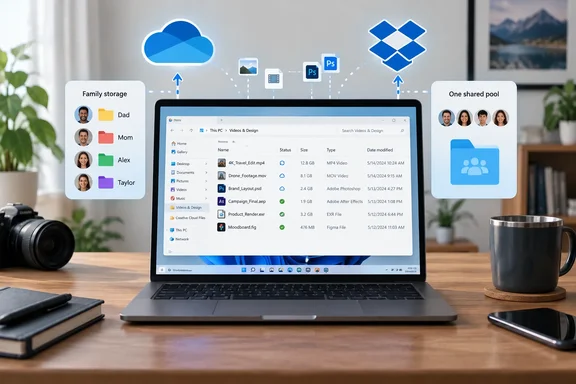
The practical question is the same for a household on Windows 11 and an IT department with a Microsoft 365 tenant. If you drop the incorrect sync claim and fix the storage figures, what does each service actually give you in 2026? The answer favors OneDrive for anyone already inside Microsoft 365 more clearly than the original piece suggests. It also gives Dropbox a narrower, but real, place.
OneDrive's differential sync covers the large-file case The Zero Net gives to Dropbox
The comparison opens with sync engines. It says Dropbox re-uploads only the changed chunks of an edited file, and that OneDrive, although much improved, still re-uploads whole files for several file types. It claims this makes OneDrive noticeably slower on design assets, video and large datasets.
Microsoft's IT-admin guidance on network utilization for the OneDrive sync app says the reverse. It states that the sync app "provides differential sync for all file types stored in OneDrive and SharePoint." It explains that differential sync sends only the changed parts of large files, so everyday edits upload and download the changes rather than the whole file. That cuts both transfer time and bandwidth. This is the same mechanism the comparison credits only to Dropbox.
Microsoft's consumer support page on OneDrive restrictions and limitations adds more detail. It lists extra requirements for new-format Office files (.docx, .pptx and .xlsx), because those are handled through Office integration:
- Office 2016 Click-to-Run version 16.0.6741.2027 or later, or Office 2016 MSI with the October 4, 2016 update KB3118262 installed.
- OneDrive sync app version 17.3.6386.0412 or later.
- The "Use Office applications to sync Office files" setting turned on in the Office tab of OneDrive settings on a PC, or OneDrive Preferences on a Mac.
The same page says differential sync is available globally for other file types. OneNote notebooks are the documented exception, because they use their own sync mechanism outside OneDrive. So a 200 MB video project or a large dataset gets differential sync. Office documents get it through the Office integration path, as long as that setting hasn't been turned off.
Dropbox describes its own equivalent, which it calls delta sync, in its security and encryption overview. Both vendors therefore claim the same basic behavior. Neither company's documentation is a head-to-head benchmark, and The Zero Net didn't publish one. Its claim that Dropbox "will save you real time" on media files is an opinion, not a measurement. Microsoft's guidance also points to factors that often matter more than sync architecture: packet loss and latency can hurt OneDrive transfers even on 1,000 Mbps links, and bandwidth use is driven mostly by file count, file size and how often files change.
Microsoft 365 Family's 6 TB is six 1 TB allowances, while Dropbox Family is one shared 2 TB pool
The comparison's pricing table lists Microsoft 365 Family as "6 TB (up to 6 people)" and Dropbox Family as "2–3 TB." Both descriptions leave out how the storage is actually divided, and that affects which plan suits a household.
Microsoft's US OneDrive plan comparison sets out the consumer tiers as follows. Free OneDrive gives 5 GB, Microsoft 365 Basic gives 100 GB, and Microsoft 365 Personal gives 1 TB. Microsoft 365 Family gives 1 TB per person for up to six people. That is six separate 1 TB allowances, not one shared 6 TB pool. One family member with a 3 TB photo archive can't borrow from a sibling's unused space.
Dropbox's help documentation describes Dropbox Family as 2 TB of shared storage for up to six members. The comparison's "2–3 TB" range isn't supported by Dropbox's own documentation. Each design suits a different household:
| Plan | Storage model | Who it suits |
|---|---|---|
| Microsoft 365 Family | 1 TB per person, up to six people | Households where each person's usage is moderate and roughly even |
| Dropbox Family | 2 TB shared among up to six members | Households with one heavy user and several light ones, as long as the total stays under 2 TB |
| Dropbox Plus | 2 TB for one user | Individuals who need more than 1 TB and don't want Office apps |
| Microsoft 365 Personal | 1 TB plus Office apps | Individuals already using desktop Word, Excel or Outlook |
Microsoft lists Family at $12.99 a month or $129.99 a year. It includes the Microsoft 365 desktop apps (Word, Excel, PowerPoint, Outlook and OneNote), and each member can sign in on up to five devices at once. Microsoft 365 Basic is listed at $19.99 a year. The comparison's figure of $1.99 a month billed annually doesn't match Microsoft's listed annual price. Dropbox's older investor materials put Plus at $11.99 a month or $119.88 a year, but that isn't a current checkout price. Treat Dropbox prices as approximate until you see them in Dropbox's own purchase flow.
On a per-terabyte basis, Microsoft 365 Family is still the better deal for a household that fits the 1 TB-per-person model, and it includes the Office desktop apps. The comparison gets that conclusion right. Its advice that "Dropbox Plus" gives the most storage for the least money only holds for one person who needs more than 1 TB in a single account.
Microsoft 365 Business Basic now comes with or without Teams, which changes the "paying twice" math
For businesses, the comparison says Microsoft 365 Business Basic costs $6 per user per month and includes Exchange email, Teams and SharePoint. It also says standalone OneDrive for Business starts at $5 per user per month for 1 TB. Neither figure matches what Microsoft currently lists.
Microsoft's US Business Basic page shows two versions. With Teams, it's $7.00 per user per month on an annual commitment. Without Teams, it's $5.40 per user per month, also paid yearly. Monthly billing costs more. Microsoft describes the plan as including web and mobile Office apps, professional email, cloud file storage and online meetings. Whether Teams is included depends on which version you buy, so "Business Basic includes Teams" is no longer true by default. We couldn't confirm a current $5 standalone OneDrive for Business price against an official plan page, so budget from the bundle prices instead.
The comparison's main point for businesses still stands. Microsoft sells storage as part of a productivity bundle, while Dropbox sells file storage and collaboration as its own product. An organization that already licenses Business Basic or higher has OneDrive storage whether or not anyone uses it. That doesn't mean running Dropbox alongside it is automatically wasted money. It depends on storage needs, external collaboration patterns, governance rules and the cost of moving existing Dropbox content. "Paying twice" is a question to audit, not a conclusion to assume.
The comparison also says co-authoring in Word is "closer to instant" in OneDrive than through a Dropbox-synced file, and that Slack, Zoom and Adobe apps connect "more cleanly" to Dropbox. Neither claim comes with testing or a defined comparison. Real-time co-authoring on files stored in OneDrive and SharePoint is a core Microsoft 365 feature. The claim about relative conflict rates is The Zero Net's opinion, not something anyone measured.
Dropbox's Q2 2026 results show slow but stable growth
The comparison describes Dropbox using its first-quarter 2026 results, reported May 7. Revenue was $629.5 million, up 0.8% year over year, with 18.09 million paying users. Those numbers match the SEC filing, although the filing also shows paying users slightly down from 18.16 million a year earlier. A newer quarter is now available, and it points the other way on users.
Dropbox reported second-quarter results on August 6, 2026. Revenue was $631.5 million, an increase of 0.9%. Excluding FormSwift, revenue grew 1.7%. Paying users totaled 18.19 million, as compared to 18.13 million, and increased by 96,000 quarter-over-quarter. According to Zacks' coverage of the results, this marked the third consecutive quarter of paying-user growth, and the Simple plan was the largest contributor to net new paying users, while Teams returned to positive license growth. Investing.com describes the 96,000 increase as the strongest quarterly addition in about three years, and says annual revenue remained relatively flat from 2023 to 2025.
Put simply, Dropbox is a profitable, slow-growing company. It isn't shrinking, and its user count is edging up again. The company is also pushing its AI product: co-CEO Ashraf Alkarmi said Dropbox plans to bring Dash intelligence directly into a smarter Dropbox. For buyers, the company isn't going anywhere, but its growth is modest.
The comparison's Microsoft figures need correcting. It cites 7% growth in consumer subscriptions to more than 90 million, and 26% growth in consumer cloud revenue. Microsoft's metrics for its fiscal 2026 fourth quarter, ended June 30, 2026, show Microsoft 365 Consumer cloud revenue up 24% year over year, or 22% in constant currency. The earnings call cited 7% subscription growth. We couldn't confirm the "more than 90 million" figure in Microsoft's primary materials for that quarter. Also note that these are Microsoft 365 consumer numbers, not OneDrive adoption numbers. Growth in the bundle shows Microsoft is winning households, not that OneDrive itself is growing at that rate.
OneDrive's real advantage for IT is Windows integration and management tools, not raw speed
OneDrive's strongest case for sysadmins is that it's built into Windows and managed with the same tools as the rest of the fleet. Microsoft's support documentation confirms that synced OneDrive files appear in File Explorer on Windows and Finder on macOS, and that changes made in either place sync to the cloud. Microsoft's deployment guidance offers controls with no direct equivalent in a consumer comparison:
- Files On-Demand lets users browse their whole library in File Explorer without downloading it. Microsoft recommends it to avoid the bandwidth spike when a user first syncs a SharePoint library. It's supported on Windows 10 Fall Creators Update and later, and on Windows Server 2019 and later.
- The sync app ships with administrative templates in %localappdata%\Microsoft\OneDrive\BuildNumber\adm. They include policies for automatic upload bandwidth management (Microsoft's recommended option), fixed upload or download limits, and upload limits set as a percentage of throughput.
- Admins can also use a Windows policy-based QoS rule scoped to onedrive.exe. The rule sets a DSCP value and an outbound throttle rate from the Group Policy Management Console.
- Microsoft notes that the Windows Notification Service (WNS) pushes cloud changes to devices so the client doesn't have to keep polling. It asks network teams to let traffic to *.wns.windows.com bypass proxies and skip HTTPS decryption.
- Rolling out Known Folder Move, which redirects Desktop, Documents and Pictures into OneDrive, will cause an upload spike. Microsoft advises large organizations to deploy the policy gradually.
The limits matter too. Microsoft recommends syncing no more than 300,000 items in total and warns of performance problems above that. On April 22, 2026, it started rolling out support for syncing up to 1,000,000 items per sync instance per device. That is a public preview on Windows. It requires the OneDrive Insider track, Windows 11 or Windows Server 2022, at least 16 GB of RAM (32 GB recommended), an SSD, and at least an Intel Core i5, AMD Ryzen 5 or Snapdragon X Plus processor. It doesn't support VDI. Devices that don't meet the requirements stay at the 300,000-item limit. Individual files can be up to 250 GB. Authenticated proxies aren't supported and produce error 0x8004de42 at sign-in, which is a real problem for some corporate networks.
The comparison makes blanket security claims: both services encrypt data in transit and at rest, both support two-factor authentication, and neither offers zero-knowledge encryption by default. We didn't verify them against each vendor's current security documentation, and details vary by plan. Compare each vendor's own documentation before relying on them for compliance decisions.
What this means for you
For most Windows users and Microsoft 365 organizations, you're already paying for OneDrive. The useful question is whether Dropbox gives you something specific enough to justify a separate subscription. Large media files alone no longer make that case, because OneDrive's documented sync works the same way for them. The case for Dropbox now rests on storage layout, external collaboration habits, or content already stored in Dropbox that would be costly to move.
If you run both apps on one PC, keep them in separate folders. Microsoft's documentation says OneDrive doesn't support syncing through symbolic links or junction points, so nesting one service's folder inside the other's is unsupported, not just messy. For large migrations between the two, check any third-party migration tool's permissions and data handling first, especially under a work tenant.
- Don't choose Dropbox over OneDrive because of large-file sync speed alone. Microsoft documents differential sync for all file types, and neither vendor has published a head-to-head benchmark.
- Before buying a family plan, check how usage is spread across your household. Microsoft 365 Family gives each of six people 1 TB, while Dropbox Family shares 2 TB among up to six members.
- If Office documents sync slowly on a PC, confirm "Use Office applications to sync Office files" is turned on in OneDrive settings. It's a documented requirement for differential sync of .docx, .pptx and .xlsx files.
- For Microsoft 365 Business Basic, budget $7.00 per user per month with Teams or $5.40 without, both on annual commitment at US list prices. The older $6 figure is out of date.
- Admins deploying OneDrive widely should enable Files On-Demand, roll out Known Folder Move in stages, and make sure *.wns.windows.com skips proxy inspection before the first sync wave.
- Only test the 1,000,000-item sync preview on Windows 11 or Windows Server 2022 machines with an SSD and at least 16 GB of RAM, and never on VDI.
The Zero Net's conclusion, that the answer depends on what you already pay for, is sound. With the corrections applied, OneDrive comes out ahead for the typical Windows or Microsoft 365 reader. It has the same documented sync approach as Dropbox, more total family storage when usage is spread evenly, and management controls that fit existing Group Policy and network tooling. Dropbox remains a reasonable choice for heavy individual users who don't need Office, for one-heavy-user families that fit in 2 TB, and for teams whose work is spread across non-Microsoft tools. Dropbox's third straight quarter of paying-user growth, reported in August, suggests it will keep investing in that niche. Microsoft is pushing the Microsoft 365 consumer bundle, and with it OneDrive, into more homes each quarter.
References
- OneDrive vs Dropbox: Which Cloud Storage Wins in 2026? - The Zero Net The Zero Net · 2026-09-23T05:04:14+00:00
- Network utilization planning for the OneDrive sync app - SharePoint in Microsoft 365 | Microsoft Learn learn.microsoft.com
- Restrictions and limitations in OneDrive and SharePoint | Microsoft Support support.microsoft.com