

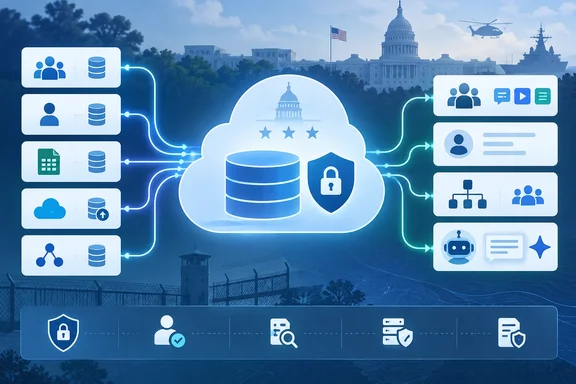
The announcement appears in Microsoft 365 Roadmap item 570431, dated September 1 and targeted for general availability in September 2026. But the roadmap entry still labels the feature “In development” while its accompanying description says the service “is now available” in GCC High. That status mismatch matters for administrators looking for a clean deployment signal: the announcement is real, but the public roadmap does not establish whether every supported ingestion method, downstream Microsoft 365 experience, and tenant configuration has reached the same availability state.
Microsoft’s own Organizational Data Service documentation confirms the underlying capability and its purpose: a unified ingestion point for workforce data that Microsoft 365 apps can consume. No independent outlet appears to have reported a separate rollout schedule or a connector-by-connector GCC High availability matrix for this specific launch. For now, organizations should treat the roadmap item as an availability notice, not as proof that a production HR-data integration can be enabled without validation in their tenant.
Organizational Data Service changes where employee data lives in Microsoft 365
The service is designed to import information that commonly sits outside Microsoft Entra ID: reporting structures, job levels, office locations, management relationships, skills-related fields, and organization-specific attributes. Microsoft describes three broad data categories: public attributes, confidential attributes, and custom attributes.
That distinction is more consequential than the friendly phrase “organizational data” suggests. Microsoft’s data-management documentation says uploaded organizational data can be used by Viva, Microsoft 365 services, and non-Microsoft services authorized through Microsoft Graph. It also says data treated as public within the organization may be displayed to any end user in that organization.
For a GCC High administrator, importing an HR export therefore is not merely a directory-cleanup project. It is a decision to make particular employee information available to Microsoft 365 workloads and, depending on the sharing configuration, potentially to a much broader internal audience than the HR team itself. Fields that are harmless in a payroll or HRIS context can have a different exposure profile once they appear in profile cards, people search, organizational views, or AI-assisted experiences.
Microsoft says confidential and custom attributes can be shared selectively with applications. The administrative task is to define that boundary before the first import, rather than assuming that labels in a source HR system will automatically become equivalent Microsoft 365 controls.
Entra ID remains the default source when values conflict
The most important implementation detail in Microsoft’s documentation is easy to overlook: Microsoft Entra data takes precedence by default in Microsoft 365 User Profile when Entra ID and Organizational Data Service both provide a value for the same attribute. Microsoft allows administrators to override that precedence, but it is a configuration choice rather than an automatic reconciliation process.
This means a successful data ingestion does not necessarily mean users will see the newly imported value. If an organization imports job title, department, or manager data while those fields are also maintained through Entra ID provisioning, the Entra value can continue to win. An HR team may regard its HRIS as authoritative while a Microsoft 365 profile still presents a different directory value.
That is a deployment risk because it produces a confusing failure mode: the connector may report a healthy import, yet profile cards and apps do not change as expected. The correct response is not to repeat uploads. It is to identify overlapping fields, document the intended system of record for each one, and set profile composition and precedence deliberately.
Administrators should also avoid using the new service as a shortcut around existing identity governance. Reporting lines and job data often drive more than people-search polish; they can affect how employees interpret who owns a process, approves work, or leads a program. Microsoft 365’s presentation of that information needs the same change control that organizations would apply to a directory synchronization change.
GCC High availability does not answer the governance questions
GCC High customers have often had to wait for Microsoft 365 features to arrive after their commercial-cloud counterparts, particularly where a service brings together data processing, administration, and AI functionality. The significance of this release is that Organizational Data Service is now on the GCC High roadmap as a generally available Microsoft 365 capability, rather than being limited to other cloud instances.
Still, the public roadmap entry leaves key operational details unstated. It does not name supported GCC High licensing plans, specify whether each Microsoft-provided HRIS connector is available in the environment, identify any tenant prerequisites, or list the Copilot and Microsoft 365 experiences that can consume organizational attributes at launch. The listing also identifies the platform as Mac, an odd fit for what Microsoft’s own documentation presents primarily as a Microsoft 365 admin-center service rather than a Mac client feature.
That does not invalidate the announcement. It means IT teams should not turn a roadmap field into an architecture document. Microsoft’s broader documentation identifies CSV, Azure Blob Storage, Workday, SAP SuccessFactors, and API-based approaches, but organizations should confirm the connection type they intend to use in their own GCC High tenant before committing to a cutover date.
The Azure Blob Storage route, for example, involves more than choosing a connector: Microsoft documents additional service-principal provisioning for Organizational Data Source Administrators, authorization of the storage location, and periodic exports from the source HRIS. The API path similarly requires an administrator or source-system role capable of transferring data into the service. These are integration projects with identity, storage, and audit implications, even when the Microsoft 365 interface makes the import look straightforward.
The new Organizational Data Source Administrator role needs narrow assignment
Microsoft documents a dedicated Organizational Data Source Administrator role for the service alongside the Microsoft 365 Global Administrator role. The role can upload, update, delete, and export organizational data for authorized applications; connect HR systems; and manage which applications can access the uploaded data.
That is sufficient privilege to warrant narrow assignment and an audit trail. Microsoft’s retention documentation specifically warns that an administrator can inadvertently delete personal data by updating a source with null values. It also notes that administrators can export raw organizational data after successful ingestion, including data provided through manual CSV uploads or automated connectors.
In practice, the role should not be handed broadly to HR operations staff merely because they own the source data. A sensible deployment separates data preparation, connector administration, access approval, and post-import verification where staffing permits. At minimum, a change record should capture the source file or connector run, the mapped fields, the applications allowed to consume the data, and the expected user-visible outcome.
Microsoft advises turning on audit logging to monitor Organizational Data Service security and compliance events. That should be part of the initial rollout, not an afterthought after HR data has already been published into Microsoft 365 services.
Start with a small data set and verify the user-facing result
A practical GCC High rollout should begin with a limited set of non-sensitive attributes and a pilot population whose profile results can be checked manually. The goal is to validate four things: the source record imports correctly, Microsoft Entra precedence is understood, the intended Microsoft 365 application receives the right value, and users who should not see the value do not receive it.
A controlled pilot is especially important for custom attributes. Microsoft allows organizations to define their own fields, but a field that has clear internal meaning may be meaningless, misleading, or overly revealing when exposed in a profile surface or used as context by an app. The data-quality framework Microsoft describes can detect and communicate certain data problems; it cannot decide whether an organization should distribute a particular workforce attribute in the first place.
The near-term consequence of Roadmap 570431 is straightforward: GCC High tenants can begin evaluating Microsoft’s shared organizational-data layer instead of maintaining every people-data enhancement through one-off directory updates or separate application integrations. The immediate work is to verify the tenant’s actual feature set, establish precedence rules, and decide which HR fields should become Microsoft 365 data at all.
References
- Microsoft 365: Organizational Data Service is now available in GCC-High Microsoft 365 Roadmap · 2026-09-01T22:59:38.0107578Z