

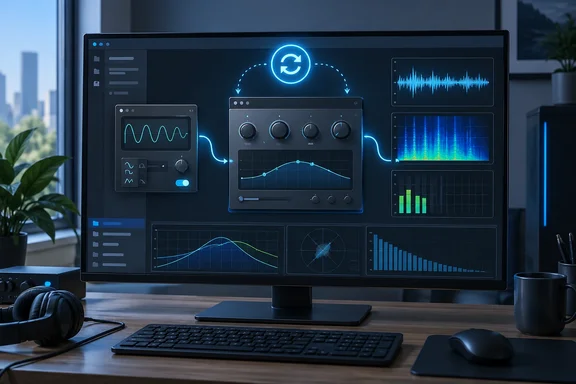
What Plug-in Bench actually is
Klein Soundworks calls Plug-in Bench a plug-in loader and testing platform, built mainly for independent plugin developers. Its homepage calls it "The ultimate plug-in testing platform for indie developers" and lists hot-reload without losing your parameters, crash-safe scanning and misbehaviour detection, and live input, audio/midi playback, sidechain, noise gen and much more.
BPB makes the case for a second audience: people who download and test a lot of plugins and want a quick way to sort the good ones from the bad.
It doesn't replace a DAW. Neither the developer nor BPB suggests it's for recording, mixing or mastering sessions. Think of it as a workbench: you load one plugin, feed it a signal and see how it behaves.
Version 1.0.1 platform support:
| Item | Windows | macOS |
|---|---|---|
| Plugin formats | 64-bit VST3 | 64-bit VST3 and Audio Units |
| Minimum OS | Windows 10 or later | macOS 11 Big Sur or later |
| Apple Silicon | n/a | Native |
| RAM (developer spec) | 4 GB minimum, 8 GB recommended | Same |
Windows users should note the limits. AU support is macOS-only, and the developer's spec says "64-bit only." VST2 isn't listed, so older 32-bit or VST2-only plugins in your collection aren't covered.
Summary: a small, single-purpose tool for checking one plugin at a time. On Windows that means 64-bit VST3 on Windows 10 or later.
Feeding the plugin: inputs, test signals and routing
Plug-in Bench lets you scan your plugin collection, load an effect or instrument, and send it one of four kinds of input:
- Live audio from your interface
- Audio files: the developer lists WAV, MP3, AIFF, FLAC and OGG
- MIDI, including standard MIDI files. Klein Soundworks says the MIDI player stays tick-accurate even when you change tempo during playback.
- A built-in signal generator with sine, square and triangle waves plus white, pink and brown noise. Level is set in dBFS, and there's an optional tempo-synced pulse envelope.
The generator is more useful than it sounds. Pink noise through an EQ or a pulsed sine through a gate tells you more about a plugin's behaviour than a busy mix does. The developer pitches it for characterising filters, distortion, noise floors and gating.
Sidechain routing: live input, file playback or the generator can be sent to the plugin's sidechain bus. Klein Soundworks says sidechain audio is kept out of the main output, so you hear only what the sidechain is doing to the signal. Checking a compressor's ducking or a gate's keying no longer means setting up DAW routing first.
Host tempo and transport: the app gives the plugin host tempo and playhead information. You can type in a BPM or tap it, and start or stop the transport with one button. The plugin sees play state, position and tempo, so tempo-synced delays, LFOs, arpeggiators and sequencers should behave roughly as they do in a DAW. "Roughly" matters: every DAW reports transport slightly differently, so one test host can't stand in for all of them.
Per-channel routing: each input and output channel on your audio device can be routed separately (Center, Hard Left, Hard Right or grouped stereo pairs). That helps if your interface has an unusual channel layout. The developer also says the app can follow the system default audio device and remembers your preferred buffer size for each interface.
Summary: you can send any input to the main path or the sidechain in seconds, and the plugin gets enough tempo and transport information for synced effects to behave properly.
Diagnostics: where it stands out
BPB calls the diagnostics "unusually detailed for a free host," and the feature list supports that.
- CPU, memory and latency monitoring. The hosted plugin's CPU load is shown separately from the whole app's usage, alongside system, plugin and combined latency and memory use. Klein Soundworks says the plugin figure excludes the host's own overhead, so the number reflects the plugin rather than the test bench.
- Move Parameters. The parameter panel lists every control the plugin exposes. Move Parameters sweeps all visible automatable parameters through their full ranges at once, then restores the original values when you turn it off. BPB says a developer demo on Instagram showed it moving all 346 parameters in FabFilter Pro-Q at once. That number comes from BPB's description of the clip, not an independent check.
- Misbehaviour detection. The developer says the app flags unbalanced gesture calls, out-of-range parameters and NaN values, logging each one in an Activity log with an unread badge. BPB adds editor errors to the list. These are the kinds of bugs that otherwise surface as a support ticket months after release.
- Crash-isolated scanning. Scanning runs in a separate process, so a badly behaved plugin can't crash the whole app. Plug-in Bench records which plugin caused the crash and blocklists it, so the next scan can carry on. This protects the scan stage. It isn't a promise that nothing else can ever crash.
Capture tools:
- Output recording: processed output can be recorded directly to 24-bit stereo WAV. The developer says file writing runs on a background thread so it doesn't disturb playback.
- Screenshot button: according to BPB, this captures only the plugin's interface at full resolution, without the host controls or title bar. The product page doesn't mention it, so this detail rests on BPB's report. Anyone who writes reviews, manuals or store listings will appreciate it.
Summary: separate CPU figures, a parameter stress test, API-misuse logging and crash-isolated scanning are features you'd normally build yourself or do without.
Hot reload: the feature developers will care about most
For plugin developers, the main draw is automatic hot reloading. Plug-in Bench watches the plugin binary on disk. When a new build is written, it reloads the plugin and restores the full previous state, so your parameters don't reset.
Without this, the edit-build-listen loop goes: rebuild, close the host or remove the plugin, reload it, re-dial the settings, find the test material again, and finally listen. Hot reload cuts that down to rebuild and listen. BPB's author says he's already using it while working on a new edition of BPB's VATRA plugin.
The developer says the loop stays "unbroken and instant." How fast it feels in practice will depend on your build setup, how quickly your toolchain writes the binary, and how cleanly your plugin saves and restores state. A plugin with broken state handling will show that problem here, which is useful in itself.
Download, licence and the fine print
Plug-in Bench costs nothing, but you can't run it anonymously. Klein Soundworks' download page lists Plug-in Bench 1.0.1 - Installer Windows, .EXE·5 MB, a macOS .PKG of about 8 MB, and a half-megabyte PDF user manual. BPB's figures (about 4.5 MB for Windows and 7.1 MB for macOS) are the same files with less rounding. The company's free products page lists Plug-in Bench €0,00.
Getting it running on Windows:
- Check you're on Windows 10 or later and that the plugins you want to test are 64-bit VST3.
- Download the Windows .EXE installer (about 5 MB) and, ideally, the PDF manual.
- Request a free licence on the product page with your first name and email address. No checkout or payment card is involved. Submitting the form means agreeing to receive related emails, and you can unsubscribe at any time.
- The key arrives by email; the developer says within a minute. You paste it in to activate. The download page says the key is activated forever — no iLok, no internet needed after the first activation.
- Scan your plugins. If a scan crashes on a plugin, the app should name it and blocklist it, so check that list before blaming Plug-in Bench.
Licence terms: one key covers three machines and can be moved between them without contacting support. One online activation is needed, then the app works offline. The product page also mentions a "lifetime license" and "pay once" wording that looks carried over from the company's paid products. The listed price is still zero.
Analysis: who should install it, and what to watch
Strengths:
- Hot reload with state restore will save plugin developers real time.
- The diagnostics (separate CPU figures, NaN and gesture checks, parameter sweeps) are things most DAWs don't show.
- The installer is tiny, there's no iLok, and it works offline after activation.
Caveats:
- On Windows it only hosts 64-bit VST3. VST2 isn't listed, and there's no 32-bit bridge.
- "Free" means handing over your email address and agreeing to marketing email.
- It's version 1.0.1 from a small developer. Everything known so far comes from the developer and one enthusiastic BPB write-up, with no independent long-term testing yet.
- Behaving well in one host doesn't guarantee the same in Cubase, Reaper, Studio One or Ableton. Final testing should still happen in the DAWs your users actually run.
There are other test hosts. Steinberg's VST3 SDK includes its own validation tools, and many developers already use a lightweight host in their workflow. Plug-in Bench's appeal is that it bundles host, test-signal generator, meters and hot reload into one small, free Windows app.
Bottom line: if you write VST3 plugins on Windows, or you're a reviewer or collector with a pile of downloads to check, Plug-in Bench is worth the 5 MB download and an email address.
References
- Klein Soundworks releases Plug-in Bench, a FREE host for testing plugins - Bedroom Producers Blog Bedroom Producers Blog · 2026-10-01T15:09:47+00:00
- Plug-in Bench – Klein Soundworks | Plug-ins & Audio Tools kleinsoundworks.com