

What you need to run it
VMPal requires an Apple silicon Mac running macOS 26 or later. That excludes Intel Macs. The app is free to download, and a license is a one-time purchase.
The guest list is macOS, Windows 11, Ubuntu and Fedora. You can have VMPal download a system for you, or you can point it at an IPSW or ISO you already have. The installer runs inside the VM's own window and sets up your account and VMPal Tools. One condition applies to macOS guests: macOS 27 guests need macOS 27 on the host Mac.
The Windows 11 side
VMPal handles the guests differently. macOS and Linux run on Apple's Virtualization framework, while Windows runs on VMPal's own engine. Each draws on the Mac's GPU.
For Windows 11, the vendor lists:
- Retina resolution up to 5K
- A TPM 2.0
- USB device support
- Direct3D 11 and OpenGL 4.1 on the Mac's GPU
The TPM is a practical detail. Windows 11 expects one, and a virtual TPM is what lets it install in a VM at all.
The Arm caveat
The VMPal pages I reviewed don't say which Windows architecture the guest uses. That matters for software compatibility. Microsoft's Windows Arm FAQ describes the Mac VM route as running Arm versions of Windows 11 (it names Parallels Desktop and Macs with M1, M2 and M3 chips). It also warns that Windows 11 Arm has a built-in emulator for Win32 and x64 apps, a point echoed in coverage of VMware Fusion's Apple silicon support.
Microsoft's FAQ adds that some Windows features, including certain security features, may not be available or fully functional in a Mac VM. It says this about Parallels, not VMPal. Even so, expect the usual Windows-on-Arm limits:
- Drivers must be built for Arm.
- Some anti-cheat games won't run.
- Some third-party security software won't install.
Test your own line-of-business apps before you commit.
Everyday VM features
VMPal lists these features:
- Disk use: A VM's disk is only as big as what's in it. It moves to another Mac as one file, and clones take space only as they change.
- Snapshots: You can save a VM whether it is running or not, and roll back in seconds.
- Sharing: The clipboard works in both directions, and so does drag and drop. Mac folders show up in Finder, Explorer and Files.
- Port forwarding: You can reach a web server or SSH in a guest through a port on the Mac.
- Live settings: Name, disk, shared folders and network can change while the VM runs.
- Audio: Sound and microphone access are set per VM, and a green light shows when the mic is in use.
- Process separation: Each VM runs as its own app with its own Dock icon, so a crash should stop only that VM.
- Migration: You can import Parallels VMs.
Ubuntu and Fedora guests also get Rosetta for Intel programs and nested virtualization.
The AI agent angle
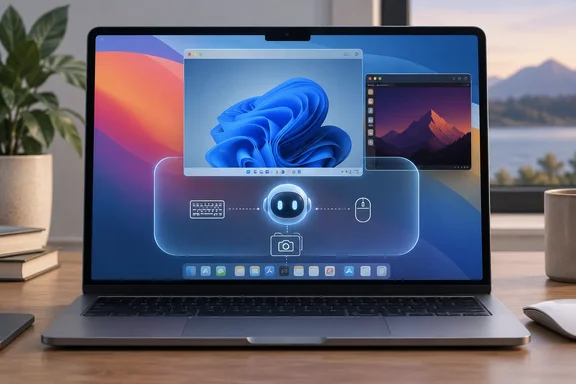
This is VMPal's main selling point. On a Mac, an agent often stalls on prompts for Accessibility, Screen Recording and passwords. VMPal's answer is a built-in MCP server. The agent gets screen, keyboard, mouse and administrator access inside the VM, so it avoids those host permission prompts. TablePlus describes it as MCP for an AI agent on your Mac or inside the VM. The supported agents are Claude Code, Codex, Grok CLI and Gemini CLI.
On the safety design, Laravel News reports that agent control is off by default and enabled one VM at a time, and turning it off stops the agent right away. It also says the agent only reaches the network and folders you give that VM. The practical advice is to take a snapshot before a big task, then roll back if the agent breaks something.
What to watch
A VM boundary is useful, but it isn't a guarantee. I found no independent security audit or detailed threat model. An agent with administrator rights inside a guest can still misuse anything you connect to it, such as shared folders, a forwarded network or saved credentials. A cautious setup shares nothing it doesn't need.
Apple's own plans add context. iThinkDifferent reports that Apple intends to add new controls around Full Disk Access because of AI agents, but hasn't said which macOS release will carry them or when. That is background, not a VMPal feature.
Versions and pricing
The release notes show three builds on launch day. Build 37 fixed a Windows sound issue and added a cancel button for new-VM installs plus a location option for new VMs. Build 38 fixed crash issues and a VM losing its menu bar. A launch-day run of three builds suggests the app is still settling, so I'd treat it as early software.
Pricing, all in USD with VAT possibly extra:
| Plan | Early-bird price | Regular price |
|---|---|---|
| Individual (1 Mac) | $34.50 | $69 |
| Team (per seat, minimum 3 seats, 1 Mac per seat) | $49.50 | $99 |
| Renewal (per seat, another year of updates and support) | $59 | n/a |
Each license includes all features plus one year of updates and support. After that year the app keeps working without limits, and renewal only buys more updates. The vendor's pricing page offers a 7-day money-back guarantee. It says the early-bird discount ends soon but gives no date. It also says the free trial currently has no limits, but some functions will be restricted in future releases.
How it compares
iThinkDifferent notes that VMPal enters a market that already has Parallels Desktop 27 and UTM 5.0.5. VMPal advertises OpenGL 4.1 for Windows, while Parallels Desktop 27 claims Metal-based OpenGL 4.3 for Windows VMs. No controlled tests compare VMPal with either, so I won't call it faster or more capable. What sets VMPal apart on paper is the agent tooling and the one-time price. Parallels' edge on paper is its enterprise tiers and its longer track record.
Bottom line
VMPal is worth watching if you want Windows 11 on an Apple silicon Mac and are curious about sandboxing AI agents. Check four things first:
- Your Mac is Apple silicon and runs macOS 26 or later.
- Your Windows apps, drivers and peripherals work on Arm.
- You're comfortable that the vendor's isolation claims are unaudited.
- You've tested the app during the 7-day refund window.
References
- VMPal Runs macOS, Windows 11 and Linux VMs on Apple Silicon Macs - iThinkDifferent iThinkDifferent · 2026-10-06T16:35:37+00:00
- VMPal | Virtual Machines for Apple Silicon and AI Agents vmpal.com
- VMPal notes.nicolasdeville.com