

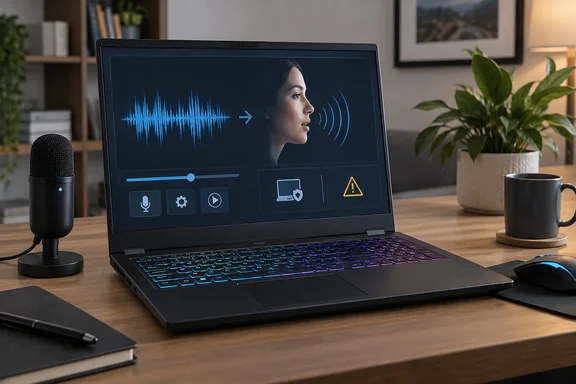
What Voicebox is
Voicebox comes from Jamie Pine, the founder of Spacedrive Technology Inc. The app is MIT-licensed. Spacedrive's terms say it runs on your own machine, does not require an account. The project's GitHub page presents it as a free and open-source alternative to ElevenLabs and WisprFlow in one app.
The feature list goes well beyond cloning:
- Voice profile sources: Raj describes three ways to build a profile: uploading a clip, recording from the microphone, or capturing audio playing on the PC. The official site lists the same three and says Voicebox clones the voice from as little as 3 seconds of audio.
- Engines and languages: The project page lists 23 languages across 8 TTS engines. Raj's article cites five, including Qwen3-TTS and Chatterbox, which looks like an older count. The project has been adding engines.
- Dictation: Release v0.5.0, "The Capture release," dated April 25, added system-wide hotkey dictation. On Windows the default push-to-talk chord is right-Ctrl plus right-Shift. The transcript is pasted into whichever field had focus when you started speaking.
- Agent voice: The same release adds a built-in MCP server at a local address (127.0.0.1, port 17493). Agents such as Claude Code, Cursor, Windsurf, Cline and VS Code MCP extensions can speak through your voice profiles. The release notes also describe an on-screen pill that always shows what is being spoken. They call silent background TTS a trust hazard. That claim is not in the cited results, so I'm treating it as the notes' own wording.
Install and hardware requirements
The installation docs cover the practical details.
- Windows installers: An MSI and a setup executable are both offered. Windows 10 or later is the stated minimum.
- Hardware: The minimum is 8 GB RAM, 5 GB free storage and a modern multicore CPU. The recommendation is 16 GB or more RAM, 10 GB or more storage and a CUDA-capable Nvidia GPU. CPU inference works but is significantly slower.
- Models: The first generation downloads a model automatically. Sizes run from about 350 MB (Kokoro) to about 8 GB (TADA 3B). Most users start with Qwen 1.7B at about 3.5 GB. Later runs use cached models.
- Storage location: On Windows, voice profiles and generated audio live in
%APPDATA%/sh.voicebox.app/. - Verifying the install: The docs suggest checking for a green server-status indicator at bottom left, creating a test profile and generating a short clip.
One correction to the XDA piece: it says Voicebox ships for Windows, Linux and macOS. The installation page says builds are available for macOS and Windows, with Linux "coming soon" because of GitHub runner disk-space limits. The marketing site, however, lists Linux. Third-party coverage says Linux users may need to build from source. Treat Linux as unofficial or in flux.
What Raj found
These are one reviewer's observations, not independent benchmarks:
- He needed two downloads: Qwen3-TTS 1.7B at about 3.6 GB and a separate CUDA backend for his RTX 3070. Nvidia acceleration does not come bundled with the app.
- Recording a sample and generating a clone took under five minutes.
- Cadence, pitch and timbre carried over into a sentence he had never said.
- Three close friends could tell the clip was synthetic. All three pointed to the missing background noise.
- The profile screen has no identity check or ownership prompt.
His conclusion is that a clone only has to fool someone who doesn't know you well. That is a reasonable worry, but it is his judgment. Nothing in the packet tests Voicebox output against a bank's voice authentication or against deepfake detectors. Treat "bypasses banks" as unproven.
"Local" doesn't mean "no internet ever"
Voicebox's local-first claims need careful reading.
- Local generation: Audio generation runs on your hardware. The desktop app has no account requirement.
- Initial downloads: Models and the CUDA backend need a connection the first time. After that, cached models are used.
- Optional online services: Spacedrive's terms cover separate hosted features: Voicebox Cloud, Voice ID and clip sharing. Cloud is described as end-to-end encrypted backup with keys only the user holds. Publishing a clip makes its audio, transcript and metadata public at a share URL.
None of this shows that local generations are uploaded anywhere. The distinction is simply that the hosted features have different privacy implications from the desktop app.
The consent gap
The project's responsible-use document says Voicebox can't independently verify who owns a voice sample. Users are responsible for having the right to clone or generate with a voice. It allows your own voice, voices used with explicit permission, and licensed or public-domain material. It prohibits impersonation, fraud, scams, phishing, social engineering and bypassing voice authentication. It also recommends disclosing synthetic audio where required.
So the project has a policy but not a technical barrier. Spacedrive's own terms are blunt about this. Voice ID can verify ownership and issue revocable permissions, but only on surfaces the company operates. The open-source desktop app is not, and cannot be, gated by Voice ID. The terms also warn that voice matching and synthetic-audio detection are probabilistic.
That is a fair design trade-off for open-source software: anyone can fork or modify local code, so a gate in the app wouldn't hold. But the practical result is that the hosted guardrails don't apply to someone using the desktop app.
Why this matters for Windows and IT admins
The argument for caution is the low barrier. A mid-range gaming laptop meets the hardware bar, and the sample can be short. Voice cloning of this kind was already available through hosted tools. TechCrunch reported in 2025 that AI voice cloning was the third fastest-growing scam of 2024 and has led to bank security checks being bypassed. Voicebox adds an offline, account-free option.
Some reasonable steps, based on my own inference from the documented behavior rather than any Voicebox guidance:
- Don't treat voice as proof of identity. For payments, password resets and urgent requests, use call-backs on known numbers or a pre-agreed code phrase.
- Review voice-based authentication. If your organization or your bank relies on a voiceprint alone, ask what other factors back it up.
- Secure local profiles. A voice profile is biometric-adjacent data. If you use Voicebox yourself, protect
%APPDATA%/sh.voicebox.app/with disk encryption and normal access controls. - Audit the MCP exposure. The local MCP endpoint is bound to loopback by default. The release notes say its file-path transcription mode is restricted to loopback callers so a Voicebox bound to 0.0.0.0 doesn't act as an unauthenticated file-read tool. Check any non-default bindings before enabling them.
- Get permission and disclose. Only clone voices you own or are authorized to use, and label synthetic audio.
The balance
Voicebox is a legitimate tool. The project lists audiobooks, podcasts, game dialogue, accessibility and voice assistants as uses. It is also a real shift in who can do convincing voice cloning without ever agreeing to a hosted service's rules. Reviewers elsewhere note that the MIT license covers the app, not every model's terms or every person's voice.
The test results here are one reviewer's, on one machine, with a listener test of three friends. They show how easy this has become. They don't show how often it would succeed against a real fraud target. The takeaway is that a voice alone is no longer good evidence of who is on the other end of a call.
References
- Voicebox cloned my voice from a few seconds of audio on my own PC, and it's the most terrifying thing I've seen local AI do XDA · 2026-10-07T23:00:18+00:00
- GitHub - jamiepine/voicebox: The open-source AI voice studio. Clone, dictate, create. · GitHub github.com
- Sam Altman techcrunch.com