

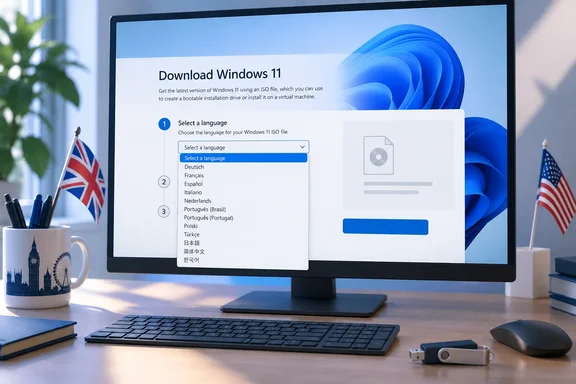
This is a narrow problem with a simple workaround. It still matters, because a Windows ISO's language affects how setup behaves, and picking the wrong one can cause trouble during a reinstall.
What was reported
Neowin says an ElevenForum member noticed that English International was missing from the language options on the en-GB download page. Neowin also says that only the American page offers it. The outlet calls the gap a mistake on Microsoft's part and expects a quick fix. Both points are Neowin's opinion. Microsoft hasn't commented on the issue, explained the cause or promised a fix.
Neowin also says the gap probably dates from the end of September, when 26H2 shipped. No independent evidence confirms when it started. The safe description is that it was reported after the 26H2 release.
There's one odd detail. Microsoft's en-GB page still shows the same version banner as the US page: "Current release: Windows 11 2026 Update l Version 26H2". Its hash table also still includes English International 64-bit, with hash code 7E3F373BD3C2321B5D5125DFCF718DFBF1A0ABC50A267118669951890DF98A5D. So the British page still publishes the checksum for a file it reportedly won't let you pick. That fits a bug in the page's language list better than a decision to drop the build. A text copy of the page can't show what the dropdown actually contains, though, so we couldn't confirm the missing entry ourselves.
Summary: The reported problem is a missing option in the en-GB page's language dropdown. There's no sign that Microsoft has dropped English International from Windows 11.
Why "English International" matters to British users
The name confuses people. Many expect a separate "English (United Kingdom)" option and don't find one. One user on Microsoft Q&A described the situation like this: they could not see the English-GB choice they needed, and "There are only options for English-USA and English-International".
According to an answer in that same thread, there are only two English ISO downloads, and anyone using a UK or GB English version of Windows should download the International English version, which covers the GB and UK versions. Community members agree. On AskWoody, a user in Ireland said English International is the UK version, which they use all the time, and that the ISO carries the en-GB region code. A long-running ElevenForum thread puts it more bluntly: "There are only en-us & en-gb. English international is merely a name for en-gb."
So the missing entry isn't some obscure variant. For anyone who reinstalls with the ISO, it's effectively the British build of Windows.
Why the language choice is more than cosmetic
Microsoft's own download page says the language you pick must match. In its words, you'll need to choose the same language when you install Windows, and to see which language you're currently using, go to Time and language in PC settings or Region in Control Panel.
This causes real problems. One Microsoft Q&A user trying to repair Windows 11 reported that they chose English International but setup said it did not match their English United Kingdom, and English USA did not match either. That kind of mismatch matters most for an in-place upgrade or repair, where you want to keep your apps. A British user who only sees US English on the en-GB page could end up with that wrong match.
Workarounds
You have two practical options until the en-GB page shows English International again.
Option 1: Use the US download page for the ISO
This is the workaround Neowin recommends. The US page currently lists English International 64-bit as a separate entry from plain "English 64-bit", so choosing it there gets you the British build:
- Open Microsoft's Windows 11 download page with the en-us locale.
- Go to Download Windows 11 Disk Image (ISO) for x64 devices, pick the Windows 11 multi-edition ISO and select Download.
- Under Select the product language, choose English International, then confirm.
- Download the 64-bit ISO. Microsoft says the generated links stay valid for 24 hours.
Then check the file:
- Open Windows PowerShell.
- Run
Get-FileHashagainst the ISO, using your own path and file name, for exampleGet-FileHash "C:\Users\<you>\Downloads\<filename>.iso". - Compare the SHA-256 output with the English International value:
7E3F373BD3C2321B5D5125DFCF718DFBF1A0ABC50A267118669951890DF98A5D. If they match, the file hasn't been corrupted or altered.
Option 2: Use the Media Creation Tool
The Media Creation Tool lists languages differently from the ISO page. On Microsoft Q&A, a user in continental Europe noted that when launching Mediacreationtool.exe, the choice is between English (United Kingdom) and English (United States), with no English (International) entry. If you're building a bootable USB anyway, you can pick English (United Kingdom) there and skip the ISO page's dropdown. In Microsoft's process, you choose Create installation media for another PC, then the language, edition and 64-bit architecture, and then either a USB flash drive (at least 8GB, which will be wiped) or an ISO file.
Things to keep in mind
- x64 only. Both the ISO and the Media Creation Tool are for x64 PCs. Windows 11 ISOs for Arm64 devices are available from a separate route on Microsoft's site.
- Mounting is not a clean install. If you mount the ISO in Windows and run setup.exe, Microsoft says it upgrades your current operating system. A clean install means booting from USB or DVD.
- Most people don't need an ISO for 26H2. Microsoft's Windows Experience Blog announced version 26H2 on September 29, 2026. It's delivered as an enablement package for eligible PCs running 24H2 and 25H2, and installs much like a monthly update with one restart. Rollout is gradual, may include safeguard holds, and is offered through Settings > Windows Update.
- Unsupported hardware. Microsoft warns that installing Windows 11 media on a PC that doesn't meet the minimum requirements may cause compatibility problems and leave the PC without updates.
- Enterprise users. Microsoft notes that Enterprise editions are downloaded from the Microsoft 365 admin center, not the consumer page.
Our take
Calling this Microsoft "foisting" US English on Brits, as Neowin jokes, goes too far. English International still exists, its checksum is still on the British page, and the US page still offers the download. The most likely explanation is a page bug, though Microsoft hasn't confirmed that.
It's a familiar irritation all the same. "English International" was already a confusing name for the UK build. Hiding it on the UK-localised page makes things worse for exactly the people doing reinstalls and repairs, where the language has to match. Until Microsoft fixes the dropdown, use the US page or the Media Creation Tool, and check the file hash either way.
References
- English International is missing on Windows 11 download page Neowin · 2026-10-06T11:42:01+00:00
- Trying to download ISO windows 11 file, but when i go to choose product manguage I cannot see an option for English-GB ? - Microsoft Q&A learn.microsoft.com
- Win 11 Disk Image (ISO) x64 for English United Kingdom, NO OPTION? - Microsoft Q&A learn.microsoft.com