

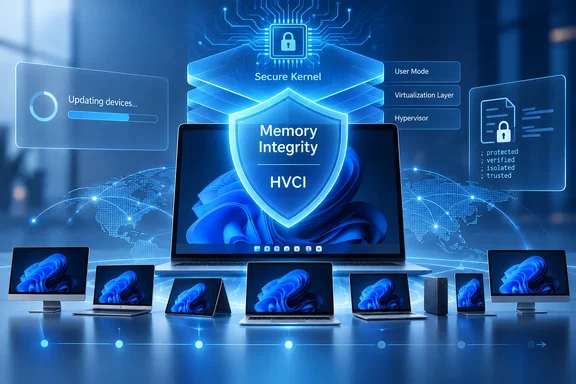
For administrators and enthusiasts, the immediate takeaway is straightforward: systems where Memory Integrity was already deliberately disabled by a user, administrator, or policy should retain that state. But machines left at the default configuration may be evaluated by Windows Update and moved into a stronger kernel-protection posture without an administrator manually deploying a new feature package.
The rollout has no published KB, fixed build, or universal eligibility list
Microsoft says Windows will assess hardware capability, driver compatibility, performance considerations, Windows 11 requirements, and built-in security protections before enabling the feature. That is more selective than the broad claim that Microsoft is simply “turning on Memory Integrity” across Windows 11.
The company has not named an October KB package, a specific OS build, a completion date, a percentage of devices expected to qualify, or a definitive public list of devices that will receive the change. It has also not said that October 13—the expected October 2026 monthly security-update date—is the rollout’s launch day. Reports assigning the feature to that specific Patch Tuesday go beyond Microsoft’s published wording, which says only that quality updates will begin the process in October.
That absence matters in managed environments. An organization could fully patch a fleet in October yet see different results across otherwise similar groups, because Windows is explicitly using readiness signals and conducting the rollout gradually. A help desk should therefore treat this as a configuration change to monitor, rather than assume an all-or-nothing security baseline arrives on a single maintenance night.
Microsoft’s wording also covers “Windows devices,” while the reporting around the announcement has largely framed it as a Windows 11 change. The vendor’s current Memory Integrity documentation applies to Windows 10, Windows 11, and several Windows Server releases, but Microsoft has not published a version-by-version matrix for this particular rollout. Administrators should avoid assuming that every supported Windows edition is in scope until the relevant update documentation identifies the affected releases.
Memory Integrity changes how Windows trusts kernel code
Memory Integrity is the Windows Security label for Hypervisor-protected Code Integrity, or HVCI. It is built on Virtualization-based Security, which uses the Windows hypervisor to place code-integrity decisions in an isolated environment rather than leaving them solely inside the ordinary Windows kernel.
The technical boundary is meaningful. With HVCI active, executable kernel memory must pass code-integrity verification before it can execute; Windows also prevents kernel code pages from being both writable and executable. Microsoft’s driver guidance specifically prohibits HVCI-compatible drivers from dynamically generating kernel code, loading data as executable, modifying executable system memory directly, or relying on writable-and-executable memory sections.
Those rules target a familiar Windows attack path: getting a malicious or vulnerable kernel-mode driver onto a machine, then using it to obtain deep control of the operating system. HVCI does not make every signed driver safe, nor does it replace patching, application control, credential protection, or endpoint security. It does raise the bar for malware that relies on tampering with the kernel after gaining a foothold.
There is a practical side effect worth calling out. Microsoft’s recommended vulnerable-driver blocklist is enforced when HVCI is active, alongside certain other Windows protections. So enabling Memory Integrity may change more than the toggle’s name suggests: a driver that previously loaded can be blocked because the system’s kernel-protection rules have become stricter.
The published hardware figures are not a promise of rollout eligibility
NeoTeo’s report lists an Intel eighth-generation-or-newer processor, AMD Zen 2-or-newer CPU, 8 GB of RAM on x64 systems, a 64 GB SSD, enabled virtualization, and compatible drivers as the baseline. Those requirements broadly align with Microsoft’s OEM guidance for enabling HVCI by default on compatible clean Windows installations.
But that is not the same thing as Microsoft’s October rollout criteria. Microsoft has said it will evaluate additional readiness and performance factors before switching the feature on through quality updates, and it has not published the exact decision logic. A PC that meets the familiar processor, storage, and memory thresholds is therefore not guaranteed to receive automatic enablement; conversely, the October program should not be reduced to a simple CPU-generation check.
Processor generation still helps explain why Microsoft is comfortable expanding the feature now. Microsoft says HVCI performs better on Intel Kaby Lake-and-later systems with Mode-Based Execution Control and on AMD Zen 2-and-later systems with Guest Mode Execute Trap support. Older processors can rely on software emulation known as Restricted User Mode, which carries a larger performance penalty.
Driver compatibility is the larger operational issue. Microsoft warns that incompatible applications and hardware drivers can malfunction, and in rare cases a system can encounter a boot failure during or after enablement. Its official guidance recommends testing before broad deployment and updating or removing incompatible drivers rather than disabling the protection as the first remedy.
NeoTeo’s gaming results are useful—but they are not a general performance rating
NeoTeo measured Memory Integrity on a Ryzen 5 7600X system with a GeForce RTX 4070 Ti Super at 1080p and low settings. According to NeoTeo, Counter-Strike 2 averaged 398.2 frames per second with the feature enabled and 404.8 FPS with it disabled, a 1.7% difference. Its Cyberpunk 2077 test showed a 1.9% average-FPS gap, but the 1% low result differed by 6.6%, from 116.8 FPS with Memory Integrity enabled to 124.5 FPS with it disabled.
The test supports a narrower conclusion than “HVCI costs 2% in games.” On a current Zen 4 desktop CPU, average frame-rate loss in those two CPU-sensitive, low-resolution scenarios was modest, while the 1% low result in one title moved more noticeably. Frame-time consistency, not the average FPS counter, can be where virtualization-based protections become visible to players with high-refresh displays.
NeoTeo provides the game settings and repeat counts—three 60-second runs in Counter-Strike 2 and three built-in benchmark runs in Cyberpunk 2077—but does not publish the Windows build, Nvidia driver version, BIOS settings, RAM configuration, or raw frame-time data in the supplied report. That makes the figures a useful spot check, not a reproducible benchmark suite or an estimate for laptops, older Intel systems, handhelds, virtual machines, or GPU-bound 4K gaming.
Microsoft has previously acknowledged that Memory Integrity and Virtual Machine Platform can affect gaming performance on some configurations. Its current documentation adds important context: the feature’s cost depends heavily on whether the processor has the hardware support designed to accelerate this type of isolation. A small penalty on a Ryzen 5 7600X cannot settle what a Ryzen 3000 laptop, an eighth-generation Intel desktop, or a system with legacy capture, RGB, audio, storage, anti-cheat, and virtualization drivers will experience.
What administrators should inspect before October
Organizations already managing HVCI with Intune, Group Policy, App Control for Business, or a custom Device Guard configuration should first confirm that their existing policy state is intentional. Microsoft says administrative and user choices will remain in effect, which means the rollout should not override a deliberate deployment or opt-out. That protection is valuable, but it also means inconsistent legacy settings across an estate will remain inconsistent.
A sensible preparation pass is to inventory the current state rather than wait for an October support ticket. Windows exposes related components separately: the hypervisor can be running while VBS, the secure kernel, and HVCI each have different states. Microsoft documents the Win32_DeviceGuard WMI class for retrieving those details from an elevated PowerShell session.
For individual machines, Windows Security remains the simplest first check: open Windows Security, select Device security, then open Core isolation details. If Memory Integrity cannot be enabled, Windows may identify incompatible drivers. Update those drivers from the hardware or software vendor, remove obsolete components where feasible, and retest before treating a security downgrade as the permanent fix.
The October rollout will expand a protection Windows 11 has already used on compatible clean installs; it does not erase existing opt-outs or hand administrators a uniform new baseline. The concrete consequence is that unmanaged or lightly managed eligible PCs can begin changing security posture after October quality updates, while organizations that need predictable behavior should validate their HVCI policies and driver inventory before Windows Update makes the decision device by device.
References
- Windows 11 Memory Integrity: October 2026 rollout - NeoTeo NeoTeo · 2026-09-17T23:35:31+00:00