

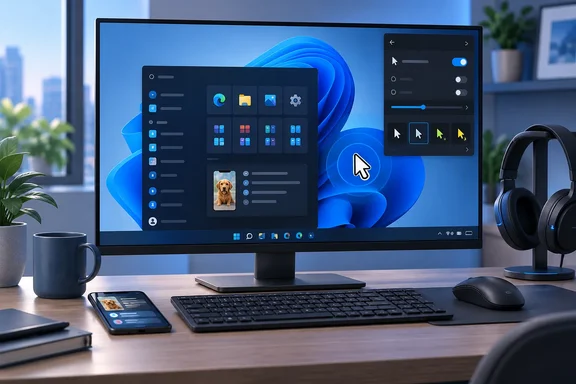
The build is mostly about accessibility. Two of its three headline changes, Pointer Indicator and the Magnifier contrast theme, are aimed at people with low vision or sensitivity to glare. The other changes are small polish items and two narrowly scoped fixes. If you're on a Beta Channel PC, the main things to check are the new shortcut, the Phone Link version requirement, and whether your USB headset works again.
Build 26220.9568 Brings Pointer Indicator to the Windows 11 25H2 Beta Channel
Microsoft's release notes describe Pointer Indicator as a setting that enables Windows users with low vision to easily locate and use their cursor. The feature isn't new to the Insider program overall. Pureinfotech reported in March 2026 that the "Windows 11 Insider Preview Quality Update (26300.8085)" ships with the Pointer Indicator feature as part of the Accessibility experience, and that build was on the 26H2 development track. Build 26220.9568 brings it to the Beta Channel, which runs on the 25H2 codebase that most current Windows 11 PCs use.
Here's how to turn it on in this build:
- Open Settings and go to Accessibility > Mouse pointer and touch.
- Switch on the Pointer indicator setting. You can also search Settings for "Pointer indicator".
- Once it's enabled, press Windows logo key + Ctrl + Shift + X to toggle the indicator on or off without going back to Settings.
Microsoft's notes include a screenshot of "the Pointer indicator and its settings" but don't describe what the indicator looks like or which options it offers. Eleven Forum, a Windows tutorial site, describes it as a mouse pointer crosshair indicator. Treat that as the site's description, not Microsoft's specification.
Pointer Indicator and Mouse Indicator are separate features
The naming is easy to mix up because Windows already has a Mouse Indicator. That older feature sits on the same Settings page and displays an animated circle around the pointer after a Ctrl-key command. Microsoft is redesigning it separately: BetaNews reports that the change arrived in Windows 11 Insider Experimental Preview Build 26340.9502, released Sept. 18, 2026. That build added an activation-method choice between a single and a double Ctrl press, plus an option to keep the indicator showing until you press Esc.
None of the Mouse Indicator redesign is listed in Build 26220.9568. The Beta build adds Pointer Indicator, which has its own four-key shortcut. If you're writing internal documentation or helping a colleague, don't mix up the two: Mouse Indicator responds to Ctrl, while Pointer Indicator uses Windows + Ctrl + Shift + X.
Magnifier's Contrast Theme Cuts Glare Without Recoloring Your Photos
The Magnifier change solves an old problem with color inversion. People who find bright screens uncomfortable often turn on inversion, but inversion flips everything. Microsoft's notes point out that inversion changes everything on screen, including photos, charts, and videos. A photo becomes a negative, and a chart's color coding stops making sense.
The new toggle on the Magnifier toolbar turns on a contrast theme instead. Microsoft says the contrast theme recolors the interface but leaves photos, charts and videos in their original colors. The dark theme is the default. To make the toggle use a different contrast theme, go to Settings > Accessibility > Magnifier.
Color inversion stays, and Microsoft says it works exactly as before. The contrast theme is an extra option for people who want a darker interface and still need to see images accurately, for example when checking a dashboard or editing a photo while magnified. The release notes also warn that zoom per display isn't available in the Beta Channel yet. Screenshots may show it, but Beta users won't find it in this build.
Phone Link in Start Adds Hover Previews, With a Version Requirement
The Phone Link panel in the Start menu already shows recent activity from a paired phone. In this build, you can hover over a recent message or notification in the Recent section to see a preview in Start, without opening the item or picking up your phone.
This feature has two conditions. First, it's rolling out gradually, so not every Insider on Build 26220.9568 will see it right away. Second, it needs Phone Link version 1.26021.3.0 or later. Microsoft points to Phone Link > Settings > Start menu personalization as the related settings page. If you don't see the previews, check your Phone Link version first. If you have the right version, you may just not have the rollout yet.
USB Audio Class 1.0 Fix and Smaller Changes in 26220.9568
For many Beta testers, the audio fix may matter more than any of the new features. Microsoft says the build fixes an issue with certain USB Audio Class 1.0 devices, including some multichannel headsets, that could stop working properly after recent updates. USB Audio Class 1.0 is an older standard driver class that lets USB audio devices work without vendor drivers.
The fix is narrow. Microsoft doesn't name specific headset models, and it doesn't say every USB audio problem is fixed. If a USB headset or audio adapter stopped working after a recent Beta update, install 26220.9568 and test it again. If it still fails, you likely have a different problem worth reporting through Feedback Hub.
The other two changes are cosmetic:
- File Explorer's Folder Options dialog now supports dark mode. Until now, it was one of the older dialogs that stayed bright when the rest of the system was dark.
- Microsoft made some small visual changes to the temporary files section under Settings > System > Storage. The notes describe design tweaks only and don't mention any change to cleanup behavior.
Build 28020.3112 Fixes a Hyper-V Plan9 Sharing Bug for 26H1 Testers
The second build released on September 25 is for a different audience. Build 28020.3112 is in the Beta (26H1) channel. Microsoft's Flight Hub says 26H1 is not a feature update for version 25H2 and only includes platform changes to support specific silicon, and that no action is required from customers. It doesn't add Pointer Indicator or the Magnifier changes, and most Beta testers don't need to think about it.
Microsoft says its changes are rolling out gradually. The one specific fix is for Hyper-V. Some applications that use HCS-managed virtual machines had trouble sharing host folders with Linux VMs over Plan9. HCS is the Host Compute Service, the Windows service that manages lightweight VMs and containers, and Plan9 is the file-sharing protocol used to expose host folders to the Linux guest. The shared folders either didn't show up in the guest or couldn't be opened.
Microsoft doesn't say which applications were affected. If you're a developer or admin on the 26H1 Beta track and Linux guests lost access to host folders, this is the build to install. The fix covers only that host-to-Linux-guest Plan9 problem, not Hyper-V file sharing in general.
Why Pointer Indicator's Move to Beta Matters
It's worth noting which features are moving between channels. Microsoft now runs Windows 11 through several Insider tracks, and Flight Hub lists four builds from September 25 alone: 26220.9568 (Beta, 25H2), 26340.9577 (Experimental, 26H2), 28020.3112 (Beta 26H1) and 28120.3122 (Experimental 26H1). On the 25H2 Beta track, features arrive through an enablement package, a small update that switches on code already present in Windows 11 25H2 and raises the build number from 26200 to 26220.
Pointer Indicator first showed up on the 26H2 development track in March. Its arrival in the 25H2-based Beta Channel moves it closer to the codebase most Windows 11 PCs run. Microsoft still makes no promises, though. Its standard Beta Channel notice says features might change over time, be removed, or replaced and never get released beyond Windows Insiders. The build notes give no general-availability date for any of these features.
What this means for you
Only people already on a Beta Channel device, or organizations that deliberately test Insider builds, need to act this week. Everyone else on release versions of Windows 11 can wait. None of these features has shipped outside the Insider program. If you manage production PCs, don't enroll them in the Beta Channel just to get Pointer Indicator. Insider builds show a desktop watermark, may not be fully localized, and can change without notice.
If you're already on the Beta Channel, here's what to check:
- Turn on Pointer Indicator under Settings > Accessibility > Mouse pointer and touch, and remember that Windows logo key + Ctrl + Shift + X toggles it once it's enabled.
- Try the Magnifier contrast-theme toggle if you currently use color inversion for glare, and choose which theme the toggle uses under Settings > Accessibility > Magnifier.
- Update Phone Link to version 1.26021.3.0 or later before looking for hover previews in Start, and keep in mind the feature is rolling out gradually.
- Test any USB Audio Class 1.0 headset or adapter that failed after a recent Beta update, since this build targets that specific fault.
- Install Build 28020.3112 if you're on the 26H1 Beta track and Linux VMs couldn't see or open Plan9-shared host folders.
- Don't expect zoom per display in Magnifier yet, because Microsoft says it isn't available in the Beta Channel.
Build 26220.9568 is a small release. The notable part is Pointer Indicator reaching the 25H2 Beta Channel with a single-shortcut toggle. Microsoft also redesigned the older Mouse Indicator on the Experimental track a week earlier, which suggests it is working on several ways to help people find the cursor at once. Watch the next Beta Channel flights for the Mouse Indicator redesign and Magnifier's zoom per display. Until Microsoft names a release date, treat all of this as preview software.
Update: Experimental build adds Phone Companion pane and Energy recommendations (September 25, 2026)
Thurrott reports that Windows 11 Insider Preview Build 26340.9577, the Experimental 26H2 release from September 25, adds a scrollable side pane to the Start menu’s Phone Companion area. The change is intended to let users browse more recent phone activity without being limited to the currently visible items.
The same Experimental build reportedly surfaces Energy recommendations directly in Quick Settings from the system tray. That could make Windows’ existing power-saving suggestions easier to find, although this remains an Experimental-channel feature rather than something available to ordinary Windows 11 installations.
These additions are separate from the Phone Link hover previews in Build 26220.9568. The hover previews are for Beta Channel testers on the 25H2 codebase, while the scrollable Phone Companion pane and Quick Settings Energy recommendations are currently confined to the 26H2 Experimental track.
References
- Windows 11 getting much-needed mouse pointer upgrade and more with build 26220.9568 Neowin · 2026-09-25T17:21:32+00:00
- Windows 11 Insider Beta Preview Build 26220.9568 - Windows Insider Program | Microsoft Learn learn.microsoft.com
- Windows Insiders Can Test Phone Companion Improvements and New Mouse Pointer Effects - thurrott.com thurrott.com · 2026-09-25T20:12:42+00:00