

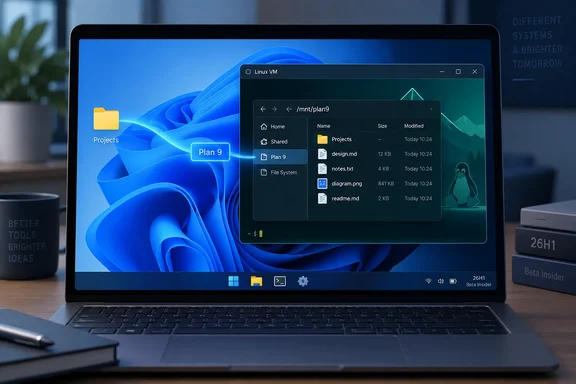
Build 28020.3112 Has One Named Fix: Plan 9 Folder Sharing for HCS-Managed Linux VMs
Microsoft's official release notes for Build 28020.3112 describe the update as "a small set of general improvements and fixes" for Insiders on the build. Only one change is listed under a heading, and it sits under Hyper-V. Microsoft says it "fixed an issue where some applications that used HCS-managed virtual machines experienced issues when sharing host folders with Linux VMs using Plan9."
Microsoft gives two symptoms. Folders shared from the Windows host over Plan 9 did not appear in the guest, or they appeared but could not be accessed. Either way, a Linux guest that relied on those host folders lost the files it expected to read.
Independent coverage matches Microsoft's description. Windows Report first highlighted the fix. Pureinfotech reported that Build 28020.3112 includes a fix for Hyper-V virtual machines using Plan9 to share folders between Windows and Linux, and described both 26H1 flights that day as small updates.
The limits of the fix are as important as the fix. Microsoft does not name the affected applications, the Linux distributions, or any particular Hyper-V configurations. It gives no KB number, no workaround, and no date the bug first appeared. The notes also do not say that every Hyper-V Linux VM was affected. The documented scope is "some applications" using HCS-managed VMs that share host folders over Plan 9, and this article keeps to that scope.
HCS, Not Hyper-V Manager, Defines Who Was Hit
Most readers think of Hyper-V as Hyper-V Manager, where you create a VM and click through its settings. The wording in this release note points to a different layer. HCS stands for Host Compute System. Microsoft's developer documentation describes the HCS API as the interface that "provides the functionality to start and control VMs and containers."
HCS is aimed at applications, not at people clicking through a console. In Microsoft's model, a VM or container created through the API is a "compute system." The application does the setup: it prepares the virtual disk, configures networking and Hyper-V sockets, and passes a JSON configuration document to the API. Compute systems are also temporary. Once a VM shuts down it is cleaned up, and the application has to create a new one to start it again. For containers, the HCS documentation says the API is the main way applications create and interact with the workload.
This explains the phrase "some applications that used HCS-managed virtual machines." The bug lived in the path that software takes when it starts a Linux VM through HCS and asks for host folders to be shared over Plan 9. Microsoft did not name which products take that path. Developer tools that start short-lived Linux VMs or containers in the background are the kind of software built on HCS, but that is our inference from how the API is designed, not a list Microsoft published.
For a reader deciding whether this bug touched them, the useful question is whether a tool started the Linux VM for you and shared your Windows folders into it automatically. Whether you use Hyper-V at all is the wrong test. If you built a VM by hand in Hyper-V Manager and never relied on Plan 9 host shares, nothing in Microsoft's description points at your setup.
Plan 9 Is the Plumbing Between Windows and Linux File Systems
Plan 9 here means a file-sharing protocol, not the old Bell Labs operating system itself. It already runs inside Windows' Linux tooling. Microsoft's open-source documentation for the Windows Subsystem for Linux lists a Plan 9 server implementation among WSL's components, used for sharing Linux files with Windows. The same page says the Windows-side pieces behind the \wsl.localhost path, P9rdr.sys and p9np.dll, still ship as closed components in the Windows image.
The bug fixed in 28020.3112 runs in the other direction. It concerns folders on the Windows host being exposed to a Linux guest, not Linux files being browsed from Windows. The release note does not mention WSL, and nothing in it says that Plan 9 sharing in general, or \wsl.localhost browsing, was broken. Readers should not assume WSL was affected just because it also uses Plan 9.
The practical effect is easy to picture. A Linux guest that builds code, runs tests, or processes data kept on the Windows side depends on those host folders being mounted and readable. If the share doesn't appear, or appears but won't open, the guest boots with nothing to work on. The VM is not lost, but the workflow stops.
The Beta (26H1) Channel Reaches a Narrow Group of Arm PCs
The fix shipped in 26H1, not in the mainstream Windows 11 release, and that limits who can get it. Windows 11 version 26H1 is ARM only, according to Wikipedia's Windows 11 version history. BetaWiki reports that 26H1 ships only on new devices using the Qualcomm Snapdragon X2 and Nvidia RTX Spark (N1X) system-on-chip platforms. It also says the release exists mainly to support new Arm processor features that could not be ported to older Windows versions.
26H1 runs its own Insider track. All Things How explains that on 26H1, Beta builds carry the 28000 series, and Experimental builds carry the 28100 series. It also notes that devices on Windows 11 version 26H1 will not update to version 26H2. The two are built on different Windows cores, so 26H1 machines are set to follow a separate path to a future Windows release instead.
The September 25 release came with several other builds, and the build numbers are easy to confuse. A roundup on daily.dev lists the Beta channel build released is 26220.9568, alongside Experimental build 26340.9577. For users on the 26H1 branch, Beta (26H1) build 28020.3112 and Experimental (26H1) build 28120.3122 were also released. Build 26220.9568 is a separate flight on the mainstream Beta channel. Neowin reports it adds a mouse pointer improvement for low-vision users, along with Phone Link and Magnifier changes. It does not carry the 26H1 Hyper-V fix.
There is one labeling discrepancy. Pureinfotech's write-up at one point describes 28120.3122 as the Beta build and 28020.3112 as the Experimental build. Microsoft's own release notes list 28020.3112 under Beta (26H1), and that matches the 28000/28100 numbering. Go by Microsoft's label.
The build continues a steady series. Two weeks earlier, NTCompatible reported that the Beta channel for 26H1 is at 28020.2904. Microsoft's Insider blog shows another pair of 26H1 Beta and Experimental builds on August 31. Build 28020.3112 is the latest small update in that sequence.
What this means for you
Only one group needs to do anything: people running Build 28020.x on the Beta (26H1) channel who use a Linux VM that an application starts through HCS and feeds Windows folders over Plan 9. Everyone else can treat this as a routine changelog item.
If you are in that group, install the update and check the result. Microsoft marks changes in this release as "gradually being rolled out," so the build may not show up for every eligible device on day one. Once it is installed, open the Linux guest and confirm that the Windows folders your tool shares are visible and readable. Microsoft offers no troubleshooting procedure for this bug. It does not tell you to recreate shares, change mount paths, or adjust permissions, so don't treat those steps as recommended fixes.
If you run the mainstream Windows 11 25H2 release, or the 26220 Beta builds, this release does nothing for you. Microsoft has not said when or whether the fix will reach production 26H1 devices. Its standard Beta (26H1) reminder also warns that what appears in Insider builds can change or never ship outside the program.
- Build 28020.3112 was released to the Beta (26H1) Insider channel on September 25, 2026. Its one named fix covers Plan 9 host-folder sharing for Linux VMs managed through HCS.
- The documented symptom was host folders that did not appear inside the Linux guest or could not be accessed there. The documented cause was limited to "some applications" using HCS-managed VMs.
- 26H1 runs only on Arm hardware, and its Beta builds use the 28020 series. Build 26220.9568, released the same day, is a separate mainstream Beta flight and does not include this fix.
- After updating, the only verification Microsoft's description supports is checking that existing Plan 9 shares from the Windows host now appear and open in the guest.
- There is no KB number, no workaround, and no production release date for this fix. Microsoft also has not said whether WSL was affected.
Build 28020.3112 is a small update that fixes one real bug. For Insiders on Snapdragon X2 or N1X hardware whose Linux tooling depends on HCS-managed VMs, host folders that went missing should now appear and open again. 26H1 follows its own servicing path, separate from 26H2, so the next place to watch is Microsoft's 26H1 release notes, where this fix would have to appear before it reaches production machines.