

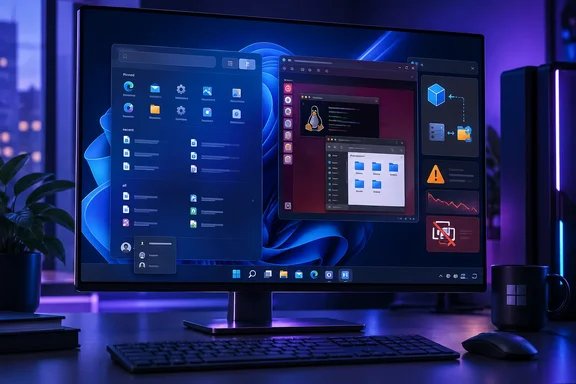
Neowin first highlighted the build’s arrival on September 18. Microsoft’s release notes add important operational details left out of the short changelog: the Start changes are listed as a gradual rollout, while the build carries unresolved long-session performance degradation and VMware compatibility issues. For the Future Platforms audience, that makes this a test build to install on sacrificial hardware or a disposable VM—not a sensible upgrade for a daily-production machine.
Start can now be reduced to the parts you use
Build 29671.1000 adds independent controls to show or hide the Pinned, Recent, and All sections of Start. A user who wants Start to act as a minimal launcher can remove Recent and All, leaving only pinned applications; someone who relies on Windows’ recent-file surfacing can retain Recent while suppressing the pinned grid. Microsoft has also added Small and Large size choices beside the existing Automatic option.
The company is renaming the old Recommended section to Recent in both Start and Settings. That is more than a cosmetic wording change: Microsoft’s May announcement said the area would focus on recently used files and newly installed applications, while the “Recommended” label had long carried the baggage of app suggestions and web-adjacent content users often treated as advertising.
The revised Settings page puts those decisions in one place. Previous Start customization was fragmented: disabling recommendation content could involve multiple privacy and personalization controls, and removing pinned apps meant unpinning them individually. The new section controls turn that tedious cleanup into a layout decision, although they do not add the deeper folder, tile, or live-information model that Windows 10 users may still expect.
Microsoft also lets users hide their account name and profile picture from Start. That has a practical use beyond visual minimalism. On a shared screen, training system, conference-room PC, or livestreamed desktop, the account label can reveal a real name or organization identity; removing it reduces that exposure without requiring a separate Windows account.
This is an arrival in Future Platforms, not a new Start design
The larger Start redesign has been circulating through other Insider branches since May. Microsoft’s original “Making Taskbar and Start more personal” announcement described the same controls—section visibility, fixed sizing, a separate account-identity toggle, and the Recommended-to-Recent rename—as part of its response to persistent complaints about Windows 11’s limited shell customization.
What is new here is the branch. Build 29671.1000 places the feature set in Experimental (Future Platforms), Microsoft’s earliest Windows preview track. That distinction limits what can be inferred from the flight. Microsoft explicitly says Future Platforms builds are not aligned with a particular retail release, and features there may change, disappear, or ship in a different form.
The channel’s escape route is also harsher than ordinary Insider testing. Microsoft says an in-place upgrade can usually move a device among Beta, Experimental, and Release Preview when those tracks share a Windows core version. Future Platforms does not have that protection: leaving it or moving to another channel requires a clean installation of Windows. Administrators and enthusiasts should factor that into testing plans before treating the new Start controls as a low-risk preview.
The release notes describe the Start work as gradually rolling out, which means updating to build 29671.1000 does not guarantee that every device will immediately expose each control. Microsoft introduced a Feature flags page for Experimental Insiders precisely because controlled rollout has historically left testers on the same build with different visible features. Testers who do not see the new Start options should check Settings, Windows Update, and Windows Insider Program for available feature controls rather than assume the update failed.
The Hyper-V fix is specifically about Plan9 shares
The build fixes an issue in applications using HCS-managed virtual machines where folders shared from the Windows host to Linux guests through Plan9 either failed to appear or could not be accessed. HCS, the Host Compute Service, is used by Windows virtualization components and developer tooling to manage virtualized workloads; the release note does not claim to repair every possible Hyper-V file-sharing problem.
That boundary matters. A Linux guest unable to see a host folder can look like a permissions issue, a mounted-path issue, or a general Hyper-V regression. Microsoft’s wording points instead to the Plan9 host-to-guest sharing path used by the affected HCS-managed VM applications. Teams with a reproducible failure should confirm the guest is Linux-based and that the workflow actually uses Plan9 folder sharing before crediting 29671.1000 with a fix.
The timing also gives the correction some context. Windows Central reported this week that September’s Windows update introduced host-folder-sharing problems in Hyper-V-based Linux VMs on some supported Windows 11 installations, prompting Microsoft to issue an emergency update for the retail servicing branch. The similarity is real, but Build 29671.1000 is an Insider Future Platforms flight, not the out-of-band repair for production Windows 11 systems. An organization troubleshooting a current supported release should obtain the applicable servicing update rather than enroll a host into Future Platforms.
The UAC freeze is fixed, but two virtualization warnings remain
Microsoft says it fixed a bug that could freeze some Insider PCs when a User Account Control prompt appeared. Because UAC prompts can appear during software installation, elevation from administrative tools, system-configuration changes, and many management workflows, an intermittent freeze at that point is more disruptive than a typical preview-shell defect. The release notes do not identify a root cause, affected hardware class, or the precise earlier builds involved.
The more concerning disclosure is what remains unresolved. Microsoft says some users may experience noticeably worse system performance the longer they interact with the latest Future Platforms builds. It has not published a workaround, trigger, or a list of affected configurations. Anyone evaluating this build should watch responsiveness over extended sessions rather than judge it only after a reboot and a few minutes of use.
VMware users have an additional reason to wait. Microsoft is investigating a problem in which VMware Workstation Pro 17.6.4 may reopen a newly created and previously closed VM as a blank window; it also says it is aware of reports of VMware devices green-screening. Those are not minor footnotes for the Future Platforms audience, which is unusually likely to run nested labs, test images, and virtualized development environments.
A sensible test procedure for Build 29671.1000 is therefore straightforward:
- Install it only where a clean reinstall is acceptable if the Future Platforms channel must be abandoned.
- Verify Start personalization after updating, but allow for the possibility that gradual rollout or Feature flags delays the visible controls.
- Test HCS-managed Linux VM folder sharing directly if Plan9-backed host folders are part of the workflow.
- Avoid upgrading VMware Workstation Pro 17.6.4 lab hosts until Microsoft identifies the blank-window and green-screen failures.
Build 29671.1000 makes Windows 11’s Start menu markedly more configurable in Microsoft’s most volatile public branch, but it does not establish a delivery date for retail Windows 11. For now, the concrete payoff is limited to Future Platforms testers willing to accept a clean-install exit path and the documented performance and VMware risks.
References
- Windows 11 Future Platforms build 29671.1000 gets the latest Start menu changes Neowin · 2026-09-18T17:35:19+00:00