

Here is what Microsoft has confirmed, what is still just one person's report, and what you can do about it.
What Microsoft has confirmed
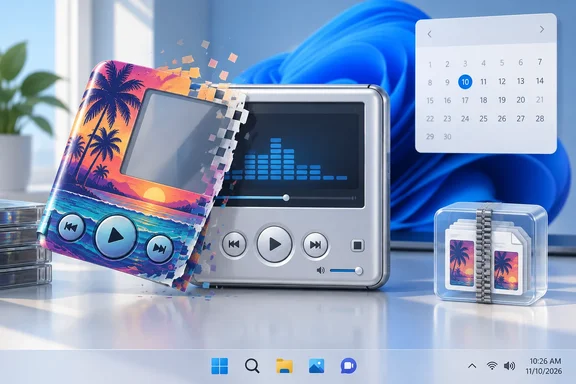
Microsoft's developer documentation for the Windows Media Player SDK now carries a warning on its skin pages: skins will no longer be supported in Windows Media Player Legacy (WMPL) starting November 10, 2026, on Windows 11 version 24H2 and later. The same notice appears on the About Skins page, the Skin Creation Guide, the "New for Windows Media Player Skins" page and the mobile skin pages.
The wording is "24H2 and later." That means one cutoff covers Windows 11 24H2, 25H2 and the upcoming 26H2. There are not three separate removals. This change is about skins, not about 26H2 in particular.
The notice also sits inside a larger message about where Microsoft is going. Microsoft calls the Windows Media Player SDK a legacy feature that has been superseded by MediaPlayer. MediaPlayer has been optimized for Windows 10 and Windows 11. The company strongly recommends that new code use MediaPlayer instead of Windows Media Player SDK, when possible.
What the notice does not say matters just as much. It does not say WMPL is being removed. It does not mention playback, libraries, playlists, CD ripping or file formats. Only the skinning layer is going.
Summary: Skin support in WMPL ends November 10, 2026, on Windows 11 24H2 and later. The player itself isn't mentioned in the notice.
What exactly is being removed?
If you started using Windows after Windows 7, you may never have seen WMP skins. According to Microsoft's documentation, skins are sets of scripts, art, media, and text files that can be combined to create a new appearance for Windows Media Player. Microsoft also describes a skin as a customized user interface to Windows Media Player. In other words, skins could change how the controls behaved, not just how the player looked.
In practice there are two file types:
- .wms: an XML skin definition file that describes the skin's elements and what they do, often with JScript files attached.
- .wmz: a compressed Zip archive that bundles the definition file, scripts and artwork.
Microsoft's own sample code shows how simple this was. A skin could be a background bitmap, a mapping image and a few button elements running JScript, all packed into a Zip file. That openness made skins popular in the Windows XP era. It is probably also part of the reason Microsoft wants them gone: a feature that runs script-driven interface code inside a decades-old player is hard to justify in 2026. That's my reading as an analyst; Microsoft hasn't given a reason.
The "early" removal: one user's report
The "killed early" angle comes from Neowin. Aryeh Goretsky, a Neowin forum supervisor and former ESET researcher, told the site he uses WMPL on Windows 11 as a lightweight media player. He was surprised when it opened with the default interface instead of the Classic theme (CLASSIC.WMZ), which Microsoft has shipped since the Windows 2000 and Windows Me days. He later found Microsoft's November 10 notice and concluded the change had arrived early, at least on his machine. He said he was disappointed because WMPL had always been available, always skinnable and light on resources.
That observation deserves attention, but it is thin evidence:
- It is one report from one PC.
- No build number, cumulative update or feature-flag state was published with it.
- Microsoft has not confirmed an early rollout.
It could be the first sign of a staged change. It could also be a problem specific to that machine. Until more reports come in with build details, "Microsoft killed skins early" is a claim to watch, not a confirmed fact. The date Microsoft has published is still November 10.
Summary: The early-removal claim comes from a single credible user. Microsoft's official date hasn't changed.
Who is affected?
This is a small group, but a devoted one:
- Longtime WMPL users who rely on the Classic skin or third-party skins as a compact, low-resource player.
- Skin makers and collectors with .wmz archives going back twenty years.
- Anyone with old skin-based workflows, such as kiosk-style or custom-control setups built on WMP skins. The documentation also covers Windows Media Download packages, which used skin borders, though that feature has long been deprecated.
Windows 10 users are outside the stated scope, since the notice only covers Windows 11 24H2 and later. Windows 10's mainstream support ended in October 2025, though, so that's not much comfort.
What to do now
There is no supported way to keep skin support after the cutoff, and I won't pretend otherwise. Here are the sensible steps:
- Check your Windows version. Run
winver. If you're on 24H2, 25H2 or a 26H2 build, the November 10 notice applies to you. - Confirm WMPL is still installed. On Windows 11 it is an optional feature in some editions. Microsoft's path is Settings > System > Optional Features > View features. Search for "Windows Media Player Legacy," check the box, select Next, then Add. Installing it this way gives you the player, not a way to get skin support back.
- Don't reset expecting a fix. Microsoft's Repair and Reset options (Settings > Apps > Installed apps > Advanced options) are for a player that's malfunctioning. A reset wipes your custom settings and preferences but leaves your media files and library alone. It won't bring back a feature Microsoft is retiring.
- Back up your skins. If you collect .wmz files, archive them now. They're just Zip files, and the artwork and scripts inside have value as history even if the player stops loading them.
- Report it if it happens early. If your Classic skin has already disappeared, note your OS build and recent updates. Those details are what could turn one anecdote into a confirmed pattern.
Where this leaves WMPL
This fits a long-running pattern. Microsoft's replacement Media Player started rolling out to all Windows 11 users as a software update in January 2022, and it keeps getting regular Store updates. Meanwhile the legacy player loses features one by one. The Windows Media Player Wikipedia entry still lists support for many skins as a feature of the classic app, but that will soon be out of date.
Should Microsoft keep a 20-year-old skinning engine going forever? Probably not. Every legacy code path is something to maintain and something attackers can target. Still, fans of WMPL have a point. The new Media Player is a different app, not a drop-in replacement, and people who relied on a light, customizable and always-available player are losing something real, even if it is a niche.
If you want a skinnable player after November 10, third-party players with active skin communities are the obvious place to go. WMPL looks set to keep playing your files, but only in its default look.
Bottom line: Mark November 10, 2026, if you use WMP skins on Windows 11 24H2 or later. Treat reports of an early removal as unconfirmed for now, and back up your .wmz files before they stop loading.
References
- Microsoft killing a legacy feature early on Windows 11 26H2, 25H2, 24H2 on Media Player Neowin · 2026-09-26T09:46:01+00:00
- About Skins | Microsoft Learn learn.microsoft.com