

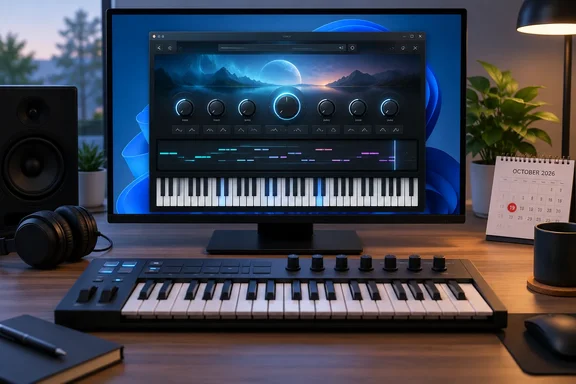
YBK Instrument Player puts VST3 instruments on the Windows desktop without a DAW
KVR Audio's release notice from September 23 describes the app as a standalone Windows app for playing your VST3 instruments without a DAW, project or timeline. Bedroom Producers Blog, which covered the offer on September 25, says it strips away the timeline, mixer, and track setup you'd normally find in a full DAW. The workflow is: open it, choose a VST3 instrument, and start playing.
YBK's own site calls the company a maker of desktop applications that run on their own — no DAW required. It lists Instrument Player as out now, Console and Beatmaker are in active development. The pitch for Instrument Player is that it scans the VST3 instruments already installed on your machine and opens any one of them on its own — full interface, keyboard input, audio out, nothing else in the way.
The app ships with almost no sounds. KVR's product listing says a Starter Synth is built in, so there's something to play even before you've installed a plugin. Apart from that, Instrument Player includes no sounds of its own - it plays the instruments you already have. YBK also points out that the plugins are governed by their own licenses, which you must hold separately; we are not responsible for how they behave.
Separate-process scanning and effect chains keep plugin auditions quick
Instrument Player scans your VST3 instruments in a separate process and puts them in a searchable list, with favorites pinned at the top. You can scan new plugins or rebuild the entire list. KVR's listing gives the reason for that design: a badly behaved plugin can't take the app down, and large sample libraries load in the background. That is the developer's description. No independent stability testing has been published.
The selected plugin opens at its native size, and you can build a chain of VST3 audio effects after it for quick sound design and testing. KVR adds that the plugin interface appears above a playable on-screen keyboard, and that your last instrument, its full patch state, your audio device and your volume all come back the next time you open it. The session memory is a small feature, but it suits the app's purpose: open it, play, close it, and pick up where you left off.
On input, KVR lists all MIDI inputs, hot-pluggable, plus computer keyboard input. In practice, several controllers can be used at once, and a controller plugged in mid-session is picked up without a restart. For playing from the computer keyboard, Bedroom Producers Blog reports that M plays notes and Z and X shift the octave. The other sources confirm computer-keyboard input but don't give the key mappings.
MIDI Replay turns Instrument Player into a five-minute safety net
The feature that sets the app apart from a plain plugin launcher is MIDI Replay. MIDI Replay keeps the last five minutes of playing in memory automatically. Pull a phrase back, edit it in the piano roll, then export a standard .mid file for any DAW. There is no track to arm and no Record button to press first. Anything played in the last five minutes can be recovered.
The piano roll offers a tempo grid, quantise, copy, paste and duplicate, and the app can import and export standard .mid files, MIDI only. The "MIDI only" part is important. Bedroom Producers Blog says the buffer holds MIDI notes and controller data and does not record or export audio. You get back the performance, meaning which notes you played, when, and how hard, but not the sound. To reproduce the exact sound you need the same instrument and patch loaded again. The session memory described above helps there, but anything you would normally bounce to audio has to be rendered in a DAW or another tool.
This is where the app is useful beyond plugin testing. An improvised chord progression or bass line played while trying out a new synth is usually lost, because nobody hits Record for idle playing. A rolling five-minute buffer with a .mid export gets that material into Ableton Live, FL Studio, Reaper or any other DAW that imports standard MIDI files, with nothing more to set up.
WASAPI exclusive mode latency is YBK's figure, not a measured result
For audio output, KVR's notice lists WASAPI shared or exclusive, DirectSound. WASAPI is the Windows Audio Session API, Windows' native audio path. In exclusive mode an application takes sole control of the output device and skips the system mixer, which is generally why it offers lower latency than shared mode. On latency, YBK Audio states that WASAPI exclusive mode typically delivers 5–10 ms latency.
Read that range as the vendor's typical figure. Real latency depends on your audio interface, its driver and the system, and no one has published independent measurements. Also note that ASIO, the low-latency driver standard many Windows musicians use, isn't among the listed output options. If your interface performs noticeably better under ASIO in your DAW, expect Instrument Player to behave differently. The obvious limitation of exclusive mode also applies: while the app holds the device, other applications usually can't play sound through it.
Format support is limited too. Bedroom Producers Blog states the app runs on Windows 10/11 and hosts only VST3 instruments and effects. VST2, CLAP and other plugin formats aren't mentioned in any source. If some of your instruments exist only as older VST2 builds, they won't appear in the list.
How Instrument Player compares with Modalics Plugin Buddy
Bedroom Producers Blog compares it with a tool some producers already know: The concept is simpler than Modalics Plugin Buddy, which also runs as a plugin and supports MIDI chains, but this one is even simpler to use. The trade-off is clear. Plugin Buddy can run inside a host and handles MIDI processing chains. Instrument Player is a single standalone window with an instrument, an effect chain and a MIDI buffer.
Instrument Player doesn't replace a DAW, and YBK doesn't claim it does. There's no arrangement, no mixing and no audio recording. What it offers instead is speed and the always-on MIDI capture, which few lightweight hosts have. Whether that's worth $10 after the promotion depends on how often you open a DAW just to hear a single instrument.
The free license: an email sign-up, a SmartScreen warning and a one-PC activation
KVR and Bedroom Producers Blog agree on the headline terms. Instrument Player is free through October 19, 2026, during the launch month. Licenses claimed during that period continue to work, and no card is required. From October 20, the one-time price is $10. The detailed conditions below come from Bedroom Producers Blog's report, and KVR's notice doesn't repeat them.
According to that report, claiming the license requires an email address but no account or payment card. YBK sends a confirmation link, followed by the license code and installer. The report also warns that the app is not yet code-signed, so Windows may display a SmartScreen warning during installation. Code signing is how a publisher attaches a verified identity to an installer. Without it, Microsoft Defender SmartScreen has no publisher reputation to go on and may block or warn about the file. An unsigned installer isn't necessarily malicious, and the warning doesn't prove anything either way. It does mean you're relying on where you downloaded the file, so only run an installer that came through YBK's own email flow.
The activation terms are the strictest part. Bedroom Producers Blog reports that the code is consumed when activated online on one computer and cannot be transferred or reissued. Reinstalling Windows is allowed. Changing the CPU, the motherboard, the computer or the virtual machine invalidates the license. Free licenses get updates released during the launch month, and later updates require the paid $10 edition. So the free copy is permanent, but it's tied to one machine and frozen at whatever version ships by the end of the launch window.
YBK's general terms include standard disclaimers. The software is provided "as is", without warranties of any kind, and order problems go to a support email address. The KVR product listing currently shows version 1.3.0. The sources don't say whether that is the launch build or a later update, which matters because it affects which updates free licensees actually receive.
What this means for you
If you regularly audition VST3 instruments or jam on a controller without recording, claim the license before October 19. Just pick the activation machine carefully. The free copy costs nothing and needs no card, but the one-PC, non-transferable terms mean activating it on a test VM or a machine you're about to upgrade could waste it. If you work mainly with VST2 or CLAP plugins, rely on ASIO, or need audio capture, you can skip it without missing much.
- Claim by October 19, 2026 to keep Instrument Player permanently. From October 20 it's a $10 one-time purchase.
- Activate on your main music PC, not in a virtual machine or on hardware due for a CPU or motherboard swap, since Bedroom Producers Blog reports those changes invalidate the license.
- Expect a SmartScreen warning because the installer isn't code-signed, and only run an installer that arrived through YBK's own email flow.
- MIDI Replay keeps five minutes of MIDI, not audio, so export a .mid file and load the same instrument in your DAW to rebuild the sound.
- Only VST3 instruments and effects are hosted, so older VST2-only plugins won't show up after a scan.
- Test WASAPI exclusive mode on your own interface. The 5–10 ms latency figure is YBK's estimate, not a measured guarantee.
Instrument Player is a small app with a clear purpose: open a synth quickly and don't lose what you played on it. YBK has more standalone Windows tools in development, and the October 19 cutoff marks when this one moves from free launch offer to paid product, with update access for free licensees ending after the launch month. For Windows producers, the decision is mostly about which PC to activate it on before the offer ends.