

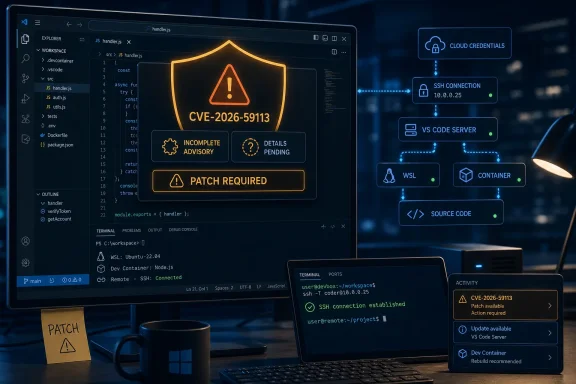
The public MSRC entry confirms the existence of the vulnerability and assigns it to Visual Studio Code, but the record available at publication is unusually thin on the operational details teams normally need to prioritize a remote-code-execution issue. Microsoft has not publicly supplied, in the material presently available, affected version ranges, a fixed build number, a CVSS base score, a weakness classification, an exploitation assessment, or a description of the attack path. No independent outlet had published technical reporting on CVE-2026-59113 when this article was prepared, and public searches of the NVD and CVE Program records did not return a corresponding indexed entry.
That absence does not reduce the need to patch. It changes what can responsibly be said about the risk: this is a Microsoft-confirmed RCE advisory, but there is not yet evidence that it is wormable, network-reachable without user interaction, actively exploited, tied to a particular extension, or limited to a particular operating system.
The advisory confirms the issue, not its attack path
MSRC’s publication gives CVE-2026-59113 a formal Microsoft vulnerability identifier and labels its impact as remote code execution. In practical terms, Microsoft is acknowledging that a successful attack can cause code to run in a security context it should not control. On a typical Windows developer workstation, that may mean code executing with the privileges of the signed-in developer, who often has access to source repositories, cloud credentials, package registries, deployment tooling, and SSH keys.
What the advisory does not yet establish is where that boundary fails. Visual Studio Code has a wide attack surface: the desktop Electron application, built-in workbench features, extension-host processes, language servers, integrated terminals, remote-development components, chat and agent tooling, and the VS Code Server used for Remote SSH, WSL, tunnels, and Dev Containers. A CVE title naming Visual Studio Code alone cannot tell administrators which of those components is involved.
That distinction should shape incident handling. A locally triggered flaw in an extension activation flow deserves a different response from a flaw reachable through a remote tunnel, a crafted repository, a cloned Git workspace, an extension package, or a VS Code Server endpoint. The word “remote” describes the potential result, not necessarily a drive-by network attack against every machine running the editor.
Microsoft’s Security Update Guide is authoritative for the advisory’s existence. It is not, at least at this stage, a complete deployment guide for CVE-2026-59113.
VS Code’s expanding agent and remote features raise the stakes
The timing matters because Visual Studio Code has steadily expanded the number of operations it can broker on a developer’s behalf. Microsoft’s recent VS Code documentation describes remote-development setups in which extensions and commands run directly in containers, WSL instances, remote systems, or cloud-hosted environments through VS Code Server. A compromised editor session can therefore be more valuable than a compromise limited to a single local project directory.
The same is true of the product’s newer agent features. Microsoft’s own VS Code security guidance warns that extensions and Model Context Protocol servers can execute arbitrary code and interact with local files, system resources, credentials, and external services. Agent tools can also run terminal commands with the user’s privileges. Those are intended capabilities, but they make it especially important to determine whether CVE-2026-59113 crosses a trust boundary before a developer deliberately approves a tool, terminal command, extension, remote host, or workspace.
Administrators should resist the temptation to infer that this is an AI-agent or MCP issue merely because those components are prominent in current VS Code releases. Microsoft has not said that. The same caution applies to Remote SSH, Dev Containers, WSL, GitHub Copilot Chat, or any individual Marketplace extension: none has been publicly named as the vulnerable component.
Still, the product architecture explains why an RCE advisory belongs in endpoint and developer-platform patching workflows rather than being handled as a minor editor update. VS Code is often installed outside traditional software deployment controls, auto-updates on a per-user basis, and may exist in stable, Insiders, portable, system-wide, remote-server, and developer-image forms. A patch policy that checks only the Windows desktop client can miss the related environments that developers actually use.
What administrators can do before Microsoft fills in the gaps
The safe response is straightforward: bring VS Code installations onto the latest supported update channel approved by your organization, then validate the installed version rather than assuming auto-update has completed. Microsoft’s release notes indicate that VS Code rolls updates out gradually, while the application’s Check for Updates command can retrieve the newest available release sooner. That rollout model is convenient for feature releases; for a newly disclosed RCE, it means centrally managed fleets should not wait passively for every endpoint to update itself.
Teams using package managers, endpoint-management platforms, golden images, or virtual desktop pools should inventory both the editor and the remote components that accompany it. In particular, review developer machines that use Remote SSH, WSL, Dev Containers, Codespaces connections, or tunnels, since VS Code’s remote-development model installs VS Code Server on the remote operating system separately from the local desktop application.
A proportionate interim checklist is:
- Confirm the installed Visual Studio Code version and update state on Windows developer devices rather than relying on a deployment success message alone.
- Check whether nonstandard installations, including portable copies, per-user installs, Insiders builds, and developer virtual-machine images, fall outside the normal update mechanism.
- Identify remote hosts where VS Code Server is installed and determine whether they are governed by the same maintenance process as the user’s Windows endpoint.
- Keep unfamiliar repositories in Restricted Mode and do not grant broad workspace trust simply to remove prompts while the advisory remains technically unexplained.
- Review extension, MCP server, and agent-tool approval practices, especially configurations that allow automatic terminal execution or broad persistent permissions.
These controls reduce exposure to risky content and overly permissive workflows. They are defense-in-depth measures, not a remediation for CVE-2026-59113. Workspace Trust governs whether VS Code enables project-supplied capabilities in an untrusted workspace; it does not prove that an already-trusted workspace, an installed extension, or an editor component is protected from an undisclosed vulnerability.
The missing version data is the immediate management problem
The central reporting gap is not whether the CVE exists. Microsoft has confirmed that through MSRC. The gap is the lack of a public version boundary that lets a security team answer the basic question: which machines are vulnerable right now?
Without an affected-build list, a fixed-build list, or an update identifier, organizations cannot accurately use their usual vulnerability scanners or software-inventory rules to mark endpoints exposed or remediated. They can only adopt a conservative standard: update to the latest supported VS Code release made available by Microsoft and retain evidence of the installed version for later comparison when Microsoft publishes affected and fixed ranges.
This also limits meaningful threat hunting. There are no public indicators of compromise, proof-of-concept details, exploit telemetry, affected files, vulnerable commands, or named attack prerequisites attached to the advisory. Claims that CVE-2026-59113 has been exploited, that it can be triggered through a malicious repository, or that it affects a particular extension should be treated as speculation unless Microsoft or credible independent researchers provide evidence.
Microsoft’s current VS Code security documentation does make one point worth carrying into patch policy: developer automation increasingly concentrates high-value access in a single desktop session. The practical exposure from an editor RCE can extend beyond source-code modification to secrets, cloud administration, CI/CD actions, signed commits, package publishing, and remote development hosts. For that reason, organizations with privileged development workstations should prioritize the update alongside other endpoint security fixes even before a CVSS score is available.
The next concrete milestone is a revised MSRC record with affected products, fixed builds, and exploitability information. Until then, the sound operational position is simple: treat CVE-2026-59113 as a confirmed Visual Studio Code RCE, patch to Microsoft’s newest supported build, and document the installations that cannot yet be verified against a published fixed-version boundary.