

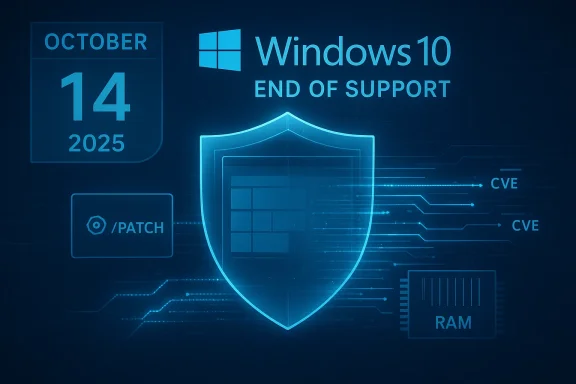
Microsoft officially ended mainstream support for Windows 10 on October 14, 2025, leaving millions of machines exposed and many users scrambling for viable options — and 0patch is one of the most talked-about stopgaps. In practice, 0patch delivers tiny, targeted “micropatches” in memory to neutralize specific vulnerabilities on legacy Windows builds; it promises low friction, rapid zero‑day coverage, and a low per‑device cost for ongoing post‑EoS protection. This feature tests those claims against what 0patch actually does, what it doesn’t do, and how a cautious Windows 10 user should evaluate it as part of a defensible, layered security strategy.
Microsoft’s lifecycle calendar made the end result inevitable: Windows 10 (version 22H2 and mainstream SKUs) reached end of support on October 14, 2025, which means the OS stopped receiving routine security and feature updates. Microsoft offered a Consumer Extended Security Updates (ESU) program as a short bridge — extendable through October 13, 2026 — but that is explicitly time‑boxed and limited in scope. That shift turned many otherwise serviceable PCs into higher‑risk endpoints the day the clock ran out. Enter 0patch, a Slovenia‑based security company that “security‑adopted” Windows 10 v22H2 and pledged a multi‑year micropatching program as a practical alternative for users who can’t or won’t upgrade to Windows 11. The vendor positions micropatching as a surgical mitigation: instead of replacing files on disk or shipping full cumulative updates, 0patch modifies specific instructions and function calls in memory to block exploit paths — often without requiring a reboot. The company offers a free tier that covers certain zero‑day fixes and paid plans (Pro and Enterprise) that unlock broader, ongoing post‑EoS coverage and management features.
At the same time, the service is selective: 0patch prioritizes publicly disclosed exploits, actively exploited vulnerabilities, and items Microsoft will not patch for legacy SKUs. That prioritization keeps the service lightweight and focused, but it also creates coverage gaps — not every vulnerability will receive a micropatch. Treat 0patch as a compensating control, not a one‑to‑one replacement for vendor servicing.
That said, it’s not a silver bullet. The two central managers of residual risk areisk:** not every vulnerability will be micropatched; attackers can exploit unpatched classes that remain outside 0patch’s prioritization.
Conclusion: for users who are technically capable, risk-aware, and ready to pilot, 0patch Pro is a defensible and affordable bridge for post‑EoS Windows 10 security. For environments that require vendor SLAs, contractual guarantees, or uncompromising compliance, migration to a supported platform remains the only truly long‑term solution.
Source: ZDNET I tried 0patch as a last resort for my Windows 10 PC - here's how it compares to its promises
 Background / Overview
Microsoft’s lifecycle calendar made the end result inevitable: Windows 10 (version 22H2 and mainstream SKUs) reached end of support on October 14, 2025, which means the OS stopped receiving routine security and feature updates. Microsoft offered a Consumer Extended Security Updates (ESU) program as a short bridge — extendable through October 13, 2026 — but that is explicitly time‑boxed and limited in scope. That shift turned many otherwise serviceable PCs into higher‑risk endpoints the day the clock ran out. Enter 0patch, a Slovenia‑based security company that “security‑adopted” Windows 10 v22H2 and pledged a multi‑year micropatching program as a practical alternative for users who can’t or won’t upgrade to Windows 11. The vendor positions micropatching as a surgical mitigation: instead of replacing files on disk or shipping full cumulative updates, 0patch modifies specific instructions and function calls in memory to block exploit paths — often without requiring a reboot. The company offers a free tier that covers certain zero‑day fixes and paid plans (Pro and Enterprise) that unlock broader, ongoing post‑EoS coverage and management features. How micropatching works — a short technical primer
Micropatching is not magic; it’s targeted runtime intervention.- 0patch installs a lightweight agent on the host that can inject a small DLL into running processes.
- When a micropatch targets a vulnerability, the agent applies a tiny change in memory (often a couple of CPU instructions) to prevent the vulnerable code path from being exploited.
- Because changes occur in memory and not on disk, many micropatches take effect immediately and do not require system restarts — a major operational benefit for production or always‑on endpoints.
- Micropatches are surgical and narrow: they neutralize specific CVEs or exploit techniques rather than reworking entire subsystems.
This model explains both the strengths and the limits: quick mitigation and minimal downtime on one hand, selective scope and residual attack surface on the other.
What 0patch promises (and what it actually delivers)
The key claims
- Zero‑day coverage: 0patch Free provides emergency patches for certain zero‑days while they remain unpatched by the vendor.
- Pro price and coverage: 0patch Pro is priced at roughly €24.95/year per device (about $30 USD) and unlocks the full set of post‑EoS micropatches for Windows 10 v22H2; Enterprise adds central management for ~€34.95/year per device. A 30‑day trial is available.
- Multi‑year commitment: 0patch publicly committed to providing post‑EoS micropatches for Windows 10 v22H2 for at least five years after Microsoft’s cut‑off (through October 2030), with willingness to extend based on demand.
- Low operational friction: Micropatches are applied automatically by the 0patch Agent and can be disabled individually or fully rolled back by uninstalling the agent.
How these claims hold up in real use
Independent reviews and user reports show a consistent pattern: 0patch’s agent installs easily, displays a simple dashboard showing active patches and protected processes, and applies micropatches automatically as they are issued. Reviewers note immediate protective benefits for high‑severity, in‑the‑wild threats and praise the visibility of patch metadata — you can see exactly which CVE or exploit a micropatch addresses.At the same time, the service is selective: 0patch prioritizes publicly disclosed exploits, actively exploited vulnerabilities, and items Microsoft will not patch for legacy SKUs. That prioritization keeps the service lightweight and focused, but it also creates coverage gaps — not every vulnerability will receive a micropatch. Treat 0patch as a compensating control, not a one‑to‑one replacement for vendor servicing.
Verified numbers and commitments
- Windows 10 end of support: October 14, 2025.
- Consumer ESU availability: up to October 13, 2026 (one year of paid or otherwise eligible coverage).
- 0patch Pro price: €24.95/year (about $30 USD). 0patch Enterprise: €34.95/year. Free tier limited to zero‑day patches and testing/personal uses. 30‑day enterprise trial available.
- 0patch will provide five years of Windows 10 v22H2 micropatches post‑EoS (through at least October 2030). This is a vendor commitment, not a third‑party guarantee.
These are the load‑bearing facts any procurement, sysadmin, or careful home user should check before making a decision. The vendor pages and Microsoft lifecycle documentation align on the core dates and offerings.
Real‑world experience: installation, updates, and performance
A typical user experience, as reported by reviewers and community members, looks like this:- Installation is straightforward: download the agent, run the installer, register to a 0patch account (or enroll via trial), and the Agent begins polling for micropatches. The dashboard reports how many patches are active and what processes are protected.
- Patches are applied automatically with minimal user interaction. Individual micropatches can be disabled if they cause problems, and uninstalling the agent removes all runtime patches.
- Performance: reviewers report mostly negligible performance impact in routine desktop and benchmark runs (a ZDNet reviewer ran Geekbench 6 tests and saw no meaningful penalty on their Windows 10 laptop). At scale, community reports show occasional slowdowns or crashes in edge cases, particularly when 0patch interacts with certain antivirus, EDR, or utility products.
Compatibility caveats — the reality behind “quiet in the background”
Because micropatching modifies program behavior at runtime, interactions with security tooling are the most common source of trouble. 0patch’s own knowledge base documents compatibility incidents and provides configuration workarounds:- Some AV/EDR products (e.g., Bitdefender, Sophos, ESET, Avast, AVG, HitmanPro.Alert, SentinelOne) have flagged the 0patch Agent or blocked injection into processes; 0patch documens and mitigations.
- Legacy utilities and some backup/agent software can crash when the 0patch Agent injects code; the vendor instructs exclusion rules or registry flags to avoid injecting into problematic processes.
- If a micropatch causes instability, the Agent’s dashboard lets you disable the patch immediately; uninstalling the agent fully removes all applied micropatches.
These trade‑offs explain why staged testing and pilot rollouts are not optional — they’re operational necessities.
Strengths: where 0patch convincingly delivers value
- Rapid risk reduction for high‑exploits emerge, micropatches can arrive quickly, sometimes before or in the absence of a vendor fix. That reduces the attacker’s window and can prevent escalations in mixed‑age operational friction. No‑restart updates, tiny downloads, and reversible patches make it practical to protect devices that cannot tolerate frequent reboots or long maintenance windows.
- Cost‑effective bridge. At ~€25/year per device, 0patch Pro is often cheaper than extended vendor support, hardware refreshes, or comprehensive third‑party managed programs — an appealing option for home power users, small businesses, or specialized devices.
- Transparent patch metadata. 0patch publishes details about the miciding auditability and risk assessment: you can map a micropatch to the CVE or exploit it mitigates.
Risks, limitations, and governance concerns
- Not a full substitute for vendor support. Micropatches mitigate specific vulnerabilities but don’t replace the broader security, compatibility, and quality improvements a vendor’s cumulative updates deliver — especially kernel, driver, and firmware fixes. Over time, residual risk accumulates.
- Coverage gaps. 0patch prioritizes‑exploited issues. Lower‑severity but still exploitable bugs might not be addressed. Don’t assume blanket coverage.
- Third‑party dependency and supply risk. Relying on a small specialist for your primary OS security control is a commercial decision that requires contingency planning. 0patch’s five‑year promise is helpful, but it is a vendor commitment rather than a legal guarantee.
- Compliance, forensics, and audit implications. In‑memory runtime modifications may raise policy flags in regulated environments, require change control approvals, and complicate incident response or forensic timelines. Engage compliance and legal teams before wide deplbility and performance incidents.** Expect and plan for occasional regressions tied to third‑party AV/EDR or niche applications; maintain rollback procedures and staging practices.
Practical deployment guidance — a checklist you can use today
- Inventory and classify. Record which Windows 10 devices must remain (legacy apps, specialized hardware, regulatory constraints) and their risk posture (internet‑facing, privileged users, sensitive data).
- Patch baseline. Apply all ofes through the final Windows 10 cumulative update (ensure you’re on 22H2 with the October 2025 baseline). 0patch expects that baseline as the starting point for its micropatches.
- Pilot group. Enroll a small, representative set of machines (different AV stacks, VPN clients, business apps) and run 0patch Free or the Pro trial for 30–60 days to observe behavior across typical workloads.
- Test critical workflows. Exercise business‑critical apps, backups, printing, and remote access during the pilot and after each new micropatchr reports.
- Define rollback SOPs. Document how to disable individual micropatches, stop the Agent, and fully uninstall if needed. Keep system images or known‑good backups handy before broad deployment.
- Layer controls. Use application allow‑listing, strict firewall rules (segment legacy devices on restricted VLANs), and up‑to‑date endpoint protection configured with 0patch exclusions as required. 0patch is most effective as one control in a defense‑in‑depth posture.
- Budget and vendor risk plan. If you intend to rely on 0patch beyond the trial, purchase Pro (home/small fleet) or Enterprise (managed fleets), and prepare contingnate remediations if the vendor changes course.
When 0patch makes sense — and when it doesn’t
- Use 0patch Pro if:
- Hardware cannot be upgraded to Windows 11 and you must keep Windows 10 for legacy apps or devices.
- You’re a small business or home power user who can test and monitor compatibility.
- You want a cost‑efficient, surgical mitigation layer for critical CVEs.
- Consider free tier + ESU if:
- You’ve purchased Microsoft Consumer ESU for the one‑year bridge to October 13, 2026 and only need zero‑day emergency coverage during that period. The free 0patch tier’s zero‑day protections can complement ESU in the short term.
- Avoid relying solely on 0patch if:
- You operate regulated or highly critical infrastructure where vendor patches and contractual SLAs are mandated.
- You cannot tolerate any third‑party runtime instrumentation (compliance or cyber‑insurance may forbid it).
- You lack the capacity to pilot, monitor, and roll back problematic patches.
Comparing 0patch to the alternatives
- Microsoft ESU (Consumer): limited one‑year bridge to October 13, 2026; official vendor content delivered through Windows Update, but time‑boxed and tied to account enrollment.
- Upgrade to Windows 11: long‑term vendor servicing, new features and driver support, but hardware requirements and app compatibility can block many older devices.
- Migrate to Linux / ChromeOS Flex: excellent long‑term viability for web/app‑centric workloads, but requires application compatibility planning and user retraining. Community and editorial guidance often highlight Linux/ChromeOS as the most future‑proof path where feasible.
Caveats, verification, and what I double‑checked
This analysis cross‑checked vendor promises against Microsoft’s official lifecycle notices and 0patch’s public documentation. The most critical claims were verified from multiple sources:- Microsoft’s EoS date and ESU window are published on Microsoft support and Learn pages.
- 0patch pricing, trial availability, free vs Pro tier boundaries, and the five‑year Windows 10 commitment are stated on 0patch’s product pages and blog. These are vendor statements corroborated by independent coverage and community testing reports. Treat them as vendor commitments — useful, but commercially controlled.
- Compatibility reports and mitigation procedures were validated against 0patch’s support knowledge base (documented conflicts with various AV/EDR products). Thy list the known interoperability problems and recommended exclusions or registry workarounds.
- Independent review observations (installation ease, automatic patching, negligible Geekbench 6 impact on a test laptop) come from published reviewer experiences and community threads summarizing field signals. These are consistent with the vendor’s own claim of minimal footprint, but real‑world results vary by environment.
Final assessment — pragmatic, not perfect
0patch does what it set out to do: it provides surgical, event‑driven mitigations for critical vulnerabilities on legacy Windows builds at a low cost and with minimal operational disruption. For home power users, small businesses, and organizations running Windows‑only legacy hardware or specialized appliances, 0patch Pro is a very attractive tactical option to reduce immediate exploit risk while migration plans are executed.That said, it’s not a silver bullet. The two central managers of residual risk areisk:** not every vulnerability will be micropatched; attackers can exploit unpatched classes that remain outside 0patch’s prioritization.
- Vendor dependency risk: shifting primary OS security to a third party creates supply‑chain exposure; vendor promises are business commitments, not vendor‑level legal warranties.
Use 0patch as part of a layered, well‑governed strategy: pilot first, buy Pro for production endpoints you intend to keep long‑term, maintain robust backups and rollback plans, and continue budgeting and scheduling a migration to supported platforms. For many Windows 10 holdouts, that pragmatic path will be the most realistic way to stay secure in the post‑EoS era.
Quick action plan (30‑day starter)
- Apply Microsoft’s final Windows 10 updates and confirm devices are on version 22H2.
- Create a small test group (3–10 representative machines), install 0patch Free or the 30‑day Pro trial, and observe behavior.
- Validate critical apps and AV/EDR interoperability, and configure exclusions where vendor docs recommend them.
- If results are good and coverage meets your risk tolerance, purchase Pro or Enterprise licenses for the devices you must keep on Windows 10 — and continue to migrate higher‑risk systems to supported platforms as resources allow.
Conclusion: for users who are technically capable, risk-aware, and ready to pilot, 0patch Pro is a defensible and affordable bridge for post‑EoS Windows 10 security. For environments that require vendor SLAs, contractual guarantees, or uncompromising compliance, migration to a supported platform remains the only truly long‑term solution.
Source: ZDNET I tried 0patch as a last resort for my Windows 10 PC - here's how it compares to its promises
Last edited:
