

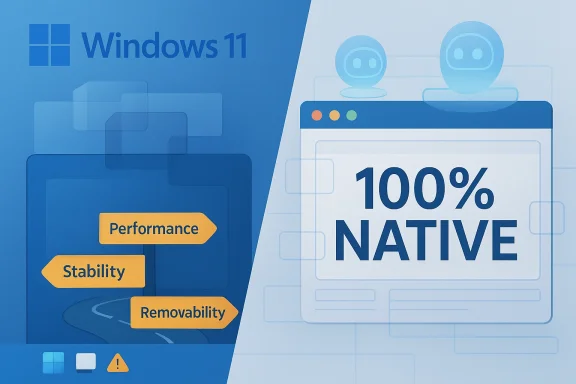
Microsoft has once again walked straight into the same trap it has laid for itself for years: say something technically narrow, let enthusiasts hear something sweeping, and then spend the next week cleaning up the confusion. This time the spark came from the claim that Windows 11 would move toward “100 percent native” in-box apps and experiences, a phrase that sounds like a revolution to frustrated power users but is far more limited in practice. The result is a familiar cycle of hope, outrage, and reality distortion, with the real question not being whether Microsoft can rewrite every web-based surface in Windows, but whether it should, and what it would cost if it tried.
The larger story here is not about a single app, a single engineer, or even a single feature. It is about the long-running tension between Windows as a platform, Windows as a product, and Windows as a cultural grievance for a subset of highly engaged users. Microsoft has spent years layering new frameworks, new service hooks, and new UI technologies on top of the operating system, and each layer has produced its own set of complaints about performance, consistency, and control.
That frustration has now merged with the company’s aggressive AI push. Windows 11 has become the front line for Copilot, cloud-connected experiences, and a steady stream of features that Microsoft presents as useful and modern but many enthusiasts interpret as bloat. The problem is not simply that Microsoft adds these things. The problem is that it often adds them in ways that feel uninvited, opaque, and hard to fully remove.
What makes this particular debate combustible is that it hits a familiar nerve: the desire for native apps. For decades, native code has meant speed, efficiency, and control in the minds of Windows veterans. But the modern Windows stack is already built on abstractions, frameworks, runtime layers, and web technologies in ways that make the old clean distinction between “native” and “not native” much less useful than people like to believe.
That does not mean the complaint is meaningless. It means the complaint is often aimed at the wrong target. A sluggish Start menu, a bloated File Explorer, a confusing Settings experience, or a service that behaves like a web wrapper are real usability problems. But they are not all solved by rewriting every app in C++. Some are architectural, some are product-management decisions, and some are simply consequences of Microsoft trying to unify experiences across Windows, web, mobile, and Mac.
Microsoft’s broader challenge is to decide where native truly matters and where it is mostly a proxy for other goals: lower latency, better reliability, fewer crashes, less network dependence, and more predictable behavior. That is a harder conversation than “web bad, native good,” but it is the one Windows actually needs.
The company also keeps creating easy targets. When users see a web-style interface where a local system dialog used to be, or a slower, less responsive app in a core workflow, they infer a broader degradation of quality. Sometimes that inference is fair. Sometimes it is not. But in either case, it becomes emotionally sticky.
That means a “native” app can still be a stack of abstractions. It may be compiled code, but it is still sitting on top of frameworks that hide complexity. In practical terms, users care less about whether something is formally native and more about whether it is fast, stable, and consistent.
The challenge is that enthusiasts often treat every web-powered surface as a moral failure. That framing is emotionally satisfying, but it misses the point that many of Microsoft’s newer surfaces are built to be portable across Windows, the web, and other platforms. A design that works in a browser often exists for a reason: reuse, consistency, and lower engineering cost.
The backlash is not purely about privacy, although privacy matters. It is also about control and trust. Users do not like the feeling that Microsoft is deciding what belongs in the operating system without fully respecting whether they want it there. That resentment gets worse when Microsoft presents AI as if it is automatically beneficial.
Microsoft has also helped create this perception by over-promising in broad terms and under-explaining in operational terms. The company says features are “useful” or “intentional,” but those are subjective claims. Users want to know what the feature does, how much it costs in performance and attention, and whether they can disable it cleanly.
The more honest question is whether a given experience should be delivered as a web app at all. For apps like Outlook and Clipchamp, Microsoft has reasons to keep web foundations in place. Those reasons include cross-platform consistency, shared service architecture, and the need to ship features across a large product family without duplicating everything.
The downside is that such apps can feel less integrated with Windows, especially if they inherit browser-like behavior or performance characteristics. Users sense that immediately, and they do not care that the backend is elegant if the front end feels sluggish or disconnected.
That matters because any promise to make everything “100 percent native” collides immediately with product design reality. Microsoft is not going to rebuild foundational Microsoft 365 experiences simply to satisfy a subset of Windows enthusiasts who may never use them seriously.
That does not excuse poor performance or weak polish. It simply means the solution is more likely to be selective optimization than a total architectural reversal.
Unlike the web-app discussion, this is not theoretical. People spend all day interacting with the shell. When those experiences feel slow or clumsy, the operating system itself feels broken.
Microsoft has a history of complicating these experiences with mixed frameworks and unfinished transitions. That makes the surface feel like a compromise, because it often is one.
Microsoft knows this. That is why the company often appears to ignore the people shouting the loudest. The issue is not that Microsoft does not hear them. It is that the company’s incentives are shaped by broader usage patterns, enterprise requirements, and long-term platform strategy.
That means enthusiast outrage can be over-indexed on problems that are real but not decisive. A lot of people are annoyed by icons, feature placement, and design decisions that are barely visible to ordinary customers.
It also wants to ship quickly. Cross-platform, service-backed features are easier to iterate on than deeply integrated one-off desktop implementations. That is attractive in a company trying to compete in AI, productivity, and cloud services all at once.
But every one of those advantages has a UX cost. The more unified the backend becomes, the more likely the front end is to feel generic or detached from Windows itself.
This also means making harder decisions about what not to ship. Every new surface competes for attention, UI space, and system resources. If Microsoft wants Windows to feel lighter, it has to stop adding weight faster than it removes it.
There is also a real risk that Microsoft wastes time on rewrite theater. A full native conversion campaign would consume resources, create delays, and still leave the platform’s deeper problems unsolved.
The key thing to watch is whether Microsoft can separate genuine usability work from brand-driven feature inflation. If it can do that, Windows 11 may become more coherent even if it never becomes the pristine native shrine some enthusiasts imagine. If it cannot, the same arguments will keep repeating because the underlying incentives will not have changed.
Source: Thurrott.com Native Apps? It's a Trap! ️
️
 Overview
The larger story here is not about a single app, a single engineer, or even a single feature. It is about the long-running tension between Windows as a platform, Windows as a product, and Windows as a cultural grievance for a subset of highly engaged users. Microsoft has spent years layering new frameworks, new service hooks, and new UI technologies on top of the operating system, and each layer has produced its own set of complaints about performance, consistency, and control.That frustration has now merged with the company’s aggressive AI push. Windows 11 has become the front line for Copilot, cloud-connected experiences, and a steady stream of features that Microsoft presents as useful and modern but many enthusiasts interpret as bloat. The problem is not simply that Microsoft adds these things. The problem is that it often adds them in ways that feel uninvited, opaque, and hard to fully remove.
What makes this particular debate combustible is that it hits a familiar nerve: the desire for native apps. For decades, native code has meant speed, efficiency, and control in the minds of Windows veterans. But the modern Windows stack is already built on abstractions, frameworks, runtime layers, and web technologies in ways that make the old clean distinction between “native” and “not native” much less useful than people like to believe.
That does not mean the complaint is meaningless. It means the complaint is often aimed at the wrong target. A sluggish Start menu, a bloated File Explorer, a confusing Settings experience, or a service that behaves like a web wrapper are real usability problems. But they are not all solved by rewriting every app in C++. Some are architectural, some are product-management decisions, and some are simply consequences of Microsoft trying to unify experiences across Windows, web, mobile, and Mac.
Microsoft’s broader challenge is to decide where native truly matters and where it is mostly a proxy for other goals: lower latency, better reliability, fewer crashes, less network dependence, and more predictable behavior. That is a harder conversation than “web bad, native good,” but it is the one Windows actually needs.
Why this debate keeps resurfacing
Windows users have seen repeated cycles of modernization promises, followed by uneven execution. That history makes them suspicious of every new initiative, especially when Microsoft uses abstract language about intelligence, cohesion, or intentional design. Once that skepticism takes hold, every announcement gets interpreted through the lens of prior disappointments.The company also keeps creating easy targets. When users see a web-style interface where a local system dialog used to be, or a slower, less responsive app in a core workflow, they infer a broader degradation of quality. Sometimes that inference is fair. Sometimes it is not. But in either case, it becomes emotionally sticky.
- The term native carries emotional weight far beyond its technical meaning.
- Microsoft has repeatedly earned distrust through uneven product quality.
- Enthusiasts often turn specific grievances into system-wide narratives.
- Corporate messaging about AI has amplified the sense of intrusion.
- The actual technical tradeoffs are usually more complicated than the discussion allows.
The Meaning of “Native” in Modern Windows
There is a huge difference between what a user thinks “native” means and what a developer means by it. In the old Windows world, “native” often implied Win32, direct OS integration, and fewer layers between the code and the system. Today, the ecosystem is far more fragmented, with WinUI 3, the Windows App SDK, legacy frameworks, web technologies, and cross-platform toolkits all coexisting uneasily.That means a “native” app can still be a stack of abstractions. It may be compiled code, but it is still sitting on top of frameworks that hide complexity. In practical terms, users care less about whether something is formally native and more about whether it is fast, stable, and consistent.
Abstraction is the new normal
Modern app development is not a purity contest. It is a compromise between speed of development, portability, maintainability, and runtime efficiency. Microsoft itself has embraced that reality, which is why the company uses different approaches for different products and different audiences.The challenge is that enthusiasts often treat every web-powered surface as a moral failure. That framing is emotionally satisfying, but it misses the point that many of Microsoft’s newer surfaces are built to be portable across Windows, the web, and other platforms. A design that works in a browser often exists for a reason: reuse, consistency, and lower engineering cost.
- WinUI 3 is not the same thing as classic Win32.
- Windows App SDK adds convenience, not magic.
- Web-based surfaces are often used for portability.
- Cross-platform design favors shared code paths.
- The user experience, not the implementation label, is what most people feel.
Microsoft’s AI Push and the Windows Backlash
Windows 11 has become the most visible face of Microsoft’s AI ambitions, and that makes every UI change politically charged. Features such as Copilot, AI-assisted search, and generative tools in first-party apps are not just product features anymore; they are symbols of a broader corporate strategy that many users resent.The backlash is not purely about privacy, although privacy matters. It is also about control and trust. Users do not like the feeling that Microsoft is deciding what belongs in the operating system without fully respecting whether they want it there. That resentment gets worse when Microsoft presents AI as if it is automatically beneficial.
Copilot as symbol, not just software
Copilot is not just a chatbot or a task assistant. For many Windows users it is shorthand for everything they dislike about the company’s current direction: cloud dependency, feature creep, forced visibility, and the sense that the desktop is being treated as a delivery vehicle for a business agenda.Microsoft has also helped create this perception by over-promising in broad terms and under-explaining in operational terms. The company says features are “useful” or “intentional,” but those are subjective claims. Users want to know what the feature does, how much it costs in performance and attention, and whether they can disable it cleanly.
- Copilot has become a political object inside Windows culture.
- AI features are often perceived as imposed rather than requested.
- Microsoft’s messaging rarely addresses the emotional component of trust.
- The company’s UX decisions sometimes look more strategic than user-centered.
- Enthusiasts often treat removal of an icon as symbolic victory.
Web Apps, Desktop Apps, and the Real Tradeoffs
The language around web apps is usually too crude to be useful. A web app is not automatically slow, and a native app is not automatically fast. Performance depends on implementation quality, caching, startup behavior, rendering strategy, and how much the app is trying to do at once.The more honest question is whether a given experience should be delivered as a web app at all. For apps like Outlook and Clipchamp, Microsoft has reasons to keep web foundations in place. Those reasons include cross-platform consistency, shared service architecture, and the need to ship features across a large product family without duplicating everything.
When web is the right tool
Microsoft’s newer apps often sit at the intersection of desktop, browser, and service. In those cases, web technologies can reduce duplication and keep feature parity closer across platforms. That is not a bug; it is a strategy.The downside is that such apps can feel less integrated with Windows, especially if they inherit browser-like behavior or performance characteristics. Users sense that immediately, and they do not care that the backend is elegant if the front end feels sluggish or disconnected.
Why rewrites are rarely worth it
A full rewrite sounds satisfying until the bills arrive. Rebuilding an app is expensive, risky, and time-consuming. It can also freeze feature development while engineers spend months or years chasing architectural purity that only a subset of users will notice.- Rewrites consume engineering resources that could fix visible bugs.
- Portability requirements often make a web stack attractive.
- Users notice responsiveness more than architecture.
- Microsoft must prioritize products that affect millions, not just enthusiasts.
- Some apps are only superficially “web” from the user’s point of view.
Outlook, Clipchamp, and the Limits of Conversion
Some of the most commonly cited “web app offenders” in Windows 11 are not really Windows apps in the old sense at all. Outlook is part of a broader Microsoft 365 model, and Clipchamp is closer to a service front end than a traditional desktop utility. In both cases, the architecture is tied to a wider ecosystem.That matters because any promise to make everything “100 percent native” collides immediately with product design reality. Microsoft is not going to rebuild foundational Microsoft 365 experiences simply to satisfy a subset of Windows enthusiasts who may never use them seriously.
Outlook is a service, not a standalone toy
The new Outlook is built for a cross-device, cross-platform world. Its value proposition depends on account integration, cloud sync, and a unified codebase. Turning it into a traditional Windows-native app would undercut the very model that makes it work as a Microsoft 365 product.That does not excuse poor performance or weak polish. It simply means the solution is more likely to be selective optimization than a total architectural reversal.
Clipchamp is web by design
Clipchamp’s identity is even more straightforward. It is a video tool meant to work broadly, including outside Windows. That makes its web foundation a feature, not an embarrassment.- Outlook depends on service-based extensibility.
- Clipchamp is intentionally cross-platform.
- A native rewrite would likely complicate support.
- Most users judge these tools by outcomes, not by framework purity.
- Microsoft is unlikely to sacrifice ecosystem cohesion here.
File Explorer, Start, and the Parts That Actually Matter
If Microsoft wants to win back trust on Windows quality, it should focus on the surfaces users touch every day. Start, Search, File Explorer, and the shell experience matter far more than niche app architecture debates. These are the places where users feel lag, inconsistency, and friction in a way that affects actual work.Unlike the web-app discussion, this is not theoretical. People spend all day interacting with the shell. When those experiences feel slow or clumsy, the operating system itself feels broken.
Fixing the shell is worth more than chasing labels
Start menu responsiveness, explorer stability, and search quality are the kinds of improvements that produce immediate goodwill. They also benefit everyone, not just people who follow Windows drama online.Microsoft has a history of complicating these experiences with mixed frameworks and unfinished transitions. That makes the surface feel like a compromise, because it often is one.
The File Explorer problem
File Explorer is particularly important because it is one of the few Windows components that nearly every user touches, repeatedly, every day. If it opens slowly, redraws awkwardly, or responds inconsistently, people notice.- Shell performance shapes the perception of the whole OS.
- Reliability beats novelty in core workflows.
- Explorer and Start are more important than fringe features.
- Microsoft should optimize latency before redesigning everything.
- Visible responsiveness is a trust signal.
The Enthusiast Gap and the Mainstream Reality
One of the least understood dynamics in the Windows world is the gap between enthusiastic power users and mainstream customers. The enthusiast segment is loud, informed, and often technically sophisticated. But it is still a minority, and it frequently assumes its preferences are universal.Microsoft knows this. That is why the company often appears to ignore the people shouting the loudest. The issue is not that Microsoft does not hear them. It is that the company’s incentives are shaped by broader usage patterns, enterprise requirements, and long-term platform strategy.
Why mainstream users are different
Most users do not track framework debates. They do not know what WinUI 3 is, and they do not care whether an app uses JavaScript, C++, or Rust under the hood. They care whether the thing opens, works, syncs, and stays out of the way.That means enthusiast outrage can be over-indexed on problems that are real but not decisive. A lot of people are annoyed by icons, feature placement, and design decisions that are barely visible to ordinary customers.
- Enthusiasts often optimize for control.
- Mainstream users optimize for convenience.
- Microsoft usually optimizes for scale.
- Not every annoyance is a market failure.
- Loud feedback is not always representative feedback.
Why Microsoft Keeps Choosing These Paths
Microsoft’s product decisions make more sense when viewed through the lens of ecosystem management. The company wants features that can travel across Windows, web, mobile, Mac, and enterprise environments without being rebuilt from scratch each time. That pushes it toward shared services, web foundations, and abstraction-heavy development models.It also wants to ship quickly. Cross-platform, service-backed features are easier to iterate on than deeply integrated one-off desktop implementations. That is attractive in a company trying to compete in AI, productivity, and cloud services all at once.
Economics drives architecture
The real issue is not ideology. It is economics. Reusing code and data flows across products saves money, reduces duplication, and helps Microsoft present one coherent brand across many surfaces.But every one of those advantages has a UX cost. The more unified the backend becomes, the more likely the front end is to feel generic or detached from Windows itself.
The tradeoff Microsoft keeps making
Microsoft is choosing broad strategic leverage over desktop purity. That is rational from a corporate standpoint, even if it irritates Windows loyalists.- Shared services reduce duplicated engineering effort.
- Cross-platform support improves feature consistency.
- Service architecture aligns with Microsoft 365 economics.
- UI polish can suffer when consistency is prioritized.
- The company prefers scalable systems over bespoke desktop elegance.
What a Real Windows Quality Push Would Look Like
If Microsoft actually wants to improve Windows 11 in a way users can feel, the priorities are not mysterious. The company should focus on performance, stability, removability, and coherence. Those are the qualities that produce trust.This also means making harder decisions about what not to ship. Every new surface competes for attention, UI space, and system resources. If Microsoft wants Windows to feel lighter, it has to stop adding weight faster than it removes it.
Practical priorities
A meaningful improvement program would include both technical and behavioral changes. The first is about code quality; the second is about how Microsoft announces and deploys features.- Improve Start and Search responsiveness.
- Fix File Explorer and reduce UI stutter.
- Make optional features truly optional.
- Reduce the visibility of unwanted AI surfaces.
- Align first-party apps with the expectations of their actual audience.
- Communicate capabilities more precisely and less theatrically.
- Stop treating every ecosystem trend as a desktop feature mandate.
Strengths and Opportunities
There is a legitimate upside if Microsoft uses this moment to be more disciplined. The company can still improve Windows 11 meaningfully without pretending that every complaint requires a total architecture rewrite. Better shell performance, cleaner app boundaries, and less intrusive AI could all make the OS feel more respectful and less chaotic.- Better shell performance would immediately improve daily usability.
- Cleaner UI consistency would reduce the sense of fragmentation.
- Selective native optimization could help the most visible bottlenecks.
- More transparent feature controls would reduce trust friction.
- Less aggressive Copilot placement could calm user backlash.
- Focused engineering investment would deliver more value than symbolic rewrites.
- Enterprise polish could reinforce Windows’ role as a dependable business platform.
Risks and Concerns
The biggest danger is that Microsoft confuses noise reduction with quality improvement. Removing a button or relabeling a feature may lower irritation, but it does not necessarily make the OS better. If the company chases optics instead of fundamentals, users will notice that the core experience still feels compromised.There is also a real risk that Microsoft wastes time on rewrite theater. A full native conversion campaign would consume resources, create delays, and still leave the platform’s deeper problems unsolved.
- Symbolic fixes may not address real usability issues.
- Overpromising could deepen user cynicism.
- Rewrite projects could delay more important work.
- Cross-platform requirements may limit how far native conversion can go.
- AI fatigue could make even good features feel unwelcome.
- Enterprise users may resist UI churn without functional benefit.
- Enthusiast backlash may continue even if quality improves.
Looking Ahead
What happens next is likely to be incremental rather than dramatic. Microsoft may remove or reduce some awkward web-powered surfaces where it can, improve shell performance in places that matter, and continue pushing AI in a more controlled form. The company will probably frame this as modernization, but the real test will be whether users feel less friction and less surprise.The key thing to watch is whether Microsoft can separate genuine usability work from brand-driven feature inflation. If it can do that, Windows 11 may become more coherent even if it never becomes the pristine native shrine some enthusiasts imagine. If it cannot, the same arguments will keep repeating because the underlying incentives will not have changed.
- Watch for Start menu and Search performance improvements.
- Watch for changes to File Explorer responsiveness.
- Watch for any reduction in Copilot surface area.
- Watch for whether optional apps become easier to avoid.
- Watch for whether Microsoft explains tradeoffs more honestly.
- Watch for enterprise reactions to UI and AI changes.
- Watch for whether “native” becomes a real plan or just a slogan.
Source: Thurrott.com Native Apps? It's a Trap!
️