• Thread Author
Microsoft has quietly moved another piece of its once‑ambitious 3D strategy onto the chopping block: 3D Viewer — the lightweight model inspector that shipped with Windows 10 and served as Microsoft’s simple bridge for viewing and inspecting glTF, OBJ, FBX and other model formats — was formally deprecated in February 2026 and is scheduled to be removed from the Microsoft Store on July 1, 2026. Existing copies will keep working for now, but the app will no longer be available for new installs or receive updates after that date.

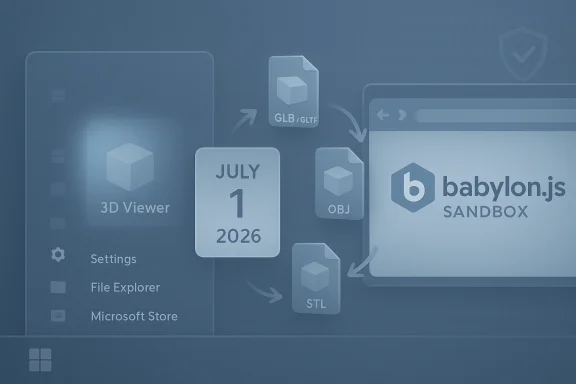
Blue desktop with a no-mail icon, July 1, 2026 calendar, and a Babylon.js 3D torus in a browser.Background​

Microsoft’s mixed‑reality ambitions date back to the Windows 10 “Creators” era, when the company pushed an ecosystem of 3D‑first apps and APIs — tools intended to make basic 3D creation and viewing accessible to mainstream users. Paint 3D, 3D Builder and what became 3D Viewer were all products of that initiative. Over time the broader platform failed to attract mass consumer adoption, and Microsoft progressively reined in those investments: Windows Mixed Reality support was scaled back in 2023 and Paint 3D was deprecated and removed from the Microsoft Store in late 2024. The company’s documentation now lists 3D Viewer among the deprecated Windows client features.
3D Viewer survived longer than some apps because it offered genuine, pragmatic value: a low‑friction way to open and inspect 3D files, check meshes and textures, preview animations, and perform quick visual checks before 3D printing or moving files into heavier production tools. That niche — casual 3D inspectio printing and quick preflight checks — is what Microsoft is leaving without an in‑box, first‑party viewer when this deprecation is complete.

What Microsoft announced (and what it means)​

  • 3D Viewer was marked deprecated in February 2026 and will be removed from the Microsoft Store on July 1, 2026. After that date, users will no longer be able to download it from official channels. Existing installations will continue to run but will not receive updates.
  • Microsoft’s public guidance points users at alternatives such as the Babylon.js Sandbox for viewing 3D content in a browser; it also lists community tools and open‑source viewers as valid replacements. The company frames this as product rationalization — moving low‑usage functionality to external solutions rather than continuing to maintain a legacy, in‑box app.
  • This move sits alongside earlier, related changes: Paint 3D was deprecated in 2024 and removed from the Store, and Windows Mixed Reality features were scaled back in 2023. The deprecation of 3D Viewer completes a small ecosystem that once tied those experiences together.
These are not abrupt removals. Microsoft is giving a multi‑month runway for administrators, creators and enthusiasts to migrate workflows and identify replacements. But the practical reality is simple: Microsoft will no longer maintain a small, first‑party 3D viewer for Windows users. For many users that matters — and for some workflows it matters a lot.

Why 3D Viewer mattered (and why its removal hurts)​

3D Viewer wasn’t a professional DCC (digital content creation) app, but it filled several useful roles:
  • Fast, lightweight inspections: Open complex glTF or FBX files without launching Blender or 3ds Max. Quick toggles for lighting, wireframe, texture inspection and animation playback made it ideal for immediate checks.
  • 3D printing preflight: Hobbyists and makers used the app to verify orientation, scale and visible mesh issues before slicing.
  • Education and outreach: Teachers and students used the simplicity of 3D Viewer to demonstrate 3D models without heavy software installs.
  • Bridge for deprecation victims: When Microsoft deprecated Paint 3D it explicitly recommended 3D Viewer as a companion for viewing 3D files; the new deprecation leaves an open question about an official, lightweight viewing path.
For these use cases, losing the convenience of an in‑box, maintained viewer increases friction. Casual users may be reluctant to install third‑party apps or use web sandboxes, and enterprises that permitted the app as a simple tool will now face choices about approved replacements.

Practical replacements: options, tradeoffs and short evaluations​

Microsoft suggested the Babylon.js Sandbox as an alternative for simple viewing tasks; that’s a capable, browser‑based solution that supports glTF, GLB, OBJ and more. The sandbox operates locally in the browser and is a quick way to inspect models without installing native software — useful for environments where installing new apps is restricted. Community discussion and the Babylon project documentation indicate that model files loaded into the sandbox are handled client‑side, which reduces concerns about unintended uploads, though organizations should always validate policies for sensitive IP.
Open‑source native viewers fill other gaps:
  • F3D — a fast, minimalist desktop viewer (Windows, macOS, Linux) designed for speed and simplicity. It supports a wide range of formats (glTF, STL, STEP, PLY, OBJ, FBX, Alembic, and more) and offers features such as PBR rendering, thumbnail generation, and command‑line control. It’s well suited as a lightweight native replacement for power users and developers who want a simple, scriptable viewer.
  • MeshLab — the long‑standing open‑source mesh processing and inspection tool. MeshLab is more of a Swiss‑army knife for mesh cleanup, conversion and analysis than a glitzy viewer, but it’s robust, actively maintained and excellent for preparing models for 3D printing. It has higher complexity than 3D Viewer but also greater capability for technical tasks.
Other native and web viewers exist (and niche viewers support specific formats or workflows), but the three options above cover the practical spectrum: browser‑based convenience (Babylon.js), minimalist fast viewing (F3D), and deep mesh tooling (MeshLab).

Copilot 3D and Microsoft’s pivot to AI‑assisted creation​

Microsoft’s product emphasis has shifted heavily toward AI. Tools like Copilot 3D — introduced through Copilot Labs — promise to do more than view models: they can generate 3D assets from 2D images and speed ideation workflows. Early hands‑on reviews reported that Copilot 3D can quickly turn a clean, well‑lit photo into a usable GLB model suitable for prototyping, game design and 3D printing, though the system struggles with subjects like animals or complex organic shapes and enforces guardrails around public figures and copyrighted works. Importantly, Copilot 3D is currently an experimental, cloud‑driven feature with storage/time limits and content policies; it is not yet a production‑grade replacement for dedicated modeling pipelines.
That strategy — focus on AI creation rather than maintaining small viewers — explains Microsoft’s product decisions: invest in cloud AI capabilities that can generate new kinds of user value, while trimming first‑party maintenance of niche utilities.

Enterprise and IT implications​

Organizations should treat a deprecation like this as a policy and asset‑management event, not just consumer noise. Key admin considerations:
  • Inventory: Identify who in your organization still uses 3D Viewer (or Paint 3D workflows dependent on it). Search app inventories, Intune/MDM telemetry and help‑desk tickets.
  • Risk assessment: Deprecated software will not receive security updates. If your devices run 3D Viewer in a sensitive context, evaluate exposure and plan to replace the app for those users.
  • Choose replacements: Decide whether a browser sandbox (reduced installation overhead) or a native viewer (offline usage, deeper format support) fits policy and workflow. Test F3D and MeshLab in controlled environments.
  • Document and educate: Update internal documentation to reflect the removal date (July 1, 2026) and provide step‑by‑step guides for users to install approved replacements.
  • Software distribution: If IT approves a third‑party viewer, deploy through your existing software distribution channels and sign-post acceptable use and security precautions.
  • Legacy content: For long‑term archival, preserve copies of models and related metadata — GLB and glTF are modern, portable formats but ensure you have conversion and migration plans for proprietary formats.
Microsoft’s deprecation notice is explicit: existing installations will continue to function after July 1, 2026, but there will be no updates and no Store availability. That means enterprises can buy time but not indefinite maintenance. Plan migrations now rather than waiting for a reactive scramble.

Security and legal cautions​

  • Running deprecated apps carries risk. Unpatched binaries can become attack vectors over time. If a machine with 3D Viewer is internet‑connected and used for sensitive workflows, consider isolating the app or migrating the user to a supported viewer.
  • Web sandboxes are convenient but verify data handling. The Babylon.js community indicates the Sandbox handles models locally (client‑side) in normal use, but organizations with sensitive IP should validate this behavior and any change in hosting or policies. Always check privacy and data retention before using a third‑party web tool for proprietary models.
  • AI generation raises copyright and privacy questions. Copilot 3D explicitly blocks certain content classes; users creating assets for commercial use should be aware of ownership and licensing rules, particularly in regulated industries. Treat Labs outputs as drafts that may require cleanup and review before production use.

Migration checklist: a practical roadmap​

  • Inventory — locate existing 3D Viewer installs and users.
  • Identify use cases — classify users by need: view only, preflight for 3D printing, light editing, heavy mesh processing.
  • Pilot replacements — test Babylon.js Sandbox for quick viewing; test F3D and MeshLab for native needs. Evaluate format support, rendering parity, performance and offline operation.
  • Approve and distribute — add chosen viewers to standard imaging or MDM catalogs.
  • Educate — publish how‑tos and compatibility notes (e.g., which formats are supported natively and which need conversion).
  • Archive — export and store canonical copies of models in open formats (prefer glTF/GLB for broad compatibility).
  • Monitor — post‑migration, track support tickets and user satisfaction; adjust the chosen tooling if gaps emerge.

The long view: what this tells us about Microsoft’s priorities​

Microsoft’s product portfolio has been shifting decisively toward AI and cloud services. Small, niche on‑device utilities that served specialized but low‑volume use cases are increasingly candidates for deprecation unless they fit a broader strategic thread. The retirement of 3D Viewer is consistent with that approach: keep the core platform lean, rely on web‑based and community tooling for niche needs, and focus internal investment on areas with broader reach — in Microsoft’s case, AI creation tools like Copilot and platform integrations with Microsoft 365 and Azure.
That strategy has tradeoffs. It reduces maintenance burden and lets Microsoft reallocate engineering effort to high‑impact areas, but it also removes a low‑friction on‑ramp for casual creators and hobbyists who benefitted from simple, built‑in tools. For the 3D hobbyist, educator, or small business that relied on a single preinstalled app, the loss is meaningful even if capable replacements exist.

Strengths and weaknesses of Microsoft’s action​

Strengths​

  • Rationalization reduces maintenance load and security surface for Microsoft, allowing focus on AI and platform investments where usage and revenue are concentrated.
  • Browser‑based alternatives lower friction for users who can’t or won’t install native apps; Babylon.js offers a zero‑install path.
  • Open‑source ecosystem is mature: projects like F3D and MeshLab are capable, actively maintained, and fill the native viewer niche with superior format coverage and tooling for production tasks.

Weaknesses and risks​

  • Loss of a first‑party, familiar app reduces discoverability of 3D workflows for casual users, potentially slowing grassroots adoption of 3D content creation and education.
  • Fragmentation of tools — web sandboxes, open‑source viewers, and experimental AI creators — creates a more complex landscape for users to navigate and for admins to standardize on.
  • Copilot 3D is experimental; relying on AI labs as a replacement for stable tooling is risky because these features can be changed, gated, or retired without much notice. Users who adopt Copilot 3D for mission‑critical workflows may find themselves dependent on a lab feature with no SLA.

Recommendations for hobbyists, educators and prosumers​

  • If you only used 3D Viewer for casual inspection, try the Babylon.js Sandbox first — it’s fast and requires no installation. Confirm the sandbox’s privacy posture with your security team if you work with sensitive models.
  • If you prefer a native app, evaluate F3D for speed and command‑line automation, and MeshLab for mesh repair and conversion workflows. Both are open source and actively maintained.
  • If you’re experimenting with rapid asset generation, test Copilot 3D but treat outputs as drafts that need human verification and cleanup. Be mindful of Microsoft’s content policies and the experimental nature of Copilot Labs.
  • For educators: preserve course materials and demonstrator files in stable, open formats (glTF/GLB) and prepare classroom guides that show students how to use browser and open‑source viewers. That lowers friction when institutional images no longer include a first‑party viewer.

Conclusion​

The deprecation of 3D Viewer closes a small but meaningful chapter in Microsoft’s long experiment with bringing casual 3D workflows to mainstream Windows users. Pragmatically, Microsoft is shifting resources to cloud‑driven and AI‑centric features while asking the community and third parties to shoulder the tooling for simple viewing and inspection.
That transition leaves a mixed legacy: for professional and enthusiast users, capable open‑source tools like F3D and MeshLab — and robust web viewers like Babylon.js Sandbox — can replace 3D Viewer’s functionality, and Microsoft’s Copilot 3D points to a future where AI augments content creation. For casual users, educators and organizations that benefited from an in‑box, low‑friction viewer, the change raises friction and governance questions that deserve attention now, not later.
If you rely on 3D Viewer, use the runway before July 1, 2026 to choose and test replacements, archive your installers if necessary, and update documentation and policies. Microsoft’s deprecation is clear and deliberate: the app’s presence in Windows is ending, but the 3D ecosystem — now more distributed across community projects and cloud AI services — will continue in new forms.

Source: Windows Central 3D Viewer is officially deprecated as Microsoft retires its 3D ecosystem
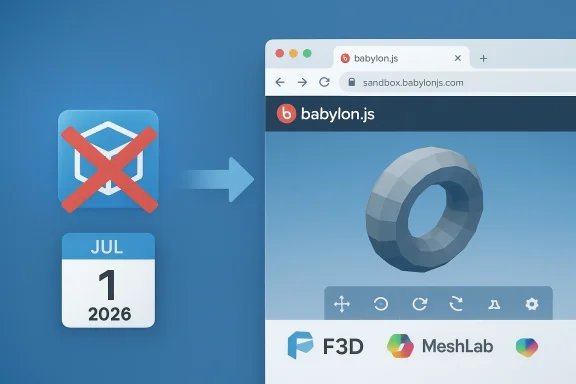
 

Microsoft has quietly signaled the end of an era for one of Windows’ long‑standing convenience utilities: 3D Viewer, the lightweight model inspector that shipped with Windows 10 and served as Microsoft’s built‑in bridge for viewing and inspecting 3D files, has been formally deprecated and is scheduled to be removed from the Microsoft Store on July 1, 2026. Existing installs will continue to run for the foreseeable future, but after that cutoff date the app will no longer be available for new downloads or receive updates — leaving hobbyists, educators, makers, and some IT workflows to pick up the pieces or migrate to third‑party and web‑based viewers.

A futuristic 3D sandbox scene featuring geometric shapes, a July 1, 2026 calendar, and a Babylon.js SandBox sign.Background​

The legacy of Microsoft’s 3D push​

When Microsoft launched the Windows 10 “Creators Update,” it pushed a modest but visible 3D strategy into the mainstream OS: Paint 3D, 3D Builder, and 3D Viewer arrived as lightweight, approachable tools intended to make 3D creation and viewing accessible to everyday users. The aim was simple — give casual creators, educators, and makers a friction‑free on‑ramp into 3D workflows without the steep learning curve of professional digital content creation (DCC) suites.
Over the following years that ecosystem was gradually pared back. Paint 3D was deprecated and removed from new Windows installs, Windows Mixed Reality lost some platform investment, and Microsoft increasingly folded creative energy into other initiatives. 3D Viewer survived longer than its siblings because it offered practical utility: a fast, no‑setup way to open glTF/GLB, OBJ, FBX and other model formats, preview animation and textures, and quickly check a file before 3D printing or moving it into heavier tools.

What Microsoft announced​

Microsoft’s client documentation lists 3D Viewer as deprecated as of February 2026, and the company has set a formal removal date: July 1, 2026. That timeline provides a multi‑month runway for administrators and users to plan, but it’s definitive — after July 1 the app will not be available for download through official Microsoft Store channels and will no longer receive updates or maintenance. Installed copies will continue to run, but they will be effectively unsupported.
This is not an isolated change: it follows prior delistings and deprecations in Microsoft’s consumer creative stack and fits a broader pattern of consolidating first‑party, low‑usage utilities in favor of web‑based or community‑maintained alternatives and an intensified corporate focus on cloud and AI investments.

Why this matters (and to whom)​

The practical role 3D Viewer played​

3D Viewer was never a professional modeling suite — it wasn’t intended to replace Blender, Maya, or 3ds Max. Instead, it excelled at a set of small but meaningful tasks:
  • Fast file inspection: Open a GLB or OBJ in seconds without launching a heavy DCC app.
  • Preflight checks for 3D printing: Visual confirmation of orientation, visible mesh problems, texture application, and basic scale/positioning.
  • Animation preview: Playback simple skeletal or frame animations embedded in common formats.
  • Educational demos: A low‑friction way for teachers and students to display 3D models in classrooms without installing complex software.
For users who relied on that convenience — hobbyists, small makers, classroom environments, and help‑desk staff — the removal of a maintained, first‑party viewer creates real friction.

Enterprise and institutional impact​

IT teams should treat this as a policy and asset‑management event. While many enterprises never depended on 3D Viewer for mission‑critical tasks, some small‑scale workflows and proof‑of‑concept setups did. The primary concerns for managed environments are:
  • Software inventory: Who still uses 3D Viewer? Which workflows require it?
  • Security: Deprecated apps receive no security patches; running them on internet‑connected machines increases risk.
  • Governance: Which approved viewer will replace 3D Viewer in corporate images and device catalogs?
Even if most organizations will move to alternative solutions, the migration must be planned and communicated.

What’s being lost — and what isn’t​

Lost conveniences​

  • The convenience of an in‑box, Microsoft‑maintained viewer that appeared on many Windows 10 installs.
  • A simple, discoverable tool that newcomers could find without external downloads.
  • A minimal‑surface tool for quick checks that didn’t require onboarding into a heavier app.

Remaining capabilities and mitigations​

  • Existing installs of 3D Viewer will continue to function after the removal date, so there is a window for migration.
  • A mature ecosystem of web and native viewers exists: browser sandboxes, open‑source native viewers, and professional DCC apps can fill the gap.
  • For many use cases, browser solutions provide nearly identical feature sets (preview, lighting controls, wireframe view, texture inspection) without installation.

Alternatives: practical replacements and tradeoffs​

There is no single 1:1 drop‑in that matches 3D Viewer’s mix of simplicity and first‑party integration, but the practical landscape breaks down into three categories: browser‑based viewers, lightweight native viewers, and full DCC tools.

Browser‑based viewers — convenience and instant access​

  • Babylon.js Sandbox (browser) — A zero‑install web viewer that supports glTF/GLB, OBJ and other common formats. It’s fast for quick inspections and convenient in locked‑down environments where installing native apps is restricted.
  • Strengths: No install, instant sharing, works on most platforms.
  • Caveats: Organizations should validate privacy and data handling; confirm whether files are processed client‑side or uploaded, especially for proprietary IP.
  • Other browser viewers (three.js-based sandboxes) offer similar capabilities; choose one with active maintenance and a clear privacy posture.

Lightweight native viewers — offline, scriptable, and richer format support​

  • F3D — A minimalist, native viewer designed for speed and batch operations. Good for users who want a fast desktop experience with command‑line control.
  • Strengths: Offline, lightweight, scriptable.
  • Caveats: Smaller projects may mean fewer enterprise guarantees; vet security posture.
  • MeshLab — A long‑standing open‑source mesh processing and inspection tool. It is more complex but highly capable for mesh cleanup, conversion, and pre‑print checks.
  • Strengths: Robust toolset for repair/conversion, actively used in many maker communities.
  • Caveats: Steeper learning curve compared with 3D Viewer’s simplicity.

Full DCC suites — powerful, but heavyweight​

  • Blender, Autodesk 3ds Max, Cinema 4D — These offer everything an artist or engineer might need but are overkill for casual inspection or classroom demos. They provide conversion, editing, and professional‑grade rendering.
  • Strengths: Feature complete.
  • Caveats: Complexity, larger installs, licensing (in the case of proprietary tools), and unnecessary for quick inspections.

Security, privacy, and legal considerations​

Deprecated software risks​

Running deprecated software is not a harmless convenience: unpatched binaries can become attack vectors. If your environment uses 3D Viewer for anything beyond trivial local inspections — for example, handling vendor‑supplied models with sensitive IP — treat the app as an unsupported component and either isolate it or migrate users promptly.

Browser sandboxes: check client‑side behavior​

Many sandboxes process files client‑side in the browser, which reduces the risk of inadvertent uploads, but this behavior is implementation‑specific. Always validate:
  • Does the sandbox upload files to a remote server for processing?
  • Does the provider log or cache model files?
  • What is the long‑term retention policy for uploaded models?
If your models include proprietary or regulated data, prefer offline native viewers or ensure contractual safeguards with a web provider.

Licensing and AI outputs​

Microsoft and third‑party AI tools that generate or modify 3D assets may impose content rules, usage restrictions, or copyright guardrails. If your workflow moves toward AI‑assisted generation (for example, experimental features in AI labs), document ownership, licensing, and verification steps for downstream commercial use.

Migration checklist: a practical roadmap for IT and hobbyists​

  • Inventory
  • Locate existing 3D Viewer installations through MDM telemetry, imaging manifests, or help‑desk tickets.
  • Identify which users rely on it and for what tasks.
  • Classify use cases
  • View only (inspection).
  • Preflight / 3D printing checks.
  • Light editing/annotation.
  • Teaching/demonstration.
  • Pilot replacements
  • Test a browser sandbox such as Babylon.js for “view only” cases.
  • Install and validate F3D and MeshLab for offline and pre‑print workflows.
  • For classrooms, evaluate student device policies to confirm sandbox compatibility without blocked scripts or extensions.
  • Evaluate technical fit
  • Confirm supported formats (glTF/GLB, OBJ, FBX, STL, etc.) and rendering parity (PBR, textures, animation support).
  • Test performance with representative files to avoid surprises with large models.
  • Approve and distribute
  • Add chosen viewers to standard imaging or MDM catalogs.
  • Provide a one‑page quick start for users: “How to open a GLB in the new viewer.”
  • Educate and document
  • Update internal knowledge base and support scripts.
  • Publish security and privacy guidance for web sandboxes.
  • Archive and convert
  • Preserve canonical copies of your models in stable, open formats (glTF/GLB is recommended for wide compatibility).
  • Establish conversion SOPs for proprietary formats.
  • Monitor and iterate
  • Track support tickets and user satisfaction post‑migration.
  • Adjust tooling choices if gaps emerge.

Technical specifics and feature parity​

3D Viewer’s practical strengths included straightforward support for modern model formats and a handful of convenience features:
  • Format support: glTF/GLB, OBJ, FBX and several common interchange formats used by hobbyists and pro tools.
  • Visual inspection: toggles for wireframe and shading modes, lighting presets, texture viewing.
  • Animation playback: basic support for skeletal and keyframe animations embedded in common formats.
  • Lightweight UI with drag‑and‑drop and quick file open.
When testing replacements, verify these features specifically:
  • Does the replacement support your primary file formats out of the box?
  • Can it display textures and material properties correctly (PBR materials matter for realistic previews)?
  • Does it handle animations and multiple mesh nodes as you expect?
  • Is there offline operation (for sensitive IP) or only a cloud‑backed workflow?
If any of these items are essential, choose replacements accordingly — MeshLab and F3D offer strong native coverage, while several browser sandboxes handle the common inspection cases well.

The bigger picture: Microsoft’s product direction and what this signals​

This deprecation is a small, practical move inside a much larger strategic arc at Microsoft. The company has shifted significant engineering and product attention to AI, cloud services, and platform integrations. Low‑usage, isolated, on‑device utilities are increasingly evaluated against that larger strategic axis — if an app doesn’t align with core priorities or broader product integration, it becomes a candidate for rationalization.
There are clear tradeoffs:
  • Strengths of the strategy:
  • Reduced maintenance and security surface for Microsoft.
  • Engineering focus concentrated on higher‑impact, revenue‑aligned investments.
  • Reliance on a vibrant open‑source and web ecosystem to shoulder niche tooling.
  • Weaknesses and risks:
  • Removal of a first‑party on‑ramp reduces discoverability and familiarity for casual creators and educators.
  • Fragmentation across various third‑party tools increases the burden on IT for governance and standardization.
  • Users who prefer an integrated, Microsoft‑branded experience will feel the loss of a simple official viewer.
For the maker, educator, or tinkerer, Microsoft’s pivot is pragmatic but can feel brusque: a built‑in convenience disappears and users must assemble a patchwork of third‑party and community tools to restore similar capabilities.

Recommendations (practical, short)​

  • If you rely on 3D Viewer for light inspection, start testing the Babylon.js Sandbox and one native viewer (F3D or MeshLab) this month.
  • Archive the final 3D Viewer installer if you want to preserve the app for offline re‑installation — but treat this as a stopgap, not a long‑term solution.
  • For schools and training programs: convert and standardize course assets to glTF/GLB and publish classroom guides for the chosen replacement tools.
  • For IT teams: add a migration ticket to your Q2 planning calendar and deploy approved replacements via MDM before July 1, 2026.
  • For security teams: mark 3D Viewer as deprecated in vulnerability inventories and isolate it from sensitive networks if it remains in use.

Final assessment: pragmatic pruning or missed opportunity?​

Microsoft’s retirement of 3D Viewer is defensible from a product management perspective: it trims low‑usage surface area and reallocates engineering resources toward cloud and AI initiatives that drive broader user value and commercial returns. The company is betting that the web and open‑source ecosystems will fill any functional gaps — and, practically, they mostly will.
However, the move also underscores a recurring tension in platform stewardship: the value of discoverability and familiarity that first‑party apps provide versus the cost of maintaining many niche utilities. For users who benefited from a gentle, preinstalled on‑ramp into 3D workflows — educators, hobbyists, small businesses relying on occasional model inspection — the loss is meaningful. It increases friction at the edges where Microsoft’s platform once provided low‑risk convenience.
The sensible path forward for individuals and organizations is clear: treat the deprecation as a scheduled event, use the runway to validate replacements, document and educate users, and avoid running unsupported software where sensitive data or regulatory compliance is at stake. The 3D ecosystem on Windows will survive — redistributed across browsers, open‑source native apps, and professional tools — but the experience will be more fragmented and will require a bit more active maintenance from those who need it.

Source: Neowin https://www.neowin.net/news/microsoft-is-killing-its-app-for-viewing-3d-files-on-windows-10-and-11/
 

Microsoft’s lightweight 3D Viewer — the small, pragmatic app that let users open glTF, GLB, OBJ, FBX and other model formats without launching a heavy digital‑content‑creation suite — has been formally marked deprecated and is scheduled to be removed from the Microsoft Store on July 1, 2026.

A blue calendar showing July 1, 2026 sits among 3D software icons.Overview​

3D Viewer’s deprecation is part of a broader shift in Microsoft’s Windows strategy away from niche, inbox utilities toward cloud and AI investments. The company’s official deprecation notice states the app was declared deprecated in February 2026 and that the Microsoft Store will no longer host 3D Viewer after July 1, 2026; devices that already have the app installed will continue to run it, but updates and new installs via the Store will stop on the removal date.
Several independent outlets have reported the change; a few articles quoted or paraphrased Microsoft’s documentation but introduced a one‑day discrepancy (reporting July 2, 2026). The authoritative source remains Microsoft’s own “Deprecated features” listing, which explicitly lists July 1, 2026 as the Store removal date. Use the July 1, 2026 date for planning and governance actions.

Background: how 3D Viewer got here​

3D Viewer originated from Microsoft’s Windows 10 “Creators” era, when the company invested in a family of 3D apps and APIs aimed at lowering the barrier for casual 3D creation and viewing. That initiative produced tools such as Paint 3D, 3D Builder and 3D Viewer — lightweight apps that made it easy for hobbyists, educators and prosumers to inspect models, preview animations and prepare assets for 3D printing without the complexity of Blender or commercial DCC tools. Over time Microsoft scaled back its mixed‑reality efforts and removed or deprecated several related apps; Paint 3D was deprecated and delisted in late 2024, and Windows Mixed Reality was pared back starting in 2023. The removal of 3D Viewer completes a multi‑year rationalization of that small ecosystem.
3D Viewer’s practical value came from its low friction: drag‑and‑drop support for common formats, quick toggles for wireframe and texture inspection, basic animation playback, and a compact UI for preflight checks prior to printing or heavier edits. While not a professional tool, its presence as a first‑party viewer reduced friction for many users — and that loss is what makes this deprecation noteworthy despite the existence of capable third‑party replacements.

What Microsoft’s deprecation notice says — and what it means in practice​

The official timeline and immediate consequences​

  • Deprecated: February 2026 (Microsoft’s deprecated features list).
  • Store removal: July 1, 2026 — after this date, 3D Viewer will not be available for download from the Microsoft Store. Existing installs will continue to run but will not receive updates.
Practically, deprecation means Microsoft no longer considers the app part of the actively maintained Windows client experience. The app will remain usable where already installed, but the company won’t ship fixes, new features, or store re‑publishing beyond the stated removal date. Organizations must plan for migration or isolation if 3D Viewer plays any role in regulated or sensitive workflows.

Why some outlets reported July 2​

A small set of reports referenced July 2, 2026 — likely a timezone, editorial, or aggregation discrepancy — but Microsoft’s documentation and major Windows coverage point to July 1, 2026 as the official cut‑off. For administrators and IT teams, rely on Microsoft’s documentation for the canonical date. Always use the absolute date — July 1, 2026 — in schedules and compliance documentation.

Technical details and notable caveats​

Format support and security history​

3D Viewer relied on glTF as the canonical internal rendering format; Microsoft has historically converted many input formats to glTF/GLB before rendering in the app. That conversion flow made glTF/GLB the recommended interoperability target for long‑term archival and interchange.
Notably, Microsoft disabled default FBX insertion in 3D Viewer in 2024 due to a security vulnerability; administrators and advanced users have been warned that re‑enabling FBX increases exposure and should be treated with caution. That precedent underscores the risk of continuing to run an unmaintained binary: functionality can be turned off or remain vulnerable without patching once an app is deprecated.

Behavior after removal​

  • No new Store installs after July 1, 2026. Existing installations remain functional.
  • No guaranteed updates or security patches post‑deprecation. Microsoft will not provide fixes for new vulnerabilities discovered after the maintenance window closes.
That combination — continued local operation plus no updates — is a mixed blessing: it grants a predictable runway for migration but also converts the app into an ever‑aging artifact that becomes a long‑term support and security liability if retained in production images.

Who this impacts — profiles and use cases​

Casual users and hobbyists​

Hobbyists who used 3D Viewer to verify STL orientation, preview GLB models, or perform quick texture checks will miss the convenience of a preinstalled, first‑party viewer. For many, browser‑based viewers or small native utilities can replace the app, but the friction of finding and approving third‑party tools is real for nontechnical users.

Educators and classrooms​

Teachers who relied on an always‑available, consistent app for demos will need to adjust lab images and lesson plans. Bundling a recommended open‑source viewer or using a browser sandbox in a controlled classroom image is the pragmatic path forward. Ensure classroom machines have offline or preapproved viewers to avoid web restrictions in school networks.

Makers and 3D printing workflows​

Makers used 3D Viewer for rapid preflight checks before slicing. For these users, verify that alternative tools preserve scale, orientation and mesh inspection features that mattered in the 3D printing pipeline. Mesh cleanup, repair and analysis workflows may require MeshLab or other community tools rather than a pure viewer.

Enterprise and regulated environments​

IT teams that permitted 3D Viewer as a lightweight tool must treat this deprecation as an operational change: remove the app from future images, choose an approved replacement, and update software inventories and security baselines. Deprecated binaries retained on domain computers increase attack surface once the vendor no longer ships security patches.

Practical alternatives: native and web‑based replacements​

Microsoft and community authors point to three pragmatic replacement categories: browser‑based sandboxes, lightweight native viewers, and full mesh‑processing applications.
  • Browser sandbox: Babylon.js Sandbox — zero‑install viewing and inspection for glTF/GLB/OBJ. Good for quick checks and environments where installing apps is restricted; verify client‑side handling for sensitive models.
  • Lightweight native viewers:
  • F3D — a minimalist, fast desktop viewer with broad format coverage and command‑line automation useful for batch thumbnail generation and scripted checks. Well suited as a drop‑in native replacement.
  • Windows 3rd‑party viewers — several open‑source and community viewers provide quick inspection and rendering without the overhead of Blender. Evaluate rendering parity and format support (PBR, texture channels, animation playback).
  • Mesh processing and repair:
  • MeshLab — excellent for mesh cleanup, conversion and preparing models for print. Higher complexity but better for repair workflows than a pure viewer.
  • AI‑driven generation and preview (experimental):
  • Copilot 3D / Copilot Labs — Microsoft’s experimental AI features can generate and manipulate models quickly, but they are not production replacements for stable tooling and can be gated, changed or removed without notice. Treat them as experimental until SLAs and export/control policies are clarified.
Each option carries tradeoffs around offline operation, data governance, format coverage and user training. Choose based on the most critical required capability (simple viewing, offline preflight, mesh repair, automation).

Migration and governance checklist for IT teams​

  • Inventory: locate every device with 3D Viewer installed using Intune/MDM telemetry, imaging inventories and help‑desk tickets. Understand usage patterns and which users rely on it.
  • Classify use cases: group users by need — view only, preflight (3D printing), light editing, heavy mesh processing. Different replacements suit each group.
  • Pilot alternatives: test Babylon.js Sandbox for no‑install viewing; pilot F3D and MeshLab for native and repair workflows. Validate render parity, performance, and offline operation.
  • Approve and deploy: once a replacement is chosen, add it to corporate catalogs or imaging builds and block unapproved legacy use. Document acceptable formats and conversion steps.
  • Educate users: publish migration guides, highlight which formats to prefer (glTF/GLB recommended), and provide quick how‑tos for the new viewers.
  • Archive installers: if you must keep the old viewer available internally, archive the signed installer and control distribution, but do not rely on archived, unpatched binaries for internet‑facing or sensitive tasks.
  • Monitor: track help‑desk tickets and iterate on the chosen tooling; some users may need additional training or a different tool for complex meshes.

Security, legal and IP considerations​

  • Deprecated software will not receive security updates. Running 3D Viewer post‑deprecation in internet‑connected environments increases risk if new vulnerabilities are discovered. Isolate usage where necessary and prefer offline or air‑gapped inspection for sensitive models.
  • Web sandboxes can simplify deployment, but verify privacy and data handling. Some sandboxes operate client‑side by default, but organizations must confirm hosting, telemetry, and retention policies for proprietary models. When in doubt, prefer offline native viewers approved by IT.
  • AI‑generated assets (Copilot 3D and similar services) introduce copyright, licensing and ownership questions. Treat AI outputs as drafts until you have clear internal policy and legal review for commercial or regulated use.

What this decision signals about Microsoft’s strategy​

The retirement of 3D Viewer is consistent with a longer trend: Microsoft is trimming low‑usage, niche client utilities and reallocating effort to platform‑scale investments — notably cloud services and generative AI features embedded across Windows and Microsoft 365. That strategy reduces maintenance burden and lets the company focus on higher‑impact areas but also shifts responsibility for some desktop use‑cases onto the community and third‑party ecosystem.
For the broader Windows ecosystem, the effect is twofold: it accelerates decentralization of specialized tooling (more reliance on open‑source and web offerings), and it raises the bar for discoverability — casual users will need guidance to find and adopt capable viewers. In short, Microsoft is consolidating first‑party investment where it provides strategic leverage and expects the ecosystem to shoulder specialized needs.

Community reaction and practical tips from power users​

Community discussion highlights two common threads: disappointment about losing a simple, reliable viewer and pragmatic acceptance because capable replacements exist. Power users and makers emphasize:
  • Preserve models in glTF/GLB where possible — it’s the most interoperable, future‑proof choice for viewers and web sandboxes.
  • For scripting and automation, favor viewers that expose command‑line interfaces (F3D and similar tools). That simplifies bulk conversion and thumbnail generation.
  • Keep an archived, signed copy of the final 3D Viewer installer if you must maintain an exact environment for legacy workflows — but run it offline or segmented from sensitive networks.

Recommended quick actions (for hobbyists, admins and educators)​

  • Hobbyists: try the Babylon.js Sandbox for immediate zero‑install viewing; test whether it meets your offline/privacy needs. Export or convert models to glTF/GLB for portability.
  • Educators: update lab images and teaching materials to include an approved viewer (native or web) and shift course materials to glTF/GLB. Publish a short guide so students know where to open models after July 1, 2026.
  • Administrators: run the migration checklist now. Use the window to pilot and approve replacements, then remove 3D Viewer from future images to avoid drifting dependencies.

The long view: preservation, interoperability and future tooling​

Microsoft’s deprecation of 3D Viewer highlights a recurring platform tension: the convenience of one‑click, first‑party tools versus the agility and specialization of the open‑source and web ecosystems. For long‑term preservation and interoperability, follow these principles:
  • Favor open, well‑documented formats (glTF/GLB) for archival.
  • Build automation around command‑line or scriptable viewers to minimize manual steps during migration.
  • Maintain a risk register for deprecated binaries and remove or isolate them from critical systems when possible.
The ecosystem will adapt: browser sandboxes will become more capable, open‑source viewers will continue to mature, and generative AI tools may create new workflows for asset generation and preview. But for now, users and admins should treat July 1, 2026 as the operational deadline and plan accordingly.

Conclusion​

Microsoft’s deprecation of 3D Viewer is a small but telling moment: it closes a chapter on the Creators‑era, inbox‑app approach to 3D workflows and nudges users toward a more fragmented but powerful ecosystem of web sandboxes, open‑source viewers and AI‑driven tools. The company’s official timeline is clear — 3D Viewer will be removed from the Microsoft Store on July 1, 2026 — and that date should be the anchor for migration planning, policy updates and classroom preparation.
If you rely on 3D Viewer in any production or sensitive context, treat the deprecation as a policy event: inventory your installations, pick and test replacements (Babylon.js Sandbox, F3D, MeshLab and similar tools), update images and documentation, and retire or isolate the deprecated app before it becomes a security liability. The runway exists, but the clock is ticking — mark July 1, 2026 on your calendars and use the months ahead to move to supported tooling.

Source: Windows Report https://windowsreport.com/microsoft-officially-deprecates-3d-viewer-app-cut-off-date-set-for-july-2/
 

Microsoft has quietly set a firm deadline: 3D Viewer — the lightweight model inspector that once shipped with some Windows 10 PCs — was marked deprecated in February 2026 and will be removed from the Microsoft Store on July 1, 2026, leaving existing installations functional but blocking all future reinstalls via the Store after that date.

Deprecation notice for the 3D Viewer and migration to Babylon.js Sandbox (July 1, 2026).Background: where 3D Viewer came from and why it matters​

3D Viewer traces its roots to the Windows “Creators” era, when Microsoft pushed a small suite of consumer-facing 3D apps and mixed-reality tools into Windows. The goal was straightforward: give hobbyists, educators and casual creators a low-friction way to open and inspect 3D models (GLB/glTF, OBJ, FBX and similar formats) without launching a full digital content creation (DCC) package. That intent explains the app’s core value proposition — fast drag‑and‑drop loading, basic material and wireframe inspection, sack, and a compact UI for preflight checks before 3D printing.
Over the past few years Microsoft has gradually pared back this set of consumer 3D offerings: Paint 3D was deprecated in 2024 and removed from the Store in November 2024, Windows Mixed Reality has been reduced in scope, and Windows Maps and associated UWP map controls were deprecated in 2025. The retirement of 3D Viewer closes a practical loop in that rationalization — one more lightweight inbox utility is being shifted out of first‑party Windows maintenance and into the wider ecosystem.

What Microsoft announced (and the exact timeline)​

  • De6 (entered Microsoft’s deprecated features list).
  • Store removal: July 1, 2026 — after this date, 3D Viewer will no longer be available for download from the Microsoft Store. Existing installations will continue to run but will not receive future updates or re‑publishing through the Store.
This two-stage approach — deprecation announcement followed by a defined removal date — is consistent with Microsoft’s documented process for retiring low‑usage utilities. Administrators and end us1, 2026 as the operative cut‑off for reinstallability. Some outlets reported a one‑day discrepancy (July 2); Microsoft’s documentation and the official deprecatehor the canonical date as July 1, 2026.

Who is affected — pragmatic prs and hobbyists: Many Windows 10 users saw 3D Viewer preinstalled; losing an in‑box viewer increases friction for hobbyists who relied on a one‑click experience for quick checks and 3D print preflight.​

  • Educators and classrooms: Teachers who used the app in labs and demos must update images and less preapproved alternative for students.
  • Makers and 3D printing workflows: Users who used 3D Viewer for orientation checks, scale verification and basic mesh inspection must ensure replacements preserve essential checks in their pipeline.
  • Enterprises and IT-managed fleets: Organizations that allowed 3D Viewer as a lightweight tool should inventory installations, classify usage, and approve replacement tooling to remain in compliance with security baselines. Running a deprecated binary in sensitive contexts increases long-term risk.
Windows 11 users are less affected in bulk because 3D Viewer wasn’t preinstalled on most Windows 11 images; Windows 10 users are more likely to have it already present. Regardless of platform, the multi‑month runway gives administrators and enthusiasts time to plan migration, but it is not an indefinite extension of support.

Why Microsoft is removing 3D Viewer: strategic context and signals​

Microsoft’s public rationale aligns with a larger strategicarty maintenance of niche, low‑usage client utilities and concentrate engineering effort on high‑impact areas such as cloud, platform services and AI/Copilot features. The company explicitly points users toward web‑based, platform‑agnostic alternatives — for example, the Babylon.js Sandbox — and lets the community and open‑source ecosystem shoulder specialized tooling.
This move has two clear strategic advantages:
  • Lower maintenance and security burden: fewer inbox apps means less surface area to maintain and patch across multiple Windows versions and Store ecosystems.
  • Leverage platform‑agnostic web tooling and community projects: browser sandboxes, PWAs and robust open‑source viatform coverage without Microsoft directly maintaining every niche app. The Babylon.js project, for example, provides a widely used web-based sandbox that supports glTF/glb, OBJ and several other formats and is increasingly feature rich (including PWA support).
But there are tradeoffs. Microsoft’s rationalization shifts the burden of discoverability, governance and trust to third parties and IT teams. Casual users who benefited from an accessible, first‑party experience will now face a fragmented landscape of web sandboxes and native tools of varying maturity — a real cost in time and friction that Microsoft’s decision does not erase.

Alternatives: what to use instead of 3D Viewer​

Microsoft and community actors collectively point to three practical replacement categories: browser sandboxes (zero‑install), lightweight native viewers (offline and scriptable), and mesh processing suites (repair and conversion). Below are concrete options to evaluate.

Browser sandboxes (recommended for quick inspection)​

  • Babylon.js Sandbox — Microsoft lists Babylon.js Sandbox as a recommended alternative; it lets users drag and drop 3D files into a browser and inspect them without installing native software. Recent updates able as a Progressive Web App (PWA) with optional offline support and file‑handler registration, narrowing the gap between native convenience and web portability. That makes it a pragmatic first test for casual users and locked-down environments. (learn.microsoft.com)
Benefits:
  • Zero‑install, cross‑platform, quick sharing.
  • PWA option proviies and file association in supported browsers.
    Caveats:
  • Organizations must validate client‑side behavior, telemetry and retention policies before loading proprietary models. Some sandboxes operate entirely client‑side, but this is implementation‑specific and should be audited for sensitive IP.

Lightweight native viewers (recommended where offline/off‑network operation is required)​

  • F3D — a minimalist, fast desktop viewer that of formats and exposes command‑line automation for batch tasks (thumbnail generation, scripted inspections). It’s a good drop‑in for power users and scripted workflows.
  • MeshLab — long established for mesh processing, repair and conversion. More complex than 3D Viewer but useful where mesh cleanup, remeshing or STL preparation for printing is required.
Benefits:
  • Offline operation, stronger control over data handling.
  • Better format coverage and repair tools than a s
  • Larger installs and steeper learning curves; smaller projects may not offer enterprise SLAs.

Full DCC suites (for pros and heavy users)​

  • Blender, 3ds Max, Maya eight and unnecessary for quick inspections. Use only when editing, conversion and advanced prep are required.

Migration and governance — an actionable checklist for IT teams and educators​

If your environment still depends on 3D Viewer, treat this as an asset‑management event. Use the runway to inventory, pilot, and approve replacements. Below is a practical, prioritized checklist.
  • Inventory and identify users
  • Use MDM/Intune telemetry, imaging manifests and hocate machines with 3D Viewer installed. Flag users who rely on it for production tasks.
  • Classify use cases
  • Group by necessity: view‑only, preflight (3D printing), light editing, heavy processing. Different usent replacements.
  • Pilot replacements
  • Test Babylon.js Sandbox for simple viewing cases and confirm client‑side processing and privacy posture. Pilot F3D and MeshLab for offline/pre‑print workflows. Validate rendering parity, animation playback and PBR material fidelity with rebabylonjs.medium.com)
  • Approve and distribute
  • Add chosen viewers to corpora builds. Block unapproved legacy use and update your software distribution policy.
  • Document and educate
  • Publish quickstart guides showing how to open GLB/glTF and other common formats in the new tools. For classrooms, ensure lab images include the approvt works offline.
  • Archive installers if strictly necessary
  • If a small subset of users require the exact old behavior, archive a signed copy of the final 3D Viewer installer in a secure, internal repository. Do not rely on archived, unpatched binaries for internet‑facing or sensitive systems.
  • Monitor and iterate
  • Track support tickets after migration and adjust tooling if gaps surface. Consider training sessions for educators and makers to smooth the transition.

Security, privacy and legal cautions​

  • Deprecated software receives no security patches. Running 3D Viewer in internet‑connected, production, or sensitive environments increases attack surface — isolateyments as soon as feasible.
  • Web sandboxes can be client‑side, but this is not universal. Confirm where files are processed and whether any uploads, telemetry or server-side caching occur before using them for proprietary assets. Babylon.js’s Sandbox documentationndicate client‑side handling in usual workflows, but organizations should validate current behavior and hosting for compliance.
  • AI tools and Copilot Labs features that generate or preview 3D assets introduce ownership, licensing and compliance questions. Treat AI-generated outputs as drafts until you have clear internal policy on usage, verification, and licensing for commercial or regulated use.

Strengths and risks of Microsoft’s approach — a critical ap​

  • Rationalization reduces maintenance overhead: removing low-use, first-party utilities frees engineering capacity for platform and AI initiatives that touch more users.
  • **Platform‑agnostic alternatives scaes like Babylon.js provide cross‑platform viewing without per‑OS binaries, and PWAs can approximate a native experience.
  • **Community and open‑source ecosystem ike F3D and MeshLab already fulfill many native viewer/processing needs.

Risks​

  • Reduced discoverability and higher friction for casual users: removing an in‑box viewer makes it harder for newcomers to discovs, potentially slowing grassroots adoption.
  • Tool fragmentation and governance cost: organizations will need to evaluate, approve and support third‑party solutions — a nontrivial operational load compared with an in‑box app that worked out of the box.
  • Dependence on third‑party projects: while many mature, not all offer enterprise SLAs or clear telemetry/privacy guarantees. Choosing a path requires careful governance for senstential for uneven parity**: not every alternative matches every 3D Viewer feature out of the box (for example, subtle animation playback behaviors or quick texture channel toggles). Pilot testing is essential.

Practical comparisons: what to test when picking a replacement​

When you evaluate options, test the following with representative models:
  • Format support: Does the tool open glTF/GLB, OBJ, FBX, STL or any proprietary formats you rely on? Confirm conversion quality for textures and node hierarchies.
  • Material fidelity: Are PBR textures rendered correctlnor base color, metallic/roughness, and normal maps?
  • Animation playback: If you rely on skeletal/keyframe animations, verify playback correctness — timing, node binding and skinning.
  • Offline operation and data governance: For sem offline capability or contractual guarantees about file handling. PWAs and native apps score higher here than cloud‑only sandboxes.
  • Automation and scripting: If you generate thumbnails or run batch inspections, ensure the viewer offers a CLI or APIs you can script against (F3D and some open tools provide this).

Short-term recommendations (what to do in the next 60–90 days)​

  • Inventory your estate now. Don’t wait until the summer; use your MDM tooling and imaging manifests to find 3D Viewer iify them by need.
  • Pilot Babylon.js Sandbox for casual view cases and confirm privacy/processing behavior for your environment. If sandbox PWA features satisfy offline needs, it may be the simplest replacement for many users.
  • Approve at least one native viewer for offline and pre‑print workflows (F3D or MeshLab) and add it to your corporate software catalog.
  • Prepare classroom images and documentation showing alternatives and where to obtain them before July 1, 2026.

What this change signals about Windows and Microsoft’s product priorities​

Removing 3D Viewer is a granular decision with broader implications: Microsoft is consolidating first‑party investment around platform leverage (cloud, AI, Copilot) while letting web engines and open‑source projects handle specialized niches. For many users and administrators this is a practical move — it reduces maintenance and lets community projects innovate — but it also shifts operational and discovery costs onto organizations and everyday users who benefited from an in‑box, maintained viewer. Consider this deprecation a prompt: inventory, pilot, and migrate before July 1, 2026.

Conclusion​

3D Viewer’s deprecation and scheduled Store removal on July 1, 2026 closes a chapter in Microsoft’s Creators‑era toolbox. The app will continue to functalled, but Microsoft will no longer host or update it after the stated date. For many casual users the change is an inconvenience; for IT teams and educators it is an operational event demanding inventory, piloting, and replacement choices. The pragmatic options are clear — test Babylon.js Sandbox for quick, cross‑platform viewing, adopt a native viewer like F3D or MeshLab where offline or advanced repair is required, and treat any retained deprecated binary as a short‑term, isolated artifact rather than a long‑term solution. Use the coming months to migrate, document and educate — the Store removal date is definitive and the clock is ticking.

Source: WinBuzzer Microsoft to Remove 3D Viewer App from Store in July 2026
 

Microsoft has quietly closed another chapter on the Windows “Creators” era: 3D Viewer — the lightweight model inspector that survived long after Paint 3D and Windows Mixed Reality — was officially marked deprecated by Microsoft in February 2026 and is scheduled to be removed from the Microsoft Store on July 1, 2026. Existing installations will continue to run for now, but after that date the app will no longer be available for new installs or receive updates, and Microsoft is steering users toward third‑party and web‑based viewers instead.

Calendar marks July 1 as end of servicing for Windows update KB5074105.Background​

The Creators Update and Microsoft’s 3D push​

In 2016 and the years that followed, Microsoft made a visible bet on bringing simple 3D creation and viewing to mainstream Windows users. Branded around the Creators Update identity, Microsoft shipped a small family of consumer tools — Paint 3D, 3D Viewer, 3D Builder, and integrations with Windows Mixed Reality — designed to give hobbyists, educators and makers an easy on‑ramp into 3D workflows.
Paint 3D, the most prominent of those experiments, was once presented as a successor to classic Paint, while 3D Viewer served as a compact, no‑friction way to open GLB/glTF, OBJ, FBX and similar files for quick inspections, animation previews and simple pre‑print checks. Over several years the initiative failed to attract broad consumer adoption, and Microsoft gradually pared back investment: Mixed Reality was scaled down in 2023, Paint 3D was deprecated and removed from the Store in late 2024, and now 3D Viewer is set to follow.

What Microsoft has announced (and the exact timeline)​

  • 3D Viewer was added to Microsoft’s deprecated features list in February 2026.
  • The app will be removed from the Microsoft Store on July 1, 2026; after that date it cannot be downloaded or reinstalled from the Store. Existing installations remain usable but will not receive further updates.
  • Separately, Microsoft has been moving to end servicing for legacy third‑party printer drivers (V3 and V4), with a staged timeline that affects driver publishing and servicing beginning in January 2026 and stronger operational preferences by July 2026. The printer driver roadmap specifically states the platform will prefer modern inbox drivers and shift update and servicing behaviors over the coming years.
This is not an abrupt cut: Microsoft’s documentation and rollout are explicit about dates, giving businesses, schools and enthusiasts a runway to plan migrations — but that runway is finite and concrete: use the absolute dates (e.g., July 1, 2026) in planning documents.

Why Microsoft is removing 3D Viewer​

Microsoft frames the move as part of a broader product rationalization: maintain focus on higher‑leverage investments (cloud services, platform AI and Copilot experiences) and reduce the maintenance burden of low‑usage, niche inbox utilities. The company explicitly recommends using third‑party, open‑source or browser‑based viewers for 3D content going forward.
There are practical reasons that make the decision defensible from a product management standpoint:
  • Low usage across the broad consumer base compared with the engineering cost of maintaining platform binaries.
  • Security and maintenance burden: isolated inbox apps add attack surface and need ongoing patching; deprecation reduces that surface area.
  • Ecosystem maturity: capable browser viewers, open‑source native apps and professional DCC tools have matured to the point where Microsoft can reasonably expect the ecosystem to fill the gap.
Even so, the outcome shifts friction and governance costs onto users and organizations that relied on the convenience of an in‑box viewer. Community reaction has been a mixture of pragmatic acceptance and disappointment for those who valued the simplicity of a first‑party viewer.

What 3D Viewer actually did — and what will be lost​

3D Viewer was never a professional digital content creation suite, but it delivered a handful of small, practical capabilities that mattered to specific audiences:
  • Fast drag‑and‑drop previewing of GLB/glTF, OBJ and other formats for quick inspection.
  • Basic material and wireframe toggles to check texture mapping, normals and mesh integrity.
  • Playback of simple animations embedded in compatible formats.
  • A minimal UI ideal for classroom demos, maker benches and pre‑print checks.
Losing a maintained, first‑party viewer removes a low‑friction entry point for many users — particularly hobbyists, teachers and small‑scale makers — and will increase the effort needed to discover, review and approve replacements. That said, capable alternatives exist (both web and native) and will likely meet most technical needs.

Technical caveats you should know now​

  • Microsoft has already disabled default support for FBX insertion into 3D Viewer due to a security vulnerability; the app recommends glTF/GLB as the canonical, safer target format. Administrators can re-enable FBX support, but doing so increases risk and is explicitly discouraged without compensating controls.
  • Deprecation means no guaranteed security patches or functional fixes after the maintenance window closes. While an installed copy will likely continue to run for some time, features may be selectively turned off by server‑side changes or left vulnerable. Past retirements (for example Windows Maps) show that server changes can effectively break functionality even while a package remains installed. Treat retained binaries as short‑term artifacts rather than long‑term solutions.
  • The printer driver roadmap (legacy V3/V4 drivers) is a separate but related modernization push: Windows will prefer modern IPP/inbox drivers by default and will stage the end of servicing for older driver models — administrators must evaluate printer fleets and OEM support commitments. Installing the January 2026 optional preview (KB5074105) may change driver behavior on affected systems and is one of the operative touchpoints in this transition.

Who is affected — profiles and impact​

  • Casual users and hobbyists: If you used 3D Viewer occasionally for quick checks or to preview models before printing, you'll now need to pick a replacement — either a browser sandbox or a lightweight native tool.
  • Educators and classrooms: Schools and labs should update images and teaching guides. Relying on a preinstalled Microsoft viewer is no longer viable for new images after July 1, 2026. Convert teaching materials to use glTF/GLB and approved viewers ahead of time.
  • Makers and 3D printers: The utility of instant visual confirmation before slicing is real; pick a native viewer for offline, privacy‑sensitive environments or validate a sandbox PWA that works offline.
  • Enterprises and managed fleets: IT teams must inventory devices, detect installed 3D Viewer copies, and decide whether to archive installers, replace the tool, or remove it from images. Running deprecated software in regulated or internet‑facing contexts is a compliance and security concern.
  • Printer administrators: The printer driver servicing changes mean some older printers may stop being updateable via Windows Update and could require OEM packages or hardware replacement. Test the interaction between optional updates such as KB5074105 and legacy printers in a controlled environment before broad deployment.

Recommended migration plan (practical, step‑by‑step)​

  • Inventory
  • Use your MDM tools, imaging manifests and configuration management database to find all endpoints with 3D Viewer installed.
  • List workflows that rely on the app and classify them by criticality (casual, educational, operational).
  • Convert and standardize formats
  • Favor glTF/GLB for archival and interchange; Microsoft and the community recommend it as the most interoperable format.
  • Pilot replacements
  • For zero‑install viewing: pilot a browser sandbox (e.g., the Babylon.js Sandbox) and validate offline/privacy behavior for sensitive models.
  • For offline/native needs: evaluate MeshLab, F3D, or other maintained open‑source native viewers that offer scripting or CLI support.
  • Approve and package
  • Add at least one native viewer and one browser‑based option to your approved software catalog.
  • Create deployment packages and group policies or MDM rules to distribute replacements.
  • Archive and isolate legacy installs
  • If you must keep 3D Viewer for legacy workflows, archive a signed installer and isolate those machines from sensitive networks. Treat them as a temporary compatibility lane, not a permanent safety net.
  • Update documentation and training
  • Publish short guides for end users and educators that explain where to open their models, conversion best practices, and the new approved viewers.
  • Printer driver remediation
  • For printers relying on V3/V4 drivers, confirm OEM support and sign‑off. If no supported driver exists, plan hardware refresh or move to vendor packages and test with KB5074105 in a pilot ring before broad rollout.

Shortlist of replacements and tradeoffs​

  • Browser sandboxes (e.g., Babylon.js Sandbox)
  • Pros: Zero install, cross‑platform, quick.
  • Cons: Privacy considerations for sensitive IP, offline capability varies.
  • MeshLab (open source)
  • Pros: Powerful mesh repair and conversion tools, actively maintained.
  • Cons: UI complexity for casual users.
  • F3D and other lightweight native viewers
  • Pros: Often scriptable, suitable for automation and batch checks.
  • Cons: Varies by project maturity and platform support.
  • Professional DCC suites (Blender, Maya, 3ds Max)
  • Pros: Feature complete for pro workflows.
  • Cons: Heavyweight, steep learning curve for casual previewing.
When choosing, evaluate: format fidelity (materials and PBR support), animation playback correctness, offline/automation needs, and privacy/SLAs. Pilot with representative models and workflows before approving broadly.

Security and governance considerations​

  • Deprecated binaries are security liabilities: Once an app is no longer maintained, newly discovered vulnerabilities will not be fixed. Avoid running deprecated apps on internet‑connected or regulated machines.
  • Data handling and privacy: Browser sandboxes vary in how they process or upload files. Validate client‑side vs server‑side processing and choose offerings that guarantee local processing for sensitive assets.
  • Supply chain and third‑party risk: Open‑source projects and smaller vendors may not offer enterprise SLAs; plan for maintenance and vulnerability response in your vendor assessments.
  • Printer ecosystem risk: The printer driver end‑of‑servicing timeline affects installations and updates. Prefer vendors who provide modern, signed drivers or consider device replacement if no supported driver exists. Test KB5074105 in lab conditions to understand the impact on your fleets.

What this change signals about Microsoft’s strategy​

Microsoft’s removal of 3D Viewer is more than a narrow delisting; it’s a signpost about priorities. The company appears to be consolidating first‑party surface area — trimming niche inbox utilities that require local maintenance — while concentrating resources on cloud services, platform AI, and Copilot experiences. That shift benefits broad leverage areas and reduces maintenance overhead, but it also transfers discovery, friction and operational cost onto the ecosystem: educators have to find new demos, IT must approve alternatives, and casual users must look outside the Store for simple tools.
This product lifecycle pattern — promote a capability, try to bake it into Windows, then gradually withdraw if uptake is low — has repeated across Microsoft’s consumer portfolio (Paint 3D, Windows Mixed Reality, Windows Maps and others). The practical takeaway: rely primarily on supported, actively maintained tools for any production or compliance‑sensitive workflow.

Quick checklist: what to do this week​

  • Inventory 3D Viewer installations across your estate.
  • Convert a representative sample of models to glTF/GLB and verify fidelity.
  • Pilot Babylon.js Sandbox and one native open‑source viewer with representative users.
  • For printers: identify devices using V3/V4 drivers updated drivers or plan hardware refresh.
  • Archive the final 3D Viewer installer if you need to preserve exact legacy behavior — but isolate it from sensitive systems.

Final analysis: strengths, risks and the pragmatic path forward​

There are three things to hold in balance.
  • Strengths: Microsoft’s decision reduces maintenance burden and aligns Windows with a modern, web‑centric toolchain. The ecosystem already includes capable browser sandboxes and open‑source native viewers that can replicate most 3D Viewer use cases. The company gave a clear timeline, which is helpful for planning.
  • Practical risks: Removing discoverability and the on‑box convenience raises friction for casual users, educators and small makers. Deprecation without a long‑term, fully supported Microsoft replacement forces organizations to evaluate third‑party risk and to invest in governance. Running the last installed copies after July 1, 2026 creates ongoing security and compliance exposure.
  • Pragmatic path: Use the runway. Inventory, pilot, approve and document replacements now. Favor glTF/GLB as your interchange format. Archive installers only for short‑term compatibility and isolate them. Test KB5074105 and the printer driver changes in a lab environment before deploying optional or preview updates broadly.
Microsoft’s deprecation of 3D Viewer is small in scope but meaningful in signal: the Creators‑era toolbox that briefly moved casual 3D workflows into Windows is being wound down in favor of specialization and cloud‑first tooling. For those who benefited from the simplicity of a first‑party viewer, the next few months are the operational window to choose, test and roll out replacements — and to make sure labs, classrooms and shop floors aren’t left scrambling in July 2026.
The clock is ticking; plan now, pilot quickly, and prefer supported, auditable tools for any workflow that matters.

Source: Windows Latest Windows 11: After Paint 3D, Microsoft is removing 3D Viewer, as the “Creators Update” era fades away
 

Microsoft has quietly moved another piece of the Creators-era toolbox onto the chopping block: 3D Viewer — the lightweight Windows app for inspecting 3D models — was marked deprecated in February 2026 and is scheduled to be removed from the Microsoft Store on July 1, 2026. Existing installations will continue to run for the time being, but the app will no longer be available for download from the Store and is unlikely to receive future updates or security fixes.

Blue tech collage featuring 3D file formats (GLB/GLTF, OBJ, STL) and Babylon.js Sandbox.Background / Overview​

3D Viewer traces its roots to Microsoft’s 2017 Creators Update effort to bring basic 3D creation and viewing to mainstream Windows users. The app began life as View 3D (later renamed Mixed Reality Viewer and ultimately 3D Viewer) and was intended as a no-friction way to open GLB/glTF, OBJ, FBX, STL and similar files for quick inspection, simple animation previews and light pre‑print checks — not as a substitute for professional DCC (digital content creation) tools.
The Creators Update represented a brief period when Microsoft invested in small, consumer-focused creative utilities — Paint 3D, 3D Viewer, 3D Builder and Windows Mixed Reality integrations — to lower the barrier to entry for hobbyists, makers and educators wanting to experiment in 3D. Over time that strategy yielded only modest adoption outside niche groups; Microsoft has progressively pared back or deprecated several of those efforts, most notably Paint 3D (removed from the Store in November 2024), and now 3D Viewer.

What Microsoft actually announced​

Microsoft’s official “Resources for deprecated features” page lists 3D Viewer as deprecated and sets a concrete removal date: July 1, 2026. The entry explicitly states that installed copies will continue to function, that the Store listing will be removed on that date, and that Microsoft recommends the Babylon.js Sandbox for viewing 3D content going forward. That language is the canonical guidance organizations and users should follow.
This is a classic two‑step retirement: a deprecation notice followed by a Store removal date. The practical effect is simple — after July 1 you cannot reinstall 3D Viewer from the Microsoft Store; existing installs remain but will become, in effect, unmaintained binaries. Several independent outlets have picked up and reported the change, and coverage across Windows-focused outlets has largely reflected Microsoft’s documentation.

Why Microsoft is doing this (and why it matters)​

Strategic rationale​

Microsoft’s move is consistent with a broader pattern: the company has been consolidating low‑usage or overlapping consumer utilities and migrating functionality to cloud, web-first, or third‑party tooling while focusing internal investment on higher-priority areas (cloud, AI, OS-level features). The 3D consumer ecosystem never scaled to mainstream usage the way Microsoft hoped during the Creators era; that limited adoption leaves first‑party maintenance of a small utility hard to justify at scale.
Microsoft’s explicit redirect to Babylon.js Sandbox is revealing: instead of maintaining a small Windows-native viewer, the company prefers a robust web-based viewer that runs across platforms and does not require Store packaging, patching, or per‑OS servicing. For Microsoft, a browser sandbox is cheaper to host and easier to evolve than supporting a separate client app across many Windows branches and hardware combinations.

Practical reasons that matter to sysadmins and educators​

  • Low install base and low telemetry: First‑party inbox or Store apps that see minimal usage are frequently candidates for deprecation in favor of third‑party or web alternatives.
  • Maintenance overhead: Each shipped app adds a testing and servicing burden across Windows channels — deprecating small utilities focuses engineering effort elsewhere.
  • Security surface area: Unmaintained apps can become liabilities if critical bugs or vulnerabilities are discovered after deprecation; Microsoft can reduce risk exposure by retiring low-value apps. This point is directly relevant in the context of a prior FBX-related security issue (see below).

The technical picture: what 3D Viewer did, and what it will leave behind​

3D Viewer was never a full authoring suite; its value was convenience. Its key technical characteristics included:
  • Fast drag‑and‑drop loading and real‑time rendering of many common 3D model formats.
  • A lightweight UI for toggling lighting, wireframe, animation playback and simple material inspection.
  • Use of glTF / GLB as the canonical internal rendering format: many imports were converted to glTF/GLB for rendering. Microsoft positioned GLB as the recommended format for portability and long‑term interchange.
Commonly associated formats supported by the app historically included GLB/glTF, OBJ, FBX, STL and others. However, Microsoft has already taken steps to mitigate risk related to certain formats: because of a security vulnerability, FBX insertion was disabled by default in 3D Viewer in February 2024 and Microsoft advised transitioning to GLB/glTF where possible. That security action is a useful real‑world illustration of the challenges of maintaining a format‑rich importer inside a small utility.

Security and operational considerations​

The deprecation converts 3D Viewer from a maintained app into a legacy artifact if retained in images. That has concrete operational implications:
  • No guaranteed security updates after deprecation: Microsoft’s deprecation guidance makes it clear the app will be removed from the Store and is unlikely to receive fixes beyond the maintenance window. If new vulnerabilities are found in the app or in the underlying format parsers, those vulnerabilities will not be guaranteed to be patched. Treat any retained copies as short‑term stopgaps rather than long‑term, production‑grade tooling.
  • FBX earlier mitigation: Microsoft itself had to disable FBX insertion by default in 3D Viewer in 2024 due to a high‑severity vulnerability in the FBX handling pipeline (CVE-2024-20677). That CVE was broadly mitigated by disabling vulnerable behaviors; it is a concrete example of the type of security incident that makes maintaining small, format-heavy viewers problematic. If you rely on 3D Viewer today and use FBX files, you need to assume additional caution and plan to migrate formats or viewers.
  • Compliance and imaging: Organizations that include 3D Viewer in golden images, lab machines, or locked-down classroom devices should inventory where the app is used and remove or replace it in formal imaging pipelines before the Store removal date — or accept the responsibility of running an unsupported binary.

Who should care — user profiles and impact scenarios​

  • Casual users and makers: Many hobbyists used 3D Viewer as a frictionless way to quickly preview models before 3D printing or to inspect textures and orientation. For casual checks, browser sandboxes or free native viewers can cover the gap; the pain point is the extra step of locating and approving a new tool.
  • Educators and classrooms: Labs that relied on a standard, first‑party viewer will need to update images and lesson plans. In tightly controlled school networks, a browser sandbox may be blocked; in those cases, preapproved native viewers or packaged open‑source tools should be distributed through the school’s software distribution system.
  • Makers and small‑business 3D workflows: When 3D Viewer served as a preflight check before slicing, users should verify that replacement tools preserve orientation, scale and mesh inspection features required by their 3D printing pipelines. Mesh repair and measurement workflows may require tools such as MeshLab or dedicated slicer previewers rather than a simple viewer.
  • Enterprises and secured environments: Any corporate image that includes 3D Viewer should treat the app as a deprecated component and either remove it proactively or document compensating controls and isolation strategies. Unsupported binaries in production images are an operational risk.

Alternatives: short, medium and long‑term replacements​

Microsoft explicitly recommends the Babylon.js Sandbox for viewing 3D content; that recommendation appears in the company’s deprecated features documentation and points to web-first scenarios as the preferred continuity option. For many users this is the easiest immediate migration: browser access, zero installation and broad format support make the sandbox a pragmatic substitution.
Other options to consider, depending on needs:
  • Browser-based viewers and sandboxes (instant access)
  • Babylon.js Sandbox — Microsoft‑recommended, runs in a browser, supports GLB/glTF and other common formats.
  • Other web view tools built on three.js or similar engines — many online viewers support wide format ranges and are useful for quick checks.
  • Lightweight native viewers (offline, no-browser)
  • MeshLab — open‑source mesh inspection and basic repair tools suited for makers and printing workflows.
  • F3D / Free viewers — small native apps focused on viewing and simple measurements.
  • Professional DCC or engineering tools (heavyweight, full feature)
  • Blender — free and powerful for authoring, conversion and advanced inspection.
  • Commercial CAD viewers / Fusion 360 viewer — for CAD-native formats and engineering validation.
When selecting replacements, prioritize the following tradeoffs:
  • Offline capability vs. convenience (browser sandboxes are convenient but require network access).
  • Format fidelity and repair features (MeshLab or Blender provide repair and conversion; browser sandboxes may be read‑only viewers).
  • Security posture (open‑source native apps can be vetted or sandboxed; web viewers avoid client vulnerabilities but introduce dependency on web-hosting and possible privacy considerations).
Several Windows-focused outlets and community forums have compiled practical lists of replacements and migration guidance that align with Microsoft’s recommendation toward web-first viewers.

A pragmatic migration checklist (what to do before July 1, 2026)​

  • Inventory
  • Identify all machines (images, lab computers, user devices) that have 3D Viewer installed or that depend on it for workflows.
  • Assess usage
  • Determine who is actively using 3D Viewer and for what purpose: casual preview, classroom demo, pre‑print checks, etc.
  • Choose replacements
  • Map each use case to an appropriate replacement (Babylon.js Sandbox for quick preview, MeshLab/Blender for repair and conversion, native small viewers for offline labs).
  • Pilot replacements
  • Run contained pilots with representative users or classes. Validate that replacement tools preserve required features (scale, orientation, texture inspection, animation playback).
  • Update images and documentation
  • Replace 3D Viewer in golden images and update classroom or support documentation to point to new tools and procedures.
  • Lock down or isolate retained installations
  • For devices where 3D Viewer must be retained temporarily, isolate them from sensitive networks, enforce least privilege and document compensating controls.
  • Communicate
  • Notify affected users and stakeholders about the July 1, 2026 Store removal date and provide clear instructions and timelines for the migration.
  • Monitor and revisit
  • After migration, monitor support requests and iterative UX adjustments; maintain a short‑term retention plan for edge cases.
This is a concrete operational program that gives teams a measurable timeline and reduces the risk of surprise on or after the Store removal date.

Technical tips for power users and image builders​

  • Prefer GLB/glTF where possible. Microsoft and other tooling increasingly treat glTF/GLB as the portable, interoperable standard for runtime delivery; it’s also the format Microsoft encouraged users to adopt in mitigation of FBX issues. Converting legacy FBX models to GLB reduces dependency on risky importers.
  • Automate model verification in your pipeline. If you produce or distribute 3D assets, add a conversion and quick-check step in CI or imaging: export to GLB, verify orientation and texture paths, then store a verified GLB for consumption by viewers.
  • For offline classrooms, prepackage a vetted native viewer (MeshLab, a small viewer you’ve signed off on) and deploy it through your software catalog to avoid web restrictions.
  • If you must keep 3D Viewer for compatibility reasons, document and limit access and be explicit in your security plans that the app will not receive future Store-sourced updates after July 1, 2026. Treat it as an unsupported binary for long‑term risk assessments.

Strengths, weaknesses and a critical read of Microsoft’s approach​

Notable strengths​

  • The deprecation follows a predictable and clearly dated process: public deprecation followed by a concrete Store removal date, which lets organizations plan rather than react.
  • Encouraging web-based alternatives like Babylon.js Sandbox reduces client maintenance burden and provides cross-platform continuity for quick 3D viewing.
  • Microsoft’s prior hardening actions (e.g., disabling FBX insertion when a high‑severity CVE was identified) show proactive risk mitigation even before complete retirement.

Potential weaknesses and risks​

  • Friction for casual users: removing a first‑party, preinstalled viewer increases friction for hobbyists and novices who relied on the default convenience of 3D Viewer.
  • Offline and restricted networks: the push toward web sandboxes assumes reliable web access; locked down corporate and educational networks will have to provide approved native alternatives.
  • Long‑term ignorance risk: leaving an app installed while unsupported can lull organizations into a sense of security; without patching, a retained binary can be a latent vulnerability. Microsoft’s documentation is clear, but organizations must operationalize that guidance.

What this says about Microsoft’s broader Windows strategy​

This deprecation is a small but telling data point in Microsoft’s evolving Windows strategy. The company is increasingly willing to retire low‑usage native utilities and steer users to web-first alternatives or broader community tools. That shift reduces Microsoft’s client surface area and allows more focused investment on platform-level priorities: security, cloud integration and AI-driven experiences. For users it means the Windows experience will rely more on a heterogeneous ecosystem of web and third‑party tools — convenient in many cases, but requiring more active curation by administrators and power users.

Final verdict and recommended next steps​

  • Treat July 1, 2026 as a firm planning date: after then, 3D Viewer cannot be reinstalled from the Microsoft Store. Microsoft’s documentation is explicit and should be treated as the authoritative source.
  • If you rely on 3D Viewer for any formal workflows (education, manufacturing preflight, internal docs), inventory and migrate now. Use Babylon.js Sandbox for quick transition testing and consider MeshLab or Blender for repair and conversion tasks.
  • For organizations: update golden images, perform pilots, and communicate timelines to users. If you must keep 3D Viewer temporarily, document compensating controls and accept the security tradeoffs.
  • For hobbyists: try the Babylon.js Sandbox for instant browser previews; for more advanced inspection and repair, look to MeshLab or Blender.
Microsoft’s deprecation of 3D Viewer closes a quiet chapter in the Creators-era experiment, but it also opens a practical planning window: use the months before July 1, 2026 to inventory, pilot and migrate. The tools to replace 3D Viewer exist and, in many cases, offer equal or better capability; the real work is in operationalizing the change so that classrooms, makerspaces and small operations aren’t left scrambling when the Store link vanishes.
Conclusion: 3D Viewer’s removal from the Store is not an abrupt emergency, but it is an operational event. Plan for the July 1, 2026 cutoff, move critical workflows to supported alternatives, and treat any retained copies as temporary legacy software rather than permanent tooling.

Source: XDA Microsoft is deprecating a Windows app that I don't remember ever using
 

Back
Top