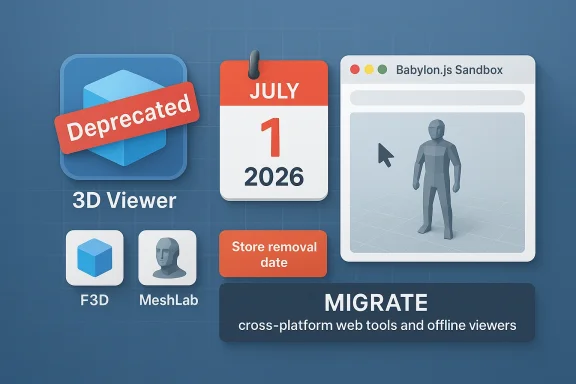
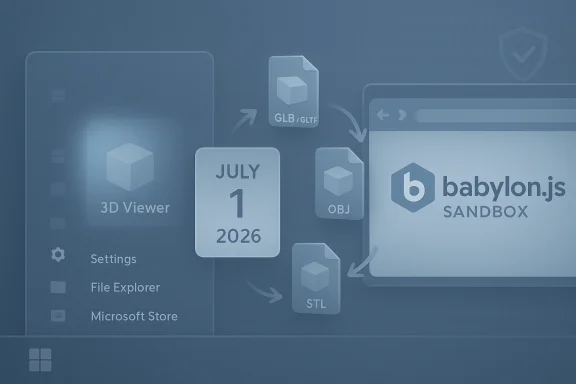
Microsoft has quietly moved another piece of its once‑ambitious 3D strategy onto the chopping block: 3D Viewer — the lightweight model inspector that shipped with Windows 10 and served as Microsoft’s simple bridge for viewing and inspecting glTF, OBJ, FBX and other model formats — was formally deprecated in February 2026 and is scheduled to be removed from the Microsoft Store on July 1, 2026. Existing copies will keep working for now, but the app will no longer be available for new installs or receive updates after that date.
Microsoft’s mixed‑reality ambitions date back to the Windows 10 “Creators” era, when the company pushed an ecosystem of 3D‑first apps and APIs — tools intended to make basic 3D creation and viewing accessible to mainstream users. Paint 3D, 3D Builder and what became 3D Viewer were all products of that initiative. Over time the broader platform failed to attract mass consumer adoption, and Microsoft progressively reined in those investments: Windows Mixed Reality support was scaled back in 2023 and Paint 3D was deprecated and removed from the Microsoft Store in late 2024. The company’s documentation now lists 3D Viewer among the deprecated Windows client features.
3D Viewer survived longer than some apps because it offered genuine, pragmatic value: a low‑friction way to open and inspect 3D files, check meshes and textures, preview animations, and perform quick visual checks before 3D printing or moving files into heavier production tools. That niche — casual 3D inspectio printing and quick preflight checks — is what Microsoft is leaving without an in‑box, first‑party viewer when this deprecation is complete.
Open‑source native viewers fill other gaps:
That strategy — focus on AI creation rather than maintaining small viewers — explains Microsoft’s product decisions: invest in cloud AI capabilities that can generate new kinds of user value, while trimming first‑party maintenance of niche utilities.
That strategy has tradeoffs. It reduces maintenance burden and lets Microsoft reallocate engineering effort to high‑impact areas, but it also removes a low‑friction on‑ramp for casual creators and hobbyists who benefitted from simple, built‑in tools. For the 3D hobbyist, educator, or small business that relied on a single preinstalled app, the loss is meaningful even if capable replacements exist.
That transition leaves a mixed legacy: for professional and enthusiast users, capable open‑source tools like F3D and MeshLab — and robust web viewers like Babylon.js Sandbox — can replace 3D Viewer’s functionality, and Microsoft’s Copilot 3D points to a future where AI augments content creation. For casual users, educators and organizations that benefited from an in‑box, low‑friction viewer, the change raises friction and governance questions that deserve attention now, not later.
If you rely on 3D Viewer, use the runway before July 1, 2026 to choose and test replacements, archive your installers if necessary, and update documentation and policies. Microsoft’s deprecation is clear and deliberate: the app’s presence in Windows is ending, but the 3D ecosystem — now more distributed across community projects and cloud AI services — will continue in new forms.
Source: Windows Central 3D Viewer is officially deprecated as Microsoft retires its 3D ecosystem
 Background
Microsoft’s mixed‑reality ambitions date back to the Windows 10 “Creators” era, when the company pushed an ecosystem of 3D‑first apps and APIs — tools intended to make basic 3D creation and viewing accessible to mainstream users. Paint 3D, 3D Builder and what became 3D Viewer were all products of that initiative. Over time the broader platform failed to attract mass consumer adoption, and Microsoft progressively reined in those investments: Windows Mixed Reality support was scaled back in 2023 and Paint 3D was deprecated and removed from the Microsoft Store in late 2024. The company’s documentation now lists 3D Viewer among the deprecated Windows client features. 3D Viewer survived longer than some apps because it offered genuine, pragmatic value: a low‑friction way to open and inspect 3D files, check meshes and textures, preview animations, and perform quick visual checks before 3D printing or moving files into heavier production tools. That niche — casual 3D inspectio printing and quick preflight checks — is what Microsoft is leaving without an in‑box, first‑party viewer when this deprecation is complete.
What Microsoft announced (and what it means)
- 3D Viewer was marked deprecated in February 2026 and will be removed from the Microsoft Store on July 1, 2026. After that date, users will no longer be able to download it from official channels. Existing installations will continue to run but will not receive updates.
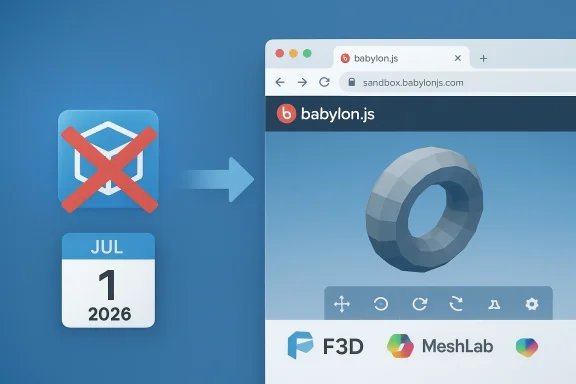
- Microsoft’s public guidance points users at alternatives such as the Babylon.js Sandbox for viewing 3D content in a browser; it also lists community tools and open‑source viewers as valid replacements. The company frames this as product rationalization — moving low‑usage functionality to external solutions rather than continuing to maintain a legacy, in‑box app.
- This move sits alongside earlier, related changes: Paint 3D was deprecated in 2024 and removed from the Store, and Windows Mixed Reality features were scaled back in 2023. The deprecation of 3D Viewer completes a small ecosystem that once tied those experiences together.
Why 3D Viewer mattered (and why its removal hurts)
3D Viewer wasn’t a professional DCC (digital content creation) app, but it filled several useful roles:- Fast, lightweight inspections: Open complex glTF or FBX files without launching Blender or 3ds Max. Quick toggles for lighting, wireframe, texture inspection and animation playback made it ideal for immediate checks.
- 3D printing preflight: Hobbyists and makers used the app to verify orientation, scale and visible mesh issues before slicing.
- Education and outreach: Teachers and students used the simplicity of 3D Viewer to demonstrate 3D models without heavy software installs.
- Bridge for deprecation victims: When Microsoft deprecated Paint 3D it explicitly recommended 3D Viewer as a companion for viewing 3D files; the new deprecation leaves an open question about an official, lightweight viewing path.
Practical replacements: options, tradeoffs and short evaluations
Microsoft suggested the Babylon.js Sandbox as an alternative for simple viewing tasks; that’s a capable, browser‑based solution that supports glTF, GLB, OBJ and more. The sandbox operates locally in the browser and is a quick way to inspect models without installing native software — useful for environments where installing new apps is restricted. Community discussion and the Babylon project documentation indicate that model files loaded into the sandbox are handled client‑side, which reduces concerns about unintended uploads, though organizations should always validate policies for sensitive IP.Open‑source native viewers fill other gaps:
- F3D — a fast, minimalist desktop viewer (Windows, macOS, Linux) designed for speed and simplicity. It supports a wide range of formats (glTF, STL, STEP, PLY, OBJ, FBX, Alembic, and more) and offers features such as PBR rendering, thumbnail generation, and command‑line control. It’s well suited as a lightweight native replacement for power users and developers who want a simple, scriptable viewer.
- MeshLab — the long‑standing open‑source mesh processing and inspection tool. MeshLab is more of a Swiss‑army knife for mesh cleanup, conversion and analysis than a glitzy viewer, but it’s robust, actively maintained and excellent for preparing models for 3D printing. It has higher complexity than 3D Viewer but also greater capability for technical tasks.
Copilot 3D and Microsoft’s pivot to AI‑assisted creation
Microsoft’s product emphasis has shifted heavily toward AI. Tools like Copilot 3D — introduced through Copilot Labs — promise to do more than view models: they can generate 3D assets from 2D images and speed ideation workflows. Early hands‑on reviews reported that Copilot 3D can quickly turn a clean, well‑lit photo into a usable GLB model suitable for prototyping, game design and 3D printing, though the system struggles with subjects like animals or complex organic shapes and enforces guardrails around public figures and copyrighted works. Importantly, Copilot 3D is currently an experimental, cloud‑driven feature with storage/time limits and content policies; it is not yet a production‑grade replacement for dedicated modeling pipelines.That strategy — focus on AI creation rather than maintaining small viewers — explains Microsoft’s product decisions: invest in cloud AI capabilities that can generate new kinds of user value, while trimming first‑party maintenance of niche utilities.
Enterprise and IT implications
Organizations should treat a deprecation like this as a policy and asset‑management event, not just consumer noise. Key admin considerations:- Inventory: Identify who in your organization still uses 3D Viewer (or Paint 3D workflows dependent on it). Search app inventories, Intune/MDM telemetry and help‑desk tickets.
- Risk assessment: Deprecated software will not receive security updates. If your devices run 3D Viewer in a sensitive context, evaluate exposure and plan to replace the app for those users.
- Choose replacements: Decide whether a browser sandbox (reduced installation overhead) or a native viewer (offline usage, deeper format support) fits policy and workflow. Test F3D and MeshLab in controlled environments.
- Document and educate: Update internal documentation to reflect the removal date (July 1, 2026) and provide step‑by‑step guides for users to install approved replacements.
- Software distribution: If IT approves a third‑party viewer, deploy through your existing software distribution channels and sign-post acceptable use and security precautions.
- Legacy content: For long‑term archival, preserve copies of models and related metadata — GLB and glTF are modern, portable formats but ensure you have conversion and migration plans for proprietary formats.
Security and legal cautions
- Running deprecated apps carries risk. Unpatched binaries can become attack vectors over time. If a machine with 3D Viewer is internet‑connected and used for sensitive workflows, consider isolating the app or migrating the user to a supported viewer.
- Web sandboxes are convenient but verify data handling. The Babylon.js community indicates the Sandbox handles models locally (client‑side) in normal use, but organizations with sensitive IP should validate this behavior and any change in hosting or policies. Always check privacy and data retention before using a third‑party web tool for proprietary models.
- AI generation raises copyright and privacy questions. Copilot 3D explicitly blocks certain content classes; users creating assets for commercial use should be aware of ownership and licensing rules, particularly in regulated industries. Treat Labs outputs as drafts that may require cleanup and review before production use.
Migration checklist: a practical roadmap
- Inventory — locate existing 3D Viewer installs and users.
- Identify use cases — classify users by need: view only, preflight for 3D printing, light editing, heavy mesh processing.
- Pilot replacements — test Babylon.js Sandbox for quick viewing; test F3D and MeshLab for native needs. Evaluate format support, rendering parity, performance and offline operation.
- Approve and distribute — add chosen viewers to standard imaging or MDM catalogs.
- Educate — publish how‑tos and compatibility notes (e.g., which formats are supported natively and which need conversion).
- Archive — export and store canonical copies of models in open formats (prefer glTF/GLB for broad compatibility).
- Monitor — post‑migration, track support tickets and user satisfaction; adjust the chosen tooling if gaps emerge.
The long view: what this tells us about Microsoft’s priorities
Microsoft’s product portfolio has been shifting decisively toward AI and cloud services. Small, niche on‑device utilities that served specialized but low‑volume use cases are increasingly candidates for deprecation unless they fit a broader strategic thread. The retirement of 3D Viewer is consistent with that approach: keep the core platform lean, rely on web‑based and community tooling for niche needs, and focus internal investment on areas with broader reach — in Microsoft’s case, AI creation tools like Copilot and platform integrations with Microsoft 365 and Azure.That strategy has tradeoffs. It reduces maintenance burden and lets Microsoft reallocate engineering effort to high‑impact areas, but it also removes a low‑friction on‑ramp for casual creators and hobbyists who benefitted from simple, built‑in tools. For the 3D hobbyist, educator, or small business that relied on a single preinstalled app, the loss is meaningful even if capable replacements exist.
Strengths and weaknesses of Microsoft’s action
Strengths
- Rationalization reduces maintenance load and security surface for Microsoft, allowing focus on AI and platform investments where usage and revenue are concentrated.
- Browser‑based alternatives lower friction for users who can’t or won’t install native apps; Babylon.js offers a zero‑install path.
- Open‑source ecosystem is mature: projects like F3D and MeshLab are capable, actively maintained, and fill the native viewer niche with superior format coverage and tooling for production tasks.
Weaknesses and risks
- Loss of a first‑party, familiar app reduces discoverability of 3D workflows for casual users, potentially slowing grassroots adoption of 3D content creation and education.
- Fragmentation of tools — web sandboxes, open‑source viewers, and experimental AI creators — creates a more complex landscape for users to navigate and for admins to standardize on.
- Copilot 3D is experimental; relying on AI labs as a replacement for stable tooling is risky because these features can be changed, gated, or retired without much notice. Users who adopt Copilot 3D for mission‑critical workflows may find themselves dependent on a lab feature with no SLA.
Recommendations for hobbyists, educators and prosumers
- If you only used 3D Viewer for casual inspection, try the Babylon.js Sandbox first — it’s fast and requires no installation. Confirm the sandbox’s privacy posture with your security team if you work with sensitive models.
- If you prefer a native app, evaluate F3D for speed and command‑line automation, and MeshLab for mesh repair and conversion workflows. Both are open source and actively maintained.
- If you’re experimenting with rapid asset generation, test Copilot 3D but treat outputs as drafts that need human verification and cleanup. Be mindful of Microsoft’s content policies and the experimental nature of Copilot Labs.
- For educators: preserve course materials and demonstrator files in stable, open formats (glTF/GLB) and prepare classroom guides that show students how to use browser and open‑source viewers. That lowers friction when institutional images no longer include a first‑party viewer.
Conclusion
The deprecation of 3D Viewer closes a small but meaningful chapter in Microsoft’s long experiment with bringing casual 3D workflows to mainstream Windows users. Pragmatically, Microsoft is shifting resources to cloud‑driven and AI‑centric features while asking the community and third parties to shoulder the tooling for simple viewing and inspection.That transition leaves a mixed legacy: for professional and enthusiast users, capable open‑source tools like F3D and MeshLab — and robust web viewers like Babylon.js Sandbox — can replace 3D Viewer’s functionality, and Microsoft’s Copilot 3D points to a future where AI augments content creation. For casual users, educators and organizations that benefited from an in‑box, low‑friction viewer, the change raises friction and governance questions that deserve attention now, not later.
If you rely on 3D Viewer, use the runway before July 1, 2026 to choose and test replacements, archive your installers if necessary, and update documentation and policies. Microsoft’s deprecation is clear and deliberate: the app’s presence in Windows is ending, but the 3D ecosystem — now more distributed across community projects and cloud AI services — will continue in new forms.
Source: Windows Central 3D Viewer is officially deprecated as Microsoft retires its 3D ecosystem