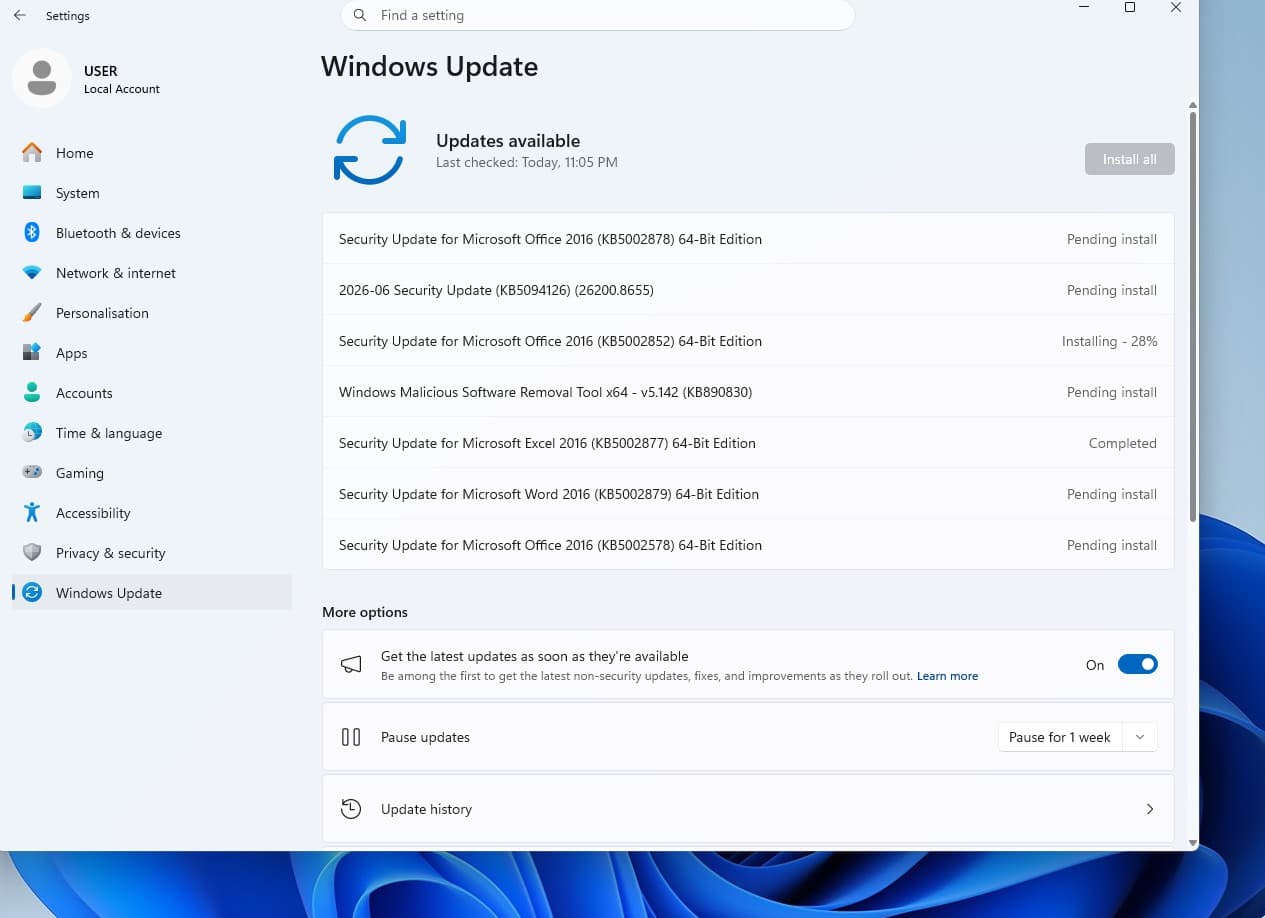
Microsoft’s June 2026 Windows 11 update, identified in reports as KB5094126, is rolling out with a performance change that temporarily raises CPU clocks during app launches and core shell actions such as Start, Search, and Action Center. That sounds like a small scheduler tweak, and technically it is. But it lands in a much larger argument about Windows 11: Microsoft is trying to make the operating system feel faster not by rewriting the desktop, but by making short moments of waiting disappear. For older PCs that barely cleared Windows 11’s hardware bar, that may matter more than another headline AI feature.

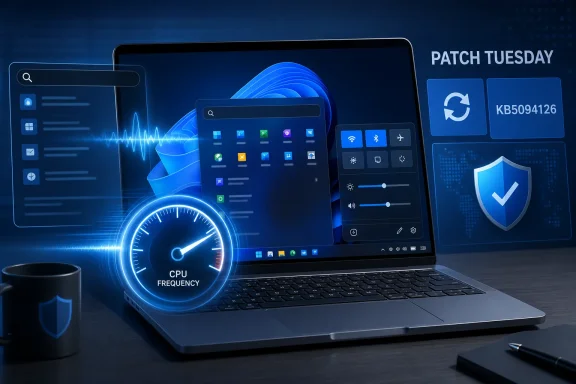
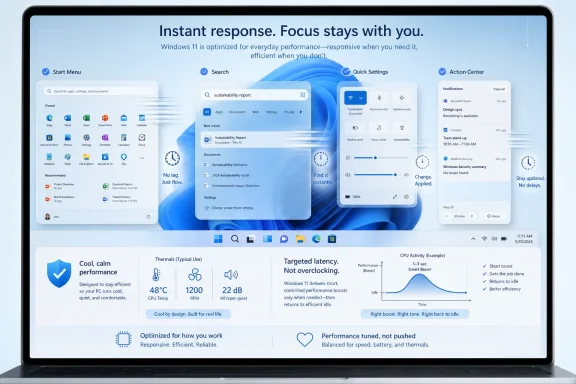
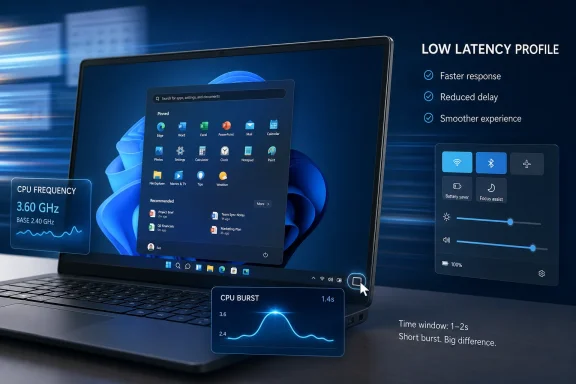
Laptop screen shows performance overlays for “Low Latency Profile,” with CPU frequency and burst charts.Microsoft Finally Attacks the Half-Second Problem​

Windows 11’s reputation problem has never been only about benchmark charts. Plenty of machines that can run it adequately on paper still feel oddly hesitant in the places users touch most often: opening Start, invoking Search, expanding a flyout, launching a small app, or waiting for the shell to acknowledge a click. Those pauses are small enough to escape traditional performance testing, but large enough to make an expensive PC feel cheap.
The new Low Latency Profile is aimed squarely at that class of annoyance. Instead of permanently running the processor harder, Windows gives the CPU a short burst of urgency when it sees an interactive task. In plain terms, the system tries to get out of its own way for the first second or two after you ask it to do something.
That is not the same as making Windows universally faster. It will not turn a slow SSD into a fast one, fix a bloated startup folder, or make a large game platform skip its own update checks. What it can do is reduce the delay between intent and visible response, which is often the difference between an operating system that feels polished and one that feels like it is thinking about your request.

The Trick Is Less Magical Than the Marketing​

Low Latency Profile appears to work by briefly pushing CPU frequency higher during short, foreground interactions. This is the kind of performance behavior modern operating systems already lean on in different forms: when the user clicks, taps, types, or opens a UI surface, the system favors responsiveness over background thrift. Microsoft’s version is notable because it is arriving as an explicit Windows 11 performance story.
That distinction matters. For years, Windows has been tuned around a brutal compromise: battery life, thermals, background services, security features, legacy compatibility, and the expectations of users who want everything to appear instantly. The more Windows tries to be conservative in the background, the more obvious it becomes when the foreground does not get priority quickly enough.
The profile is not a new “turbo mode” button for enthusiasts. It is not a gaming feature in the usual sense. It is closer to a scheduling and power-management nudge that says: when the user performs a high-priority shell action, spend a little more power now to avoid wasting the user’s patience.
That is why the feature can be both modest and meaningful. A faster Start menu will not show up as a revolutionary score in Cinebench, but it will affect the thing millions of people do dozens of times a day. The old desktop truth still applies: perceived performance is performance.

Older PCs Stand to Gain Because They Have Less Slack​

The most interesting audience for this update is not the owner of a new Core Ultra laptop or a high-end Ryzen desktop. It is the user on a supported but aging machine, where Windows 11 meets the requirements but rarely feels graceful. These are the PCs where a shell animation, a search pane, and a background process can collide just enough to create visible friction.
On faster hardware, a short CPU-frequency burst may shave time from interactions that already felt quick. On older or lower-power hardware, the same burst can make a click feel acknowledged instead of ignored. That is why this feature is being framed as a quality-of-life improvement rather than a raw performance upgrade.
There is also a quiet admission here. Windows 11’s hardware requirements were sold partly as a way to create a more modern, reliable baseline. Yet the lived experience on the lower end of that baseline has often been uneven. If Microsoft has to add targeted responsiveness boosts to make the shell feel better, it suggests the baseline alone did not solve the responsiveness problem.
That does not make the update cynical. It makes it practical. Microsoft cannot replace every aging laptop in the field, and enterprise customers do not refresh fleets because the Start menu feels a little lazy. If the company can improve perceived speed through smarter burst behavior, it should.

This Is Not a Free Upgrade for Every Workload​

The most important caveat is that Low Latency Profile should not be confused with broader application acceleration. The reports around the update point to app launches and core shell experiences, but the largest gains are likely to be visible where Windows itself controls the interaction path. Start, Search, Action Center, context surfaces, and small in-box apps are the natural targets.
A heavy application launch is a different beast. Steam, Adobe apps, development tools, game launchers, and modern games often spend time on network checks, DRM, plug-in scans, shader compilation, service startup, or storage-heavy initialization. A brief CPU boost cannot eliminate bottlenecks that live outside the shell or beyond the first seconds of process creation.
That distinction will matter because “Windows feels faster” is the kind of claim that invites disappointment. Some users will install the update, open a large game client, and see no dramatic difference. Others will hit the Windows key, type a search, open Settings, and immediately understand what changed.
The best reading is that Microsoft is optimizing the front door of Windows. It is making the interaction layer less sluggish, not promising that every room in the house has been renovated.

Battery Life Is the Suspended Question​

Microsoft’s reported description emphasizes that CPU clocks drop back quickly after the burst. That is the right design, because a responsiveness feature that drains laptop batteries would simply move irritation from one place to another. The whole point is to spend a tiny amount of energy at the moment it buys the most user-visible benefit.
Still, the battery question deserves more than a shrug. Short boosts are not free, and Windows laptops already vary wildly in how well they manage standby, background activity, and thermal constraints. A system that is already hot, power-limited, or running on an aggressive vendor power profile may not behave like Microsoft’s ideal test machine.
The good news is that bursty performance can be more efficient than sluggish performance. If the CPU wakes, finishes the foreground task quickly, and returns to a lower state, the net effect may be acceptable or even favorable compared with dragging out the same work at lower responsiveness. But that is something reviewers and administrators will need to validate across real hardware.
For IT departments, the question is not whether a single click costs more power. It is whether the aggregate behavior changes battery expectations, fan noise, thermal complaints, or help-desk tickets. Those answers will arrive from fleet telemetry long before they arrive from marketing copy.

The Shell Is Where Windows 11 Most Needed Humility​

This update is striking because it focuses on a mundane part of Windows that users actually judge. Microsoft has spent the Windows 11 era talking about design, security, Copilot, AI integration, developer features, and hybrid work. Those are important stories, but they do not excuse a Start menu that occasionally feels heavier than it should.
The Windows shell is not just decoration. It is the contract between the user and the machine. If Start lags, Search hesitates, or Action Center stutters, the whole operating system feels worse, even if the kernel, browser, and GPU driver are doing heroic work underneath.
That is why the Low Latency Profile feels like a rare concession to everyday annoyance. It does not ask users to learn a new workflow. It does not put another panel in Settings. It does not require a subscription, an account migration, or a cloud service. It simply tries to make the old actions respond faster.
There is a lesson here Microsoft should not miss. Windows users are not opposed to progress, but they notice when progress arrives in the form of more layers, more prompts, and more background services. A small improvement to responsiveness may earn more goodwill than a splashier feature that makes the desktop feel busier.

The Update Also Exposes the Limits of Tuning​

There is a less flattering interpretation: if Windows needs a CPU burst to open its own shell surfaces quickly, maybe those surfaces are too heavy. Windows 11’s interface stack has long carried complaints about latency, inconsistency, and the cost of modern UI layers. A faster governor can hide some of that, but it does not answer every architectural criticism.
This is the familiar software industry move of compensating for complexity with hardware-aware cleverness. Sometimes that is exactly the right answer. Modern CPUs are designed to ramp up and down quickly, and leaving performance on the table during user interactions would be foolish.
But tuning is not a substitute for discipline. If Windows keeps accumulating background components, cloud hooks, web-backed panels, AI features, and visually rich shell elements, Microsoft may find itself chasing latency with ever more elaborate mitigations. The better long-term answer is both: smarter scheduling and leaner front-end code.
That balance will define whether this update is remembered as a turning point or a patch over a deeper problem. A snappier Start menu is welcome. A Start menu that needs fewer tricks to be snappy would be better.

Enthusiasts Will Measure It, But Normal Users Will Feel It​

The Windows enthusiast community will inevitably test Low Latency Profile with monitoring tools, frame-by-frame captures, and before-and-after comparisons. That scrutiny is useful, especially because the feature is rolling out gradually and may not behave identically on every system. Users will want to know whether it is enabled, whether it can be forced on, and whether it interacts badly with particular drivers or storage setups.
But the most important test is subjective in a defensible way. Does the machine feel like it responds when clicked? Does Search appear quickly enough that typing feels natural? Does Start open without that tiny dead-air moment that makes people press the key twice?
Those questions are hard to reduce to a single benchmark, yet they are central to operating-system quality. Apple has long understood this at the product level. Linux desktop environments, when well-tuned, can feel startlingly immediate on old hardware. Windows, with its immense compatibility burden, has often had to fight harder for the same impression.
If Microsoft’s June update makes Windows 11 feel less hesitant, that is a win even if the stopwatch gains vary. The desktop is a sensory product as much as a technical one.

Administrators Should Treat This as a Behavior Change, Not a Miracle Patch​

For managed environments, the practical advice is to evaluate the update the same way any meaningful Windows performance change should be evaluated: test it on representative hardware. That means low-end laptops, older desktops, machines with vendor power utilities, systems running endpoint protection, and devices with heavy logon scripts or shell customizations.
The update should not require users to do anything after installation if the feature is enabled for their device. That simplicity is helpful, but it also means administrators may have limited visibility into exactly when the feature becomes active across a fleet. Gradual rollout behavior can complicate troubleshooting when one user sees a snappier shell and another, on the same build, does not.
There is also the support angle. Users may hear that the update makes apps launch faster and assume it will solve every slow-start complaint. Help desks should be ready to separate shell latency from application initialization, storage problems, profile bloat, and network dependencies.
The cleanest enterprise message is restrained: this update may improve responsiveness for Windows shell interactions and some app launches, especially on constrained hardware, but it is not a replacement for normal performance hygiene. Disk health, startup load, memory pressure, driver quality, and endpoint tooling still matter.

Microsoft’s Rollout Language Leaves Room for Ambiguity​

One reason the story has spread quickly is that Microsoft’s public wording is broader than the technical details most users can see. “Accelerates app launch and core shell experiences” is accurate enough, but it is not the same as a full explanation of scope, triggers, exclusions, or administrative controls. That gap creates room for overstatement.
Reports indicate that the feature may be regionally or gradually rolled out. That means the presence of the KB alone may not guarantee identical behavior on every PC at the same time. Microsoft often stages features behind enablement mechanisms, which is sensible for risk control but frustrating for users trying to verify what they have.
The naming adds another wrinkle. Low Latency Profile sounds like a user-facing mode, but for now it appears to be mostly invisible. There is no obvious consumer switch that says “make Start faster,” and perhaps there should not be. The best performance features are often the ones users never have to manage.
Still, Microsoft would help itself by documenting the feature more clearly. If Windows is going to manipulate CPU behavior in response to shell interactions, users and administrators deserve plain-language details about expected impact, power behavior, rollout status, and known limitations.

A Small Speed Boost Carries a Bigger Windows Message​

The most concrete reading of this update is simple: install the June Windows 11 update, and some everyday interactions may feel faster. The more important reading is cultural. Microsoft appears to be spending engineering effort on the parts of Windows that users complain about in ordinary language, not just the parts that look good in keynote demos.
That matters because Windows 11 has too often felt like an operating system arguing with its own priorities. It wants to be secure, modern, cloud-connected, AI-ready, visually refined, enterprise-manageable, and backwards-compatible. Users, meanwhile, still want the Start menu to open instantly.
Low Latency Profile is not a grand reinvention. It is a targeted admission that responsiveness is a feature. For old PCs, that admission may be especially welcome because the machines most likely to benefit are also the ones least likely to be rescued by brute-force hardware.
If Microsoft keeps pulling on this thread, Windows 11 could become meaningfully better without requiring users to change much. That is the kind of improvement the platform needs more of: fewer slogans, fewer interruptions, and more attention to the millisecond-scale irritations that shape daily trust.
The June Patch Is Worth Installing, But Expectations Need Tuning​

The practical read for WindowsForum readers is neither hype nor dismissal. This is a worthwhile update because it targets a real pain point, but it should be judged by the right standard. It is about responsiveness, not universal acceleration.
  • The June 2026 Windows 11 update reportedly brings Low Latency Profile into broader rollout through KB5094126 after earlier preview testing.
  • The feature is designed to make app launches and shell surfaces such as Start, Search, and Action Center respond more quickly.
  • The biggest visible gains are likely on older, lower-power, or marginal Windows 11 PCs where short bursts of CPU performance can hide latency.
  • Large applications, game launchers, and games may not benefit much because their delays often come from storage, network checks, services, or their own startup routines.
  • Laptop users should watch real-world battery life and thermals, even though the CPU boost is intended to be brief.
  • IT administrators should test across representative hardware before treating the update as a fleet-wide cure for slow Windows complaints.
Microsoft’s snappier Windows 11 update is not the end of the performance conversation; it is the beginning of a more honest one. The company has spent years telling users that Windows 11 is modern, secure, and ready for the future, but the future still arrives one click at a time. If Low Latency Profile makes those clicks feel immediate on hardware people already own, Microsoft will have done something more valuable than adding another marquee feature: it will have made Windows feel a little less like work.

References​

  1. Primary source: TweakTown
    Published: Wed, 10 Jun 2026 14:17:06 GMT
  2. Related coverage: windowscentral.com
  3. Related coverage: windowslatest.com
  4. Related coverage: winbuzzer.com
  5. Related coverage: digitbin.com
  6. Related coverage: windowsforum.com
  1. Related coverage: pureinfotech.com
  2. Related coverage: digitalcitizen.life
  3. Related coverage: pcworld.com
  4. Related coverage: games.gg
  5. Related coverage: fdaytalk.com
  6. Related coverage: techradar.com
  7. Related coverage: tomshardware.com
  8. Related coverage: bmccprodstroac.blob.core.windows.net
 

Microsoft is rolling out Windows 11 update KB5094126 in June 2026 for versions 24H2 and 25H2, bringing builds 26100.8655 and 26200.8655 with security fixes and a new performance behavior that briefly boosts CPU frequency for Start, Search, Action Center, and app launches. The feature is not branded that way in Microsoft’s public changelog, but it is the same “Low Latency Profile” behavior Windows watchers have been tracking through preview releases. The point is simple: Windows 11 is being tuned to feel faster at the exact moments users are most likely to judge it. The risk is equally simple: Microsoft is once again solving a perception problem with a hidden system behavior that users and administrators can observe, but not easily govern.

Futuristic laptop display with “Patch Tuesday,” KB5094126 update, security shield, and CPU frequency gauge.Microsoft Has Found the Milliseconds That Matter​

For years, Windows performance complaints have split into two categories: benchmark performance and felt performance. The first is easy to chart, argue over, and market. The second is where users decide whether an operating system feels modern or sluggish.
The Start menu opening half a beat late does not show up in most purchasing spreadsheets. Search hesitating before accepting input rarely becomes a formal incident. But these are the moments that shape the daily reputation of Windows 11, especially on laptops that are constantly balancing battery life, thermals, background indexing, endpoint security agents, and cloud sync clients.
Low Latency Profile is Microsoft’s answer to that problem. Rather than promising that the whole system will run faster all the time, Windows briefly pushes the processor into a higher-performance state when the user initiates certain interactive actions. In practical terms, that means the OS tries to make the first second of an app launch, Start menu invocation, Search panel opening, or Action Center interaction less mushy.
That is a more honest performance target than another vague “responsiveness improvement.” It admits that Windows does not need to win every synthetic benchmark to feel better. It needs to stop making routine shell interactions feel like they are waiting in line behind everything else.

The Start Menu Is Now a Performance Workload​

The oddest part of this update is also the most revealing: the Start menu has become important enough to justify a CPU boost. Not a massive sustained overclock, not a gaming profile, not a creator workload preset. A small, timed nudge for the basic act of opening Windows’ front door.
That tells us something about the modern Windows shell. The Start menu is no longer a simple launcher. It is a layered interface of pinned apps, recommended files, account surfaces, search integration, cloud content, policy-controlled elements, and telemetry-fed personalization. Even when Microsoft simplifies the visual presentation, the machinery underneath is doing more than the Windows 7 Start menu ever dreamed of.
The same applies to Search. Windows Search is expected to find local files, settings, apps, cloud-backed content, and recently touched material while respecting privacy boundaries, indexing state, enterprise configuration, and sometimes broken user expectations. If the June update also improves Search’s ability to find and prioritize files with very short queries, that pairs naturally with the latency push: Microsoft wants Search to feel both more forgiving and more immediate.
This is why the feature matters more than its size suggests. A one-to-three-second CPU burst is not a revolution. But it is a sign that Microsoft is treating shell latency as a first-class workload, not as a cosmetic annoyance to be tidied up after the next redesign.

The Name Microsoft Avoided Says Plenty​

Microsoft’s official phrasing is careful. The company describes a general performance improvement that accelerates app launch and core shell experiences such as Start, Search, and Action Center. It does not appear to foreground “Low Latency Profile” as a user-facing brand in the cumulative update notes.
That restraint is probably deliberate. “Low Latency Profile” sounds like a switch users should be able to find, tune, and disable. It sounds like something that belongs beside power modes, Game Mode, battery saver, or vendor-specific performance utilities. Microsoft instead presents it as part of Windows getting better.
There is a logic to that. Most people do not want to manage micro-boost behavior. They want the Start menu to open, Search to respond, and apps to launch without feeling like the machine is waking from a nap. If the feature works well, the best user experience is no visible experience at all.
But invisible platform behavior creates a different sort of tension for power users and IT administrators. If a system begins boosting clocks during UI interactions, some users will notice through monitoring tools. Some will ask whether battery life changed. Some will wonder whether thermal spikes are normal. Some will want an off switch, because Windows enthusiasts are genetically incapable of leaving a scheduler-related mystery alone.

A Short Boost Is Not the Same as Free Performance​

The CPU does not produce responsiveness out of nowhere. Short bursts consume power, generate heat, and interact with firmware, silicon boosting algorithms, power plans, and OEM thermal policies. Microsoft’s argument is essentially that the cost is small enough and the benefit visible enough to be worth it.
That is plausible. Modern processors are already built around opportunistic boosting. Intel, AMD, and Arm-based designs routinely race to a higher frequency for short tasks, finish the work quickly, and return to lower-power states. Operating systems have spent years learning how to steer foreground work toward responsiveness without wrecking battery life.
Still, the word briefly is doing a lot of work here. A one-second boost during a Start menu action is not the same thing as holding maximum clocks through a long compile, export, or game session. The feature is aimed at the latency-sensitive opening move, not the full workload.
The more interesting question is whether Windows has been too conservative in these moments until now. If users can feel the difference from such a small intervention, it suggests that previous tuning may have left foreground shell interactions competing too politely with background efficiency goals. Microsoft is not merely adding speed; it is changing which actions get priority.

The Staged Rollout Keeps the Mystery Alive​

KB5094126 delivers the code path, but not every PC will necessarily receive the active behavior immediately. Microsoft’s staged rollout model means the same cumulative update can land on two similar machines while only one exposes a given feature at first. That has become normal for Windows 11, and it remains maddening.
From Microsoft’s perspective, staged enablement is risk management. A shell-level performance behavior has to play nicely with a huge range of CPUs, firmware implementations, laptops, desktops, virtualized environments, power profiles, and enterprise images. If something goes wrong, a controlled rollout is easier to stop than a global switch flipped all at once.
From the user’s perspective, it is another reminder that installing an update no longer means receiving a single, identical Windows experience. The operating system is now a delivery platform for features that may be present, dormant, enabled, disabled, A/B tested, or waiting for a server-side signal. The monthly cumulative update is less a finished package than a container ship.
That distinction matters when enthusiasts start comparing results. One user may see CPU frequency spike when opening Start; another may see no change after installing the same KB. Both can be telling the truth. Windows servicing has become probabilistic enough that “I installed the update” is no longer a complete diagnostic statement.

ViVeTool Remains the Unofficial Windows Feature Negotiator​

Reports that the feature can be enabled early with ViVeTool and a specific feature ID are unsurprising. ViVeTool has become the Windows enthusiast community’s crowbar for hidden feature flags, and Microsoft’s staged rollouts practically guarantee that such tools will remain popular.
That does not mean every user should reach for it. Enabling dormant features manually can be useful for testing, but it also skips whatever rollout logic Microsoft is applying. If a feature has not been enabled on a particular machine, the reason may be arbitrary timing, or it may reflect compatibility caution that outsiders cannot see.
For WindowsForum readers, the sensible line is clear. On a spare machine, a test image, or a lab system, feature flags are fair game. On a production laptop, a fleet endpoint, or a machine where battery behavior matters, waiting for Microsoft’s normal rollout is the boring answer because it is usually the correct one.
The important thing is that the existence of a hidden flag reinforces the broader story. Microsoft is comfortable shipping major behavioral changes behind quiet switches. The community is comfortable discovering and activating them. The result is a strange co-production of modern Windows, where official support language and enthusiast reality rarely arrive at the same time.

Patch Tuesday Turns a Preview Tweak Into Default Windows​

The timing matters. Low Latency Profile was previously associated with preview update testing, where experimentation is expected. Moving it into the June Patch Tuesday cumulative update changes the audience. This is no longer just a feature for people who go looking for optional previews.
Patch Tuesday has a different psychological contract. Enterprises evaluate it for security exposure. Home users install it because Windows Update tells them to. Managed devices receive it through rings, policies, and maintenance windows. Once a performance feature rides along with a security release, it becomes part of mainstream Windows whether or not Microsoft gives it a marketing moment.
That pairing also complicates administrator decisions. If KB5094126 contains a large batch of security fixes, delaying it because of uncertainty around a shell performance feature is hard to justify. But deploying it without understanding its user-visible changes is also not ideal, especially in organizations that field help desk tickets whenever laptops run warmer, fans spin earlier, or Task Manager looks different.
This is one of the quiet consequences of cumulative servicing. Microsoft’s model reduces fragmentation and improves baseline security, but it also bundles security urgency with feature evolution. The June update is not just a patch. It is Windows 11 continuing to change under the cover of necessary maintenance.

The Security Payload Is Too Large to Ignore​

The performance story will get the clicks because it is easy to feel. The security story is why the update matters. June 2026’s Microsoft patch batch is large, with researchers counting roughly two hundred vulnerabilities and dozens rated Critical or Important depending on the counting methodology used.
Those counts vary because different researchers include or exclude categories in different ways, and because Microsoft’s ecosystem spans Windows, Office, Azure-related components, developer tools, browsers, and server products. The exact number matters less than the operational reality: this is a heavy month for patch teams.
For consumers, the practical advice is straightforward. Install the update unless there is a known blocker affecting your specific hardware or workflow. A snappier Start menu is nice, but it is not the reason to stay current.
For administrators, KB5094126 deserves the usual ringed deployment discipline. Test on representative devices, watch for shell regressions, verify VPN and endpoint security behavior, and then move. The scale of the security release argues against complacency, but the breadth of Windows hardware argues against blind faith.

The Other Features Show Microsoft’s Real 2026 Priorities​

Low Latency Profile is the headline, but KB5094126 also carries a cluster of features that show where Windows 11 is being pushed. Shared Audio for two Bluetooth LE Audio devices speaks to the slow modernization of PC audio. Multi-App Camera support acknowledges a reality every remote worker already knows: one camera feed often needs to serve more than one app.
Task Manager gaining NPU-related columns is another marker of the AI PC era becoming ordinary plumbing. Microsoft, chipmakers, and OEMs have spent the last two years trying to make neural processing units sound like a reason to buy new hardware. Task Manager support turns that hardware into something users and administrators can at least observe.
The setup option to choose the user folder name is smaller but culturally important. Windows 11 has annoyed users by tying setup flows, Microsoft accounts, and local folder naming behavior together in ways that felt needlessly rigid. Giving users more control over that folder name is the sort of paper-cut fix that should not require applause, but will receive it anyway because the irritation was real.
These additions are not random. They point to a Windows roadmap obsessed with three fronts: making the shell feel faster, making hybrid-work hardware less clumsy, and making AI-era components visible enough to justify their presence. KB5094126 is a maintenance release, but it carries the fingerprints of Microsoft’s broader platform strategy.

Faster Search Is a Bigger Deal Than It Sounds​

The Search improvement deserves more attention than it will probably receive. If Windows Search can find and prioritize files with as few as two characters, that changes the interaction pattern for users who know roughly what they want but not what it is called.
Search has long been one of Windows’ most emotionally loaded features. When it works, it feels like a superpower. When it fails, it feels insulting, because the file is right there somewhere on the same machine. Users do not judge Search by architecture; they judge it by whether typing a fragment surfaces the thing they need.
Shorter query matching could make Search feel less brittle, especially for files named with abbreviations, project codes, initials, ticket numbers, or version fragments. In enterprise environments, that matters because file naming conventions are often optimized for departments, not humans.
Paired with Low Latency Profile, the message is clear. Microsoft wants Search to open faster and succeed earlier. That is the difference between a feature users tolerate and a feature users build habits around.

Enterprises Will Watch the Thermals, Not the Branding​

In managed environments, the phrase “CPU boost for Start menu” will trigger a predictable split. End users may like the improved responsiveness. IT teams will want to know whether it affects battery life, heat, fan noise, support tickets, and device consistency.
The answer will probably depend on hardware. On a modern business laptop with competent firmware and cooling, the bursts may disappear into normal boost behavior. On thin-and-light machines already tuned aggressively for silence or battery longevity, administrators may want to observe whether the update changes fan curves during common office workflows.
Virtual desktops and cloud PCs add another wrinkle. A feature designed around local CPU frequency behavior may not translate cleanly into every virtualized environment. The shell may still benefit from scheduling priority changes, but the physical clock-speed story becomes more abstract when the user is interacting with a remote session.
The enterprise concern is not that Low Latency Profile is dangerous. It is that Windows increasingly changes user-perceived behavior through mechanisms that are not exposed as simple policy controls. Administrators can manage Windows Update rings, but they cannot always manage the finer grain of what Microsoft decides to light up after the bits arrive.

Enthusiasts Will Measure It Because Microsoft Did Not Name It​

For enthusiasts, this update practically invites experimentation. Open Start while watching CPU frequency. Trigger Search and observe boost behavior. Compare before and after. Try different power modes. Test on battery and AC power. See whether the spike happens consistently or only after idle.
That sort of testing is useful, but it should be interpreted carefully. CPU frequency readings are noisy. Modern processors expose multiple clocks, boost states, effective clocks, package power limits, and telemetry layers that do not always tell a simple story. A visible spike may indicate the feature is active, but the absence of an obvious spike does not prove nothing changed.
The better test is experiential and comparative. Does Start open more consistently? Do app launches feel less delayed after idle? Does Search accept input sooner? Does the machine feel warmer or louder during normal desktop use? The feature is designed to improve human-perceived latency, so human-perceived latency remains part of the evidence.
Microsoft’s decision not to make the feature a prominent toggle leaves the community to reverse-engineer the user story. That is inefficient, but it is also very Windows. Half the platform’s culture has always lived in the gap between what Microsoft documents and what users can observe.

This Is Windows 11 Admitting It Has a Responsiveness Problem​

The most interesting interpretation of Low Latency Profile is not that Microsoft has found a magic accelerator. It is that Microsoft is acknowledging that Windows 11’s everyday responsiveness still needs work. If the Start menu and Search were universally perceived as instant, there would be little need to tune CPU behavior around them.
That does not mean Windows 11 is uniquely bad. Modern desktop operating systems are heavier because users ask more of them. Security layers are deeper, displays are denser, background services are more numerous, and cloud integration is everywhere. A “simple” UI action now wakes an ecosystem.
But Microsoft has also made design choices that increased the burden. The Windows 11 shell arrived with visual polish but also with regressions, removed affordances, rebuilt components, and a long period of refinement that continues years later. Performance tuning in 2026 is part of that unfinished migration.
In that sense, Low Latency Profile is both welcome and incriminating. It may make Windows feel better. It also reveals that Microsoft had to intervene at the scheduler-and-power-behavior level to make basic shell actions feel better.

The Best Windows Performance Fix Is the One Users Never Notice​

If this feature succeeds, most users will never learn its name. They will simply feel that the machine is a little more willing when they click. That is the correct outcome.
The danger is overstatement. Low Latency Profile will not turn a budget laptop into a workstation. It will not fix bloated startup items, failing storage, overloaded antivirus stacks, broken drivers, or machines starved of memory. It is a targeted latency improvement, not a general cure for Windows sluggishness.
Still, targeted improvements are often the ones that matter. The first second of an interaction determines whether a system feels responsive. If Microsoft can reliably improve that second without meaningful battery or thermal penalties, it has made Windows better in a way benchmarks may understate.
The larger lesson is that performance is now as much about choreography as raw speed. Windows must decide which work deserves urgency, which can wait, and how aggressively it should wake the silicon. KB5094126 suggests Microsoft is willing to be more assertive when the user is waiting.

The June Update Makes Responsiveness a Servicing Feature​

The practical read on KB5094126 is less dramatic than the headlines but more important than the changelog makes it sound. Microsoft is using its normal servicing channel to alter how Windows behaves during common foreground interactions. That is a significant line to cross, even if the technical mechanism is modest.
For users, the immediate upside is a Start menu, Search interface, Action Center, and app-launch path that may feel faster once the staged rollout reaches their device. For administrators, the update is primarily a security deployment that also deserves observation for performance and power behavior. For enthusiasts, it is another reminder that Windows 11’s most interesting changes often arrive half-documented, half-hidden, and fully destined for forensic inspection.
The June release is also a reminder that Windows improvement is increasingly incremental. No single feature defines the platform. Instead, Microsoft ships a CPU nudge here, a Search refinement there, a Task Manager column for new silicon, a camera-sharing fix for modern conferencing, and a Bluetooth audio improvement for devices that finally support the right standards.
That may be less exciting than a sweeping Windows reinvention, but it is probably closer to what the platform needs. Windows 11 does not need a new personality every year. It needs to stop wasting the user’s time in tiny, repeated moments.

The Patch Tuesday Bargain Gets a Little More Complicated​

KB5094126 is the kind of update that shows both the strength and the ambiguity of modern Windows servicing.
  • Windows 11 version 24H2 moves to build 26100.8655, while version 25H2 moves to build 26200.8655 after installing the June 2026 cumulative update.
  • The Low Latency Profile behavior is designed to briefly raise CPU performance during app launches and core shell actions such as Start, Search, and Action Center.
  • Microsoft’s public wording emphasizes general performance improvements rather than presenting the CPU burst behavior as a user-facing feature or setting.
  • The rollout remains staged, so installing the update does not guarantee that every device will show the behavior immediately.
  • The update also brings Shared Audio for Bluetooth LE Audio devices, Multi-App Camera support, NPU visibility in Task Manager, setup folder-name control, and Search improvements.
  • The security payload is large enough that most users and administrators should treat the update as a serious Patch Tuesday release first and a performance update second.
Microsoft’s bet is that users will forgive invisible complexity if Windows feels faster in the moments that matter. That is probably a good bet, but it comes with a responsibility: if the company is going to keep tuning the operating system through hidden profiles, staged flags, and cumulative updates that double as feature drops, it needs to keep improving transparency for the people who manage and troubleshoot Windows at scale. The next phase of Windows performance will not be won by bigger promises; it will be won by making the everyday shell feel immediate without making the platform feel unknowable.

References​

  1. Primary source: videocardz.com
    Published: 2026-06-11T17:14:13.443284
  2. Related coverage: techradar.com
  3. Related coverage: windowslatest.com
  4. Related coverage: pcworld.com
  5. Related coverage: windows-faq.de
  6. Related coverage: pcgamer.com
  1. Related coverage: absolute.com
  2. Related coverage: pcgamesn.com
  3. Related coverage: pcgameshardware.de
  4. Related coverage: bleepingcomputer.com
  5. Related coverage: windowsforum.com
  6. Related coverage: windowscentral.com
  7. Related coverage: tomshardware.com
  8. Related coverage: sra.io
 

Microsoft has begun rolling out a Windows 11 performance change known as Low Latency Profile through the KB5089573 preview update for versions 24H2 and 25H2, using brief CPU frequency boosts to speed app launches and shell surfaces such as Start, Search, and Action Center. The company’s release notes do not market it under that name, which is very Microsoft: the interesting engineering change is hiding behind a line item called “general performance.” But the stakes are larger than one snappier Start menu. Windows 11 is still fighting the perception that it is heavier than it should be, and Microsoft is now trying to win that argument one click at a time.

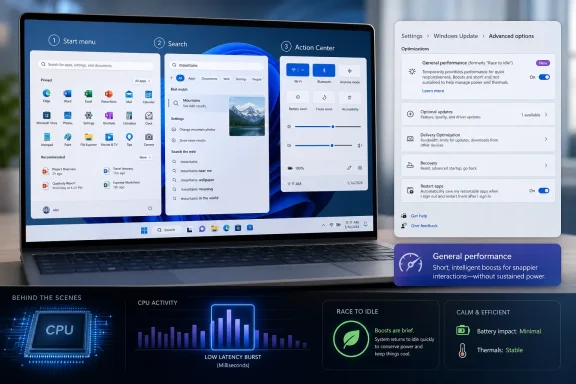
Laptop screen shows Windows 11 Start menu search and performance settings with “General performance” optimization.Microsoft Finally Targets the Delay Users Actually Feel​

For years, Windows performance debates have been trapped between benchmark charts and lived experience. A machine can score well in synthetic tests and still feel irritating if the Start menu hesitates, Search opens a beat late, or an app window materializes after a perceptible pause. Low Latency Profile is aimed squarely at that gap between measured performance and perceived responsiveness.
The mechanism, as reported by Windows-focused outlets and observed by testers, is straightforward. When the shell needs to perform a user-facing action, Windows can briefly push the CPU toward its maximum clock speed rather than waiting for normal boost behavior to ramp up organically. Once the app launch or interface animation is complete, the processor returns to its usual power-management state.
That does not make Windows 11 “faster” in the grand, all-purpose sense. It will not turn a low-end laptop into a workstation, solve storage bottlenecks, or make a memory-starved PC immune to paging. What it can do is reduce the tiny stalls that accumulate into a feeling that the operating system is less eager than the hardware underneath it.
This distinction matters because Windows 11’s reputation problem has never been only about raw speed. It is about immediacy. Users forgive background complexity when the foreground responds instantly; they notice bloat when the thing under the mouse pointer does not.

The Release Notes Say Less Than the Feature Does​

Microsoft’s public wording for KB5089573 is almost aggressively understated. The company says the update “accelerates app launch and core shell experiences such as Start menu, Search, and Action Center,” but it does not prominently brand the underlying behavior as Low Latency Profile. That silence has left the name, implementation details, and rollout state to be pieced together by Windows watchers, Insider builds, and hands-on testing.
That is not unusual for Windows in 2026. The operating system increasingly changes through controlled feature rollout, hidden configuration IDs, enablement packages, and server-side gates. A feature can be present in an update, absent from the official marketing, enabled for one device, disabled on another, and still be “rolling out” in Microsoft’s preferred vocabulary.
For enthusiasts, that creates a scavenger hunt. For administrators, it creates ambiguity. A line item promising faster shell experiences is welcome, but it is not the same as a documented policy, a performance counter, a management control, or a clear compatibility note.
This is the modern Windows bargain. Microsoft can ship more cautiously and reverse course faster, but the community often learns what changed before Microsoft fully explains what it changed.

A CPU Boost Is Not Magic, but It Is Sensible Engineering​

Low Latency Profile appears to rely on a simple performance principle: the beginning of an interactive task is disproportionately important. When a user clicks Start, opens Search, invokes a flyout, or launches an app, the first few hundred milliseconds determine whether the system feels alert or sluggish. A temporary clock-speed shove can improve that moment without committing the device to a sustained high-power state.
Modern CPUs already boost dynamically, of course. Intel, AMD, and Arm chips have spent years getting better at racing to a higher frequency under demand and then dropping back down. The difference here is that Windows is reportedly giving certain shell and launch paths a more aggressive hint: this is an interactive moment, so optimize for latency now.
That approach is not exotic. Mobile operating systems have long treated touch responsiveness as sacred, and many platforms bias toward quick bursts of performance during user interaction. The irony is that Windows, which runs on some of the fastest client processors in the world, has often felt less disciplined about protecting the first impression of a click.
The risk is that such tricks can become a substitute for deeper cleanup. If a UI path is slow because of framework overhead, background services, cloud calls, search indexing, shell extensions, or inefficient app packaging, boosting the CPU only masks part of the problem. Still, masking part of the problem can be valuable when the problem is the delay everyone sees.

The Start Menu Became a Performance Benchmark by Accident​

The Start menu is not just a launcher anymore. It is a UI surface, a search entry point, a recommendation panel, an account surface, a cloud-connected experience, and a visible symbol of Windows design priorities. That makes it a dangerous place for latency.
When Start opens slowly, users do not think about scheduler hints or CPU governors. They think Windows is dragging. The same applies to Search and Action Center, which are supposed to feel like extensions of the keyboard and taskbar rather than separate apps waking up from sleep.
Windows 11 made this problem more visible because its shell is visually polished but architecturally layered. Newer UI components, web-connected surfaces, modern app frameworks, and legacy compatibility all coexist in the same daily workflow. That combination can produce an OS that looks modern while occasionally reacting like it has to consult a committee before drawing a menu.
Low Latency Profile is therefore less a gimmick than an admission. Microsoft is acknowledging that the most important Windows performance path is not compiling code, exporting video, or running a game benchmark. It is the path from human intent to visible response.

Older and Power-Constrained PCs Stand to Gain the Most​

The likely winners are not owners of high-end desktops with aggressive performance profiles. A modern gaming CPU running on wall power already tends to leap to high clocks quickly. On those systems, Low Latency Profile may shave off enough latency to be noticeable in side-by-side testing but not enough to transform daily use.
The more interesting target is the mainstream Windows laptop: a few years old, running balanced power settings, often thermally constrained, and tuned to preserve battery life. On those systems, the CPU may be sitting in a low-power state when the user asks Windows to do something interactive. If Low Latency Profile wakes it more assertively for a second or two, the subjective improvement could be larger than the spec sheet suggests.
This also matters for business fleets. Plenty of corporate PCs are not slow in a catastrophic sense; they are slow in small, repetitive ways. Endpoint security agents, management tooling, Teams, OneDrive, browser workloads, and background update activity all compete with the shell. A small latency improvement in common interactions can make a four-year-old fleet feel less overdue for replacement.
But there is a ceiling. If a machine is short on RAM, stuck on slow storage, loaded with broken shell extensions, or suffering from driver issues, Low Latency Profile cannot rescue it. CPU frequency is only one component in a chain that includes storage latency, memory pressure, GPU composition, process startup overhead, and the health of the user profile.

Microsoft’s Gradual Rollout Keeps the Win Small and the Confusion Large​

KB5089573 is not behaving like a simple “install it and you have it” switch for everyone. Microsoft’s release notes describe gradual rollout behavior for some features, and reports around Low Latency Profile indicate that availability may vary even after the update is installed. That is why enthusiasts are already reaching for ViVeTool and feature ID 58989092.
This is familiar territory for Windows Insiders and power users. ViVeTool has become the unofficial flashlight for exploring Windows’ staged features, letting users enable hidden or dormant components before Microsoft flips them broadly. It is useful, but it also blurs the line between testing and normal usage.
For everyday users, the practical advice is more conservative. If the feature arrives through Windows Update, let it arrive. If a PC is mission-critical, force-enabling hidden feature IDs is not the same thing as deploying a documented setting.
For forum readers, the temptation is obvious. A command, a reboot, and Task Manager showing the CPU spiking when Start opens make for a satisfying experiment. But administrators should treat that as a lab exercise, not a change-control plan.

The Battery Question Is Real, but Probably Not Catastrophic​

Any feature that pushes a CPU to maximum clock speed invites the obvious objection: what happens to battery life and thermals? The reassuring answer is that Low Latency Profile appears designed around short bursts, not sustained performance mode. In theory, the CPU races briefly, completes the interactive work faster, and then drops back down.
That model can be power-efficient when implemented well. Finishing a task quickly and returning to idle is often better than crawling through the same work at a lower frequency for longer. The phrase often used in processor design is “race to idle,” and it is one reason modern chips are so aggressive about short boost windows.
The complication is that Windows is not running in a vacuum. A laptop with poor cooling, an aging battery, a noisy background workload, or already aggressive OEM tuning may respond differently from Microsoft’s ideal test case. Repeated shell interactions are brief, but they are also frequent.
This is where Microsoft’s quiet rollout makes sense. If the company is watching telemetry for battery, heat, crashes, and responsiveness regressions, staged deployment is prudent. Users may dislike being left out of the first wave, but Microsoft has learned the hard way that Windows performance changes can produce unexpected behavior across the enormous PC ecosystem.

The Name Sounds Like Gaming, but the Target Is the Desktop​

“Low latency” is a phrase most users associate with gaming, audio production, or network performance. In this case, it is really about desktop interaction latency. That distinction is important because the feature is not a new gaming mode, not a universal performance unlock, and not a replacement for GPU driver work or scheduler changes aimed at games.
The supported examples are mundane by design: Start, Search, Action Center, app launch, and related shell paths. That is where Microsoft can help the broadest set of users without promising miracles. Everyone opens menus and launches apps; not everyone compiles code or plays competitive shooters.
There may still be second-order effects. If the same launch acceleration applies to heavier desktop apps, some users may see faster perceived startup in tools like browsers, creative applications, or office suites. But the more complex the application, the less likely a one-to-three-second CPU boost is to dominate the whole startup path.
That is why claims of dramatic percentage improvements should be read carefully. A flyout that opens 70 percent faster in a controlled test is meaningful, but it does not mean the entire OS is 70 percent faster. Microsoft’s challenge is to improve the moments users feel without letting the marketing ecosystem inflate those moments into a miracle cure.

Windows 11 Needs More Than Microbursts​

Low Latency Profile is useful because it attacks a real complaint. It is also revealing because it shows how much of Windows 11’s performance conversation now lives in the margins. The OS is mature enough that Microsoft is no longer just fixing obvious brokenness; it is tuning perception.
That is not a bad thing. Perceived performance is performance, especially for interface actions. A Start menu that opens faster improves the user experience even if no benchmark suite changes.
But the broader Windows 11 experience still depends on heavier work. File Explorer responsiveness, context menu delays, Settings performance, search quality, update reliability, driver stability, and background resource usage all remain part of the same trust equation. Users will not separate “the shell feels faster” from “Windows feels better” if the rest of the system still interrupts them.
There is also a design lesson here. Microsoft has spent years adding cloud intelligence, recommendation surfaces, account prompts, widgets, Copilot hooks, and richer UI frameworks to Windows. Low Latency Profile is a reminder that every added layer eventually has to be paid for in milliseconds.

Admins Should Watch the Rollout, Not Chase the Toggle​

For IT departments, the correct response is not panic or celebration. KB5089573 is a preview update, and preview updates are where Microsoft exposes fixes and feature work ahead of broader Patch Tuesday distribution. That makes them interesting for validation rings but risky as a blanket deployment target.
The sensible enterprise path is to test the update on representative hardware, especially devices with aggressive power policies, older processors, unusual endpoint security stacks, or known shell-performance complaints. If the feature improves responsiveness without hurting battery life or stability, it becomes another small reason to keep Windows 11 fully current.
The less sensible path is to force-enable hidden feature IDs across a fleet because a benchmark video looks good. ViVeTool is a community tool, not an enterprise management plane. It is excellent for enthusiasts and controlled testing; it is not a substitute for Microsoft documenting a feature, supporting it, and exposing policy controls where needed.
Admins should also watch user perception. A change like this may not show up cleanly in telemetry dashboards, but help desk complaints about “slow Start menu” or “Windows lag” can decline if the improvement is real. Sometimes the best performance metric is the ticket that never gets opened.

The Shell Is Becoming the New Performance Battlefield​

Windows used to be judged heavily by boot time. Then SSDs made boot time less interesting for many users, and browser performance became the daily battleground. Now, as PCs resume instantly and users live inside persistent sessions, the contest has shifted again: the shell must feel instant every time.
That is a difficult target because shell interactions are small, frequent, and emotionally loaded. Nobody praises an operating system because the Action Center opened correctly; they only notice when it does not. A delay of 200 milliseconds can feel like personality if it happens often enough.
Low Latency Profile is Microsoft’s attempt to buy back that immediacy without redesigning the entire shell. It is a tactical fix, but tactical fixes can matter. Windows is too large, too compatible, and too hardware-diverse for every performance gain to come from elegant architectural simplification.
Still, the feature also exposes the cost of complexity. If the Start menu needs a CPU sprint to feel instant on hardware that can run virtual machines, games, and AI workloads, the question is not only whether the sprint works. The question is why the walk became noticeable.

The KB5089573 Signal Beneath the Noise​

The most useful way to read this update is not as a hidden “turbo mode,” but as a sign of where Microsoft thinks Windows 11 still needs help. The company is not merely optimizing obscure subsystems. It is tuning the visible, everyday surfaces that shape user trust.
  • Low Latency Profile is tied to KB5089573 and is associated with Windows 11 24H2 and 25H2 builds in the 26100 and 26200 branches.
  • Microsoft describes the visible effect as faster app launch and improved core shell experiences, including Start, Search, and Action Center.
  • The feature appears to work by briefly raising CPU frequency during interactive moments, then allowing the processor to return to normal power behavior.
  • Rollout is gradual, so installing the update does not guarantee that every device will immediately show the same behavior.
  • Enthusiasts can reportedly force-enable the feature with ViVeTool, but administrators should treat that as testing rather than production deployment.
  • The biggest gains are likely on older, thermally constrained, or power-saving systems where CPU ramp-up latency is more noticeable.
The arrival of Low Latency Profile does not settle the Windows 11 performance debate, but it moves it in the right direction: away from abstract benchmark bragging and toward the split-second pauses that decide whether an operating system feels alive. If Microsoft keeps treating responsiveness as a first-class feature rather than a side effect of faster hardware, the next few Windows releases may feel less like an argument with the shell and more like the PC is finally listening.

References​

  1. Primary source: Windows Report
    Published: 2026-06-12T07:10:07.214767
  2. Related coverage: pcgamer.com
  3. Related coverage: techradar.com
  4. Related coverage: windowsforum.com
  5. Related coverage: windowslatest.com
  6. Related coverage: computerbase.de
  1. Related coverage: windowscentral.com
  2. Related coverage: winbuzzer.com
  3. Related coverage: digitalcitizen.life
  4. Related coverage: xenospectrum.com
  5. Related coverage: windowspower.de
  6. Related coverage: fdaytalk.com
  7. Related coverage: pureinfotech.com
  8. Related coverage: fudzilla.com
  9. Related coverage: techrounder.com
 

Windows 11’s Low Latency Profile arrived with the June 9, 2026 cumulative update KB5094126 for Windows 11 versions 24H2 and 25H2, briefly boosting CPU frequency during shell interactions such as Start, Search, and Action Center to make the desktop feel more responsive. The important part is not that the processor boosts; modern CPUs do that constantly. The important part is that early testing suggests the boost is short, targeted, and not the thermal menace some online criticism has made it out to be. Microsoft is not overclocking your laptop from Redmond. It is finally teaching Windows to behave more like the operating systems it has been chasing for years.

Promotional graphic showing Windows 11 on a laptop display with multitasking and performance benefits.Microsoft’s New Trick Is Not More Power, but Better Timing​

The Windows 11 performance complaint has never been hard to understand. Users with perfectly adequate hardware click the Start menu, open Search, summon Quick Settings, or launch File Explorer and feel a delay that does not match the silicon underneath. The machine is not slow in the old sense; it is slow in the irritating, modern sense, where a powerful CPU sits available while a basic interface element arrives half a beat late.
Low Latency Profile attacks that gap. According to testing reported by Windows Latest, the feature raises CPU clock speed to or near turbo frequency for roughly one to three seconds when the user interacts with specific Windows shell surfaces. The observed targets include Start, Windows Search, Action Center, and Quick Settings, with CPU clocks jumping above 4GHz on the test system before falling back again.
That is why this feature has generated such a lopsided argument. To anyone watching Task Manager’s frequency graph without context, Windows appears to be punching the accelerator for something as trivial as the Start menu. To anyone who has spent time with modern power management, that is not scandalous. It is the entire point.
A user interaction is latency-sensitive. The system has a tiny window to feel instant or feel sticky. Microsoft’s bet is that spending a brief burst of clock speed up front is better than letting the scheduler climb slowly while the user stares at a menu animation that should already be finished.

The Panic Confuses Clock Speed With Work​

The loudest fear around Low Latency Profile is that it will cook processors, wreck battery life, or age CPUs prematurely. That fear rests on a basic but common misunderstanding: CPU frequency is not the same thing as CPU utilization.
Frequency is how fast the processor is clocked. Utilization is how much work the processor is actually doing. A CPU can briefly jump to 4.5GHz to finish a tiny interactive task and still be doing very little total work; it can also sit at a lower clock while grinding through a long compile, render, antivirus scan, or runaway browser process that produces far more heat.
The Windows Latest testing is useful because it watches both numbers. In repeated Start menu, Search, and Action Center tests, CPU speed spiked as expected, but utilization reportedly remained inside the existing ambient range. In other words, the processor was being told to respond faster, not to take on a heavier workload.
That distinction matters more than the raw GHz number. Heat and battery drain come from power over time, not from a momentary frequency reading in isolation. A two-second boost during a UI action is not the same event as sustained high utilization during video encoding or a game pegging multiple cores.

Windows Is Late to a Very Old Idea​

The underlying principle is usually called race to idle or race to sleep. The processor wakes up, runs quickly, completes the task, and returns to a low-power state. Done correctly, this can be more efficient than letting the same task drag on at a middling frequency.
This is not exotic. Mobile operating systems, macOS, and modern Linux configurations have long treated interactive work differently from background work. If the user taps, clicks, swipes, or summons a panel, the system prioritizes responsiveness because human perception is unforgiving at the front of an interaction.
That is why Microsoft’s defenders have a point, even if their tone sometimes undersells why Windows users are skeptical. Windows has earned its reputation for shell sluggishness. The Windows 11 Start menu, context menus, widgets, Search, and File Explorer have all taken turns becoming symbols of a desktop that sometimes feels more layered than engineered.
But the existence of past bloat does not make this particular fix illegitimate. A scheduler-level latency hint is a sensible tool. The scandal is not that Microsoft is adding it in 2026. The scandal is that Windows 11 shipped with so many basic interactions that could benefit from it.

This Is Not Overclocking, and That Word Should Stay Out of It​

Calling Low Latency Profile “overclocking” is technically sloppy. Overclocking means running a processor outside its rated operating range, usually by changing multipliers, voltages, power limits, or firmware-level behavior. It can increase heat and instability because the hardware is being pushed beyond what the vendor guarantees.
Low Latency Profile does not do that. It uses the CPU’s existing boost behavior, inside the processor’s normal operating envelope, for a narrowly timed purpose. Your CPU already boosts when it thinks the work justifies it; Windows is now being more deliberate about asking for that boost when the shell needs to feel immediate.
That does not mean every implementation detail is automatically perfect. Firmware, power plans, thermal designs, OEM tuning, and driver quality all shape how a PC behaves under boost. But the category of risk is different. This is not a registry hack telling a tired laptop to ignore physics. It is the operating system requesting a short-lived performance state that modern processors are built to provide.
The better analogy is not flooring a car with a damaged engine. It is downshifting before a short hill instead of waiting until the vehicle has already bogged down.

The Start Menu Needed More Than a Stopwatch​

The strongest criticism of Low Latency Profile is not about CPU safety. It is about taste. Should Windows really need a scheduler boost to open the Start menu?
That complaint has emotional force because Windows 11’s shell has too often felt heavier than its job description. A Start menu is not a 3D renderer. Search is not a scientific workload. Quick Settings should not feel like a small application starting from cold storage.
But performance engineering is rarely a single morality play. Good systems optimize the code path and the scheduling policy. Microsoft can reduce unnecessary allocations, move more shell work to native components, tune WinUI, and still use Low Latency Profile to make user-initiated actions land faster.
In fact, the two approaches reinforce each other. Cleaner shell code reduces the work required. Smarter scheduling ensures that the remaining work happens at the right time. If Microsoft treats Low Latency Profile as a substitute for fixing the shell, critics will be proved right. If it treats the feature as one layer in a broader responsiveness campaign, Windows users win.

The Battery Argument Needs Measurements, Not Vibes​

Laptop owners are right to be suspicious of anything described as a CPU boost. Windows laptops already vary wildly in standby behavior, fan curves, idle drain, OEM power profiles, and background update habits. “Trust us, it is fine” is not a satisfying answer from a platform that has trained users to keep one eye on the battery icon.
Still, the mechanism here does not support the most dramatic battery fears. A short burst during a foreground UI event is very different from raising the processor’s sustained power budget. If the processor finishes faster and returns to a deeper idle state sooner, the total energy cost can be negligible or even favorable.
The Windows Latest testing found no obvious battery or thermal penalty during repeated shell triggers, though that kind of testing should be read for what it is: practical observation, not a universal lab certification. A desktop-class CPU, a thin-and-light Intel laptop, a Ryzen handheld, and a Snapdragon X machine may each show different boost curves. The feature’s success depends partly on how well Windows, firmware, and silicon cooperate.
The real test will be fleet-scale experience. If users start reporting fans spinning up every time they open Start, Microsoft will have tuning work to do. If most people simply feel less lag and notice nothing else, the controversy will fade into the background like most good scheduler work does.

ARM PCs May Be the Place This Finally Makes Sense​

Low Latency Profile is especially interesting on Windows on ARM. Qualcomm’s Snapdragon X systems, and future ARM-based Windows machines, are built around fast power-state transitions and aggressive efficiency management. The shorter the trip from idle to boost and back again, the more attractive this model becomes.
That matters because Microsoft’s Windows on ARM pitch has always depended on more than app compatibility. The platform needs to feel instant in the boring places. Waking panels, opening menus, launching common apps, and moving between shell surfaces are the daily moments where users decide whether a machine feels modern.
On x86, Low Latency Profile can make Windows feel less hesitant. On ARM, it may help Windows behave more like users expect from phones, tablets, and Apple Silicon Macs: quick to wake, quick to respond, quick to disappear back into efficiency.
That is strategically important for Microsoft. Copilot+ PCs and ARM laptops cannot win merely by having better standby claims or NPUs waiting for workloads that may or may not matter. They need the entire desktop to feel tuned for immediacy. Low Latency Profile is small, but it points in that direction.

Enterprise IT Should Watch the Rollout, Not Fear the Feature​

For administrators, the question is not whether Low Latency Profile will melt processors. It will not. The question is how predictable the rollout is, how visible the behavior is to monitoring tools, and whether Microsoft gives organizations enough control if edge cases appear.
KB5094126 is a cumulative security update, which means the feature arrives inside the normal monthly servicing channel rather than as a discrete performance package. Microsoft’s own release information shows the update as the June 2026 baseline for Windows 11 24H2 and 25H2 builds 26100.8655 and 26200.8655. Like many Windows features now, rollout may be phased, so two machines on the same build may not behave identically on day one.
That is familiar territory for Windows admins, but not always welcome territory. Controlled Feature Rollout is useful for Microsoft’s telemetry-driven deployment model. It is less charming when help desks are trying to explain why one user’s Start menu feels different from another’s on ostensibly identical hardware.
The sensible enterprise posture is to test, observe, and document. Watch thermals on thin laptops. Watch battery reports. Watch user complaints after Patch Tuesday. But do not confuse a visible frequency spike with an incident. In most environments, the bigger operational risk is probably user confusion and inconsistent rollout timing, not silicon stress.

Microsoft Still Owes Users a Faster Shell​

Low Latency Profile should not become a permission slip for Windows to remain heavy. The best version of this story is that Microsoft is attacking responsiveness from both ends: make the code lighter, and make the scheduler more responsive when the user is waiting.
The worst version is that every sluggish shell surface becomes a candidate for another hidden boost. That would be the Windows disease in miniature: adding a clever subsystem to compensate for complexity that should have been removed. The history of Windows is full of both triumphs and sediment.
There are encouraging signs. Recent Insider notes have pointed to Start menu work, Search improvements, taskbar polish, and broader shell changes. Reports of reduced allocations and faster WinUI execution suggest Microsoft understands that perception is only part of performance. The code path still matters.
But users will judge the result, not the architecture diagram. If File Explorer hesitates, if context menus lag, if Search takes too long to become useful, nobody will care that the scheduler behaved elegantly for two seconds. Low Latency Profile buys Microsoft responsiveness. It does not buy absolution.

The Real Story Is Windows Learning to Respect the Click​

For years, Windows performance discussions have tilted toward benchmarks, boot times, gaming frame rates, and heavyweight productivity workloads. Those matter, but they are not the whole experience. A desktop operating system lives and dies by micro-latency: the delay between intent and acknowledgment.
That is why this feature is more interesting than its size suggests. Microsoft is acknowledging that UI interactions deserve special treatment. The operating system should know that a click on Start is not just another background task in the queue. It is the user asking the machine to respond now.
This is where Windows has often lagged behind its rivals in feel even when it wins on compatibility, hardware choice, and raw performance. A fast PC that hesitates at the shell feels worse than its benchmark score. A modest PC that responds instantly often feels better than its specification sheet.
Low Latency Profile is therefore both technical and psychological. It changes processor behavior, but its target is perception. Microsoft is not chasing a Cinebench score here. It is chasing the moment when Windows stops feeling like it has to think before obeying.

The Practical Read for WindowsForum Readers​

The early evidence points to a feature that is less dangerous and more overdue than the online argument suggests. The usual caveats apply: test on your own hardware, remember that OEM tuning varies, and do not assume every machine will receive every controlled rollout at the same instant.
  • Low Latency Profile is included with the June 2026 Windows 11 cumulative update KB5094126 for versions 24H2 and 25H2.
  • The feature briefly raises CPU frequency during selected user interactions such as Start, Search, Action Center, and Quick Settings.
  • A frequency spike by itself does not mean the CPU is under heavy load, overheating, or being overclocked.
  • Early hands-on testing found smoother shell behavior without a corresponding rise in CPU utilization, battery drain, or surface temperature.
  • The feature should be judged alongside Microsoft’s broader shell optimization work, not as a replacement for it.
  • Administrators should monitor rollout consistency and hardware-specific behavior, but there is no reason to treat the feature as a CPU safety risk.
The healthier debate is not whether Microsoft is damaging CPUs with a two-second boost; it is whether Windows 11 can finally become as immediate in daily use as its hardware allows. Low Latency Profile is a small scheduler change with a large symbolic charge, because it admits that responsiveness is not a luxury polish item but a core operating-system responsibility. If Microsoft keeps pairing this kind of targeted latency work with real shell cleanup, the Windows desktop may not just benchmark well — it may finally start to feel fast again.

References​

  1. Primary source: Windows Latest
    Published: Sat, 13 Jun 2026 19:56:05 GMT
  2. Related coverage: techradar.com
  3. Related coverage: pcworld.com
  4. Related coverage: allthings.how
  5. Related coverage: pcgamesn.com
  6. Related coverage: pcgameshardware.de
  1. Related coverage: hartware.de
  2. Related coverage: technobaboy.com
  3. Related coverage: pcgamer.com
  4. Related coverage: pureinfotech.com
  5. Related coverage: windowscentral.com
  6. Related coverage: tomshardware.com
  7. Related coverage: ineasysteps.com
 

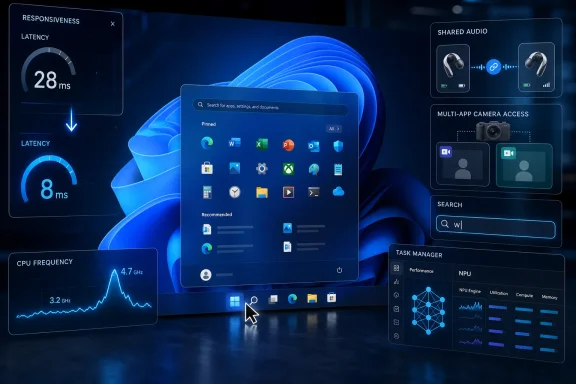
Microsoft’s June 9, 2026 cumulative update for Windows 11, KB5094126, ships to versions 24H2 and 25H2 with builds 26100.8655 and 26200.8655, adding a Low Latency Profile, Shared Audio, multi-app camera access, NPU telemetry, faster Search, Secure Boot certificate targeting, and security fixes. The headline feature is not a new app, a redesigned shell, or another AI button; it is a small scheduling change meant to make everyday clicks feel less sticky. That makes this update unusually revealing. Microsoft is trying to fix Windows 11’s perceived sluggishness not by asking users to buy a faster PC, but by admitting that responsiveness is partly a policy problem.

Tech UI overlay shows Windows app menu with latency, CPU frequency, shared audio, and task manager charts.Microsoft Finally Targets the Milliseconds Users Actually Notice​

For years, Windows performance conversations have been trapped between benchmark culture and lived experience. A PC can post excellent Cinebench numbers, launch a game at high frame rates, and still make the Start menu feel like it is thinking too hard about a simple request. That gap is where KB5094126 matters.
The new Low Latency Profile is designed to briefly raise CPU frequency during interactive actions such as launching an app, opening Start, or invoking common shell surfaces. The important word is briefly. Microsoft is not promising sustained workstation performance or a magical cure for bloated startup folders; it is trying to cut the visible hesitation that makes a modern PC feel older than it is.
That is a subtle but meaningful shift. Windows has long treated battery life, thermals, foreground responsiveness, background maintenance, and hardware diversity as a messy compromise. Low Latency Profile says the compromise may have been leaning too far toward restraint at precisely the moment users expect immediacy.
The feature’s reported one-to-three-second boost window also shows Microsoft has learned from the laptop era’s core tension. Run everything hot all the time and users complain about fans and battery drain. Wait too long to ramp clocks and users complain that Windows feels slow. The June update tries to spend a tiny amount of power at the moment perception is being formed.

The Faster PC Is Still the Same PC​

Nobody should mistake Low Latency Profile for a free hardware upgrade. It will not turn an overloaded budget machine into a workstation, fix a dying SSD, or make a 4GB system comfortable under modern Windows 11. The promise is narrower: reduce avoidable lag when the operating system is responding to human input.
That distinction matters because Windows performance is political inside the PC. The scheduler, power management stack, firmware, driver model, and application framework all compete to define what “fast” means. A benchmark asks whether the processor can finish a workload quickly; a user asks why the right-click menu took a beat to appear.
The June update seems aimed squarely at that second question. If Start opens faster, Search responds earlier, and apps appear to wake with less hesitation, Windows 11 earns goodwill without changing the machine’s peak capabilities. In consumer computing, feels faster is not a lesser achievement. It is often the only performance metric people remember.
There is also a quiet admission here about Windows 11’s reputation. Microsoft has spent years telling users that modern Windows is adaptive, efficient, and intelligent. Yet the complaints that stick are almost always about latency: Explorer pauses, context menus blink into being, shell surfaces stutter, Search waits for another character. KB5094126 is Microsoft treating responsiveness as a first-class deliverable rather than a side effect.

Patch Tuesday Becomes a Feature Delivery Vehicle Again​

KB5094126 is still a security update, and that fact should not be lost under the performance marketing. It includes the June 2026 security fixes and the usual servicing stack work that keeps Windows Update functioning. It also folds in improvements from the prior optional preview release, continuing Microsoft’s pattern of previewing non-security changes before pushing them broadly on Patch Tuesday.
For administrators, that makes the update both familiar and uncomfortable. Patch Tuesday is supposed to be the predictable day for risk reduction, not the day a shell performance feature, camera behavior change, Bluetooth sharing feature, and AI hardware telemetry update all arrive together. Microsoft’s servicing model increasingly makes those categories inseparable.
That is not necessarily reckless. A cumulative model reduces fragmentation and ensures most users eventually land on the same maintained baseline. But it also means that a security imperative can become the delivery mechanism for user-experience changes that enterprises may not have specifically asked for.
The gradual rollout caveat is important. Microsoft can ship the bits while enabling features in waves, using controlled rollout mechanisms to meter exposure and react if telemetry goes sideways. Users may install KB5094126 and still not see every advertised behavior immediately. For home users, that is confusing; for IT departments, it is another reminder that “installed” and “enabled” are no longer the same state.

Shared Audio Is a Small Feature With a Big Ecosystem Asterisk​

Shared Audio is the sort of feature that sounds obvious once it exists. Two people should be able to pair supported Bluetooth headsets to one Windows PC and listen together, just as phones and tablets have normalized more flexible personal audio. Windows, despite being the everything machine, has often lagged behind in these polished convenience cases.
The catch is hardware support. Shared Audio depends on compatible Bluetooth audio capabilities, and that means the experience will vary across laptops, adapters, drivers, and headsets. Microsoft can put the toggle in Quick Settings, but it cannot make every bargain Bluetooth stack behave like a modern premium device.
Still, the addition is strategically sensible. Windows 11 increasingly has to compete not just with macOS, but with the user expectations created by phones. People expect audio routing, camera access, search, and device sharing to feel fluid. If Windows is going to remain the primary general-purpose PC platform, it has to win these small quality-of-life battles.
For Windows enthusiasts, Shared Audio is less exciting than Low Latency Profile, but it may be more visible in living rooms, classrooms, dorms, and travel setups. The PC is no longer just a solitary desk machine. Microsoft’s problem is that Windows still sometimes behaves as though it is.

Multi-App Camera Access Fixes a Very Modern Annoyance​

The new ability for multiple applications to access the webcam simultaneously is another overdue correction. Hybrid work made the camera a contested resource: Teams, Zoom, browser-based meeting tools, recording apps, accessibility utilities, and background effects all want a piece of the same device. When the operating system treats the camera as a single-occupancy room, users get brittle workflows.
Multi-app camera access does not make every conferencing platform magically cooperative, but it gives Windows a better foundation. A user can be in one call while another app detects or signals an incoming session. More importantly, it reduces the sense that the camera stack is an old peripheral model awkwardly stretched over modern collaboration habits.
There is a security and privacy dimension here that Microsoft will need to keep sharp. More flexible camera sharing must not blur the user’s understanding of when the camera is active or which apps are consuming it. Windows has spent years building visible privacy indicators and permissions prompts; multi-app access increases the importance of those signals.
For admins, the practical question will be policy. Enterprises have legitimate reasons to constrain camera use, especially in regulated environments. The feature is useful, but it also reinforces the need to audit app permissions, conferencing defaults, and endpoint management settings rather than assuming the old one-app camera behavior still governs the desktop.

Task Manager Starts Speaking the Language of AI PCs​

Task Manager gaining optional NPU and NPU Engine columns is a small change that says a great deal about where Microsoft thinks Windows hardware is going. The Neural Processing Unit has moved from marketing slide to operating-system citizen. If a process can use local AI acceleration, Windows now needs a way to show that activity plainly.
This will matter most on Copilot+ PCs and other systems with compatible NPUs. On those machines, the old CPU-GPU-memory triad no longer tells the whole performance story. A system may feel busy because an AI feature is running locally, or it may be conserving power by shifting work away from the CPU and GPU. Without visibility, users and admins are left guessing.
Task Manager has always been Windows’ most democratic diagnostic tool. It is not the deepest profiler, but it is where ordinary users go when the fan spins up or an app misbehaves. Adding NPU usage there signals that AI acceleration is not supposed to remain a black box for developers and OEM dashboards.
The update also exposes a practical tension in Microsoft’s AI PC strategy. If the company wants users to trust local AI features, it has to show what those features are doing. NPU columns are not glamorous, but transparency is infrastructure. Without it, “AI running on-device” risks becoming just another vague performance claim.

Search Gets Less Picky, Which Is Exactly the Point​

The change allowing Windows Search to return results with as few as two characters looks tiny on paper. In practice, it removes a small but persistent source of friction. Users do not think in minimum character thresholds; they type “pw,” “hr,” “vm,” “ps,” or the first two letters of a file and expect the system to try.
Search has been one of Windows 11’s most frustratingly inconsistent surfaces. It is asked to be a file finder, settings launcher, app launcher, web gateway, and sometimes a promotional panel. When it hesitates or refuses to search because a query is too short, the failure feels arbitrary.
Two-character search will not solve the deeper identity crisis of Windows Search. Microsoft still has to balance local relevance, cloud suggestions, enterprise indexing, privacy, and performance. But the June update moves in the right direction by reducing the number of moments where the user has to adapt to the system’s limitations.
There is an enterprise angle here, too. Shorter queries can be useful in environments where files, internal tools, project codes, and acronyms are compact by design. If Search becomes more responsive and more permissive at the same time, it can reclaim some of the trust lost to third-party launchers and file indexing utilities.

Secure Boot Is the Quiet Deadline Under the Shiny Features​

The Secure Boot certificate work in KB5094126 is less flashy than a CPU boost, but it may be more consequential over time. Microsoft has warned that Secure Boot certificates used by many Windows devices are expiring starting in June 2026, and the company has been expanding the set of devices eligible to receive updated certificates automatically.
This is the sort of plumbing that only becomes famous when it fails. Secure Boot is part of the chain of trust that helps ensure a machine starts with approved boot components. Certificate expiration does not mean PCs suddenly stop working on the deadline, but it does create a long-tail servicing problem across consumer machines, managed fleets, old installation media, recovery environments, and devices that have missed updates.
Microsoft’s language around “high confidence device targeting” is worth parsing. The company is not simply blasting new certificates at every device with abandon. It is using signals from successful updating to decide where the rollout is safe. That is prudent, but it also means certificate modernization is a phased campaign rather than a one-day fix.
For IT pros, the Secure Boot work is the part of KB5094126 that deserves a spot in deployment notes. Imaging pipelines, offline media, recovery partitions, and dynamic update processes all need attention when boot trust changes. The feature list may sell this update to consumers; the certificate transition is what will keep administrators busy.

The Known-Issues Line Deserves Skepticism, Not Panic​

Microsoft’s support page says it is not currently aware of known issues with the update. That is a useful official statement, but not a guarantee that every install will be uneventful. Every Patch Tuesday produces a gap between telemetry-scale confidence and individual machine weirdness.
Early user reports around cumulative updates often include failed installations, Start menu oddities, Search problems, driver conflicts, or accessibility regressions. Some are real defects, some are corrupted local state exposed by the update, and some are coincidence. The responsible posture is neither denial nor panic; it is staged deployment and disciplined troubleshooting.
For home users, the practical advice is boring because boring advice works. Reboot fully, make sure backups exist, do not interrupt installation, and give feature rollouts time to appear. If a critical workflow depends on a niche driver, accessibility tool, or conferencing setup, wait a few days and watch for confirmed patterns before forcing the update manually.
For managed environments, the calculus is stricter. Security fixes still matter, but rings, pilot groups, rollback plans, and help-desk scripts matter too. KB5094126 is not just a patch; it is a patch with behavioral changes in performance, media, camera, search, and boot trust. Treating it as routine may be efficient, but it is not careful.

Microsoft’s Real Bet Is That Windows Can Feel Modern Without Looking New​

The most interesting thing about KB5094126 is what it does not do. It does not redesign the desktop, rename the Start menu, or invent another sidebar. It improves the way existing surfaces respond. After years of Windows 11 debates dominated by UI rearrangement and AI branding, that feels almost radical.
Microsoft’s consumer Windows strategy has often confused novelty with progress. Users notice new icons, new panels, and new defaults, but they reward speed, predictability, and control. Low Latency Profile is compelling because it targets a sensation rather than a screenshot.
That also makes it risky. If users do not feel the difference, the feature will be dismissed as another invisible optimization. If they do feel it, they may ask why Windows 11 needed years to treat common interactions as latency-sensitive. Either outcome keeps pressure on Microsoft to keep improving the shell’s responsiveness.
There is a lesson here for the broader PC industry. Hardware vendors love selling performance headroom, but much of the modern PC experience is governed by when software chooses to use that headroom. A faster processor cannot compensate for hesitant scheduling forever. The June update suggests Microsoft is finally willing to tune Windows for the way people perceive time.

The June Patch Is a Responsiveness Test Disguised as a Servicing Release​

KB5094126 should be read less as a single update and more as a survey of Microsoft’s current Windows priorities. The company wants Windows 11 to feel faster, behave better in hybrid work, support more personal device-sharing scenarios, expose AI hardware activity, and quietly prepare the Secure Boot trust chain for the next phase. That is a lot of ambition packed into a cumulative update.
The concrete points are straightforward:
  • KB5094126 was released on June 9, 2026 for Windows 11 versions 24H2 and 25H2, raising systems to builds 26100.8655 and 26200.8655.
  • Low Latency Profile is intended to improve perceived responsiveness by briefly boosting CPU frequency during common interactive tasks.
  • Shared Audio and multi-app camera access modernize Windows for real-world conferencing, travel, classroom, and shared-listening scenarios.
  • Task Manager’s new NPU columns make AI accelerator usage more visible on compatible hardware, especially Copilot+ PCs.
  • Windows Search becoming useful with two-character queries removes a small but irritating limitation in daily navigation.
  • Secure Boot certificate targeting is the sleeper item administrators should track, particularly for managed fleets, installation media, and recovery workflows.
The update’s success will not be measured only by whether it installs cleanly. It will be measured by whether users stop noticing the little pauses that have made Windows 11 feel heavier than its hardware should allow.
Microsoft has spent much of the Windows 11 era asking users to accept a more managed, more cloud-connected, and more opinionated desktop; KB5094126 is a reminder that the company still has to win the oldest argument in personal computing, which is whether the machine responds when the user asks it to. If Low Latency Profile works as intended and Microsoft keeps applying the same discipline to Search, Explorer, Start, and device handling, the future of Windows performance may be less about spectacular benchmark leaps and more about reclaiming the milliseconds that make a PC feel alive.

References​

  1. Primary source: PCWorld
    Published: Mon, 15 Jun 2026 11:00:00 GMT
  2. Related coverage: techradar.com
  3. Related coverage: allthings.how
  4. Related coverage: windowslatest.com
  5. Related coverage: windowsforum.com
  6. Related coverage: windowscult.com
  1. Related coverage: windows-faq.de
  2. Related coverage: windowscentral.com
 

Back
Top