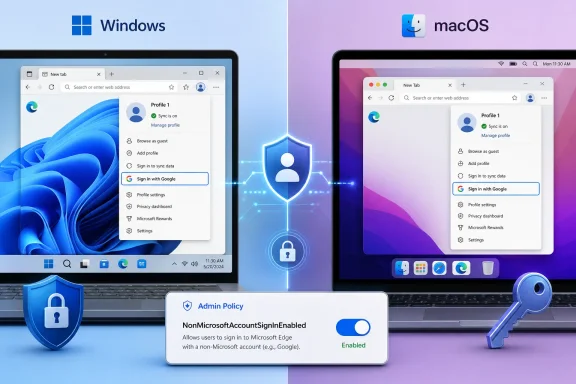
Microsoft Edge Beta 150 added Google account sign-in for browser profiles on June 11, 2026, with Microsoft planning availability on Windows and macOS and administrator control through the new NonMicrosoftAccountSignInEnabled policy. That is the factual core, but the strategic point is larger: Edge is finally treating identity as a migration barrier rather than a loyalty test. For a browser that has spent years being technically competent and behaviorally needy, this is a meaningful change in posture.
For most of Chromium Edge’s life, Microsoft’s pitch has had an odd contradiction at its center. Edge is built on the same rendering engine as Chrome, supports much of the same extension ecosystem, and often competes on performance, enterprise management, PDF handling, vertical tabs, sleeping tabs, collections, and Microsoft 365 integration. Yet the moment a user wanted the browser to feel portable, Edge pushed them back into Microsoft’s account system.
That was not a small ask. Browser sign-in is no longer a decorative convenience. It is the pipe through which passwords, bookmarks, payment data, addresses, open tabs, history, extensions, and settings follow users from laptop to desktop to phone. In 2026, asking a Chrome user to “just create or use a Microsoft account” is not a neutral onboarding step; it is a request to redraw part of their digital identity map.
The new Google account option changes that negotiation. It does not make Edge into Chrome, and it does not mean Microsoft has ceded the browser war. It means Microsoft has noticed that browser switching is less about rendering engines than about the accumulated friction of everyday continuity.
That distinction matters because Edge’s problem has rarely been that people cannot use it. Windows users are surrounded by it. The harder problem has been that many users do not want to commit to it, and Microsoft account dependency has been one of the clearest reasons why.
But compatibility solved only one half of the adoption puzzle. A browser is not just a viewport for the web. It is a credential vault, a settings profile, a tab memory, a bookmark archive, and increasingly an AI and productivity surface. Once users have invested years into one browser account, the switching cost becomes invisible but powerful.
Microsoft has tried to chip away at that cost with import tools. Edge can bring in favorites, saved passwords, history, and other data from Chrome. But import is a snapshot, not a relationship. It helps on day one, then leaves the user with two diverging browser lives unless they fully migrate.
Google account sign-in is different in kind. If Microsoft implements it broadly, it suggests Edge can become a browser that acknowledges a Google-centered user without immediately trying to convert that user into a Microsoft-centered one. That may sound like a small UX concession, but it goes directly at the reason many users test Edge, admire parts of it, and then drift back to Chrome.
The irony is that Edge has often been at its best when it stops trying to win an ecosystem argument. Its strongest features are practical: good tab management, polished PDF tools, granular enterprise policies, sleeping tabs, sidebar utilities, and deep Windows integration. The account wall made the product feel less confident than the engineering behind it.
Microsoft’s release notes describe Google account sign-in as an addition to Microsoft account sign-in, not as a replacement. That wording is important. Edge is not becoming a Google product, and Microsoft is not offering some abstract browser neutrality. The company is adding another accepted identity provider to the profile system.
The unanswered question is how deep the integration goes. Windows Report says Microsoft has not fully detailed which sync capabilities will be available through Google sign-in. Microsoft’s Beta release note says users can sign in to Edge using a Google account, but it does not by itself settle whether every category of Edge sync will behave exactly as it does with a Microsoft account.
That ambiguity is not a footnote. If Google sign-in merely signs the browser profile into a Google identity while Edge still requires a Microsoft account for meaningful sync, the feature will be more cosmetic than transformative. If it supports full profile sync without Microsoft account linkage, it becomes one of the most important Edge adoption changes since the Chromium rebuild.
The most likely first version sits somewhere between those extremes. Microsoft has strong incentives to make the experience good enough to remove the obvious barrier, while still preserving differentiated value for Microsoft accounts in work, school, Copilot, Microsoft Rewards, and Microsoft 365 scenarios. The danger is that users will not parse that nuance; they will simply click Google, expect Chrome-like continuity, and judge the feature by what follows.
That user may have an Android phone, Gmail, Google Photos, Google Drive, YouTube Premium, Chrome on a work laptop, and years of saved passwords attached to a Google account. Microsoft can argue that Edge is faster, safer, more efficient, or better integrated with Windows, but none of that matters if the first serious step into the browser asks the user to split their personal web life.
The market context also matters. Chrome remains the dominant desktop browser by a huge margin. Edge, despite being installed by default on Windows and aggressively promoted across Microsoft surfaces, has not translated platform privilege into Chrome-level consumer adoption. Microsoft’s browser is big enough to matter, especially in enterprise, but not big enough to make consumer inertia irrelevant.
Google sign-in is a recognition that the default browser fight has become less effective than the default account fight. Microsoft already controls the Windows shell, the taskbar prompts, the out-of-box experience, and many file associations. But Google controls the account relationship for a massive number of web users. Edge can be preinstalled and still feel foreign if it refuses to meet users where their identity already lives.
This is why the move feels more important than another sidebar feature or AI button. It attacks a psychological barrier. Users do not want to feel that testing Edge means joining another ecosystem. They want the option to treat Edge as an alternative client for the web life they already have.
Google account sign-in cuts in the opposite direction. It says: bring your existing identity, try the browser, and perhaps decide on the merits. That is a healthier strategy because it lowers defensiveness. It also aligns with the reality that Microsoft makes money from cloud services, advertising, search, subscriptions, enterprise management, and AI surfaces even when the user’s primary consumer email address ends in Gmail.
There is a broader pattern here. Microsoft has spent the last decade moving from Windows-first absolutism toward a more flexible, services-first posture. Office came to iPad. Microsoft 365 works across browsers. Teams, OneDrive, Outlook, and Defender have lives outside Windows. Edge supporting Google account sign-in fits that same evolution, even if it arrives late.
The move also reflects a more mature understanding of competition. Microsoft does not need to defeat Google identity at the door to make Edge useful. It can instead make Edge the place where Google users encounter Microsoft services, Bing, Copilot, shopping features, security controls, and enterprise policy. In platform strategy, lowering the entry tax can be more valuable than forcing a conversion too early.
That does not make Microsoft newly altruistic. The company is still trying to grow Edge, defend Bing distribution, and increase the surface area for its AI and productivity products. But the mechanism is better. A browser that accepts the user’s existing identity has a better chance of becoming habit than a browser that starts with a lecture about account choice.
Corporate Edge deployments often depend on Microsoft Entra ID, work profiles, conditional access, single sign-on, Intune configuration, and policies that restrict which accounts can sync or access company resources. Letting users add non-Microsoft accounts to browser profiles could complicate that model if it is not governed carefully. A personal Google account in a browser that also touches work data is exactly the kind of edge case administrators are paid to worry about.
Microsoft already gives organizations controls for browser sign-in, sync, profile behavior, and account restrictions. The addition of a specific policy for non-Microsoft account sign-in tells IT departments that this is not merely a consumer experiment leaking into enterprise builds. It is a feature Microsoft expects some organizations to allow and others to block.
That is the right call. In some companies, Google account sign-in will be harmless or even useful, especially in mixed Microsoft-Google environments. In others, it will violate carefully designed separation between work and personal identities. The browser has become too central to security posture for Microsoft to pretend one default fits all.
The practical advice for administrators is simple: do not wait for the rollout to reach stable builds before deciding what your policy should be. If your organization standardizes on Edge work profiles tied to Entra accounts, evaluate whether non-Microsoft browser sign-in changes your risk model. If you manage a Google Workspace-heavy environment that still uses Windows endpoints, the feature could make Edge more viable without forcing users into awkward dual-account patterns.
There are technical and business complications. Edge’s sync infrastructure has historically been tied to Microsoft accounts and work or school accounts. Google accounts, meanwhile, are central to Chrome’s own sync model. Microsoft adding Google identity does not automatically mean Microsoft can or will use Google’s Chrome sync backend, and there may be limits on what data can move between these systems.
That means Microsoft has to communicate clearly. If Google sign-in supports Edge sync stored through Microsoft-controlled infrastructure using Google as an identity provider, say so. If it supports only a subset of profile features, say that too. If a Microsoft account is still required for certain Edge services, users should not discover that after the happy-path sign-in screen.
This is where Microsoft’s history cuts both ways. The company has often built excellent enterprise-grade controls and then buried important consumer implications in vague product language. With Google sign-in, vagueness would be costly. The users most likely to care about this feature are precisely the ones comparing it against Chrome’s mature, familiar sync behavior.
There is also a trust angle. Passwords and browser history are sensitive data. A Google user signing into Edge will reasonably want to know who stores what, which services process it, and how it can be deleted. Microsoft does not need to turn onboarding into a legal seminar, but it does need a plain-language account and sync explanation that does not feel like a bait-and-switch.
In that environment, account sign-in is not a mere settings feature. It is the anchor for personalization, monetization, and lock-in. The browser that owns the account relationship gets the easiest path to recommendations, saved credentials, cross-device continuity, and default service placement.
Microsoft knows this because it built much of modern Windows and Office around account gravity. Google knows it because Chrome’s success is inseparable from Google account integration. The difference now is that Microsoft appears willing to borrow some of Google’s gravity to get users through Edge’s front door.
That is a clever move, but also a humbling one. It acknowledges that Edge’s technical merits have not been enough to overcome entrenched user identity. For a company with Microsoft’s distribution power, that is a notable admission. Windows can put Edge on the machine, but it cannot make Edge feel like home.
The July 2026 rollout will therefore be a test of whether Microsoft can separate adoption from account conquest. If it can, Edge becomes a more plausible browser for users who live across ecosystems. If it cannot, the Google button will become another example of Microsoft recognizing friction but not quite removing it.
The consumer sees a Google button. The administrator sees a policy boundary. The strategist sees a platform concession. All three views are correct.
Microsoft could eventually extend this model beyond Google, though nothing in the current rollout proves that it will. Apple ID support, GitHub support, or broader third-party identity support would each make sense for different audiences, but Google is the obvious first move because Chrome is the browser Microsoft most needs to loosen. This is less about identity pluralism in the abstract than about reducing Chrome’s switching advantage.
The naming also hints at future tension. If enterprises can broadly disable non-Microsoft sign-ins, Microsoft can satisfy administrators while still courting consumers. But consumer and work identities often collide on the same laptop. The edge cases will come quickly: personal Google profile next to work Edge profile, Google Workspace account in a Microsoft-managed browser, school tenants with mixed identity stacks, and users who expect account separation to be cleaner than it actually is.
That is not a reason to avoid the feature. It is a reason to treat browser profiles as first-class security and usability objects. Microsoft has the policy machinery to do this well. The question is whether the consumer UX will be equally mature.
But the signal is larger because Microsoft is moving away from the assumption that Edge adoption must begin with Microsoft account adoption. That assumption has been one of the browser’s self-inflicted wounds. It made Edge feel less like a neutral browser and more like another onboarding funnel for the Microsoft ecosystem.
The best version of this change makes Edge easier to recommend. It lets a Windows enthusiast tell a Chrome-using family member, “Try Edge; you can sign in with your Google account,” instead of explaining Microsoft account aliases and import flows. It lets a Mac user test Edge without feeling like they are joining a second identity universe. It gives mixed-environment IT departments one less reason to dismiss Edge as too Microsoft-centric for their users.
The worst version is also easy to imagine. Microsoft could expose the Google sign-in button but hold back key sync features, bury limitations in documentation, or interrupt the flow with prompts that steer users back toward Microsoft accounts. That would turn a promising concession into another trust-eroding growth tactic.
Microsoft’s challenge, then, is restraint. The company should let the feature solve the problem it is meant to solve. If users choose Edge because it finally works with their existing account life, Microsoft will have earned more than it could get by nagging them through another sign-in wall.
The details still matter, especially around sync scope, privacy language, and whether stable-channel behavior matches the current Beta description. But even with those caveats, the direction is clear enough to matter.
 Microsoft Finally Stops Making Identity the Cover Charge
For most of Chromium Edge’s life, Microsoft’s pitch has had an odd contradiction at its center. Edge is built on the same rendering engine as Chrome, supports much of the same extension ecosystem, and often competes on performance, enterprise management, PDF handling, vertical tabs, sleeping tabs, collections, and Microsoft 365 integration. Yet the moment a user wanted the browser to feel portable, Edge pushed them back into Microsoft’s account system.That was not a small ask. Browser sign-in is no longer a decorative convenience. It is the pipe through which passwords, bookmarks, payment data, addresses, open tabs, history, extensions, and settings follow users from laptop to desktop to phone. In 2026, asking a Chrome user to “just create or use a Microsoft account” is not a neutral onboarding step; it is a request to redraw part of their digital identity map.
The new Google account option changes that negotiation. It does not make Edge into Chrome, and it does not mean Microsoft has ceded the browser war. It means Microsoft has noticed that browser switching is less about rendering engines than about the accumulated friction of everyday continuity.
That distinction matters because Edge’s problem has rarely been that people cannot use it. Windows users are surrounded by it. The harder problem has been that many users do not want to commit to it, and Microsoft account dependency has been one of the clearest reasons why.
Edge’s Best Argument Was Always Undermined by the Sign-In Screen
The modern Edge story began with a pragmatic surrender. Microsoft abandoned its proprietary EdgeHTML engine and rebuilt Edge on Chromium, effectively accepting that web compatibility had become too important to fight with a minority engine. That move made Edge more credible overnight among developers, IT departments, and ordinary users who simply wanted sites to work.But compatibility solved only one half of the adoption puzzle. A browser is not just a viewport for the web. It is a credential vault, a settings profile, a tab memory, a bookmark archive, and increasingly an AI and productivity surface. Once users have invested years into one browser account, the switching cost becomes invisible but powerful.
Microsoft has tried to chip away at that cost with import tools. Edge can bring in favorites, saved passwords, history, and other data from Chrome. But import is a snapshot, not a relationship. It helps on day one, then leaves the user with two diverging browser lives unless they fully migrate.
Google account sign-in is different in kind. If Microsoft implements it broadly, it suggests Edge can become a browser that acknowledges a Google-centered user without immediately trying to convert that user into a Microsoft-centered one. That may sound like a small UX concession, but it goes directly at the reason many users test Edge, admire parts of it, and then drift back to Chrome.
The irony is that Edge has often been at its best when it stops trying to win an ecosystem argument. Its strongest features are practical: good tab management, polished PDF tools, granular enterprise policies, sleeping tabs, sidebar utilities, and deep Windows integration. The account wall made the product feel less confident than the engineering behind it.
Google Sign-In Makes Edge Less Like a Walled Garden and More Like a Browser
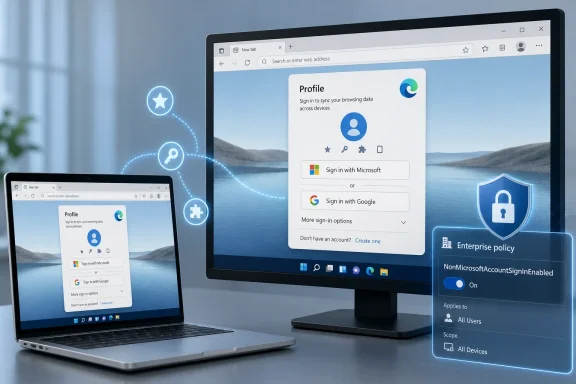
The reported rollout is straightforward. Users should see a Google account option in the Edge profile menu and sign-in screen, beginning with controlled availability in Edge Beta 150 and moving toward wider global rollout in July 2026. The feature is listed for Windows and macOS, which is the right initial target because those are the platforms where browser switching is most consequential.Microsoft’s release notes describe Google account sign-in as an addition to Microsoft account sign-in, not as a replacement. That wording is important. Edge is not becoming a Google product, and Microsoft is not offering some abstract browser neutrality. The company is adding another accepted identity provider to the profile system.
The unanswered question is how deep the integration goes. Windows Report says Microsoft has not fully detailed which sync capabilities will be available through Google sign-in. Microsoft’s Beta release note says users can sign in to Edge using a Google account, but it does not by itself settle whether every category of Edge sync will behave exactly as it does with a Microsoft account.
That ambiguity is not a footnote. If Google sign-in merely signs the browser profile into a Google identity while Edge still requires a Microsoft account for meaningful sync, the feature will be more cosmetic than transformative. If it supports full profile sync without Microsoft account linkage, it becomes one of the most important Edge adoption changes since the Chromium rebuild.
The most likely first version sits somewhere between those extremes. Microsoft has strong incentives to make the experience good enough to remove the obvious barrier, while still preserving differentiated value for Microsoft accounts in work, school, Copilot, Microsoft Rewards, and Microsoft 365 scenarios. The danger is that users will not parse that nuance; they will simply click Google, expect Chrome-like continuity, and judge the feature by what follows.
The Chrome Switcher Is the Real Audience
This change is not primarily for Edge loyalists. Those users already made their peace with Microsoft account sign-in or run Edge unsigned. It is for the enormous pool of Windows and Mac users whose browser identity is Google-shaped even when the operating system is not.That user may have an Android phone, Gmail, Google Photos, Google Drive, YouTube Premium, Chrome on a work laptop, and years of saved passwords attached to a Google account. Microsoft can argue that Edge is faster, safer, more efficient, or better integrated with Windows, but none of that matters if the first serious step into the browser asks the user to split their personal web life.
The market context also matters. Chrome remains the dominant desktop browser by a huge margin. Edge, despite being installed by default on Windows and aggressively promoted across Microsoft surfaces, has not translated platform privilege into Chrome-level consumer adoption. Microsoft’s browser is big enough to matter, especially in enterprise, but not big enough to make consumer inertia irrelevant.
Google sign-in is a recognition that the default browser fight has become less effective than the default account fight. Microsoft already controls the Windows shell, the taskbar prompts, the out-of-box experience, and many file associations. But Google controls the account relationship for a massive number of web users. Edge can be preinstalled and still feel foreign if it refuses to meet users where their identity already lives.
This is why the move feels more important than another sidebar feature or AI button. It attacks a psychological barrier. Users do not want to feel that testing Edge means joining another ecosystem. They want the option to treat Edge as an alternative client for the web life they already have.
Microsoft’s Browser Strategy Is Becoming Less Combative Because It Has To
For years, Microsoft’s Edge behavior often seemed to reveal a company that wanted users to choose Edge but did not fully trust them to do so. Windows has displayed browser prompts, default-app nudges, search handoffs, and “recommended settings” flows that made Edge feel less like an option and more like a campaign. Some of those tactics may have produced short-term usage, but they also hardened the perception that Edge needed pressure to compete.Google account sign-in cuts in the opposite direction. It says: bring your existing identity, try the browser, and perhaps decide on the merits. That is a healthier strategy because it lowers defensiveness. It also aligns with the reality that Microsoft makes money from cloud services, advertising, search, subscriptions, enterprise management, and AI surfaces even when the user’s primary consumer email address ends in Gmail.
There is a broader pattern here. Microsoft has spent the last decade moving from Windows-first absolutism toward a more flexible, services-first posture. Office came to iPad. Microsoft 365 works across browsers. Teams, OneDrive, Outlook, and Defender have lives outside Windows. Edge supporting Google account sign-in fits that same evolution, even if it arrives late.
The move also reflects a more mature understanding of competition. Microsoft does not need to defeat Google identity at the door to make Edge useful. It can instead make Edge the place where Google users encounter Microsoft services, Bing, Copilot, shopping features, security controls, and enterprise policy. In platform strategy, lowering the entry tax can be more valuable than forcing a conversion too early.
That does not make Microsoft newly altruistic. The company is still trying to grow Edge, defend Bing distribution, and increase the surface area for its AI and productivity products. But the mechanism is better. A browser that accepts the user’s existing identity has a better chance of becoming habit than a browser that starts with a lecture about account choice.
Enterprise IT Gets a Switch, Because Consumer Convenience Is a Governance Problem
The most revealing detail in the rollout may be the policy control. Administrators can disable Google account sign-in using NonMicrosoftAccountSignInEnabled, and that matters because browser identity is not just a consumer convenience. In managed environments, it is a data boundary.Corporate Edge deployments often depend on Microsoft Entra ID, work profiles, conditional access, single sign-on, Intune configuration, and policies that restrict which accounts can sync or access company resources. Letting users add non-Microsoft accounts to browser profiles could complicate that model if it is not governed carefully. A personal Google account in a browser that also touches work data is exactly the kind of edge case administrators are paid to worry about.
Microsoft already gives organizations controls for browser sign-in, sync, profile behavior, and account restrictions. The addition of a specific policy for non-Microsoft account sign-in tells IT departments that this is not merely a consumer experiment leaking into enterprise builds. It is a feature Microsoft expects some organizations to allow and others to block.
That is the right call. In some companies, Google account sign-in will be harmless or even useful, especially in mixed Microsoft-Google environments. In others, it will violate carefully designed separation between work and personal identities. The browser has become too central to security posture for Microsoft to pretend one default fits all.
The practical advice for administrators is simple: do not wait for the rollout to reach stable builds before deciding what your policy should be. If your organization standardizes on Edge work profiles tied to Entra accounts, evaluate whether non-Microsoft browser sign-in changes your risk model. If you manage a Google Workspace-heavy environment that still uses Windows endpoints, the feature could make Edge more viable without forcing users into awkward dual-account patterns.
The Sync Question Will Decide Whether This Is a Feature or a Footnote
The largest unknown remains sync. A browser sign-in option without robust sync is like a front door that opens into a waiting room. Users will judge the feature not by the account picker but by whether their bookmarks, passwords, settings, extensions, and browsing state follow them in ways that feel predictable.There are technical and business complications. Edge’s sync infrastructure has historically been tied to Microsoft accounts and work or school accounts. Google accounts, meanwhile, are central to Chrome’s own sync model. Microsoft adding Google identity does not automatically mean Microsoft can or will use Google’s Chrome sync backend, and there may be limits on what data can move between these systems.
That means Microsoft has to communicate clearly. If Google sign-in supports Edge sync stored through Microsoft-controlled infrastructure using Google as an identity provider, say so. If it supports only a subset of profile features, say that too. If a Microsoft account is still required for certain Edge services, users should not discover that after the happy-path sign-in screen.
This is where Microsoft’s history cuts both ways. The company has often built excellent enterprise-grade controls and then buried important consumer implications in vague product language. With Google sign-in, vagueness would be costly. The users most likely to care about this feature are precisely the ones comparing it against Chrome’s mature, familiar sync behavior.
There is also a trust angle. Passwords and browser history are sensitive data. A Google user signing into Edge will reasonably want to know who stores what, which services process it, and how it can be deleted. Microsoft does not need to turn onboarding into a legal seminar, but it does need a plain-language account and sync explanation that does not feel like a bait-and-switch.
Edge’s Identity Shift Lands in a More Crowded Browser Moment
This change arrives as browsers are being pulled in multiple directions at once. Google is defending Chrome’s dominance while integrating more AI features and tightening security defaults. Apple continues to use Safari as a platform lever across macOS and iOS. Mozilla is trying to keep Firefox relevant as an independent engine and privacy counterweight. Microsoft is turning Edge into a container for Copilot, shopping tools, productivity shortcuts, and enterprise controls.In that environment, account sign-in is not a mere settings feature. It is the anchor for personalization, monetization, and lock-in. The browser that owns the account relationship gets the easiest path to recommendations, saved credentials, cross-device continuity, and default service placement.
Microsoft knows this because it built much of modern Windows and Office around account gravity. Google knows it because Chrome’s success is inseparable from Google account integration. The difference now is that Microsoft appears willing to borrow some of Google’s gravity to get users through Edge’s front door.
That is a clever move, but also a humbling one. It acknowledges that Edge’s technical merits have not been enough to overcome entrenched user identity. For a company with Microsoft’s distribution power, that is a notable admission. Windows can put Edge on the machine, but it cannot make Edge feel like home.
The July 2026 rollout will therefore be a test of whether Microsoft can separate adoption from account conquest. If it can, Edge becomes a more plausible browser for users who live across ecosystems. If it cannot, the Google button will become another example of Microsoft recognizing friction but not quite removing it.
The Policy Name Says the Quiet Part Out Loud
NonMicrosoftAccountSignInEnabled is not a graceful name, but it is an honest one. The feature is not merely “Google sign-in.” It is Microsoft creating a category for accounts that are not Microsoft accounts. That framing reveals how Edge has traditionally understood identity: Microsoft first, everything else outside the fence.The consumer sees a Google button. The administrator sees a policy boundary. The strategist sees a platform concession. All three views are correct.
Microsoft could eventually extend this model beyond Google, though nothing in the current rollout proves that it will. Apple ID support, GitHub support, or broader third-party identity support would each make sense for different audiences, but Google is the obvious first move because Chrome is the browser Microsoft most needs to loosen. This is less about identity pluralism in the abstract than about reducing Chrome’s switching advantage.
The naming also hints at future tension. If enterprises can broadly disable non-Microsoft sign-ins, Microsoft can satisfy administrators while still courting consumers. But consumer and work identities often collide on the same laptop. The edge cases will come quickly: personal Google profile next to work Edge profile, Google Workspace account in a Microsoft-managed browser, school tenants with mixed identity stacks, and users who expect account separation to be cleaner than it actually is.
That is not a reason to avoid the feature. It is a reason to treat browser profiles as first-class security and usability objects. Microsoft has the policy machinery to do this well. The question is whether the consumer UX will be equally mature.
The July Rollout Is Small, but the Signal Is Not
The immediate user-visible change may be modest. A new sign-in option appears in the profile menu. A user clicks Google instead of Microsoft. Edge creates or attaches a profile. Some set of sync and account-connected features becomes available, depending on Microsoft’s final implementation.But the signal is larger because Microsoft is moving away from the assumption that Edge adoption must begin with Microsoft account adoption. That assumption has been one of the browser’s self-inflicted wounds. It made Edge feel less like a neutral browser and more like another onboarding funnel for the Microsoft ecosystem.
The best version of this change makes Edge easier to recommend. It lets a Windows enthusiast tell a Chrome-using family member, “Try Edge; you can sign in with your Google account,” instead of explaining Microsoft account aliases and import flows. It lets a Mac user test Edge without feeling like they are joining a second identity universe. It gives mixed-environment IT departments one less reason to dismiss Edge as too Microsoft-centric for their users.
The worst version is also easy to imagine. Microsoft could expose the Google sign-in button but hold back key sync features, bury limitations in documentation, or interrupt the flow with prompts that steer users back toward Microsoft accounts. That would turn a promising concession into another trust-eroding growth tactic.
Microsoft’s challenge, then, is restraint. The company should let the feature solve the problem it is meant to solve. If users choose Edge because it finally works with their existing account life, Microsoft will have earned more than it could get by nagging them through another sign-in wall.
Where Windows Users and Admins Should Place Their Bets
The practical meaning of this rollout depends on who is touching Edge. For consumers, it lowers the emotional and logistical cost of trying Microsoft’s browser. For administrators, it adds one more identity path that should be explicitly allowed or blocked. For Microsoft, it is a test of whether Edge can compete by reducing friction rather than increasing pressure.The details still matter, especially around sync scope, privacy language, and whether stable-channel behavior matches the current Beta description. But even with those caveats, the direction is clear enough to matter.
- Edge Beta 150 already lists Google account sign-in for Windows and macOS, with broader availability expected through a controlled rollout in July 2026.
- Users should expect the Google option to appear in the profile menu and Edge sign-in screen rather than as a separate browser mode.
- Microsoft has not fully clarified which sync categories will be supported for Google-authenticated profiles, so early adopters should verify passwords, favorites, history, extensions, and settings before assuming Chrome-like continuity.
- Organizations can disable the new non-Microsoft account sign-in path with the NonMicrosoftAccountSignInEnabled policy.
- IT teams should review Edge profile, sync, and account restriction policies before the feature reaches their managed fleet.
- The feature’s success will depend less on the presence of a Google button and more on whether Microsoft resists turning that button into another detour back to Microsoft account enrollment.
References
- Primary source: Windows Report
Published: 2026-06-17T20:12:08.016959
Microsoft Edge is Finally Getting Google Account Sign-in Support This July
Microsoft Edge will let users sign in with Google accounts starting July 2026, expanding beyond Microsoft accounts. windowsreport.com
- Official source: learn.microsoft.com
Microsoft Edge Browser Policy Documentation BrowserSignin | Microsoft Learn
Windows and Mac documentation for supported Microsoft Edge Browser policy: Browser sign-in settingslearn.microsoft.com - Official source: microsoft.com

Profiles and Work Sign-in | Microsoft Edge
Create work, personal, and guest profiles in Microsoft Edge. Sign in for single sign-on, Microsoft 365 features, and a browsing experience tailored to you.
www.microsoft.com
- Official source: support.google.com

Force users to sign in to Chrome browser (user policies only) - Chrome Enterprise and Education Help
For administrators who manage user-level Chrome browser policies from the Google Admin console. Applies to managed Chrome browsers on Windows, Mac (version 70 or later), and Linux (version 145 or lat
support.google.com
- Official source: blogs.windows.com
Sign-in and sync with work or school accounts in Microsoft Edge Insider builds
A top piece of feedback we’ve heard from Microsoft Edge Insiders is that you want to be able to roam your settings and browsing data across your work or school accounts in Microsoft Edge. Today, we’re excited to announce that Azure Active Directory work and school accounts now support sign-in...blogs.windows.com - Related coverage: pcworld.com
Microsoft Edge starts phasing out key password manager feature | PCWorld
You will no longer be able to create a master password for Edge's password manager. Existing master passwords will eventually be deprecated, too.www.pcworld.com
- Related coverage: chromeenterprise.google
SigninAllowed: Allow sign in to Google Chrome | Chrome Enterprise
This policy is deprecated, consider using BrowserSignin instead. Allows the user to sign in to Google Chrome. Setting this policy to Enabled will allow the user to sign in to Google Chrome. Setting this policy to Disabled will prevent sign in. It also blocks apps and extensions that use the...chromeenterprise.google - Related coverage: geekrewind.com
How to Enable or Disable Microsoft Edge Sign-In | Geek Rewind
Master Microsoft Edge sign-in with our complete guide. Learn to enable or disable sign-in for seamless browsing across devices.geekrewind.com - Official source: services.google.com
- Related coverage: scscc.club
</rdf:Alt> </dc:title> <dc:description> <rdf:Alt> <rdf:li xml:lang="x-default"/> </rdf:Alt> </dc:description> <dc:creator> <rdf:Seq> <rdf:li>Bill Wi
</rdf:Alt> </dc:description> <dc:creator> <rdf:Seq> <rdf:li>Bill Wilkinsonwww.scscc.club
- Related coverage: core-docs.s3.us-east-1.amazonaws.com
- Related coverage: breakwaterit.co.uk