

OSNews managing editor Thom Holwerda, marking 20000 stories across 21 years at the site, used stock Windows 11 exclusively for a month after a fundraiser incentive and concluded he would not stay, calling the experience punishing despite finding a few modern conveniences that worked. The value of the experiment is not that one Linux loyalist disliked Windows; that outcome was always plausible. The value is that Holwerda’s month exposed the precise places where Windows 11 still feels less like a coherent operating system than a stack of Microsoft eras, monetization schemes, driver dependencies, and half-finished migrations. For Windows users and IT pros, the uncomfortable lesson is that Windows 11’s biggest rivals are not only Fedora, KDE, or GNOME; they are the expectations Microsoft itself has trained users to have about polish, hardware support, and administrative predictability.
The setup was almost too perfect: a long-time Linux user, a loyal OSNews readership, and a fundraiser incentive designed to make the site’s managing editor live inside Windows 11 for a month. The donation counter shown with the piece stood at 7,679 / 10,000, and the incentive existed as part of Holwerda’s broader celebration of having posted 20000 stories during 21 years as managing editor of OSNews. That framing matters because this was not a lab benchmark or an enterprise deployment report. It was closer to what many technically literate users actually do: install Windows on real hardware, use it for real work, and find out where the operating system helps or gets in the way.
Holwerda set strict rules for himself. He used stock Windows 11 for his computing tasks, except gaming, and he avoided debloating tools. As an EU citizen, he noted that he could remove more built-in Windows components than many users can because of Digital Markets Act pressure, but the broader point was to live with the Microsoft ecosystem rather than immediately rebuild Windows into something else. He also tried to stick to Microsoft’s own applications where possible, including Microsoft Edge and the new Outlook, precisely because the experiment was supposed to test Windows 11 as Microsoft presents it.
That makes the resulting critique sharper than a standard “Linux user hates Windows” post. Holwerda did not simply complain that Windows is not Fedora. He documented a sequence of failures, annoyances, and design gaps that began before the desktop was fully usable: storage assumptions in setup, a trackpad that initially did not work, Wi-Fi drivers missing for an Intel BE200 chip, GPU driver update black screens, broken sleep behavior, and firmware-level power-state wrangling. The pattern is less “Windows is unfamiliar” than “Windows requires the user to know too much about Windows before Windows can be trusted.”
The irony is that Windows remains the default desktop operating system for a vast portion of consumer and business computing precisely because it is supposed to absorb that complexity. You buy a laptop, install or reinstall Windows, log in, update, and get to work. Holwerda’s month suggests that on some enthusiast-friendly or Linux-friendly hardware, the opposite can happen: Fedora fades into the background while Windows becomes the operating system that demands firmware trips, manual driver hunting, and tolerance for unexplained behavior.
For ordinary users, this may sound niche. For WindowsForum readers, it should not. A meaningful number of power users, developers, students, repair shops, and IT staff live in mixed environments where Windows, Linux, recovery media, and vendor tools all share disks, USB drives, and boot menus. An installer that assumes Windows is the only serious occupant of a machine is not just aesthetically old-fashioned. It is operationally risky.
The trackpad issue reinforced the same theme. During the WinPE phase of setup, Holwerda says he had to navigate with the keyboard because the trackpad did not work. After the system rebooted into the next stage of installation, the trackpad came alive, though initially without gesture support. That is not catastrophic, but it is the kind of paper cut that makes an installation feel like a scavenger hunt: input works, then half works, then awaits driver maturity.
The Wi-Fi problem was more serious. The laptop’s Intel BE200, a Wi-Fi 7 chip Holwerda says launched almost three years ago, was not supported out of the box by Windows 11 in his test. To get networking during setup, he had to find Intel’s administrator-oriented driver package, specifically Intel® PROSet/Wireless Software and Wi-Fi Drivers for IT Administrators, download a ZIP, extract it on another computer, place the unpacked files on a USB stick, and point the Windows installer at that location. Intel’s own support material confirms that its IT administrator driver packages exist for these kinds of deployment and driver-injection workflows, including support for modern Intel Wi-Fi adapters such as the BE200. But that only underlines Holwerda’s complaint: a consumer operating system should not require a normal user to think like an enterprise deployment engineer just to get Wi-Fi.
This is where the Linux comparison hurts Windows most. Linux has spent decades being mocked for hardware friction. Yet in Holwerda’s account, Fedora handled the same machine’s networking and power behavior better than Windows 11 did. That does not mean every Fedora install will beat every Windows install; anyone who has dealt with NVIDIA drivers, fingerprint readers, or oddball audio chips on Linux knows better. It does mean Microsoft no longer gets to rely on the old assumption that Windows is always the hardware-easy path.
Holwerda’s Windows 11 install reportedly failed that trust test. Sleep/wake did not work until he entered the laptop’s Dasharo Coreboot firmware and switched from S3 to S0ix, the low-power idle model associated with Microsoft’s Modern Standby push. Microsoft’s own Windows hardware documentation distinguishes between traditional S3 sleep and Modern Standby-style behavior, presenting Modern Standby as a faster, more connected model. The pitch is obvious: laptops should behave more like phones, waking quickly and staying conditionally connected while using little power.
The problem is that Modern Standby has become, for many users and admins, a phrase that triggers suspicion rather than confidence. Holwerda says that once he switched firmware settings, sleep/wake improved, but did not become clean. Roughly one out of three sleep cycles, he observed fans spinning up at maximum blast for long periods before sleep, and in some cases sleep never completed, forcing a reboot when the screen would not return. He also says the same laptop under Fedora had none of these sleep/wake problems whether Coreboot was set to S3 or S0ix.
That last comparison is devastating because it flips the usual Windows defense. If a device exposes multiple power states and the firmware reports them, the operating system’s job is to pick a sane path or expose a safe user-facing control. Holwerda’s view is that Windows 11 should adapt to what the firmware reports rather than requiring the user to discover the right incantation. Microsoft can argue, fairly, that Modern Standby is part of a broader hardware platform design and that OEM implementation quality matters. But the end user does not experience the problem as a white paper about power states. The end user experiences it as a laptop that will not reliably sleep.
The fan behavior adds another layer. Holwerda says the cooling fans initially spun up at random, loudly enough that he wondered whether the laptop was damaged, until a large Windows update arrived a day later and normalized the behavior. That is the strange mercy and menace of Windows Update: it can fix things you cannot fix yourself, but it can also leave you unable to explain why a machine was misbehaving in the first place. For administrators, that kind of opacity is not merely annoying. It complicates root-cause analysis, user support, and confidence in fleet baselines.
The article’s most important comparison is not a benchmark number. It is an accumulation of defaults.
This is where the debate becomes more interesting than “Windows versus Linux.” Windows still has enormous advantages in commercial software support, gaming, device ecosystems, line-of-business inertia, and vendor accountability. But Holwerda’s month shows that Linux has caught up or passed Windows in places that used to be assumed Microsoft strengths: cohesive system updates, sensible package management, predictable desktop behavior, and hardware enablement on certain modern machines.
Windows users should resist the temptation to read this as a call to switch. The more useful reading is that Microsoft has allowed parts of Windows to become harder to defend on their own terms. If the world’s dominant desktop operating system cannot provide a polished email client without cloud-routing controversy and ads, cannot make application updates feel unified, and cannot reliably hide driver complexity during setup, Linux does not have to be perfect to look mature by comparison.
Holwerda wanted the US (int’l with AltGr dead keys) layout, where AltGr acts as the modifier that turns certain keys into dead keys. In his example, entering é means pressing AltGr + ' followed by e. The advantage is that quotation marks and apostrophes remain normal characters unless the user explicitly invokes the diacritic behavior. The alternative US (int’l) layout with regular dead keys makes characters such as ' and " wait for a following character, which is painful if you write a lot of English while also needing accented characters.
He says Linux installers and desktop environments have offered his preferred layout for as long as he can remember, while Windows 11 apparently did not include it natively. A third-party layout solved the problem. But that solution is also the indictment: Windows could be made to work, provided the user knew what was missing, knew someone else had built the missing piece, and was willing to trust and install it.
For IT departments, this is not just a personal preference story. Keyboard layouts, input methods, language packs, accessibility choices, and regional defaults shape productivity in multinational organizations. When the default platform lacks a layout a user considers basic, the workaround becomes another unmanaged artifact. Multiply that across departments and regions and the “small” issue becomes another reason users keep private scripts, installers, registry tweaks, or shadow IT notes.
Windows has always been broad. It has not always been deep in the places individual users need depth. Holwerda’s keyboard complaint is a reminder that the desktop is still an input machine first. AI buttons, widgets, account nudges, and subscription flows do not matter if the user is fighting the apostrophe key.
In his month, Explorer felt slow to load and weak at compressed file handling. Holwerda explicitly rejects the idea that a wizard-style compressed-file flow is acceptable in 2026, especially after using Linux file managers such as Dolphin and Nautilus, which he says handle compressed files more transparently and quickly. This is the Windows paradox: users can install countless third-party tools to make file handling better, but the default experience still matters because defaults define first impressions, support scripts, and institutional habits.
Then come the window manager complaints. By default, double-clicking a titlebar maximises a window. Holwerda, as a BeOS user at heart, prefers double-clicking titlebars to minimise windows. Windows 11 does not expose the kind of basic titlebar-action customization he expects from other operating systems and desktop environments. To a casual user, this may sound like muscle-memory grumbling. To power users, it is exactly the kind of rigid default that makes a supposedly personal computer feel rented.
The Start menu, widgets system, overview/Exposé feature, home-folder naming, undeletable default folders, and inconsistent dark mode all appear in Holwerda’s rundown of frustrations. Some are subjective. Some are longstanding Windows design debates. But together they form a coherent criticism: Windows 11 frequently offers surfaces that look modern while leaving old limitations, arbitrary controls, or inconsistent behavior intact underneath.
The fuzzy icons bug in Quick Access is a perfect example because it is almost trivial. Holwerda admits it bothered him more than it should. Yet that is how interface trust erodes. A fuzzy icon in a file manager does not stop work, but it tells the user that the system’s finish is uneven. Once users start noticing that unevenness, they see it everywhere: old dialogs in light mode, new menus wrapping old menus, modern controls beside legacy ones, and a shell that cannot decide whether it wants to be minimal, touch-friendly, AI-forward, enterprise-stable, or ad-supported.
That matters because Edge is one of the few places where Microsoft’s modern Windows ecosystem strategy more or less works. It is Chromium-based, actively developed, fast enough, compatible enough, and deeply integrated without being unusable outside Microsoft services. Users may dislike its promotional behavior, defaults, and nudges, but the browser itself is not the weakest link in the Windows 11 story.
The new Outlook is different. Holwerda’s criticism is severe: he describes it as “it’s just a website that sends all your emails and personal information to Microsoft.” That phrasing is blunt, but it connects to a real policy and architecture concern. Microsoft’s own support material says non-Microsoft accounts can be synced to the Microsoft Cloud so new Outlook experiences can work across accounts. Microsoft’s Outlook ad documentation also says free Outlook users may see ads, with paid subscription paths removing them in supported scenarios. In other words, Holwerda’s irritation is not based on a fantasy. It is based on Microsoft’s decision to make the default Windows mail story cloud-mediated, service-entangled, and subscription-adjacent.
To be fair, email is not a private medium in the strong sense many users imagine. Most people already entrust mail to large cloud providers. Gmail users criticizing Microsoft’s data handling can indeed sound selective. Holwerda acknowledges that irony. But his larger argument is about necessity and consent. A desktop email client does not have to be a web app. It does not have to route non-Microsoft account data through Microsoft’s cloud as the central model. It does not have to show ads to users who already paid for a Windows license and then ask them to consider an Office 365 subscription to clean up the experience.
The damning twist is that once Holwerda accepted those compromises, paid to remove ads, and used new Outlook for basic personal mail, he found it mostly fine. That is the Windows 11 pattern in miniature: the underlying function can be adequate, even good, but the path to adequacy is lined with avoidable resentment. Microsoft is not failing because it cannot build a usable mail surface. It is failing because it has turned a core desktop function into a trust negotiation.
For enterprise administrators, the new Outlook issue is not philosophical. It affects compliance posture, account configuration, user training, and expectations around where mailbox data goes. Microsoft provides administrative controls and documentation for supported account types and policies, but organizations still need to decide whether the new client’s architecture matches their regulatory, privacy, and user-support requirements. A default mail app that forces that conversation is not simply an app. It is a deployment decision.
Windows is unmatched at carrying old software forward. That is its superpower. It is also its curse. Classic Win32 applications often still do the job, but they can feel visually and structurally detached from Windows 11. Newer applications may look more modern but can be slower, less complete, or trapped in whatever UI doctrine Microsoft favored when they were born. Titlebars differ. Context menus differ. Font rendering differs. Button placement differs. Tray behavior differs. Even Microsoft’s own surfaces can feel like different departments negotiated a ceasefire rather than shipped one product.
KDE and GNOME are not perfect paragons of consistency, and Linux application packaging has its own fractures: distro repositories, Flatpak, Snap, AppImage, vendor scripts, language-specific package managers, and more. But Holwerda’s point is about the default desktop experience. In his normal Linux environments, he sees stronger respect for consistent look and behavior. In Windows 11, he sees a book where the language and script change every few words.
This critique should sting Microsoft because Windows 11 was explicitly sold as a visual and experiential refresh. Rounded corners, centered taskbar icons, redesigned Settings, new context menus, refreshed inbox apps: the premise was coherence. Yet the deeper application world still tells the story of abandoned transitions. Metro did not replace Win32. UWP did not become the universal center. Fluent did not make everything fluent. WinUI 3 did not magically align the ecosystem. The result is not merely variety; it is a lack of authority.
The Microsoft Store and WinGet were supposed to help bring order to software discovery and installation. They help, but not enough. Microsoft’s official WinGet documentation presents Windows Package Manager as the command-line tool for installing and managing applications on Windows 11 and other supported Windows systems. That is a real improvement over the old “search the web, download an EXE, hope it is legitimate” model. But Holwerda’s complaint is about the whole system: Store apps, WinGet packages, individual vendor updaters, background services, installer wizards, and third-party front ends such as UniGetUI all coexist without becoming a single, polished management plane.
This is where Windows feels old in a way Linux does not. On many Linux desktops, application and system updates may not be perfect, but the conceptual model is clear: a trusted set of repositories or package sources, one updater, one transaction flow, and a culture that expects software maintenance to be centralized. On Windows, the user is still too often the integration layer.
But WinGet has not yet changed the emotional contract of Windows software. Most users do not open a terminal to install desktop apps. Many do not know WinGet exists. Microsoft does not ship a first-party graphical package-management experience that feels as central to Windows as Software, Discover, or app stores feel on other platforms. Holwerda mentions UniGetUI as a popular third-party graphical front end, but he also notes that it carries Windows’ familiar inconsistency, with its own titlebar and buttons.
The practical problem is not merely installation. It is updating. Holwerda calls application management “a massive chore” and contrasts it with desktop Linux, where application updates were, in his phrase, solved “decades ago.” Windows Central has made a related point from inside the Windows enthusiast world, noting that additional tooling is often used to automate WinGet updates because the default experience still depends heavily on user action and only covers part of the software universe. That is not a Linux partisan complaint. That is a Windows ecosystem gap recognized by Windows users.
For security teams, fragmented application updating is not cosmetic. Every separate updater is another background process, another privilege boundary, another notification pattern, another chance for delay, and another support variable. Every app installed from a vendor website rather than a managed source is another provenance question. Windows has improved dramatically from the worst old days, but Holwerda’s month shows how far it still is from making safe software maintenance feel invisible.
Microsoft’s challenge is partly technical and partly political. It can build package infrastructure, but it cannot easily force every major Windows application vendor into one model without breaking expectations that made Windows dominant. The ecosystem’s openness is valuable. But openness without a cohesive management story leaves users and admins doing too much manual reconciliation.
The Settings migration has been one of modern Windows’ longest awkward transitions. For years, users bounced between the new Settings app and the old Control Panel, never quite sure which surface contained the real setting. Power users learned to distrust Settings because it often felt like a simplified facade. Admins kept old muscle memory because the legacy panels had depth. Microsoft has still not erased every seam, but Holwerda’s reaction suggests the balance has shifted enough that Settings can now be treated as a functioning control center rather than an incomplete replacement.
He also praises the emoji/symbol picker invoked with Super + . and the clipboard manager invoked with Super + v. These are small but meaningful quality-of-life features. The emoji/symbol picker reduces the need to use Character Map, which Holwerda describes as a neglected relic dating back to the Windows 3.x era. The clipboard manager is simply useful, and when such features work well, they show what Windows 11 can be when Microsoft solves a real workflow problem without turning it into a service funnel.
Even the printer story is uneventful in a good way. Windows 11 found and configured his HP Wi-Fi printer/scanner combo thing without trouble, just as Linux did. In a review dominated by friction, the boring success matters. A mature desktop operating system should produce many such boring successes. The tragedy of Holwerda’s month is that there were not enough of them to outweigh the failures.
“Respect” is the key word, even when not every reader shares his values. A Windows user who likes Microsoft account sync, OneDrive integration, Edge, Outlook, widgets, Copilot-style features, and Store apps may experience Windows 11 as helpful rather than hostile. But users who do not want those defaults are often made to feel like obstacles in Microsoft’s monetization and engagement strategy. They must decline, disable, remove, switch, confirm, subscribe, unsubscribe, or work around.
That is why the article lands beyond the Linux community. Microsoft has a habit of interpreting Windows dissatisfaction as resistance to change. Sometimes that is true. Users complain about moved buttons, redesigned menus, and new flows because old habits are powerful. But Holwerda’s critique is not nostalgia for Windows 7 or a refusal to learn Windows 11. It is a complaint that Microsoft keeps spending user attention on things that do not serve the user.
The new Outlook is the clearest example. Edge’s AI prompts are another. Widgets in the taskbar, undeletable or reappearing default folders, online-account pressure, ads for services, and inconsistent dark mode all belong to the same family of decisions. They tell users that Windows is not just their operating system. It is Microsoft’s distribution channel.
That may be commercially rational. Windows is now a platform for subscriptions, cloud services, advertising surfaces, identity, search, AI, and app distribution. But commercial rationality does not erase user resentment. If anything, it intensifies it, because Windows is not a free social network one can casually leave. It is the paid, preinstalled, institutionally mandated operating system on which many people depend.
That does not mean every organization should re-evaluate Windows as its primary desktop. It does mean admins should re-evaluate which Windows defaults they leave unquestioned. If Windows 11 requires a Microsoft account flow, a cloud-synced mail client, Modern Standby assumptions, multiple app update channels, and feature surfaces users do not want, then a clean install is not necessarily a clean baseline. It is a Microsoft baseline, and those are different things.
The most concrete lessons are operational rather than ideological:
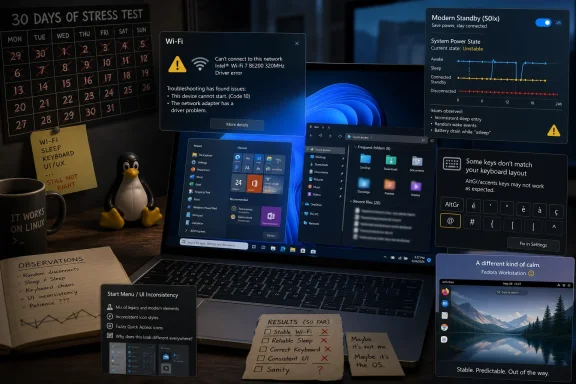 A Fundraiser Stunt Turned Into a Windows 11 Stress Test
The setup was almost too perfect: a long-time Linux user, a loyal OSNews readership, and a fundraiser incentive designed to make the site’s managing editor live inside Windows 11 for a month. The donation counter shown with the piece stood at 7,679 / 10,000, and the incentive existed as part of Holwerda’s broader celebration of having posted 20000 stories during 21 years as managing editor of OSNews. That framing matters because this was not a lab benchmark or an enterprise deployment report. It was closer to what many technically literate users actually do: install Windows on real hardware, use it for real work, and find out where the operating system helps or gets in the way.Holwerda set strict rules for himself. He used stock Windows 11 for his computing tasks, except gaming, and he avoided debloating tools. As an EU citizen, he noted that he could remove more built-in Windows components than many users can because of Digital Markets Act pressure, but the broader point was to live with the Microsoft ecosystem rather than immediately rebuild Windows into something else. He also tried to stick to Microsoft’s own applications where possible, including Microsoft Edge and the new Outlook, precisely because the experiment was supposed to test Windows 11 as Microsoft presents it.
That makes the resulting critique sharper than a standard “Linux user hates Windows” post. Holwerda did not simply complain that Windows is not Fedora. He documented a sequence of failures, annoyances, and design gaps that began before the desktop was fully usable: storage assumptions in setup, a trackpad that initially did not work, Wi-Fi drivers missing for an Intel BE200 chip, GPU driver update black screens, broken sleep behavior, and firmware-level power-state wrangling. The pattern is less “Windows is unfamiliar” than “Windows requires the user to know too much about Windows before Windows can be trusted.”
The irony is that Windows remains the default desktop operating system for a vast portion of consumer and business computing precisely because it is supposed to absorb that complexity. You buy a laptop, install or reinstall Windows, log in, update, and get to work. Holwerda’s month suggests that on some enthusiast-friendly or Linux-friendly hardware, the opposite can happen: Fedora fades into the background while Windows becomes the operating system that demands firmware trips, manual driver hunting, and tolerance for unexplained behavior.
The Installer Still Behaves Like Windows Is Alone in the Room
The first major indictment lands before Windows 11 becomes a daily-use environment. Holwerda describes the Windows 11 installation process as barebones and hostile to the possibility that another operating system might already exist. His laptop had two M.2 SSDs, which let him dedicate one drive to Windows 11 while leaving Fedora on the other. That detail saved the experiment from the messier dual-boot risk: Windows setup, in his telling, is not designed with much sympathy for non-Windows filesystems or users who want a clean, confidence-inspiring coexistence path.For ordinary users, this may sound niche. For WindowsForum readers, it should not. A meaningful number of power users, developers, students, repair shops, and IT staff live in mixed environments where Windows, Linux, recovery media, and vendor tools all share disks, USB drives, and boot menus. An installer that assumes Windows is the only serious occupant of a machine is not just aesthetically old-fashioned. It is operationally risky.
The trackpad issue reinforced the same theme. During the WinPE phase of setup, Holwerda says he had to navigate with the keyboard because the trackpad did not work. After the system rebooted into the next stage of installation, the trackpad came alive, though initially without gesture support. That is not catastrophic, but it is the kind of paper cut that makes an installation feel like a scavenger hunt: input works, then half works, then awaits driver maturity.
The Wi-Fi problem was more serious. The laptop’s Intel BE200, a Wi-Fi 7 chip Holwerda says launched almost three years ago, was not supported out of the box by Windows 11 in his test. To get networking during setup, he had to find Intel’s administrator-oriented driver package, specifically Intel® PROSet/Wireless Software and Wi-Fi Drivers for IT Administrators, download a ZIP, extract it on another computer, place the unpacked files on a USB stick, and point the Windows installer at that location. Intel’s own support material confirms that its IT administrator driver packages exist for these kinds of deployment and driver-injection workflows, including support for modern Intel Wi-Fi adapters such as the BE200. But that only underlines Holwerda’s complaint: a consumer operating system should not require a normal user to think like an enterprise deployment engineer just to get Wi-Fi.
This is where the Linux comparison hurts Windows most. Linux has spent decades being mocked for hardware friction. Yet in Holwerda’s account, Fedora handled the same machine’s networking and power behavior better than Windows 11 did. That does not mean every Fedora install will beat every Windows install; anyone who has dealt with NVIDIA drivers, fingerprint readers, or oddball audio chips on Linux knows better. It does mean Microsoft no longer gets to rely on the old assumption that Windows is always the hardware-easy path.
Modern Standby Is the Kind of Modern That Makes Users Miss the Old World
Sleep and wake problems are some of the most infuriating failures an operating system can have because they violate a basic laptop promise. Close the lid, the machine sleeps. Open it, the machine wakes. If that loop becomes unreliable, users stop trusting the device.Holwerda’s Windows 11 install reportedly failed that trust test. Sleep/wake did not work until he entered the laptop’s Dasharo Coreboot firmware and switched from S3 to S0ix, the low-power idle model associated with Microsoft’s Modern Standby push. Microsoft’s own Windows hardware documentation distinguishes between traditional S3 sleep and Modern Standby-style behavior, presenting Modern Standby as a faster, more connected model. The pitch is obvious: laptops should behave more like phones, waking quickly and staying conditionally connected while using little power.
The problem is that Modern Standby has become, for many users and admins, a phrase that triggers suspicion rather than confidence. Holwerda says that once he switched firmware settings, sleep/wake improved, but did not become clean. Roughly one out of three sleep cycles, he observed fans spinning up at maximum blast for long periods before sleep, and in some cases sleep never completed, forcing a reboot when the screen would not return. He also says the same laptop under Fedora had none of these sleep/wake problems whether Coreboot was set to S3 or S0ix.
That last comparison is devastating because it flips the usual Windows defense. If a device exposes multiple power states and the firmware reports them, the operating system’s job is to pick a sane path or expose a safe user-facing control. Holwerda’s view is that Windows 11 should adapt to what the firmware reports rather than requiring the user to discover the right incantation. Microsoft can argue, fairly, that Modern Standby is part of a broader hardware platform design and that OEM implementation quality matters. But the end user does not experience the problem as a white paper about power states. The end user experiences it as a laptop that will not reliably sleep.
The fan behavior adds another layer. Holwerda says the cooling fans initially spun up at random, loudly enough that he wondered whether the laptop was damaged, until a large Windows update arrived a day later and normalized the behavior. That is the strange mercy and menace of Windows Update: it can fix things you cannot fix yourself, but it can also leave you unable to explain why a machine was misbehaving in the first place. For administrators, that kind of opacity is not merely annoying. It complicates root-cause analysis, user support, and confidence in fleet baselines.
The Linux Comparison Is No Longer About Ideology
Holwerda’s conclusion depends on a comparison that Windows defenders often dismiss too quickly. He is not saying that Linux is universally easier, more compatible, or better for every user. He is saying that for his workflow and hardware, Windows 11 was less respectful, less consistent, less customizable, and less predictable than the Linux desktops he normally uses.The article’s most important comparison is not a benchmark number. It is an accumulation of defaults.
| Area | Windows 11 in Holwerda’s month | Fedora / desktop Linux contrast | Practical meaning |
|---|---|---|---|
| Installation | Barebones setup, weak coexistence assumptions, manual BE200 driver path | Fedora already lived safely on the second M.2 SSD and handled the hardware | Windows can be the riskier install on mixed-OS systems |
| Power management | S3 trouble, S0ix firmware switch, Modern Standby quirks | Sleep/wake reportedly worked with S3 or S0ix | Admins cannot assume Windows is the safer laptop power baseline |
| Input | No native US (int’l with AltGr dead keys) layout found | Layout available in Linux installers and desktop environments | Small localization gaps become daily friction for multilingual users |
| Applications | Edge acceptable, new Outlook controversial, ecosystem inconsistent | KDE and GNOME presented as more consistent | Windows app compatibility does not guarantee Windows app coherence |
| Updates and packages | Windows Update, Store, WinGet, app updaters, UniGetUI workaround | Desktop Linux updates described as long solved | Patch hygiene remains fragmented for unmanaged Windows desktops |
Windows users should resist the temptation to read this as a call to switch. The more useful reading is that Microsoft has allowed parts of Windows to become harder to defend on their own terms. If the world’s dominant desktop operating system cannot provide a polished email client without cloud-routing controversy and ads, cannot make application updates feel unified, and cannot reliably hide driver complexity during setup, Linux does not have to be perfect to look mature by comparison.
The Keyboard Layout Complaint Is Small Until It Is Your Keyboard
One of the most revealing parts of Holwerda’s piece concerns the US (int’l with AltGr dead keys) keyboard layout. This is not a headline-grabbing failure. It will not trigger emergency patches, angry OEM calls, or Gartner notes. But it is the kind of daily-input issue that tells users whether an operating system sees them.Holwerda wanted the US (int’l with AltGr dead keys) layout, where AltGr acts as the modifier that turns certain keys into dead keys. In his example, entering é means pressing AltGr + ' followed by e. The advantage is that quotation marks and apostrophes remain normal characters unless the user explicitly invokes the diacritic behavior. The alternative US (int’l) layout with regular dead keys makes characters such as ' and " wait for a following character, which is painful if you write a lot of English while also needing accented characters.
He says Linux installers and desktop environments have offered his preferred layout for as long as he can remember, while Windows 11 apparently did not include it natively. A third-party layout solved the problem. But that solution is also the indictment: Windows could be made to work, provided the user knew what was missing, knew someone else had built the missing piece, and was willing to trust and install it.
For IT departments, this is not just a personal preference story. Keyboard layouts, input methods, language packs, accessibility choices, and regional defaults shape productivity in multinational organizations. When the default platform lacks a layout a user considers basic, the workaround becomes another unmanaged artifact. Multiply that across departments and regions and the “small” issue becomes another reason users keep private scripts, installers, registry tweaks, or shadow IT notes.
Windows has always been broad. It has not always been deep in the places individual users need depth. Holwerda’s keyboard complaint is a reminder that the desktop is still an input machine first. AI buttons, widgets, account nudges, and subscription flows do not matter if the user is fighting the apostrophe key.
Explorer, the Shell, and the Death by a Thousand Defaults
Holwerda’s complaints about Explorer and the shell will be familiar to anyone who has watched Windows evolve by accretion. Explorer is not only a file manager; it is an institution, a compatibility layer, a shell surface, and a museum of decisions Microsoft cannot easily revisit. That makes it powerful. It also makes it stubborn.In his month, Explorer felt slow to load and weak at compressed file handling. Holwerda explicitly rejects the idea that a wizard-style compressed-file flow is acceptable in 2026, especially after using Linux file managers such as Dolphin and Nautilus, which he says handle compressed files more transparently and quickly. This is the Windows paradox: users can install countless third-party tools to make file handling better, but the default experience still matters because defaults define first impressions, support scripts, and institutional habits.
Then come the window manager complaints. By default, double-clicking a titlebar maximises a window. Holwerda, as a BeOS user at heart, prefers double-clicking titlebars to minimise windows. Windows 11 does not expose the kind of basic titlebar-action customization he expects from other operating systems and desktop environments. To a casual user, this may sound like muscle-memory grumbling. To power users, it is exactly the kind of rigid default that makes a supposedly personal computer feel rented.
The Start menu, widgets system, overview/Exposé feature, home-folder naming, undeletable default folders, and inconsistent dark mode all appear in Holwerda’s rundown of frustrations. Some are subjective. Some are longstanding Windows design debates. But together they form a coherent criticism: Windows 11 frequently offers surfaces that look modern while leaving old limitations, arbitrary controls, or inconsistent behavior intact underneath.
The fuzzy icons bug in Quick Access is a perfect example because it is almost trivial. Holwerda admits it bothered him more than it should. Yet that is how interface trust erodes. A fuzzy icon in a file manager does not stop work, but it tells the user that the system’s finish is uneven. Once users start noticing that unevenness, they see it everywhere: old dialogs in light mode, new menus wrapping old menus, modern controls beside legacy ones, and a shell that cannot decide whether it wants to be minimal, touch-friendly, AI-forward, enterprise-stable, or ad-supported.
Edge Survived the Month; Outlook Became the Exhibit
Microsoft Edge emerges from Holwerda’s article with a surprisingly decent report card. He disliked the “AI” noise that had to be disabled, and he compares that annoyance to similar trends in other browsers, including Firefox. But after the cleanup, he found Edge “mostly just fine” and even suspected it handled online video better than Firefox in terms of heat and fan noise, though he rightly notes that he did not benchmark it.That matters because Edge is one of the few places where Microsoft’s modern Windows ecosystem strategy more or less works. It is Chromium-based, actively developed, fast enough, compatible enough, and deeply integrated without being unusable outside Microsoft services. Users may dislike its promotional behavior, defaults, and nudges, but the browser itself is not the weakest link in the Windows 11 story.
The new Outlook is different. Holwerda’s criticism is severe: he describes it as “it’s just a website that sends all your emails and personal information to Microsoft.” That phrasing is blunt, but it connects to a real policy and architecture concern. Microsoft’s own support material says non-Microsoft accounts can be synced to the Microsoft Cloud so new Outlook experiences can work across accounts. Microsoft’s Outlook ad documentation also says free Outlook users may see ads, with paid subscription paths removing them in supported scenarios. In other words, Holwerda’s irritation is not based on a fantasy. It is based on Microsoft’s decision to make the default Windows mail story cloud-mediated, service-entangled, and subscription-adjacent.
To be fair, email is not a private medium in the strong sense many users imagine. Most people already entrust mail to large cloud providers. Gmail users criticizing Microsoft’s data handling can indeed sound selective. Holwerda acknowledges that irony. But his larger argument is about necessity and consent. A desktop email client does not have to be a web app. It does not have to route non-Microsoft account data through Microsoft’s cloud as the central model. It does not have to show ads to users who already paid for a Windows license and then ask them to consider an Office 365 subscription to clean up the experience.
The damning twist is that once Holwerda accepted those compromises, paid to remove ads, and used new Outlook for basic personal mail, he found it mostly fine. That is the Windows 11 pattern in miniature: the underlying function can be adequate, even good, but the path to adequacy is lined with avoidable resentment. Microsoft is not failing because it cannot build a usable mail surface. It is failing because it has turned a core desktop function into a trust negotiation.
For enterprise administrators, the new Outlook issue is not philosophical. It affects compliance posture, account configuration, user training, and expectations around where mailbox data goes. Microsoft provides administrative controls and documentation for supported account types and policies, but organizations still need to decide whether the new client’s architecture matches their regulatory, privacy, and user-support requirements. A default mail app that forces that conversation is not simply an app. It is a deployment decision.
The Windows App Ecosystem Has Compatibility Without Coherence
Holwerda’s harshest systemic criticism is that the Windows application ecosystem is “in a dire state.” He is not claiming there are no good Windows applications. He is pointing to the visual, behavioral, and maintenance chaos created by decades of overlapping Microsoft frameworks and design pushes: Win32, WinUI 3, Fluent, Metro, and more. His line that “The word ‘mess’ doesn’t even begin to describe it” is hyperbolic, but anyone who uses Windows daily knows exactly what he means.Windows is unmatched at carrying old software forward. That is its superpower. It is also its curse. Classic Win32 applications often still do the job, but they can feel visually and structurally detached from Windows 11. Newer applications may look more modern but can be slower, less complete, or trapped in whatever UI doctrine Microsoft favored when they were born. Titlebars differ. Context menus differ. Font rendering differs. Button placement differs. Tray behavior differs. Even Microsoft’s own surfaces can feel like different departments negotiated a ceasefire rather than shipped one product.
KDE and GNOME are not perfect paragons of consistency, and Linux application packaging has its own fractures: distro repositories, Flatpak, Snap, AppImage, vendor scripts, language-specific package managers, and more. But Holwerda’s point is about the default desktop experience. In his normal Linux environments, he sees stronger respect for consistent look and behavior. In Windows 11, he sees a book where the language and script change every few words.
This critique should sting Microsoft because Windows 11 was explicitly sold as a visual and experiential refresh. Rounded corners, centered taskbar icons, redesigned Settings, new context menus, refreshed inbox apps: the premise was coherence. Yet the deeper application world still tells the story of abandoned transitions. Metro did not replace Win32. UWP did not become the universal center. Fluent did not make everything fluent. WinUI 3 did not magically align the ecosystem. The result is not merely variety; it is a lack of authority.
The Microsoft Store and WinGet were supposed to help bring order to software discovery and installation. They help, but not enough. Microsoft’s official WinGet documentation presents Windows Package Manager as the command-line tool for installing and managing applications on Windows 11 and other supported Windows systems. That is a real improvement over the old “search the web, download an EXE, hope it is legitimate” model. But Holwerda’s complaint is about the whole system: Store apps, WinGet packages, individual vendor updaters, background services, installer wizards, and third-party front ends such as UniGetUI all coexist without becoming a single, polished management plane.
This is where Windows feels old in a way Linux does not. On many Linux desktops, application and system updates may not be perfect, but the conceptual model is clear: a trusted set of repositories or package sources, one updater, one transaction flow, and a culture that expects software maintenance to be centralized. On Windows, the user is still too often the integration layer.
WinGet Is Progress, but It Has Not Changed the Default Contract
WinGet deserves more credit than Holwerda’s frustration may suggest. It is one of the most important Windows management improvements of the modern era, especially for developers, admins, and power users who want repeatable installs. A single command that installs a known package is better than a search-engine journey through sponsored links, fake download buttons, and vendor landing pages. For managed environments, it also points toward a future where Windows application deployment is less artisanal.But WinGet has not yet changed the emotional contract of Windows software. Most users do not open a terminal to install desktop apps. Many do not know WinGet exists. Microsoft does not ship a first-party graphical package-management experience that feels as central to Windows as Software, Discover, or app stores feel on other platforms. Holwerda mentions UniGetUI as a popular third-party graphical front end, but he also notes that it carries Windows’ familiar inconsistency, with its own titlebar and buttons.
The practical problem is not merely installation. It is updating. Holwerda calls application management “a massive chore” and contrasts it with desktop Linux, where application updates were, in his phrase, solved “decades ago.” Windows Central has made a related point from inside the Windows enthusiast world, noting that additional tooling is often used to automate WinGet updates because the default experience still depends heavily on user action and only covers part of the software universe. That is not a Linux partisan complaint. That is a Windows ecosystem gap recognized by Windows users.
For security teams, fragmented application updating is not cosmetic. Every separate updater is another background process, another privilege boundary, another notification pattern, another chance for delay, and another support variable. Every app installed from a vendor website rather than a managed source is another provenance question. Windows has improved dramatically from the worst old days, but Holwerda’s month shows how far it still is from making safe software maintenance feel invisible.
Microsoft’s challenge is partly technical and partly political. It can build package infrastructure, but it cannot easily force every major Windows application vendor into one model without breaking expectations that made Windows dominant. The ecosystem’s openness is valuable. But openness without a cohesive management story leaves users and admins doing too much manual reconciliation.
Settings Is the Rare Migration That Now Feels Worth It
Holwerda’s positive section is short, which almost makes it more believable. He praises the Windows 11 Settings app, saying: “It’s taken them a very long time, but with most of the various settings and configuration panels now moved from the old Control Panel to the Settings application, I think the latter has come into its own quite nicely.” That is a notable concession from someone otherwise unimpressed by the month.The Settings migration has been one of modern Windows’ longest awkward transitions. For years, users bounced between the new Settings app and the old Control Panel, never quite sure which surface contained the real setting. Power users learned to distrust Settings because it often felt like a simplified facade. Admins kept old muscle memory because the legacy panels had depth. Microsoft has still not erased every seam, but Holwerda’s reaction suggests the balance has shifted enough that Settings can now be treated as a functioning control center rather than an incomplete replacement.
He also praises the emoji/symbol picker invoked with Super + . and the clipboard manager invoked with Super + v. These are small but meaningful quality-of-life features. The emoji/symbol picker reduces the need to use Character Map, which Holwerda describes as a neglected relic dating back to the Windows 3.x era. The clipboard manager is simply useful, and when such features work well, they show what Windows 11 can be when Microsoft solves a real workflow problem without turning it into a service funnel.
Even the printer story is uneventful in a good way. Windows 11 found and configured his HP Wi-Fi printer/scanner combo thing without trouble, just as Linux did. In a review dominated by friction, the boring success matters. A mature desktop operating system should produce many such boring successes. The tragedy of Holwerda’s month is that there were not enough of them to outweigh the failures.
Microsoft’s Real Problem Is Respect, Not Features
The most quotable line in Holwerda’s conclusion is that Windows 11 felt like “an endless string of punches in the face.” That sentence will travel because it is vivid and brutal. But the more important phrase comes later, when he says the month “proved that to me beyond a shadow of a doubt.” What was proved, in his view, is that Windows 11 cannot compete with the combination of respect, consistency, customizability, performance, privacy, and low-friction updating he gets from desktop Linux.“Respect” is the key word, even when not every reader shares his values. A Windows user who likes Microsoft account sync, OneDrive integration, Edge, Outlook, widgets, Copilot-style features, and Store apps may experience Windows 11 as helpful rather than hostile. But users who do not want those defaults are often made to feel like obstacles in Microsoft’s monetization and engagement strategy. They must decline, disable, remove, switch, confirm, subscribe, unsubscribe, or work around.
That is why the article lands beyond the Linux community. Microsoft has a habit of interpreting Windows dissatisfaction as resistance to change. Sometimes that is true. Users complain about moved buttons, redesigned menus, and new flows because old habits are powerful. But Holwerda’s critique is not nostalgia for Windows 7 or a refusal to learn Windows 11. It is a complaint that Microsoft keeps spending user attention on things that do not serve the user.
The new Outlook is the clearest example. Edge’s AI prompts are another. Widgets in the taskbar, undeletable or reappearing default folders, online-account pressure, ads for services, and inconsistent dark mode all belong to the same family of decisions. They tell users that Windows is not just their operating system. It is Microsoft’s distribution channel.
That may be commercially rational. Windows is now a platform for subscriptions, cloud services, advertising surfaces, identity, search, AI, and app distribution. But commercial rationality does not erase user resentment. If anything, it intensifies it, because Windows is not a free social network one can casually leave. It is the paid, preinstalled, institutionally mandated operating system on which many people depend.
Action Checklist for Admins
- Test Windows 11 installation on representative hardware, not only vendor images, especially when devices use newer Wi-Fi chipsets such as Intel BE200.
- Keep offline driver packages ready for network adapters, storage, and input devices before reinstalling or imaging machines.
- Validate sleep/wake behavior under the firmware power-state configuration actually shipped to users, including S3 and S0ix where available.
- Decide whether the new Outlook’s Microsoft Cloud sync model is acceptable for your organization’s mailbox, privacy, and compliance requirements.
- Standardize application installation and update paths wherever possible: Store, WinGet, Intune, vendor tools, or a documented combination.
- Document user-facing defaults that commonly trigger support tickets, including Start menu layout, widgets, dark mode gaps, keyboard layouts, and titlebar/window behavior.
The Lesson for Windows Shops Is to Stop Assuming the Defaults Are Safe
The lazy response to Holwerda’s piece is to say that a Linux user was never going to like Windows 11. The more useful response is to treat the article as a field report from a technically competent user encountering Windows as a full-stack product. He did not merely dislike the wallpaper. He hit setup friction, driver gaps, power-management instability, input limitations, shell rigidity, email trust problems, app inconsistency, and update fragmentation.That does not mean every organization should re-evaluate Windows as its primary desktop. It does mean admins should re-evaluate which Windows defaults they leave unquestioned. If Windows 11 requires a Microsoft account flow, a cloud-synced mail client, Modern Standby assumptions, multiple app update channels, and feature surfaces users do not want, then a clean install is not necessarily a clean baseline. It is a Microsoft baseline, and those are different things.
The most concrete lessons are operational rather than ideological:
- Windows 11 hardware support can still fail in surprising places, even with modern components.
- Modern Standby should be validated as a deployment risk, not assumed to be a user convenience.
- The new Outlook is a policy decision as much as an email client.
- WinGet improves Windows software management but does not yet make it effortless for ordinary users.
- UI consistency remains a real productivity issue, not merely an aesthetic complaint.
- Linux comparisons are now credible on everyday polish, not just developer freedom.
References
- Primary source: OSnews
Published: Wed, 08 Jul 2026 22:28:19 GMT
- Official source: learn.microsoft.com
Modern Standby Wake Sources | Microsoft Learn
This topic outlines scenarios where devices in a PC must wake the processor.learn.microsoft.com - Official source: support.microsoft.com
Power settings in Windows 11 | Microsoft Support
You can use Screen and sleep settings to save energy and make your battery last longer.support.microsoft.com - Related coverage: windowscentral.com
Why a Linux user prefers Windows 11 | Windows Central
Why one Linux power user abandoned 8 years of distros for Windows 11.www.windowscentral.com - Related coverage: techradar.com
FBI warns Microsoft 365 is being bombarded with new phishing emails | TechRadar
Here is how to keep your organization safe against the Kali365 phishing threatwww.techradar.com - Related coverage: cybernews.com
New Outlook copies user emails from other accounts to Microsoft cloud | Cybernews
The new Microsoft Outlook, replacing Calendar and Mail in Windows 11, syncs user data, including credentials or emails, to Microsoft Cloud by default. cybernews.com

- Official source: microsoft.com
Your request has been blocked. This could be due to several reasons.
www.microsoft.com
- Official source: answers.microsoft.com
Why won't New Outlook for Windows let me configure my IMAP account? - Microsoft Q&A
I just switched to the New Outlook. It made me restart Outlook and then removed 2 of my email accounts. I was able to setup one (an Exchange account), but it fails to setup my IMAP account. After entering the servers, ports, and credentials for my IMAP…answers.microsoft.com
