

For end users, the update path is direct:What to do
Chrome on iOS below 150.0.7871.47 is affected. Update Chrome on iPhones and iPads, then verify the installed version. Do not treat Windows desktop Chrome as confirmed affected based only on the current NVD CPE enrichment.
- Open the App Store on the iPhone or iPad.
- Search for Google Chrome.
- Tap Update. If the button says Open, the App Store is not currently offering a newer build to that device.
- Open Chrome.
- Tap … and go to Settings > Google Chrome. On releases where that label is not present, open About Chrome.
- Confirm that the displayed version is 150.0.7871.47 or later.
The vulnerability deserves prompt patching, but its public record is unusually untidy. NVD enrichment connects an explicitly iOS-specific defect to desktop operating-system entries and a desktop Chrome advisory, while the NVD page warns that enrichment data may require amendment. The operational conclusion is compact: Use the Chrome-originated iOS threshold for remediation; validate any desktop scanner finding manually.
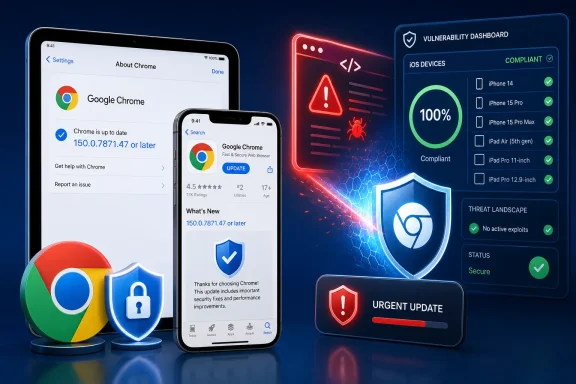 A Critical Chrome Bug With a High CVSS Score
The core disclosure is concise. According to the Chrome-supplied CVE description, CVE-2026-13777 is an insufficient-validation flaw in the iOSWeb component of Google Chrome on iOS, affecting versions before 150.0.7871.47. A remote attacker could potentially exploit resulting heap corruption through a crafted HTML page.Chrome assigned the vulnerability its Critical security severity. NVD and CISA-ADP list a CVSS 3.1 base score of 8.8, which falls in the HIGH band rather than Critical. That difference does not necessarily represent a disagreement about the underlying defect. Chromium’s internal severity classification and CVSS are separate systems serving different purposes.
The available CVSS vector characterizes the attack as network-accessible, low in attack complexity, requiring no privileges, and requiring user interaction. It rates the potential effects on confidentiality, integrity, and availability as high.
In practical terms, the record describes a malicious-content path: an attacker prepares crafted HTML and persuades the intended victim to encounter it, such as by opening a page or following a link. The supplied description does not characterize the vulnerability as zero-click, and it does not say that arbitrary code execution has been publicly demonstrated. “Potentially exploit heap corruption” is serious language, but it should not be converted into a more specific exploit claim than the record supports.
CISA-ADP’s Stakeholder-Specific Vulnerability Categorization assessment lists exploitation as none, automatable as no, and technical impact as total. Defenders therefore have a defect with potentially severe consequences if successfully exploited, but the supplied record does not establish active exploitation or a readily automated campaign.
That combination supports accelerated patching and verification without turning the vulnerability into evidence of an unfolding emergency. Users should update promptly. Administrators should verify the installed application version rather than assuming that an update command, policy assignment, or App Store listing proves completion.
The Version Boundary Is Clearer Than NVD’s Enrichment
The most reliable affected-product statement comes from the Chrome-originated CVE record: Google Chrome on iOS before 150.0.7871.47 is vulnerable. The operational target is therefore straightforward: iPhones and iPads running Chrome should be brought to version 150.0.7871.47 or later.The machine-readable affected-version record expresses the boundary through a custom comparison identifying releases below 150.0.7871.47 as affected. Read together with the natural-language description, the intended meaning is clear: 150.0.7871.47 is the fixed threshold, not a vulnerable release that organizations should retain.
NVD’s CPE enrichment introduces a conflicting expression. It shows Chrome versions up to, but excluding, 150.0.7871.46. That does not cleanly match “prior to 150.0.7871.47.” A range that excludes 150.0.7871.46 appears to end earlier than the Chrome-originated threshold.
The NVD page also warns that the CVE record changed after enrichment and that the enriched data may require amendment. This warning is important because the vendor-supplied description and affected-version information point to one remediation boundary while the derived CPE range displays another.
| Record element | Source or stage | Product scope shown | Version boundary shown | Operational reading |
|---|---|---|---|---|
| Natural-language description | Chrome CVE source | Chrome on iOS, iOSWeb | Prior to 150.0.7871.47 | Update to 150.0.7871.47 or later |
| Machine-readable affected record | Chrome CVE source | Google Chrome | Less than 150.0.7871.47 | Update to 150.0.7871.47 or later |
| Enriched CPE range | NVD enrichment | Chrome with desktop OS entries | Up to, excluding 150.0.7871.46 | Treat cautiously because it conflicts with the Chrome threshold |
| Chromium issue | Chrome reference | Permission-restricted details | No alternative threshold available publicly | Do not infer a different boundary |
| Vendor advisory reference | NVD reference classification | Title identifies a desktop stable-channel update | No clearer iOS boundary supplied | Do not use it to override the Chrome CVE description |
The safe policy is simple: consider every Chrome for iOS release below 150.0.7871.47 affected. Do not narrow that range merely because the current enriched CPE expression appears to do so.
NVD’s Desktop Entries Do Not Turn This Into a Windows Chrome Flaw
The most conspicuous discrepancy concerns platform scope. The Chrome description explicitly identifies Google Chrome on iOS and the iOSWeb component. NVD enrichment, however, associates the Chrome CPE with operating-system entries for Microsoft Windows, the Linux kernel, and Apple macOS.Read without context, those entries could make CVE-2026-13777 appear to affect desktop Chrome across Windows, Linux, and macOS. The supplied Chrome description does not establish that conclusion. It does not describe the vulnerable component as a general cross-platform Chromium subsystem, and it does not identify desktop Chrome as affected.
NVD also lists a reference as a Vendor Advisory whose title identifies it as a Chrome desktop stable-channel update. That is the extent of the supportable relationship in the supplied record. The reference’s presence and title do not override the CVE description’s explicit iOS product scope, and no broader explanation for the relationship should be inferred without additional vendor documentation.
This distinction matters particularly to Windows administrators. A Chrome CVE attached to a Windows operating-system CPE can be interpreted by a dashboard, scanner, or reader as a Windows endpoint vulnerability. Based on the Chrome-originated description, CVE-2026-13777 should not be presented as confirmation that Windows Chrome contains the iOSWeb flaw.
The story can still matter to a Windows-centered security team. The same team may administer mobile applications, identity access, or corporate iPhones and iPads from Microsoft-oriented management consoles. That is an operational connection, not evidence that the vulnerable component exists in the Windows desktop build.
If a scanner reports CVE-2026-13777 on Windows, Linux, or macOS, administrators should inspect the finding rather than accepting the CPE match as proof. Determine what product and component the tool actually detected, which version comparison it applied, and whether the result comes only from NVD’s enriched operating-system association.
The practical rule is the WindowsForum value-add in one sentence: Use the Chrome-originated iOS threshold for remediation; validate any desktop scanner finding manually.
“Improper Input Validation” Leaves Technical Questions Open
Chrome classified the weakness as CWE-20, Improper Input Validation. NVD also includes NVD-CWE-noinfo, reflecting the limited public detail available for a more precise characterization.Improper input validation is a broad category. It indicates that software did not adequately verify untrusted data before processing it, but it does not identify the exact parser, object, length calculation, state transition, or memory-management rule involved. The public description says that the failure is in iOSWeb and that crafted HTML could potentially produce heap corruption.
Heap corruption is the consequential part of that description. The heap stores dynamically allocated objects and data. Corruption in that area can destabilize a process and, depending on the defect and available mitigations, may create opportunities to alter program behavior. The high confidentiality, integrity, and availability impact ratings describe the potential seriousness of a successful attack; they are not proof that every possible outcome has been demonstrated publicly.
The linked Chromium issue is permission-restricted. The supplied record does not explain why access is restricted, so no reason should be assigned to that decision. The practical effect is simply that ordinary readers cannot use the issue page to inspect the patch discussion, reproducer, affected code path, or detailed exploitability analysis.
As an editorial limitation of the available disclosure, defenders do not have enough public technical detail in this record to describe a vulnerability-specific detection method with confidence. That does not prove that no indicator, signature, or detection approach exists elsewhere. It means the supplied disclosure supports version-based remediation more clearly than it supports claims about exploit detection.
Organizations can continue applying their normal protections against malicious links and untrusted web content, but those controls should not substitute for the fixed browser version. The direct remediation described by the record is to move Chrome on iOS beyond the vulnerable range.
The Scoring Supports Urgent Patching, Not Unsupported Alarm
A CVSS score of 8.8 may appear to conflict with Chrome’s Critical label, but the two ratings should be read in context. CVSS uses a standardized formula, while Chromium’s security severity reflects the vendor’s own assessment process.The available CVSS 3.1 vector says the vulnerability can be reached through network-delivered content, has low attack complexity, requires no prior privileges, and requires user interaction. It also rates the possible confidentiality, integrity, and availability effects as high.
The user-interaction requirement is relevant but should not be overinterpreted. It distinguishes this issue from an attack that requires no action from the target. At the same time, opening web content is an ordinary browser activity, so the condition does not justify postponing an available security update.
CISA-ADP’s SSVC values add useful threat context without changing the remediation target. Exploitation is listed as none, automation as no, and technical impact as total. In operational terms, the supplied record does not report active exploitation or characterize the attack as readily automatable, but it does identify potentially comprehensive technical consequences.
The resulting response should be proportional: update quickly, verify completion, prioritize exposed or sensitive users according to organizational policy, and avoid unsupported claims that widespread exploitation is already occurring.
A Concrete Mobile-Management Procedure
Enterprise administrators should treat this as an application-version compliance task with a clear implementation boundary. The relevant object is the installed Google Chrome iOS application version, not the device’s iOS version, a generic “application present” status, or a desktop Chrome inventory record.Use the following procedure:
- In the mobile-device-management platform, identify the inventory field that records the installed version of the Google Chrome app for iOS. Confirm that the field contains an application version such as
150.0.7871.47, rather than only an App Store listing version, policy version, or last assigned version. - Query managed iPhones and iPads for Chrome versions below 150.0.7871.47. Include devices where Chrome is installed but the version field is blank, stale, or otherwise unavailable in a separate exception group.
- Trigger or require the App Store update for Google Chrome through the platform’s managed-application workflow. Where the platform cannot silently install the update, issue a user-required update action with the end-user click path.
- After the deployment or compliance window, force or wait for a fresh device and application inventory check.
- Re-query the same version field. Mark remediation complete only when the installed version reports 150.0.7871.47 or later.
- Investigate devices that remain below the threshold or fail to return a current application version. Do not close them solely because the update was assigned successfully.
Devices outside MDM visibility require a separate organizational decision. Administrators can provide the same App Store and Chrome version-check procedure to users and apply existing access or compliance policies where appropriate. The supplied vulnerability record does not dictate a specific bring-your-own-device policy, so enforcement should follow the organization’s established risk and privacy rules.
Action checklist for admins
- Identify the MDM inventory field for the installed Google Chrome iOS app version.
- Query managed iPhones and iPads for Chrome versions below 150.0.7871.47.
- Separate devices with missing or stale Chrome version data into an exception list.
- Trigger or require the Google Chrome App Store update.
- Re-query application inventory after the update window.
- Verify 150.0.7871.47 or later before recording remediation as complete.
- Provide users with the exact App Store and in-app version-check paths.
- Use the Chrome-originated iOS threshold rather than the narrower enriched CPE range.
- Do not label Windows, Linux, or macOS Chrome installations affected solely because of NVD’s current operating-system entries.
- Manually review scanner findings that identify desktop systems or apply the boundary excluding 150.0.7871.46.
- Monitor the CVE and NVD records for corrections to product scope or version data.
The Record’s Revision History Is Part of the Story
CVE-2026-13777 moved through a vulnerability-data pipeline rather than arriving as one fully consistent package. Chrome supplied the core CVE information, NVD published and enriched the record, and CISA-ADP added scoring and SSVC data. Those stages contributed useful context, but the downstream enrichment also introduced the questionable platform associations and conflicting version expression.Timeline
Chrome-originated record: The CVE information identified insufficient validation in iOSWeb, Chrome on iOS before 150.0.7871.47, potential heap corruption through crafted HTML, Critical Chromium severity, and CWE-20.NVD publication: NVD published the CVE and identified Chrome as the source of the core record.
NVD enrichment: Additional analysis supplied scoring, weakness, CPE, version-range, operating-system, and reference metadata. The enriched configuration included Windows, Linux, and macOS entries and a Chrome range ending before the Chrome-originated threshold.
CISA-ADP enrichment: CISA-ADP supplied a matching 8.8 CVSS 3.1 assessment and an SSVC record listing exploitation as none, automatable as no, and technical impact as total.
Subsequent record maintenance: The CVE record received additional updates, and NVD displayed a warning that post-enrichment changes may require amendment to the NVD-supplied data.
This chronology matters because it separates the statements originating with Chrome from the metadata added downstream. The iOS product scope, iOSWeb component, fixed-version threshold, crafted-HTML path, CWE-20 assignment, and Critical Chromium severity belong to the Chrome-originated record. The desktop operating-system associations and conflicting CPE range are part of NVD enrichment.
That provenance provides a rational way to resolve the discrepancy. Enrichment is useful for translating vendor information into searchable product, scoring, and configuration data. When that translation conflicts with the assigning source’s explicit product and version statement, administrators should not allow the enriched field to silently replace the original scope.
The principle extends beyond this vulnerability. Security products may flatten multiple sources into one finding without making provenance obvious. When product scope or version boundaries disagree, teams should identify who supplied each field before making a remediation decision.
Scanner Precision Matters More Than Dashboard Color
A vulnerability dashboard may reduce CVE-2026-13777 to a severity, score, affected-product label, and remediation state. In this case, those fields can be misleading if product matching relies on the current enriched data without reconciling it against the Chrome description.The current public record does not establish exactly how any particular scanner will behave. Administrators should therefore test their own tools rather than assume that all scanners will generate either the same false positives or the same omissions.
Start by sampling findings manually. If a report identifies CVE-2026-13777 on a Windows workstation, inspect the evidence behind the match. Determine whether the tool found a vulnerable iOSWeb component or merely combined a Chrome application CPE with NVD’s Windows operating-system entry. The latter is not enough to confirm that the Windows endpoint is affected.
Apply the same scrutiny to version handling. A tool using the enriched boundary that excludes 150.0.7871.46 may not be following the Chrome-originated statement that all versions below 150.0.7871.47 are affected. Review the scanner’s normalized range and compare it with actual application inventory.
The correct remediation evidence remains direct: an iPhone or iPad running Chrome below 150.0.7871.47 was updated and now reports 150.0.7871.47 or later. A synchronized feed, closed scanner ticket, completed deployment command, or green dashboard state is secondary to the installed-version result.
For desktop findings, the burden is different. A Windows, Linux, or macOS result should remain unconfirmed unless the scanner or a broader vendor statement establishes an affected component beyond the current iOS-specific description.
What Defenders Should Carry Forward
The immediate response is small enough to state plainly: update Chrome on iOS and confirm the installed version.- CVE-2026-13777 affects Google Chrome on iOS before 150.0.7871.47 according to the Chrome-originated record.
- End users should open the App Store, search for Google Chrome, tap Update, and then verify the version through Chrome’s Settings or About Chrome page.
- Administrators should query the MDM field containing the installed Chrome iOS app version, remediate values below the threshold, and re-query inventory.
- Crafted HTML could potentially trigger heap corruption after user interaction.
- Chrome rates the vulnerability Critical; NVD and CISA-ADP list an 8.8 HIGH CVSS 3.1 score.
- The supplied CISA-ADP record lists exploitation as none, automation as no, and technical impact as total.
- NVD’s desktop operating-system associations and enriched version boundary do not cleanly match the Chrome-originated description.
- The desktop stable-channel reference is listed by NVD as a Vendor Advisory, but its title alone does not establish that desktop Chrome contains the iOSWeb vulnerability.
- Use the Chrome-originated iOS threshold for remediation; validate any desktop scanner finding manually.
Future revisions may clarify the CPE range, operating-system entries, advisory relationship, or technical details. Until then, the defensible course is precise rather than dramatic: update Chrome on every relevant iPhone and iPad, verify version 150.0.7871.47 or later, and require additional evidence before treating a desktop Chrome finding as confirmed.
References
- Primary source: NVD / Chromium
Published: 2026-07-11T15:39:58-07:00
NVD - CVE-2026-13777
 nvd.nist.gov
- Security advisory: MSRC
Published: 2026-07-11T15:39:58-07:00
Original feed URL
Security Update Guide - Microsoft Security Response Center
 msrc.microsoft.com
- Related coverage: cvefeed.io
CVE-2026-13777 - Google Chrome iOS Heap Corruption
Insufficient validation of untrusted input in iOSWeb in Google Chrome on iOS prior to 150.0.7871.47 allowed a remote attacker to potentially exploit heap corruption via a crafted HTML page. (Chromium security severity: Critical)cvefeed.io
