

Verdict: do not assign Microsoft 365 Copilot licenses tenant-wide merely to provide Copilot Chat or Copilot Notebooks. In June 2026, Microsoft expanded Notebooks to Copilot Chat users, while full Microsoft 365 Copilot licenses remain the route to work-grounded access across files and meetings. Copilot Cowork is a third purchasing lane: it reached worldwide general availability with usage-based billing, making spending controls as important as user entitlements.
Administrators should now divide users into three groups: those adequately served by broadly available Copilot Chat and Notebooks, those who need Microsoft 365 Copilot grounded in organizational data, and those approved to consume metered Copilot Credits through Cowork. Microsoft’s June release notes and licensing documentation make that distinction clearer, but they also make blanket licensing a potentially expensive shortcut.
The practical licensing map is not “free Copilot versus paid Copilot.” It is a combination of broadly included experiences, per-user entitlements, and consumption billing.
The most consequential change is Notebooks. It had previously been limited to Microsoft 365 Copilot-licensed users, but Microsoft began rolling it out to Copilot Chat users in June 2026. Organizations that licensed users primarily because they wanted a notebook-style workspace should therefore retest their assumptions before renewing or expanding those assignments.
That does not make Copilot Chat equivalent to Microsoft 365 Copilot. Microsoft says the paid license adds grounding in work data, including access to files and meetings. That difference is central for employees expected to ask broad questions across organizational material rather than manually provide each piece of context.
A Copilot Chat user may be able to work with content supplied directly to an interaction or available through a newly expanded experience such as Notebooks. That is not the same entitlement as allowing Copilot to reason across the work information the user is already permitted to access. The paid license is principally about connected work context, not simply access to a chat box.
Start by inventorying each deployment group:
Microsoft’s product cadence has repeatedly expanded Copilot’s reach, as WindowsForum’s coverage of the February and June 2025 Microsoft 365 Copilot updates documented. The June 2026 change is financially different because a feature moving into Copilot Chat can alter the justification for an existing seat, even though it does not reproduce the paid license’s work-data access.
Administrators should therefore ask users what information Copilot must find on its own. If the answer is “the documents, meetings, and other work material I already have permission to access,” the paid license remains the relevant entitlement. If users will explicitly assemble the sources they need inside Notebooks, Copilot Chat may now cover more of the requirement than it did before June.
For IT, this is the difference between a predictable seat count and a variable cloud bill. Cowork consumption can grow according to activity, so access approval without a spending policy is not merely a feature rollout. It is authorization to incur ongoing charges.
Microsoft also rolled out the Microsoft 365 admin center Cost Management Dashboard in June. Administrators preparing to enable Cowork should use that dashboard to establish the financial boundary before broad access is offered.
The deployment procedure is straightforward at the policy level:
Group-based allocation also creates a cleaner operational model. Instead of linking Cowork access loosely to departments or existing Copilot license assignments, IT can maintain a dedicated Entra-managed population approved for metered workloads. Finance and service owners can then evaluate that group’s consumption without confusing it with the cost of conventional per-user subscriptions.
WindowsForum’s earlier coverage of Copilot Studio showed Microsoft moving steadily toward agents and enterprise automation. Cowork makes that direction more accessible, but it also brings the familiar governance requirements of any consumption-priced cloud service: named owners, controlled groups, budgets, telemetry, and a shutdown threshold.
Microsoft’s Teams Premium licensing update took effect on April 1, 2026. Some capabilities formerly associated with Teams Premium moved to Teams Enterprise, while Teams Premium retained its own set of enhanced experiences. Customers who bought Teams Premium before April 1 retain the previously included features until those licenses expire.
That grandfathering creates a renewal trap. An existing tenant may continue seeing a feature under an older Teams Premium purchase and conclude that the same entitlement will remain after expiration. Administrators should record license expiration dates and compare the post-April Teams Enterprise and Teams Premium boundaries before renewing or changing plans.
The supplied June release information does not establish a complete, universal matrix for Video Recap, intelligent recap, and Copilot across every Teams license combination. Nor does it provide enough verified detail to publish exact policy paths, defaults, recording prerequisites, transcription requirements, retention behavior, or organizer and attendee permission rules. Those items should be checked against the tenant’s current Teams documentation and Message Center notices rather than inferred from the Copilot licensing changes.
What can be stated safely is that these experiences should not be collapsed into one purchasing decision. A recap artifact dependent on a Teams entitlement is not automatically proof that the user needs Microsoft 365 Copilot, while a Microsoft 365 Copilot license should not be assumed to replace every Teams Premium or Teams Enterprise requirement.
Export or review current Microsoft 365 Copilot assignments and identify the business reason behind each seat. Where the reason is primarily access to Notebooks, validate the Copilot Chat rollout and test whether the broader entitlement now satisfies that workload. Preserve paid licenses where users require work-grounded access to files and meetings.
Keep Cowork approval separate from the seat-license review. Establish a dedicated group, budget, alerts, and preferably a hard cap in the Cost Management Dashboard before production use. A Microsoft 365 Copilot assignment should never be treated as implicit approval for unlimited consumption billing.
Finally, review Teams Premium purchases made before April 1, 2026 and note their expiration dates. The current experience may reflect temporary retained rights, not the package the tenant will receive at its next licensing milestone.
June 2026 does not eliminate Microsoft 365 Copilot licensing. It makes selective licensing more defensible: Copilot Chat and Notebooks for broad access, paid Microsoft 365 Copilot for connected work grounding, and tightly governed Copilot Credits for Cowork. The next risk is no longer simply buying too many seats—it is failing to distinguish a seat from a meter.
Administrators should now divide users into three groups: those adequately served by broadly available Copilot Chat and Notebooks, those who need Microsoft 365 Copilot grounded in organizational data, and those approved to consume metered Copilot Credits through Cowork. Microsoft’s June release notes and licensing documentation make that distinction clearer, but they also make blanket licensing a potentially expensive shortcut.
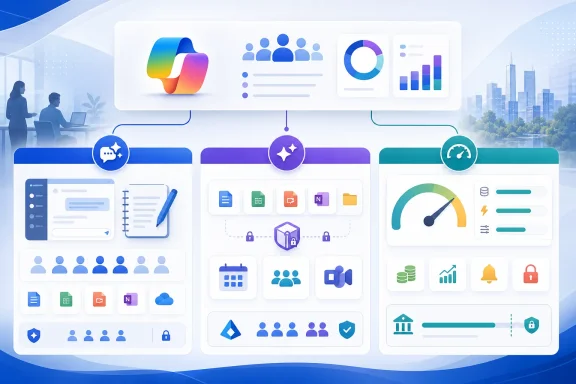 The June Entitlement Map
The practical licensing map is not “free Copilot versus paid Copilot.” It is a combination of broadly included experiences, per-user entitlements, and consumption billing.| Capability | Copilot Chat user | Microsoft 365 Copilot license | Usage billing required |
|---|---|---|---|
| Copilot Chat | Yes, with an eligible Microsoft 365 subscription | Yes | No |
| Copilot Notebooks | Began rolling out in June 2026 | Yes | No standard usage charge identified |
| Automatic work-data grounding across files and meetings | No | Yes | No |
| Copilot Cowork | Not a standard Chat entitlement | Not described as included merely by assigning the license | Yes |
| Copilot Credit budgets, alerts, and hard caps | Administrative control rather than a user feature | Administrative control rather than a user feature | Applies to metered consumption |
That does not make Copilot Chat equivalent to Microsoft 365 Copilot. Microsoft says the paid license adds grounding in work data, including access to files and meetings. That difference is central for employees expected to ask broad questions across organizational material rather than manually provide each piece of context.
A Copilot Chat user may be able to work with content supplied directly to an interaction or available through a newly expanded experience such as Notebooks. That is not the same entitlement as allowing Copilot to reason across the work information the user is already permitted to access. The paid license is principally about connected work context, not simply access to a chat box.
License the Data Reach, Not the Job Title
The safest purchasing method is to begin with the task and the required data boundary. A user who drafts generic text, researches web information, or organizes deliberately supplied material may not require a Microsoft 365 Copilot license simply because “AI” appears in the job description.Start by inventorying each deployment group:
- Identify users whose workflows can remain inside Copilot Chat and the expanded Notebooks experience.
- Identify users who must query or summarize organizational files and meetings without manually supplying each source.
- Assign Microsoft 365 Copilot licenses only to the second group and other users who require paid, work-grounded capabilities.
- Treat Cowork access as a separate consumption decision rather than assuming it accompanies either user category.
- Review assignments after the June Notebooks rollout reaches the tenant, because rollout timing may leave tenants temporarily showing different experiences.
Microsoft’s product cadence has repeatedly expanded Copilot’s reach, as WindowsForum’s coverage of the February and June 2025 Microsoft 365 Copilot updates documented. The June 2026 change is financially different because a feature moving into Copilot Chat can alter the justification for an existing seat, even though it does not reproduce the paid license’s work-data access.
Administrators should therefore ask users what information Copilot must find on its own. If the answer is “the documents, meetings, and other work material I already have permission to access,” the paid license remains the relevant entitlement. If users will explicitly assemble the sources they need inside Notebooks, Copilot Chat may now cover more of the requirement than it did before June.
Cowork Turns Access Into a Meter
Copilot Cowork reached general availability worldwide in June 2026, but Microsoft positions its enablement through usage-based billing rather than as an ordinary per-user feature unlocked by assigning Microsoft 365 Copilot. That creates a procurement boundary many tenants could otherwise miss: buying a user license and authorizing metered agentic work are separate actions.For IT, this is the difference between a predictable seat count and a variable cloud bill. Cowork consumption can grow according to activity, so access approval without a spending policy is not merely a feature rollout. It is authorization to incur ongoing charges.
Microsoft also rolled out the Microsoft 365 admin center Cost Management Dashboard in June. Administrators preparing to enable Cowork should use that dashboard to establish the financial boundary before broad access is offered.
The deployment procedure is straightforward at the policy level:
- Open Cost Management in the Microsoft 365 admin center and review the Copilot Credit allocation.
- Allocate access by group rather than exposing usage indiscriminately across the tenant.
- Define spending policies for the approved groups.
- Set budgets and alerts appropriate to the pilot or production workload.
- Configure a hard cap if the organization cannot tolerate consumption beyond the approved amount.
- Monitor actual Copilot Credit use before enlarging the group or raising the cap.
Group-based allocation also creates a cleaner operational model. Instead of linking Cowork access loosely to departments or existing Copilot license assignments, IT can maintain a dedicated Entra-managed population approved for metered workloads. Finance and service owners can then evaluate that group’s consumption without confusing it with the cost of conventional per-user subscriptions.
WindowsForum’s earlier coverage of Copilot Studio showed Microsoft moving steadily toward agents and enterprise automation. Cowork makes that direction more accessible, but it also brings the familiar governance requirements of any consumption-priced cloud service: named owners, controlled groups, budgets, telemetry, and a shutdown threshold.
Teams Licensing Is a Separate April Change
Copilot reviews can become muddled when Teams Premium, Teams Enterprise, meeting intelligence, and Copilot are treated as interchangeable licenses. They are not, and the timing matters.Microsoft’s Teams Premium licensing update took effect on April 1, 2026. Some capabilities formerly associated with Teams Premium moved to Teams Enterprise, while Teams Premium retained its own set of enhanced experiences. Customers who bought Teams Premium before April 1 retain the previously included features until those licenses expire.
That grandfathering creates a renewal trap. An existing tenant may continue seeing a feature under an older Teams Premium purchase and conclude that the same entitlement will remain after expiration. Administrators should record license expiration dates and compare the post-April Teams Enterprise and Teams Premium boundaries before renewing or changing plans.
The supplied June release information does not establish a complete, universal matrix for Video Recap, intelligent recap, and Copilot across every Teams license combination. Nor does it provide enough verified detail to publish exact policy paths, defaults, recording prerequisites, transcription requirements, retention behavior, or organizer and attendee permission rules. Those items should be checked against the tenant’s current Teams documentation and Message Center notices rather than inferred from the Copilot licensing changes.
What can be stated safely is that these experiences should not be collapsed into one purchasing decision. A recap artifact dependent on a Teams entitlement is not automatically proof that the user needs Microsoft 365 Copilot, while a Microsoft 365 Copilot license should not be assumed to replace every Teams Premium or Teams Enterprise requirement.
The Immediate Admin Playbook
For most organizations, June’s changes justify an entitlement audit rather than another broad deployment.Export or review current Microsoft 365 Copilot assignments and identify the business reason behind each seat. Where the reason is primarily access to Notebooks, validate the Copilot Chat rollout and test whether the broader entitlement now satisfies that workload. Preserve paid licenses where users require work-grounded access to files and meetings.
Keep Cowork approval separate from the seat-license review. Establish a dedicated group, budget, alerts, and preferably a hard cap in the Cost Management Dashboard before production use. A Microsoft 365 Copilot assignment should never be treated as implicit approval for unlimited consumption billing.
Finally, review Teams Premium purchases made before April 1, 2026 and note their expiration dates. The current experience may reflect temporary retained rights, not the package the tenant will receive at its next licensing milestone.
June 2026 does not eliminate Microsoft 365 Copilot licensing. It makes selective licensing more defensible: Copilot Chat and Notebooks for broad access, paid Microsoft 365 Copilot for connected work grounding, and tightly governed Copilot Credits for Cowork. The next risk is no longer simply buying too many seats—it is failing to distinguish a seat from a meter.
References
- Primary source: learn.microsoft.com
Release Notes for Microsoft 365 Copilot | Microsoft Learn
Lists the features that reach General Availability in each release of Microsoft 365 Copilot.learn.microsoft.com - Independent coverage: techcommunity.microsoft.com
- Independent coverage: microsoft.com
Microsoft 365 Roadmap | Microsoft 365
The Microsoft 365 Roadmap lists updates that are currently planned for applicable subscribers. Check here for more information on the status of new features and updates.www.microsoft.com
- Primary source: WindowsForum
April 2025 Microsoft Copilot Studio Update: AI Innovations and Enterprise Automation | Windows Forum
April 2025 brought another wave of innovation for Microsoft Copilot Studio customers, revealed through a tightly-packed monthly update that not only recaps...windowsforum.com
