

Arena versions through V17.00.00 are affected by four out-of-bounds write vulnerabilities in named Siman components:
The advisory lists a CVSS v3 score of 7.8 and states that CISA had received no reports of known public exploitation specifically targeting these vulnerabilities at the time of publication. That is an opportunity to patch and review exposure—not a reason to leave affected installations in place.
The advisory identifies four CWE-787 out-of-bounds write issues in separate Arena Siman components. The supplied advisory facts establish the affected components and versions, but do not establish that every issue has the same underlying validation failure or that the CVEs share a single root cause.
An out-of-bounds write is a memory-safety weakness in which a program writes data outside the intended memory boundary. Depending on the affected code path and the attacker’s input, such flaws can change program behavior and, in this case, may permit arbitrary code execution.
The advisory’s key operational statement is that successful exploitation could allow code execution in the context of the current process. That does not automatically mean full administrative control of the Windows device, a broader Windows domain compromise, or access to industrial control systems. The practical outcome depends on the rights of the user running Arena and on the systems and data that account can reach.
For operators, the central action is straightforward: do not attempt to manage the risk by replacing, deleting, or disabling one executable at a time. All four issues have the same recommended product update, so V17.00.01 should be treated as the remediation baseline for affected Arena installations.
The advisory does not establish a specific delivery channel, targeted campaign, or collaboration workflow. Organizations should therefore avoid assuming that a particular route—such as email, a shared folder, removable media, or a third-party portal—is the confirmed attack path. Any of those routes may be relevant in a given environment, but they are local exposure questions rather than facts established by the advisory.
That recommendation is not a claim that CISA explicitly repeats unsolicited-email attachment guidance in this advisory. It follows from the advisory’s stated malicious-file trigger and from standard safe file-handling practice.
Organizations can make that recommendation more useful by giving users a clear escalation path. A user who receives an unexpected Arena-related file should know whether to contact a project owner, an engineering lead, an internal security team, or a designated support channel before opening it. Vague instructions to “be careful” are less useful than a simple, documented process for validating unexpected files.
The advisory credits Michael Heinzl with reporting the vulnerabilities to CISA. That attribution is consistent with a disclosed vulnerability report and a vendor-provided fixed version; it is not evidence of an active exploitation campaign.
Because access to Rockwell Automation downloads may depend on an organization’s support entitlement or account status, the person responsible for Arena should use the same official vendor account and support path normally used for that installation. If the update is not visible to an authorized user, the appropriate next step is to contact Rockwell Automation support or the organization’s established Rockwell Automation account representative.
Where a rollback decision is necessary, it should be governed by the organization’s established change-management and workstation-recovery procedures and, where appropriate, confirmed with Rockwell Automation support. The better immediate objective is to test V17.00.01 on representative systems before broad deployment, especially where Arena is used in an important business or engineering workflow.
The advisory does not establish that vulnerable Arena installations have access to controller networks, mapped shares, stored credentials, external collaboration systems, or operational data. Those possibilities vary by organization and should be assessed locally rather than assumed.
A concise review should ask:
CISA points readers to its industrial-control-system guidance, including ICS-TIP-12-146-01B, Targeted Cyber Intrusion Detection and Mitigation Strategies. The supplied material identifies that publication, but it does not provide the detailed operational recommendations from the document. Administrators should consult the underlying CISA material directly before attributing specific firewall, VPN, internet-exposure, remote-access, monitoring, incident-reporting, or impact-analysis instructions to that technical information paper.
The practical facts are these:
model.exe, expmt.exe, linker.exe, and siman.exe. Exploitation requires an attacker to persuade a user to open a malicious file, and successful exploitation could allow arbitrary code execution in the context of the current process. Rockwell Automation’s recommended remediation is to update to V17.00.01.The advisory lists a CVSS v3 score of 7.8 and states that CISA had received no reports of known public exploitation specifically targeting these vulnerabilities at the time of publication. That is an opportunity to patch and review exposure—not a reason to leave affected installations in place.
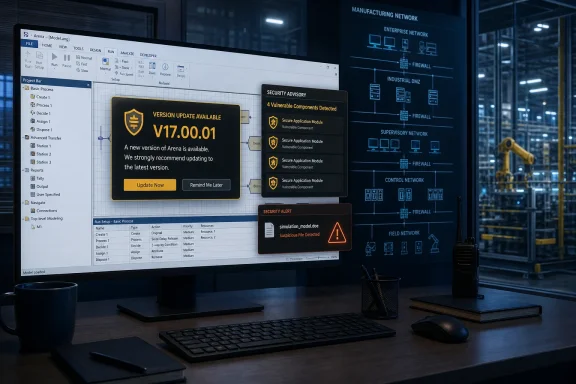 Four CVEs, Four Components, One Recommended Update
The advisory identifies four CWE-787 out-of-bounds write issues in separate Arena Siman components. The supplied advisory facts establish the affected components and versions, but do not establish that every issue has the same underlying validation failure or that the CVEs share a single root cause.| CVE | Affected Siman component | Vulnerability class | Affected Arena version | Recommended version |
|---|---|---|---|---|
| CVE-2026-8085 | model.exe | CWE-787 Out-of-bounds Write | <= V17.00.00 | V17.00.01 |
| CVE-2026-8312 | expmt.exe | CWE-787 Out-of-bounds Write | <= V17.00.00 | V17.00.01 |
| CVE-2026-8313 | linker.exe | CWE-787 Out-of-bounds Write | <= V17.00.00 | V17.00.01 |
| CVE-2026-8314 | siman.exe | CWE-787 Out-of-bounds Write | <= V17.00.00 | V17.00.01 |
The advisory’s key operational statement is that successful exploitation could allow code execution in the context of the current process. That does not automatically mean full administrative control of the Windows device, a broader Windows domain compromise, or access to industrial control systems. The practical outcome depends on the rights of the user running Arena and on the systems and data that account can reach.
For operators, the central action is straightforward: do not attempt to manage the risk by replacing, deleting, or disabling one executable at a time. All four issues have the same recommended product update, so V17.00.01 should be treated as the remediation baseline for affected Arena installations.
Malicious Files Are the Trigger
This is a user-interaction vulnerability. According to the advisory, an attacker could exploit the issues by convincing a user to open a malicious file. That means the immediate risk is tied to how files reach Arena users and how those users decide whether an artifact is trustworthy.The advisory does not establish a specific delivery channel, targeted campaign, or collaboration workflow. Organizations should therefore avoid assuming that a particular route—such as email, a shared folder, removable media, or a third-party portal—is the confirmed attack path. Any of those routes may be relevant in a given environment, but they are local exposure questions rather than facts established by the advisory.
Editorial recommendation: treat unexpected Arena files as untrusted
As a practical editorial recommendation, Arena users should be cautious with files received unexpectedly or from sources that cannot be independently verified. This includes attachments, downloads, and files presented as revised models, examples, test scenarios, planning artifacts, or other material intended to be opened in Arena.That recommendation is not a claim that CISA explicitly repeats unsolicited-email attachment guidance in this advisory. It follows from the advisory’s stated malicious-file trigger and from standard safe file-handling practice.
Organizations can make that recommendation more useful by giving users a clear escalation path. A user who receives an unexpected Arena-related file should know whether to contact a project owner, an engineering lead, an internal security team, or a designated support channel before opening it. Vague instructions to “be careful” are less useful than a simple, documented process for validating unexpected files.
The advisory credits Michael Heinzl with reporting the vulnerabilities to CISA. That attribution is consistent with a disclosed vulnerability report and a vendor-provided fixed version; it is not evidence of an active exploitation campaign.
Update Procedure: Obtain V17.00.01, Verify the Installed Version, and Document the Result
Rockwell Automation identifies V17.00.01 as the recommended version for each of the four CVEs. Operators should obtain the update through Rockwell Automation’s official Arena download and support location, available through the vendor’s Support and Downloads resources, rather than from third-party software repositories or unofficial file-sharing sites.Because access to Rockwell Automation downloads may depend on an organization’s support entitlement or account status, the person responsible for Arena should use the same official vendor account and support path normally used for that installation. If the update is not visible to an authorized user, the appropriate next step is to contact Rockwell Automation support or the organization’s established Rockwell Automation account representative.
Practical update workflow
- Identify affected systems. Build a list of Windows endpoints with Rockwell Automation Arena installed and compare their installed version against the affected boundary of V17.00.00.
- Check the installed Arena version. Open Arena and use the product’s version or About information to record the displayed version number. If Arena cannot be started, use the organization’s software inventory records or Windows-installed-application information to identify the installed release, then confirm the result with the application owner where possible.
- Obtain V17.00.01 from Rockwell Automation. Use Rockwell Automation’s official Arena download/support location and select the update intended for the organization’s licensed Arena deployment. Do not rely on a copied executable, an isolated binary replacement, or a package whose provenance cannot be verified.
- Preserve local change records. Before installation, record the device name, current Arena version, intended update date, responsible owner, and any required maintenance window. If the organization has an established backup or workstation-recovery procedure, follow that process before changing production-used engineering or analysis software.
- Install the vendor update. Follow the instructions included with the Rockwell Automation download and any local software-change procedure. The supplied advisory facts do not provide an exact installer sequence, command-line switch, reboot requirement, or prerequisite list, so operators should not treat an unverified sequence as vendor guidance.
- Verify the updated version. Reopen Arena after installation and confirm that the product identifies itself as V17.00.01. Record the result in the change ticket, asset inventory, or maintenance log.
- Perform local functional validation. Open a known-good, approved model or test artifact appropriate for the organization’s normal use of Arena. Confirm that the application starts and that the workflow required by the local team functions as expected. This is a local operational validation step, not a vendor-certified test plan unless Rockwell Automation supplies one for the installation.
- Escalate failures through the supported path. If the update fails, the application does not start, or approved models cannot be used as expected, retain installation logs and contact Rockwell Automation support through the official support channel. Do not downgrade, modify program files, or substitute executables without documented vendor guidance and local change approval.
Validation and rollback limits
The supplied advisory information identifies the fixed version but does not provide exact vendor validation steps, rollback instructions, uninstall commands, or a supported downgrade procedure. For that reason, administrators should not assume that a generic Windows rollback method is approved for Arena.Where a rollback decision is necessary, it should be governed by the organization’s established change-management and workstation-recovery procedures and, where appropriate, confirmed with Rockwell Automation support. The better immediate objective is to test V17.00.01 on representative systems before broad deployment, especially where Arena is used in an important business or engineering workflow.
Privilege and Segmentation Are Compensating Controls, Not a Substitute for the Patch
The vulnerability’s effect is limited by the context in which Arena runs. A process launched by a standard user on a constrained workstation may have fewer reachable resources than a process launched by a highly privileged user on a broadly connected system. That is why least privilege and sensible network separation remain useful compensating controls while patching is underway.The advisory does not establish that vulnerable Arena installations have access to controller networks, mapped shares, stored credentials, external collaboration systems, or operational data. Those possibilities vary by organization and should be assessed locally rather than assumed.
A concise review should ask:
- Which Windows endpoints run Arena?
- Which installed versions are at or below V17.00.00?
- Which users can open Arena files on those endpoints?
- Are users running the application with only the rights required for their work?
- Are the affected workstations separated from higher-value systems according to the organization’s security architecture?
- Which endpoints regularly receive files from outside the immediate team or organization?
- Which systems cannot be updated promptly, and what temporary restrictions are practical until they can be remediated?
CISA points readers to its industrial-control-system guidance, including ICS-TIP-12-146-01B, Targeted Cyber Intrusion Detection and Mitigation Strategies. The supplied material identifies that publication, but it does not provide the detailed operational recommendations from the document. Administrators should consult the underlying CISA material directly before attributing specific firewall, VPN, internet-exposure, remote-access, monitoring, incident-reporting, or impact-analysis instructions to that technical information paper.
Admin Checklist
- [ ] Identify all Rockwell Automation Arena installations.
- [ ] Confirm whether each system is running V17.00.00 or an earlier affected version.
- [ ] Record the installed version using Arena’s displayed version information or approved software inventory records.
- [ ] Obtain V17.00.01 through Rockwell Automation’s official Arena support and download location.
- [ ] Test the update on representative systems when local change-management practice requires testing.
- [ ] Install V17.00.01 and confirm the installed version after the update.
- [ ] Avoid isolated replacement of
model.exe,expmt.exe,linker.exe, orsiman.exe. - [ ] Review whether Arena users have more local privilege or network reach than their work requires.
- [ ] Remind users to verify unexpected files before opening them in Arena.
- [ ] Document systems that cannot be updated immediately and apply locally approved compensating controls until remediation is complete.
- [ ] Retain installation records and follow established internal procedures if suspicious activity is identified.
What the Advisory Changes for Arena Operators
The advisory does not require panic, and it does not establish that every Arena deployment is exposed to the same downstream impact. It does establish a clear affected-version boundary, four named vulnerable components, a malicious-file trigger, possible arbitrary code execution in the current process, and a fixed version.The practical facts are these:
- Arena versions through V17.00.00 are affected.
- Rockwell Automation recommends V17.00.01 for all four listed CVEs.
- The affected components are
model.exe,expmt.exe,linker.exe, andsiman.exe. - Exploitation requires persuading a user to open a malicious file.
- The advisory lists a CVSS v3 score of 7.8.
- CISA reported no known public exploitation specifically targeting these vulnerabilities at the time of publication.
References
- Primary source: CISA
Published: 2026-07-16T12:00:00+00:00

Rockwell Automation Arena | CISA
www.cisa.gov
- Related coverage: automation.com
Rockwell Automation Enhances Arena Simulation Software
 www.automation.com
