

CISA’s advisory for AutomationDirect Productivity Suite is not a remote-exploitation bulletin, but it still calls for prompt action on affected installations: Productivity Suite v4.6.2.2 and earlier is affected by six vulnerabilities, and CISA recommends updating to Productivity Suite v4.7.0.47 or later. The most serious issues, CVE-2026-60063 and CVE-2026-61389, are local out-of-bounds write vulnerabilities involving crafted IOCTL requests that can lead to privilege escalation or system instability. The remaining CVEs include information-disclosure, crash, and denial-of-service outcomes; they should not be described as sharing one identical exploitation path.
The advisory says these vulnerabilities are not remotely exploitable. That narrows the immediate threat model, but it does not eliminate the need to find and update affected software. A local-access requirement is meaningful when a system is accessible to authorized users, contractors, support personnel, or anyone who can obtain a foothold on the host. The practical response is therefore straightforward: identify every Productivity Suite installation at or below the affected cutoff, update through local change control, and retain a record of the version installed afterward.
CISA describes two high-severity out-of-bounds write vulnerabilities: CVE-2026-60063 and CVE-2026-61389. A local attacker can use crafted IOCTL requests to trigger kernel-memory corruption. The stated consequences include privilege escalation and system instability.
IOCTLs, or input/output control requests, are a standard way for software to communicate with device drivers. In this advisory, the important point is the affected code path and its kernel-memory implications—not a claim that every issue in the advisory is an IOCTL vulnerability or that every issue requires USB interaction.
The other four vulnerabilities have different descriptions and outcomes:
The distinction between local and remote exploitation should be made once and used correctly. These CVEs do not support a claim that an unauthenticated attacker can directly compromise an installation from the internet. They do support a case for timely remediation wherever an affected installation is present and local or physical access is plausible.
That makes version verification the first practical task. Before teams debate broader architecture, endpoint standards, or the relative severity of individual CVEs, they should answer a simpler question: where is Productivity Suite installed, and what version is each installation running?
A complete inventory should include more than the system most visible to operations. Organizations should look for installed copies on active workstations, spare systems, maintenance laptops, stored recovery systems, and machines held by vendors or integrators when those systems are within the organization’s asset-management scope. An affected copy that is rarely used is still an affected copy if it may be brought back into service without an update.
WindowsForum’s operational guidance is to prioritize that inventory according to local and physical-access exposure. This is editorial guidance, not CISA guidance. Systems that are routinely used by multiple people, moved between sites, exposed to removable media, or maintained outside normal endpoint-management processes deserve earlier attention. Backup laptops and vendor-managed systems are particularly easy to miss because they may not appear in the same software inventory, patch cadence, or ownership records as primary assets.
The goal is not to assume every unlisted device is vulnerable. It is to avoid treating one known installation as proof that the entire environment has been checked.
Where version information cannot be confirmed immediately, classify the device as requiring follow-up rather than assuming it is unaffected. A stored laptop, replacement workstation, or vendor-owned machine may be unavailable during the first review. That should produce an explicit exception record with an owner and target date for verification.
This is a useful place to separate evidence from operational practice. The evidence-bound remediation is the version update. Local change control is the organization’s method for carrying out that remediation in a way that is traceable and appropriate for its environment.
Where a site uses a staging system, spare system, or other approved validation process, it may choose to use that process before changing a production-use host. That is an editorial operational recommendation, not an assertion that CISA requires a particular test environment. The critical outcome is that the organization deploys v4.7.0.47 or later and can demonstrate which systems have been updated.
Avoid allowing uncertainty about a perfect deployment window to become an open-ended reason for leaving affected software unidentified. If an installation cannot be updated promptly, record the reason, assign an owner, and establish a defined next review point.
That final confirmation is essential. A download record, ticket closure, or statement that an installer was made available is not the same as proof that each affected installation moved out of the vulnerable range.
WindowsForum’s evidence-bound editorial recommendation is to place the following systems near the top of the review queue:
It also avoids unsupported claims about how Productivity Suite is deployed, what equipment it manages, or what specific environmental controls CISA recommends. The advisory establishes vulnerability facts and a version fix. It does not, by itself, establish a universal architecture for every site using the product.
The remaining CVEs should not be dismissed simply because their stated outcomes differ. CVE-2026-60140 and CVE-2026-57896 involve out-of-bounds reads and can result in information disclosure or disruption. CVE-2026-60073 adds a physical-access, USB-related case. CVE-2026-61378 is distinct again: it is a divide-by-zero issue that can crash the affected software.
For administrators, the key planning fact is that these are not six separate version projects. The known affected range and recommended destination are shared. Updating an installation from v4.6.2.2 or earlier to v4.7.0.47 or later addresses the advisory’s stated software remediation.
A crash outcome should be treated carefully in operational discussion. It is reasonable editorial inference that an unavailable host can complicate work that depends on that host, but the advisory does not establish a specific production impact for every environment. Each organization should assess the role of its own systems rather than assume that all installations have the same consequence.
The advisory says these vulnerabilities are not remotely exploitable. That narrows the immediate threat model, but it does not eliminate the need to find and update affected software. A local-access requirement is meaningful when a system is accessible to authorized users, contractors, support personnel, or anyone who can obtain a foothold on the host. The practical response is therefore straightforward: identify every Productivity Suite installation at or below the affected cutoff, update through local change control, and retain a record of the version installed afterward.
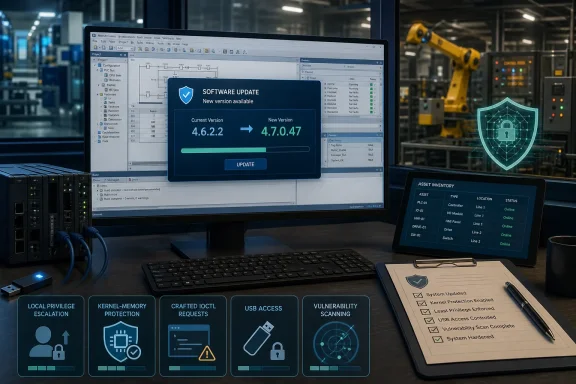 This Is a Local Software Vulnerability Set, Not a Remote-Takeover Claim
CISA describes two high-severity out-of-bounds write vulnerabilities: CVE-2026-60063 and CVE-2026-61389. A local attacker can use crafted IOCTL requests to trigger kernel-memory corruption. The stated consequences include privilege escalation and system instability.IOCTLs, or input/output control requests, are a standard way for software to communicate with device drivers. In this advisory, the important point is the affected code path and its kernel-memory implications—not a claim that every issue in the advisory is an IOCTL vulnerability or that every issue requires USB interaction.
The other four vulnerabilities have different descriptions and outcomes:
- CVE-2026-60140 and CVE-2026-57896 are out-of-bounds read vulnerabilities associated with crafted IOCTL requests. Their stated outcomes include information disclosure and disruption.
- CVE-2026-60073 is a physical-access, USB-related out-of-bounds read vulnerability. It may disclose kernel memory or cause a crash.
- CVE-2026-61378 is a local divide-by-zero vulnerability that can cause a system crash.
| Vulnerability group | CVEs | Weakness | Access required | Stated outcome |
|---|---|---|---|---|
| Out-of-bounds writes | CVE-2026-60063, CVE-2026-61389 | CWE-787 | Local | Privilege escalation or system instability |
| Out-of-bounds reads | CVE-2026-60140, CVE-2026-57896 | CWE-125 | Local | Information disclosure or disruption |
| USB-related out-of-bounds read | CVE-2026-60073 | CWE-125 | Physical | Kernel-memory disclosure or crash |
| Divide-by-zero condition | CVE-2026-61378 | CWE-369 | Local | System crash |
One Version Cutoff Makes Inventory the First Test
The affected-product statement is unusually direct: Productivity Suite versions v4.6.2.2 and earlier are affected. CISA recommends updating to v4.7.0.47 or later.That makes version verification the first practical task. Before teams debate broader architecture, endpoint standards, or the relative severity of individual CVEs, they should answer a simpler question: where is Productivity Suite installed, and what version is each installation running?
A complete inventory should include more than the system most visible to operations. Organizations should look for installed copies on active workstations, spare systems, maintenance laptops, stored recovery systems, and machines held by vendors or integrators when those systems are within the organization’s asset-management scope. An affected copy that is rarely used is still an affected copy if it may be brought back into service without an update.
WindowsForum’s operational guidance is to prioritize that inventory according to local and physical-access exposure. This is editorial guidance, not CISA guidance. Systems that are routinely used by multiple people, moved between sites, exposed to removable media, or maintained outside normal endpoint-management processes deserve earlier attention. Backup laptops and vendor-managed systems are particularly easy to miss because they may not appear in the same software inventory, patch cadence, or ownership records as primary assets.
The goal is not to assume every unlisted device is vulnerable. It is to avoid treating one known installation as proof that the entire environment has been checked.
Actionable remediation box
CISA’s supported remediation point is the version update: Productivity Suite v4.7.0.47 or later.
- Identify all Productivity Suite installations and flag every system running v4.6.2.2 or earlier.
- Obtain the current installer from AutomationDirect’s Support Software Downloads page.
- Validate and deploy Productivity Suite v4.7.0.47 or later under local change control.
- Record the post-update version for each installation, including backup, maintenance, and vendor-associated systems that the organization manages.
A Practical Version-Check and Upgrade Workflow
The advisory provides a clean version boundary, but organizations still need a repeatable workflow for moving from discovery to closure. The process does not require unsupported assumptions about installer screens, upgrade behavior, or product configuration. It requires disciplined identification, validation, deployment, and documentation.1. Build the installation list
Start with available software inventory, endpoint-management records, maintenance documentation, procurement records, and locally maintained asset lists. Record at least:- Hostname or asset identifier.
- Physical location or custodian.
- Current Productivity Suite version.
- Whether the system is active, spare, stored for recovery, or externally maintained.
- Whether the device is included in normal patch and software-management processes.
- Whether local or physical access is broadly available or tightly restricted.
- Planned update owner and change window.
2. Confirm the affected status
For each identified installation, determine whether the installed version is at or below v4.6.2.2. Systems above that cutoff should still be documented as checked, because a completed inventory is more useful than an informal statement that “most machines are current.”Where version information cannot be confirmed immediately, classify the device as requiring follow-up rather than assuming it is unaffected. A stored laptop, replacement workstation, or vendor-owned machine may be unavailable during the first review. That should produce an explicit exception record with an owner and target date for verification.
3. Obtain the current installer from AutomationDirect
Use AutomationDirect’s Support Software Downloads page to obtain the current Productivity Suite installer. Teams should use their normal software-acquisition and validation procedures before deployment. The advisory supports the minimum target version—v4.7.0.47 or later—but it does not document an organization’s internal approval process, so site-specific procedures should govern how the installer is reviewed, stored, and released for use.This is a useful place to separate evidence from operational practice. The evidence-bound remediation is the version update. Local change control is the organization’s method for carrying out that remediation in a way that is traceable and appropriate for its environment.
4. Validate before broad deployment
Validation should be proportionate to the role of the affected installation and the organization’s established change requirements. At minimum, teams should confirm that the update package selected meets the required version target and should determine how the change will be documented and verified after deployment.Where a site uses a staging system, spare system, or other approved validation process, it may choose to use that process before changing a production-use host. That is an editorial operational recommendation, not an assertion that CISA requires a particular test environment. The critical outcome is that the organization deploys v4.7.0.47 or later and can demonstrate which systems have been updated.
5. Deploy under local change control
Schedule and perform the update using the organization’s local change-control process. That process may address timing, system ownership, rollback planning, access coordination, and any site-specific operational constraints. The advisory itself does not provide documented installation steps, UI paths, reboot expectations, compatibility statements, or controller-specific testing instructions; administrators should not infer those details from the vulnerability notice.Avoid allowing uncertainty about a perfect deployment window to become an open-ended reason for leaving affected software unidentified. If an installation cannot be updated promptly, record the reason, assign an owner, and establish a defined next review point.
6. Record the post-update version
After deployment, record the installed Productivity Suite version for each updated host. The record should show that the system is running v4.7.0.47 or later, along with the update date, responsible party, and any exceptions encountered during the process.That final confirmation is essential. A download record, ticket closure, or statement that an installer was made available is not the same as proof that each affected installation moved out of the vulnerable range.
Prioritize Exposure Without Overstating the Advisory
CISA’s “not remotely exploitable” assessment is a useful prioritization input. It means organizations can focus first on systems where local execution or physical access is most plausible, rather than treating the advisory as evidence of direct internet exposure.WindowsForum’s evidence-bound editorial recommendation is to place the following systems near the top of the review queue:
- Installations at v4.6.2.2 or earlier with broad local-user access. The local-access requirement makes user access conditions relevant to priority.
- Portable maintenance and backup laptops. These systems may be used intermittently and may fall outside routine software inventory.
- Vendor or integrator systems under organizational control. Their ownership model can create blind spots in version tracking and update responsibility.
- Systems with regular physical access by multiple personnel. CVE-2026-60073 specifically has a physical-access, USB-related description.
- Systems whose version cannot be promptly verified. Unknown status should drive follow-up, not a presumption of safety.
It also avoids unsupported claims about how Productivity Suite is deployed, what equipment it manages, or what specific environmental controls CISA recommends. The advisory establishes vulnerability facts and a version fix. It does not, by itself, establish a universal architecture for every site using the product.
Administrative Checklist
- [ ] Identify every known Productivity Suite installation.
- [ ] Include active systems, spare systems, maintenance laptops, recovery devices, and organization-managed vendor systems in the review.
- [ ] Determine whether each installation is running v4.6.2.2 or earlier.
- [ ] Mark systems with unknown versions for follow-up rather than treating them as unaffected.
- [ ] Prioritize systems with greater local or physical-access exposure as editorial operational guidance.
- [ ] Obtain the current installer from AutomationDirect’s Support Software Downloads page.
- [ ] Validate and deploy v4.7.0.47 or later under local change control.
- [ ] Record the post-update version for every installation.
- [ ] Document exceptions, update owners, and planned completion dates for systems that cannot yet be updated.
- [ ] Reconcile the final version record against the original inventory so that backup and vendor-associated systems are not omitted.
What the CVE Details Mean for Patch Decisions
CVE-2026-60063 and CVE-2026-61389 warrant particular attention because the advisory describes local out-of-bounds writes that can produce kernel-memory corruption, privilege escalation, or instability. Those outcomes make them more consequential than a simple application error.The remaining CVEs should not be dismissed simply because their stated outcomes differ. CVE-2026-60140 and CVE-2026-57896 involve out-of-bounds reads and can result in information disclosure or disruption. CVE-2026-60073 adds a physical-access, USB-related case. CVE-2026-61378 is distinct again: it is a divide-by-zero issue that can crash the affected software.
For administrators, the key planning fact is that these are not six separate version projects. The known affected range and recommended destination are shared. Updating an installation from v4.6.2.2 or earlier to v4.7.0.47 or later addresses the advisory’s stated software remediation.
A crash outcome should be treated carefully in operational discussion. It is reasonable editorial inference that an unavailable host can complicate work that depends on that host, but the advisory does not establish a specific production impact for every environment. Each organization should assess the role of its own systems rather than assume that all installations have the same consequence.
What This Advisory Changes for Productivity Suite Operators
The immediate change is simple: organizations should replace uncertainty with a documented version status for every Productivity Suite installation they manage.- Affected range: Productivity Suite v4.6.2.2 and earlier.
- Recommended version: Productivity Suite v4.7.0.47 or later.
- Highest-concern technical outcomes: The two out-of-bounds write CVEs may lead to privilege escalation or instability.
- Access model: The advisory says the vulnerabilities are not remotely exploitable; local and, for one issue, physical access remain relevant.
- Operational priority: Inventory first, with special attention to unmanaged backup and vendor laptops and systems with greater local or physical-access exposure. This prioritization is WindowsForum editorial guidance.
- Proof of completion: Record the post-update version, not merely the intent to update.
References
- Primary source: CISA
Published: 2026-07-16T12:00:00+00:00

AutomationDirect Productivity Suite | CISA
www.cisa.gov
- Related coverage: cdn.automationdirect.com
- Related coverage: decisioninsights.ai

AutomationDirect's Productivity Suite vulnerabilities - Decision Insights
AutomationDirect's Productivity Suite vulnerabilities require users to update software and enhance security measures.
decisioninsights.ai
- Related coverage: ptc.com
AutomationDirect Suite | Kepware | PTC
The AutomationDirect Suite packages all of the AutomationDirect drivers for one low price and all can be used on the same PC after purchasing the license.www.ptc.com
