

LG’s OLED evo C6 does not reinvent the company’s most popular premium television, and that is precisely why it succeeds. The 2026 model takes the familiar C-series formula—perfect blacks, accurate color, broad gaming support, and a slim design—and adds enough brightness to make HDR more convincing without approaching flagship pricing. At a reviewed street price of $1,999.99 for the 65-inch model, the C6 emerges as one of the strongest OLED values of the year, provided buyers can tolerate its inexplicable retreat to Wi-Fi 5 and resist paying extra for improvements they may never notice.
LG’s C-series has occupied an unusually durable position in the television market. It is not the company’s least expensive OLED family, nor does it receive every display innovation reserved for the Gallery-series flagship, but it has repeatedly delivered the best balance of price, picture quality, connectivity, and gaming performance.
The C6 continues that strategy rather than attempting a dramatic redesign. Its major advancement is a brighter OLED panel combined with LG’s 2026 image-processing platform, while its chassis, remote, port selection, and general software experience remain recognizable to anyone who has used a recent LG television.
The practical effect can be more meaningful. Additional brightness gives HDR highlights greater impact, makes daytime viewing less compromised, and gives image processing more headroom before bright details must be compressed. The C6’s improvements are evolutionary, but they strengthen the qualities that already made the C-series popular.
The television rests on a rectangular metal stand, although wall mounting remains an obvious option. Buyers should remember that an OLED panel’s extreme thinness does not extend across its entire rear surface.
This is functionally sensible, although it means the television will not sit as uniformly flush against a wall as LG’s purpose-built Gallery models. Anyone prioritizing a picture-frame-style installation may still prefer the G6, while viewers using a conventional cabinet are unlikely to care.
LG places the remaining connectors on the left side with sideways-facing access. That orientation is preferable to rear-facing sockets for wall mounting, but owners should still plan HDMI cable lengths before securing the television in place.
A practical configuration might include:
As with many televisions, however, the Ethernet interface should not be mistaken for a cutting-edge multigigabit connection. Its primary purpose is reliable streaming rather than moving huge local media files at workstation-class speeds.
ATSC 3.0 availability remains inconsistent, and many owners rely entirely on streaming or cable. Even so, omitting the newer tuner is disappointing in a premium television intended to remain in service for many years.
The television is not automatically slow simply because its wireless standard is older. Signal quality, channel congestion, router placement, and interference often matter more than the logo printed on the specifications page.
The omission also looks poor from a longevity perspective. A $2,000 television launched in 2026 should not regress from the wireless capabilities of the model it replaces, even if most owners never encounter a buffering problem.
The central question for many WindowsForum readers is whether an external streaming device is still necessary. For ordinary subscription viewing, the answer is generally no; webOS can handle the expected services without consuming another HDMI port.
An external box may still provide better long-term app performance, more storage, niche software, or more advanced local-media support. It can also isolate streaming activity from LG’s interface if the owner prefers another ecosystem.
Some viewers find the pointer faster than repeated directional-button presses. Others dislike activating it accidentally, but conventional navigation remains available through the circular pad.
Dedicated buttons provide direct access to several streaming services and LG functions. They are convenient when they match the owner’s subscriptions, though they also contribute to a remote that feels more commercially driven than customizable.
That separation can feel awkward. A user may ask Gemini a general question, then need LG’s assistant to change a device setting or operate a connected appliance.
The result is less like one unified intelligence and more like several services sharing the same microphone. The distinction will become easier to tolerate if LG refines the handoff between assistants through software updates.
Televisions are natural smart-home dashboards because they have large displays and occupy central locations. The risk is that every additional service introduces accounts, permissions, cloud dependencies, and data-sharing decisions that buyers must manage.
Useful precautions include disabling hands-free activation if it is not needed, reviewing advertising preferences, limiting content-recognition services, and periodically checking which accounts remain linked. AI integration can be convenient, but it should remain optional rather than becoming an unavoidable layer between the user and the screen.
That increase does not transform it into a flagship-killing display. It does, however, make sparks, reflections, lamps, sunlight, and specular effects appear more intense without sacrificing OLED’s absolute black level.
Consequently, the C6 avoids the blooming or haloing that can appear around subtitles, stars, interface elements, and bright objects on mini-LED televisions. A small white object can sit against a black background without producing a visible glow around its edges.
This precision contributes to perceived contrast beyond what raw brightness numbers suggest. A 1,500-nit highlight surrounded by true black can look more dramatic than a brighter highlight on a display whose black level remains slightly elevated.
The C6 manages these scenes well enough for comfortable viewing, but it cannot maintain its small-window peak across the entire screen. Buyers furnishing a very bright room should evaluate reflections, window placement, and viewing habits rather than assuming peak brightness tells the complete story.
Cinema Home raises the overall visual energy for daytime viewing. Skin tones can look slightly more saturated, but the extra brightness and punch may be beneficial when ambient light would otherwise reduce perceived contrast.
Neither mode is universally correct for every room. The most practical approach is to preserve Filmmaker Mode for controlled lighting and use Cinema Home or a carefully adjusted alternative during the day.
Samsung continues to emphasize HDR10+ rather than Dolby Vision on its televisions. That gives LG an advantage for viewers whose discs and streaming libraries contain substantial Dolby Vision content, although the importance varies according to service, title, and mastering quality.
The larger gains will come from choosing a suitable picture mode and disabling aggressive processing. A poorly selected vivid preset can do more damage than minor laboratory-level color errors.
OLED’s pixel-level control helps scenes retain dimension. Dark foliage can sit beside sunlit leaves without the illuminated areas washing out adjacent shadows.
The C6 handles this balance well. Bright decorations and white shirts stand out, but dark clothing does not collapse into featureless silhouettes when the source is mastered properly.
Full-screen snow scenes are not its strongest material, but they remain detailed and watchable. In most films, games, and series, bright regions occupy only part of the screen, allowing the television to deliver a much more forceful HDR image.
For Windows PC owners, the 165Hz ceiling is an improvement over the C5’s lower maximum. It is especially useful in competitive games where a powerful GPU can render well above 120 frames per second at 4K or at a reduced resolution.
Console owners will generally operate at up to 120Hz because current console output does not exploit 165Hz. They still benefit from VRR, automatic low-latency switching, and four gaming-capable HDMI inputs.
The Samsung S95H can respond slightly faster under some conditions, but the difference is unlikely to influence ordinary single-player or casual competitive gaming. Network latency, controller polling, game-engine behavior, and frame-rate consistency often have a greater effect on the total response chain.
Fast pixel response does not eliminate sample-and-hold blur created by the way the human eye tracks motion. Higher frame rates remain the most effective route to clearer movement, making the C6’s 165Hz PC mode more than a marketing statistic.
Those numbers represent a substantial advantage, particularly in bright HDR highlights and moderately illuminated scenes. The G6 also offers a more premium wall-oriented design.
The question is whether that improvement is worth roughly $1,400 over the reviewed C6 price. For a controlled home theater, the C6 already provides perfect blacks, excellent accuracy, Dolby Vision, and enough brightness to produce compelling HDR.
Samsung’s television is the more spectacular display in difficult rooms and can produce brighter, more saturated color in demanding HDR material. Its lack of Dolby Vision remains a consideration, while LG’s four-port gaming flexibility and established Game Optimizer experience continue to appeal to multi-platform households.
That distinction is important. Best value does not mean cheapest, and it does not mean best picture regardless of price. It means the performance gained by spending more becomes disproportionately expensive.
In a sun-filled living room with windows directly opposite the screen, a flagship OLED or high-output mini-LED model may be more appropriate. Buying the C6 and leaving it in an intensely reflective environment wastes part of what makes OLED special.
A soundbar connected through eARC is the natural minimum upgrade. A receiver with discrete speakers will better match the image quality, especially for Dolby Atmos films and games.
C5 owners should generally wait. The C6 is better, but the difference is too small to justify replacing a one-year-old television unless the existing set can be repurposed or sold at an unusually favorable price.
Text clarity, scaling, automatic brightness behavior, static-image exposure, and ergonomics must be considered. OLED televisions are not direct substitutes for purpose-built monitors in every workflow.
It should not be treated as a reference monitor for color-critical final approval. Professional displays offer tighter calibration controls, documented tolerances, specialized signal handling, and more predictable sustained brightness.
The C6 is therefore best suited to small installations where image quality matters more than fleet administration.
A 65-inch street price around $2,000 represents strong value. A deeper sale makes the recommendation easier, while the full $2,699 launch price places it uncomfortably close to discounted flagship models.
If the difference reaches several hundred dollars, many viewers would be better served by buying the C5 and using the savings for a soundbar, receiver, calibration, or larger screen size.
They are better televisions in measurable terms. The C6 is the more rational purchase for most households because it reaches the point of diminishing returns sooner.
The wireless hardware cannot be transformed into Wi-Fi 6E through firmware. Owners dissatisfied with Wi-Fi 5 will need Ethernet, a better access-point layout, or an external streaming device.
Screen size should remain part of the calculation. A larger C5 can produce a more immersive experience than a smaller C6, while a heavily discounted G5 may offer flagship panel performance for similar money.
The remaining gaps involve sustained full-screen luminance, wireless and tuner decisions, platform privacy, and the price premium attached to flagship panel technology. If LG brings more of the G-series panel architecture into future C-series sizes without raising prices sharply, the distinction between mainstream and flagship OLED could narrow further.
The LG OLED evo C6 is the television equivalent of a mature Windows release: familiar, broadly compatible, and improved in the areas users notice most, even if a few baffling regressions remain. Its brighter HDR presentation, accurate color, perfect blacks, Dolby Vision support, four gaming-ready HDMI ports, and 165Hz PC capability make it an outstanding home theater centerpiece. The G6 and Samsung S95H can deliver a more dazzling picture, but the C6 captures most of their practical appeal for far less money, earning its position as the best-value premium OLED of 2026—especially when purchased below its launch price rather than as an unnecessary upgrade from the already excellent C5.
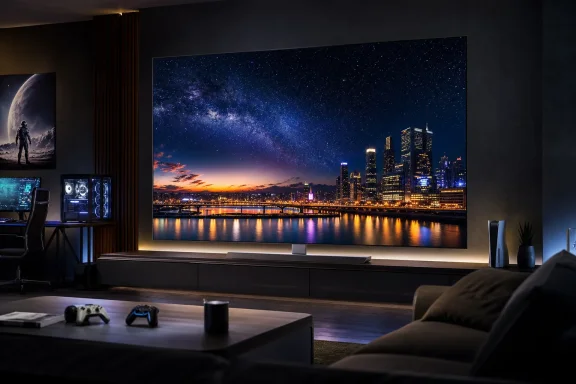 Background
LG’s C-series has occupied an unusually durable position in the television market. It is not the company’s least expensive OLED family, nor does it receive every display innovation reserved for the Gallery-series flagship, but it has repeatedly delivered the best balance of price, picture quality, connectivity, and gaming performance.The evolution of the C-series
Earlier models such as the C1, C2, C3, C4, and C5 helped establish LG OLED televisions as default recommendations for home theater enthusiasts who also owned an Xbox, PlayStation, or gaming PC. Four full-bandwidth HDMI inputs, support for the leading variable refresh rate technologies, low latency, and Dolby Vision made the series unusually versatile.The C6 continues that strategy rather than attempting a dramatic redesign. Its major advancement is a brighter OLED panel combined with LG’s 2026 image-processing platform, while its chassis, remote, port selection, and general software experience remain recognizable to anyone who has used a recent LG television.
Why incremental progress matters
Annual television upgrades often look modest when reduced to specification tables. A few hundred additional nits, a higher maximum refresh rate, or slightly improved tone mapping can sound insignificant beside the more dramatic marketing surrounding new panel architectures.The practical effect can be more meaningful. Additional brightness gives HDR highlights greater impact, makes daytime viewing less compromised, and gives image processing more headroom before bright details must be compressed. The C6’s improvements are evolutionary, but they strengthen the qualities that already made the C-series popular.
Design and Build Quality
The C6 uses the same understated visual language as its predecessor. It is essentially an uninterrupted sheet of glass from the front, bordered only by a narrow metallic edge and a small central housing for the infrared receiver.A nearly borderless screen
There is no thick frame competing with the picture, and no decorative flourish that will look dated in several years. This minimalist approach works particularly well with OLED because black letterbox bars and dark scenes can visually disappear into the panel.The television rests on a rectangular metal stand, although wall mounting remains an obvious option. Buyers should remember that an OLED panel’s extreme thinness does not extend across its entire rear surface.
Thin panel, thicker electronics housing
The upper portion of the C6 is remarkably slim, but a rectangular enclosure covers roughly half of the back. That section houses the processing hardware, power components, speakers, and physical connections.This is functionally sensible, although it means the television will not sit as uniformly flush against a wall as LG’s purpose-built Gallery models. Anyone prioritizing a picture-frame-style installation may still prefer the G6, while viewers using a conventional cabinet are unlikely to care.
Cable management could be better
The permanently attached power cord exits from the rear electronics enclosure. A fixed cable is less convenient than a detachable lead, particularly when routing wiring through furniture, conduits, or wall-mounted installation systems.LG places the remaining connectors on the left side with sideways-facing access. That orientation is preferable to rear-facing sockets for wall mounting, but owners should still plan HDMI cable lengths before securing the television in place.
Ports and Connectivity
The C6 remains unusually accommodating for households with several modern video sources. Its selection includes four HDMI ports, two USB connections, optical digital audio, Ethernet, an antenna input, and a 3.5mm connection for an infrared blaster.Four HDMI inputs remain a major advantage
All four HDMI ports support the television’s advanced gaming features, while one doubles as the enhanced Audio Return Channel connection. This arrangement allows a user to connect a soundbar or AV receiver alongside multiple gaming devices without immediately needing an external HDMI switch.A practical configuration might include:
- An HDMI eARC soundbar or receiver connected to the designated audio-return port.
- An Xbox Series X or future high-refresh-rate console on a second input.
- A PlayStation 5-class system on a third input.
- A Windows gaming PC or streaming box on the fourth input.
Ethernet offers stability, but not maximum speed
The wired network connection provides a dependable alternative to wireless networking. It is especially useful in apartments, dense neighborhoods, and homes where several access points compete for airtime.As with many televisions, however, the Ethernet interface should not be mistaken for a cutting-edge multigigabit connection. Its primary purpose is reliable streaming rather than moving huge local media files at workstation-class speeds.
Missing ATSC 3.0 support
The C6 sold in the United States includes an ATSC 1.0 tuner rather than an ATSC 3.0 NextGen TV receiver. It can therefore receive conventional over-the-air digital broadcasts but cannot directly exploit the newer standard’s potential support for higher-resolution programming, improved reception, and advanced interactive features.ATSC 3.0 availability remains inconsistent, and many owners rely entirely on streaming or cable. Even so, omitting the newer tuner is disappointing in a premium television intended to remain in service for many years.
The Wi-Fi 5 Downgrade
The strangest part of the C6 specification sheet is its wireless adapter. LG has equipped the television with Wi-Fi 5 rather than the Wi-Fi 6E hardware used in some previous models, including the C5 in relevant markets.Why Wi-Fi 5 is usually adequate
A high-quality 4K HDR stream typically consumes far less bandwidth than a healthy Wi-Fi 5 connection can deliver. In a modest home with a well-positioned router, the C6 should stream Netflix, Disney+, YouTube, Apple TV, and other mainstream services without difficulty.The television is not automatically slow simply because its wireless standard is older. Signal quality, channel congestion, router placement, and interference often matter more than the logo printed on the specifications page.
Why the downgrade still matters
Wi-Fi 6E can use the 6GHz spectrum, offering additional channel capacity in compatible networks. That can be valuable in crowded areas where the 2.4GHz and 5GHz bands are saturated by neighboring routers, smart-home devices, laptops, phones, and wireless security equipment.The omission also looks poor from a longevity perspective. A $2,000 television launched in 2026 should not regress from the wireless capabilities of the model it replaces, even if most owners never encounter a buffering problem.
Practical workarounds
Users experiencing unreliable wireless performance have several options:- A wired Ethernet connection can eliminate most interference-related problems.
- A mesh access point placed near the television can improve signal strength.
- A high-end external streaming device can use its own newer wireless adapter.
- Local media enthusiasts can connect a compatible playback box directly over HDMI.
webOS and Streaming Features
LG’s webOS platform remains broad, responsive, and familiar. It covers the major streaming services and supports local casting through Apple AirPlay, Google Cast, and Miracast-compatible systems.Broad application support
Mainstream apps include Amazon Prime Video, Apple TV, Crunchyroll, Disney+, Netflix, Twitch, and YouTube. LG Channels provides free, advertising-supported programming, while the webOS store offers additional regional and specialist services.The central question for many WindowsForum readers is whether an external streaming device is still necessary. For ordinary subscription viewing, the answer is generally no; webOS can handle the expected services without consuming another HDMI port.
An external box may still provide better long-term app performance, more storage, niche software, or more advanced local-media support. It can also isolate streaming activity from LG’s interface if the owner prefers another ecosystem.
The Magic Remote remains distinctive
The included remote resembles a conventional black handset but contains motion sensors that turn it into an on-screen pointer. Moving the remote shifts a cursor around the display, while the center scroll wheel can select items and move through long menus.Some viewers find the pointer faster than repeated directional-button presses. Others dislike activating it accidentally, but conventional navigation remains available through the circular pad.
Dedicated buttons provide direct access to several streaming services and LG functions. They are convenient when they match the owner’s subscriptions, though they also contribute to a remote that feels more commercially driven than customizable.
AI Assistants and Smart-Home Integration
The C6 reflects the television industry’s broad move toward generative AI. LG combines its own voice-control layer with access to Google Gemini and Microsoft Copilot for questions, discovery, and content searches.Multiple assistants, different responsibilities
Gemini and Copilot can help surface information or locate entertainment, but they do not replace every function of LG’s built-in assistant. Core television control and some smart-home commands continue to pass through LG’s system.That separation can feel awkward. A user may ask Gemini a general question, then need LG’s assistant to change a device setting or operate a connected appliance.
The result is less like one unified intelligence and more like several services sharing the same microphone. The distinction will become easier to tolerate if LG refines the handoff between assistants through software updates.
Matter and Google Home support
The C6 can participate in a broader connected-home environment, including Matter and Google Home-compatible devices. This gives the television potential value as a visible control surface for lights, plugs, sensors, and other equipment.Televisions are natural smart-home dashboards because they have large displays and occupy central locations. The risk is that every additional service introduces accounts, permissions, cloud dependencies, and data-sharing decisions that buyers must manage.
Privacy deserves attention
Voice assistants require microphones, network access, and some level of data processing. Owners should inspect the television’s privacy options rather than accepting every default during initial setup.Useful precautions include disabling hands-free activation if it is not needed, reviewing advertising preferences, limiting content-recognition services, and periodically checking which accounts remain linked. AI integration can be convenient, but it should remain optional rather than becoming an unavoidable layer between the user and the screen.
Picture Performance
The C6’s central achievement is its brightness. In HDR Filmmaker Mode, testing produced a peak of approximately 1,552 nits in a 10% white window and 1,015 nits across an 18% white field.Brighter than the C5
The C5 reached roughly 1,269 nits in a comparable 10% measurement and 944 nits in a smaller bright field during the referenced testing. Differences between test patterns, firmware, panel samples, and measurement methods make direct comparisons imperfect, but the broader result is clear: the C6 has more HDR headroom.That increase does not transform it into a flagship-killing display. It does, however, make sparks, reflections, lamps, sunlight, and specular effects appear more intense without sacrificing OLED’s absolute black level.
Perfect black remains OLED’s foundation
Each OLED pixel produces its own light and can turn off independently. There is no separate backlight attempting to illuminate bright areas while suppressing dark ones.Consequently, the C6 avoids the blooming or haloing that can appear around subtitles, stars, interface elements, and bright objects on mini-LED televisions. A small white object can sit against a black background without producing a visible glow around its edges.
This precision contributes to perceived contrast beyond what raw brightness numbers suggest. A 1,500-nit highlight surrounded by true black can look more dramatic than a brighter highlight on a display whose black level remains slightly elevated.
Full-screen brightness remains limited
OLED’s familiar weakness appears when a scene asks most of the panel to become intensely bright at once. Snowfields, hockey rinks, white user interfaces, and sunlit landscapes can look dimmer than on a powerful mini-LED television.The C6 manages these scenes well enough for comfortable viewing, but it cannot maintain its small-window peak across the entire screen. Buyers furnishing a very bright room should evaluate reflections, window placement, and viewing habits rather than assuming peak brightness tells the complete story.
Color Accuracy and HDR Formats
The C6’s out-of-box color performance is excellent. SDR content closely follows the Rec.709 broadcast target, while HDR reproduction approaches the wider DCI-P3 color space with only minor deviations.Filmmaker Mode is the best starting point
Filmmaker Mode minimizes unnecessary processing and aims for a presentation closer to the mastering intent. It is the preferred choice for movie nights, especially in a dim room where heightened brightness and artificial sharpening are unnecessary.Cinema Home raises the overall visual energy for daytime viewing. Skin tones can look slightly more saturated, but the extra brightness and punch may be beneficial when ambient light would otherwise reduce perceived contrast.
Neither mode is universally correct for every room. The most practical approach is to preserve Filmmaker Mode for controlled lighting and use Cinema Home or a carefully adjusted alternative during the day.
Dolby Vision is a meaningful advantage
The C6 supports Dolby Vision, HDR10, and Hybrid Log-Gamma. Dolby Vision remains particularly relevant because it can carry dynamic metadata that helps the television adapt tone mapping from scene to scene.Samsung continues to emphasize HDR10+ rather than Dolby Vision on its televisions. That gives LG an advantage for viewers whose discs and streaming libraries contain substantial Dolby Vision content, although the importance varies according to service, title, and mastering quality.
Calibration is optional, not mandatory
Professional calibration can refine grayscale tracking, color temperature, and tone mapping. The C6’s strong factory accuracy means most owners can enjoy a highly credible image without paying for that service.The larger gains will come from choosing a suitable picture mode and disabling aggressive processing. A poorly selected vivid preset can do more damage than minor laboratory-level color errors.
Real-World Viewing Experience
Technical measurements describe capability, but representative content reveals whether those numbers translate into a satisfying television. The C6 performs convincingly across nature footage, dark films, and demanding HDR demonstration material.Bright, colorful documentaries
In detailed nature programming, blue water and green vegetation appear vivid without becoming fluorescent. Fine textures such as fur, tree bark, feathers, and rock remain visible in both sunlight and shade.OLED’s pixel-level control helps scenes retain dimension. Dark foliage can sit beside sunlit leaves without the illuminated areas washing out adjacent shadows.
Dark films and mixed lighting
Party scenes, nighttime interiors, and formal clothing demonstrate the importance of near-black detail. Black jackets should look genuinely dark while preserving seams, folds, and fabric texture.The C6 handles this balance well. Bright decorations and white shirts stand out, but dark clothing does not collapse into featureless silhouettes when the source is mastered properly.
Challenging benchmark footage
Bright clouds against snowy landscapes reveal the limits of large-area brightness, while small objects against black expose blooming and local-dimming artifacts. The C6 performs better in the second category because there is no conventional backlight to betray it.Full-screen snow scenes are not its strongest material, but they remain detailed and watchable. In most films, games, and series, bright regions occupy only part of the screen, allowing the television to deliver a much more forceful HDR image.
Gaming and Windows PC Performance
The C6 is not merely suitable for gaming; it is designed around it. The panel has a native 120Hz refresh rate and supports variable refresh rates up to 165Hz with compatible PC hardware.FreeSync and G-Sync support
AMD FreeSync Premium and Nvidia G-Sync compatibility allow the television to synchronize its refresh cycle with a supported graphics processor. This reduces visible tearing and can smooth uneven frame delivery when performance fluctuates.For Windows PC owners, the 165Hz ceiling is an improvement over the C5’s lower maximum. It is especially useful in competitive games where a powerful GPU can render well above 120 frames per second at 4K or at a reduced resolution.
Console owners will generally operate at up to 120Hz because current console output does not exploit 165Hz. They still benefit from VRR, automatic low-latency switching, and four gaming-capable HDMI inputs.
Low input latency
Measured input lag was approximately 12.8 milliseconds with a 4K 60Hz signal and 4.6 milliseconds at 1080p 120Hz in Game Mode. Both results fall below the duration of a single frame at their respective refresh rates.The Samsung S95H can respond slightly faster under some conditions, but the difference is unlikely to influence ordinary single-player or casual competitive gaming. Network latency, controller polling, game-engine behavior, and frame-rate consistency often have a greater effect on the total response chain.
OLED motion clarity
OLED pixels transition extremely quickly, reducing the smearing associated with slower LCD responses. Camera movement and fast objects therefore remain cleaner, especially at 120Hz or 165Hz.Fast pixel response does not eliminate sample-and-hold blur created by the way the human eye tracks motion. Higher frame rates remain the most effective route to clearer movement, making the C6’s 165Hz PC mode more than a marketing statistic.
Sensible Windows configuration
PC users should follow a deliberate setup process:- Connect the graphics card directly to a compatible HDMI port using a certified high-bandwidth cable.
- Enable the television’s enhanced HDMI or gaming mode for that input.
- Select 4K resolution and the desired refresh rate in Windows.
- Enable HDR only after confirming the correct bit depth and color format.
- Activate G-Sync or FreeSync in the graphics driver and confirm VRR operation.
- Use the television’s Game Optimizer to check latency and refresh information.
C6 Versus the Flagships
The LG G6 and Samsung S95H provide a useful test of the C6’s value proposition. Both are significantly brighter, more expensive, and designed to demonstrate what their manufacturers can achieve at the upper end of the OLED market.LG G6 comparison
The 65-inch G6 launched at approximately $3,399.99 and uses LG’s more advanced flagship panel system. Testing has placed it around 2,460 nits in a 10% window and 1,566 nits across an 18% field, although performance varies by mode and methodology.Those numbers represent a substantial advantage, particularly in bright HDR highlights and moderately illuminated scenes. The G6 also offers a more premium wall-oriented design.
The question is whether that improvement is worth roughly $1,400 over the reviewed C6 price. For a controlled home theater, the C6 already provides perfect blacks, excellent accuracy, Dolby Vision, and enough brightness to produce compelling HDR.
Samsung S95H comparison
Samsung’s S95H also reaches flagship-class brightness and adds a premium audio system, faster wireless networking, glare-conscious design features, and exceptionally low gaming latency. At approximately $3,399.99 for 65 inches, it competes directly with the G6 rather than the C6.Samsung’s television is the more spectacular display in difficult rooms and can produce brighter, more saturated color in demanding HDR material. Its lack of Dolby Vision remains a consideration, while LG’s four-port gaming flexibility and established Game Optimizer experience continue to appeal to multi-platform households.
The value threshold
The C6 does not beat these flagships on absolute performance. It wins by delivering most of the experience at a substantially lower cost.That distinction is important. Best value does not mean cheapest, and it does not mean best picture regardless of price. It means the performance gained by spending more becomes disproportionately expensive.
Consumer and Home Theater Impact
For consumers, the C6 is easiest to recommend as an all-purpose premium television. It is accurate enough for film enthusiasts, responsive enough for demanding players, and simple enough for family streaming.Best room environments
The C6 works best in rooms where direct sunlight can be controlled. Curtains, blinds, thoughtful placement, and moderate evening lighting allow its black level and contrast to dominate.In a sun-filled living room with windows directly opposite the screen, a flagship OLED or high-output mini-LED model may be more appropriate. Buying the C6 and leaving it in an intensely reflective environment wastes part of what makes OLED special.
Built-in sound and external audio
Like most slim televisions, the C6 cannot produce the scale, bass extension, and directional precision of a dedicated audio system. Its integrated speakers are sufficient for news, casual television, and uncomplicated viewing.A soundbar connected through eARC is the natural minimum upgrade. A receiver with discrete speakers will better match the image quality, especially for Dolby Atmos films and games.
Upgrade guidance
Owners of older LCD televisions or early OLED generations will see a substantial improvement. The move brings better HDR, more refined processing, higher gaming refresh rates, modern smart-TV features, and improved brightness.C5 owners should generally wait. The C6 is better, but the difference is too small to justify replacing a one-year-old television unless the existing set can be repurposed or sold at an unusually favorable price.
Enterprise and Professional Considerations
The C6 is primarily a consumer product, but its color accuracy and Windows compatibility may attract creative professionals, executive offices, demonstration spaces, and small production environments.Large-format desktop use
A 42-inch or 48-inch C6 can function as a large Windows display when desk depth is sufficient. The 4K resolution provides considerable workspace, while 120Hz and 165Hz modes make interaction feel more immediate than on a conventional 60Hz office monitor.Text clarity, scaling, automatic brightness behavior, static-image exposure, and ergonomics must be considered. OLED televisions are not direct substitutes for purpose-built monitors in every workflow.
Creative review and client presentation
Accurate factory modes make the C6 useful for reviewing video, photography, animation, and game builds. It can provide an impressive client-facing image without the cost of a professional mastering display.It should not be treated as a reference monitor for color-critical final approval. Professional displays offer tighter calibration controls, documented tolerances, specialized signal handling, and more predictable sustained brightness.
Deployment limitations
Businesses should account for consumer-grade warranty terms, the permanently attached power cable, wireless regression, and the absence of enterprise management features. webOS is convenient for a living room but does not replace centralized signage or device-management infrastructure.The C6 is therefore best suited to small installations where image quality matters more than fleet administration.
Strengths and Opportunities
The C6 succeeds because its compromises rarely interfere with the core viewing experience.- Its OLED panel delivers perfect black levels and eliminates backlight blooming around bright objects.
- Peak HDR brightness improves meaningfully over the C5, giving highlights greater intensity and dimensionality.
- Color accuracy is excellent without professional calibration, particularly in Filmmaker Mode.
- Dolby Vision support strengthens compatibility with premium streaming and Ultra HD Blu-ray content.
- Four gaming-capable HDMI inputs accommodate consoles, Windows PCs, and an eARC audio system simultaneously.
- Variable refresh rate support reaches 165Hz for compatible PC gaming.
- FreeSync Premium and G-Sync compatibility make it suitable for both AMD and Nvidia graphics hardware.
- webOS provides broad streaming coverage, casting support, and an accessible interface.
- Recent discounts materially improve the value equation compared with the $2,699 launch price.
- The restrained design should fit comfortably into both living rooms and dedicated theater spaces.
Risks and Concerns
The C6 is an excellent television, but buyers should understand its weaknesses before treating it as a universal recommendation.- Wi-Fi 5 is a baffling downgrade from newer wireless standards available in earlier and competing televisions.
- The lack of ATSC 3.0 limits direct access to NextGen TV features in supported U.S. markets.
- Full-screen brightness remains below that of premium OLED and high-output mini-LED models.
- AI services create additional privacy, account-management, and data-sharing considerations.
- The fixed power cord complicates some wall installations and cable replacements.
- Static desktop interfaces and game HUDs require sensible OLED care over long periods.
- Built-in audio cannot fully match the scale and precision of the picture.
- C5 owners receive too little improvement to make an immediate upgrade financially sensible.
- Pricing can fluctuate dramatically, making the television far more attractive during promotions than at full MSRP.
- Panel and feature differences across sizes or regional versions may complicate buying decisions.
Buying Advice
The right decision depends less on whether the C6 is good—it plainly is—and more on the price difference between it and nearby alternatives.Buy the C6 if
Choose the C6 if you want premium OLED image quality, Dolby Vision, excellent gaming support, and four advanced HDMI inputs without entering flagship pricing. It is particularly compelling for a household that combines movie streaming, console gaming, and a Windows gaming PC.A 65-inch street price around $2,000 represents strong value. A deeper sale makes the recommendation easier, while the full $2,699 launch price places it uncomfortably close to discounted flagship models.
Consider the C5 if
The older C5 remains attractive when clearance pricing creates a substantial gap. Its HDR output is slightly lower and its maximum PC refresh rate is more limited, but it still provides the essential OLED experience.If the difference reaches several hundred dollars, many viewers would be better served by buying the C5 and using the savings for a soundbar, receiver, calibration, or larger screen size.
Step up to a flagship if
The G6 or S95H makes sense for a bright room, a no-compromise theater, or a buyer who wants the strongest HDR impact available. Those models also suit customers willing to pay heavily for smaller gains in brightness, design, networking, audio, or processing.They are better televisions in measurable terms. The C6 is the more rational purchase for most households because it reaches the point of diminishing returns sooner.
What to Watch Next
LG’s biggest challenge will be maintaining the C6’s value as discounts reshape the 2026 television market. OLED prices often fall rapidly after launch, causing last year’s flagships and this year’s midrange models to overlap.Firmware development
Software updates could refine HDR tone mapping, gaming behavior, assistant handoffs, app performance, and smart-home integration. Buyers should watch for changes to webOS privacy settings and the practical usefulness of Gemini and Copilot after their initial novelty fades.The wireless hardware cannot be transformed into Wi-Fi 6E through firmware. Owners dissatisfied with Wi-Fi 5 will need Ethernet, a better access-point layout, or an external streaming device.
Competitive pricing
Samsung’s S90H and S85H, discounted S95-series models, older LG Gallery televisions, and increasingly capable mini-LED sets will pressure the C6 throughout the year. The best choice may change from week to week as retail pricing moves.Screen size should remain part of the calculation. A larger C5 can produce a more immersive experience than a smaller C6, while a heavily discounted G5 may offer flagship panel performance for similar money.
The future of midrange OLED
The C6 demonstrates that midrange OLED development is increasingly about refinement rather than repairing fundamental weaknesses. Brightness is improving, gaming ceilings are rising, and image processing is becoming more sophisticated.The remaining gaps involve sustained full-screen luminance, wireless and tuner decisions, platform privacy, and the price premium attached to flagship panel technology. If LG brings more of the G-series panel architecture into future C-series sizes without raising prices sharply, the distinction between mainstream and flagship OLED could narrow further.
The LG OLED evo C6 is the television equivalent of a mature Windows release: familiar, broadly compatible, and improved in the areas users notice most, even if a few baffling regressions remain. Its brighter HDR presentation, accurate color, perfect blacks, Dolby Vision support, four gaming-ready HDMI ports, and 165Hz PC capability make it an outstanding home theater centerpiece. The G6 and Samsung S95H can deliver a more dazzling picture, but the C6 captures most of their practical appeal for far less money, earning its position as the best-value premium OLED of 2026—especially when purchased below its launch price rather than as an unnecessary upgrade from the already excellent C5.
References
- Primary source: PCMag Australia
Published: 2026-07-20T17:42:26+00:00
LG Evo C6 Review: The Best Value OLED, Brighter Than Ever - Review 2026 - PCMag Australia
The LG Evo C6 takes a step forward in brightness and a step backward in Wi-Fi compared with its predecessor, but it's still the best midrange OLED TV out this year.au.pcmag.com - Related coverage: tomsguide.com
LG C6 OLED review: The best OLED TV you shouldn’t buy (yet) | Tom's Guide
The LG C6 OLED is just as impressive as its predecessor, the C5 OLED. But its marginal improvements in performance, brightness, and gaming capabilities make it a tough sell compared to last year’s excellent (and very affordable) C5.www.tomsguide.com - Related coverage: expertreviews.co.uk
LG C6 OLED (65C64LA) review: My new favourite TV for gaming | Expert Reviews
The latest iteration of LG’s C Series OLED remains one of the best TVs for gaming, but the 65in model I tested misses out on key tech found on the larger sizes www.expertreviews.co.uk
- Related coverage: popularmechanics.com
LG C6 4K OLED TV Review: Is It Worth Upgrading From the C5?
A brighter panel and higher refresh rate are welcome improvements to one of the most recommended OLEDs, but last year’s model might still be the better buy.www.popularmechanics.com
- Related coverage: t3.com
"LG does it again": Why the C6 is going to be the best OLED TV for most people | T3
The mid-range OLED to beat in 2026 is a solid upgrade over last year's OLED C5www.t3.com
