

Siemens CADRA users have been handed an unusually urgent but nuanced security update: every CADRA release earlier than V2511 is affected by a group of severe zlib vulnerabilities, while all CADRA versions remain exposed to three additional issues for which Siemens says fixes are not yet available. Siemens ProductCERT published advisory SSA-470355 on July 14, 2026, and CISA republished it on July 21, assigning the overall issue a CVSS v3.1 score of 9.8 out of 10. For Windows-based engineering teams, the immediate message is clear: move to CADRA V2511 or later after controlled validation, then treat the remaining unfixed exposure as an operational-security problem requiring web-content restrictions, segmentation, access controls, and disciplined file handling.
CADRA is not a typical consumer desktop application. Siemens positions it as a 2.5D drafting and design environment used to create, exchange, annotate, and manage engineering documentation. It supports workflows involving formats such as DWG, DXF, IGES, PDF, HPGL, CADAM, CATIA, CADDS, and others, placing it at a junction where design data routinely crosses internal teams, suppliers, manufacturing partners, and archival systems.
That interoperability is a major reason CADRA remains valuable in long-lived engineering environments. It is also why a vulnerability advisory involving compression libraries and document-rendering components deserves attention beyond the CAD workstation itself. A compromised or unstable engineering desktop can affect intellectual property, bill-of-material accuracy, design release timing, and, in some environments, downstream production preparation.
The July 2026 advisory covers ten CVEs. Seven affect CADRA versions before V2511 and can be addressed by updating. Three affect all CADRA versions and have no Siemens product fix at publication time. The distinction matters because updating is necessary, but it is not a complete remediation.
Siemens now presents CADRA as a Windows 11-capable design drafting product with a modern ribbon interface, support for multi-user systems, automation features, COM-based APIs, object handling, bill-of-material automation, and extensive translation options. Those capabilities make it a practical tool in organizations that need to bridge legacy design estates with contemporary Windows desktops.
The security consequence of this versatility is easy to overlook. A CAD package is not merely opening native drawings. It may process compressed content, import files, display PDFs, communicate with licensing systems, invoke integrations, consume web-rendered or embedded content, and interact with automation frameworks. Each capability can bring third-party code and different trust boundaries into a workstation that may hold highly sensitive design information.
The highest CVSS v3.1 score cited in the advisory is 9.8. That number is important, but it requires careful interpretation. It reflects characteristics of individual underlying flaws under standardized scoring assumptions; it is not a guarantee that every CADRA installation can be compromised remotely without user interaction.
Several of the listed zlib issues carry high or critical severity because they involve memory-safety failures such as buffer overflows, out-of-bounds writes, heap corruption, improper input validation, integer overflow, and incorrect bitwise shifts. Such weaknesses are serious because they can produce denial of service and, depending on an application’s implementation and mitigations, potentially enable arbitrary code execution.
The CADRA advisory includes vulnerabilities spanning more than two decades. That wide date range is not evidence that CADRA itself is inherently outdated in every respect. Instead, it illustrates a persistent software-security reality: applications can inherit risk from components that outlive the assumptions under which they were originally integrated.
A malformed compressed stream may result only in a crash in one application path, while a related flaw could be more dangerous in another context. Exploitability depends on whether CADRA invokes the vulnerable code, whether an attacker can supply appropriate input, whether Windows exploit mitigations are active, and whether the process runs with elevated privileges or can access valuable data.
For a CAD workstation, older flaws become especially relevant when the device is exposed to externally supplied drawings, compressed archives, PDF collateral, or project data arriving through email, shared folders, cloud collaboration platforms, removable media, or supplier portals. The attacker does not need to target the compression library directly in a theoretical sense; they need only find a viable file-processing path that reaches vulnerable functionality.
Siemens does not publicly spell out every internal component relationship in the advisory. Administrators should therefore avoid assumptions about precisely which CADRA feature invokes the vulnerable code. The safe operational conclusion is the one Siemens provides: block access to untrusted or external web content from sensitive systems.
Both CVE-2025-10585 and CVE-2025-13223 have CVSS v3.1 scores of 8.8 in the Siemens advisory. Their documented attack pattern requires a user to reach or interact with crafted HTML content. That is a meaningful mitigating factor, but it does not eliminate risk. “User interaction required” often means an attacker needs to persuade someone to open a page, follow a link, preview a document, or use a feature that loads external content.
A defensible configuration includes technical enforcement such as DNS filtering, outbound proxy policy, browser restrictions, firewall egress controls, application allowlisting, and a separate lower-trust system for internet research or supplier portal access. If CADRA needs particular external destinations for licensing, support, updates, or approved content, permit only those destinations through controlled paths.
This is not an argument for making designers less productive. It is an argument for separating two different risk profiles: creating and managing critical design data versus navigating the open web.
Start by identifying all installed CADRA versions and the accounts, teams, drawings, integrations, and network shares associated with them. Treat disconnected or infrequently used engineering systems as a priority rather than an exception; those are often the systems least likely to receive routine application updates.
The appropriate response is not indefinite deferral. It is risk-based testing with a fixed deadline, rollback planning, backup validation, and executive visibility into the exposure retained by any unpatched machine.
A successful compromise could also create operational disruption without ever touching a controller. Attackers can encrypt design shares, alter drafting data, steal drawings before product launch, disrupt release workflows, or use the workstation to move laterally into broader corporate resources.
The primary risk is often at the boundary. A drafting workstation might access files stored on business systems, communicate with manufacturing engineering services, support maintenance documentation, or reside in a network zone that has more trust than a conventional office endpoint. Flat networks turn a compromise of a specialist desktop into a much more serious event.
That model can create a dangerous concentration of risk. One PC may contain years of customer drawings, licensing information, design libraries, archived projects, and email attachments. It may also function as the accounting machine, research device, file server, and remote-access endpoint.
For CADRA, segmentation should be designed around workflow rather than fear alone. Engineering teams need access to approved design repositories, license services, plotters, certain update paths, and sometimes manufacturing or product-lifecycle systems. The goal is to permit only those specific flows while blocking everything else by default.
Organizations should require named accounts, multifactor authentication, time-limited access, session logging where possible, approval workflows, and restrictions on file transfer and clipboard sharing. Generic shared credentials and permanently enabled unattended access are difficult to justify on a high-value engineering endpoint.
The key is to avoid equating modernization with forced replacement of useful tools. Effective modernization preserves validated workflows while reducing unmanaged dependencies, unnecessary local privileges, unsupported operating systems, and unrestricted network access.
Conversely, low apparent exposure should not be used as an excuse to defer the update. Attackers frequently enter through routes organizations did not consider part of the threat model: compromised supplier accounts, malicious cloud-share links, removable media, remote-support sessions, or lateral movement from an ordinary business endpoint.
Administrators should also watch for clarification concerning the affected rendering or web-content paths. Siemens’ mitigation language makes the immediate precaution clear, but future product notes may provide more detail about which CADRA capabilities rely on the vulnerable components and how a permanent correction changes the exposure profile.
The sensible response is therefore layered as well: update CADRA versions earlier than V2511, restrict untrusted external web content on every CADRA system, separate engineering endpoints from general browsing and operational networks, reduce privileges, validate backups, and monitor for abnormal behavior. Siemens’ fix addresses an important set of inherited zlib flaws; the remaining all-version vulnerabilities make it equally important to ensure that a CAD workstation has as little exposure—and as little ability to spread damage—as its real-world engineering role allows.
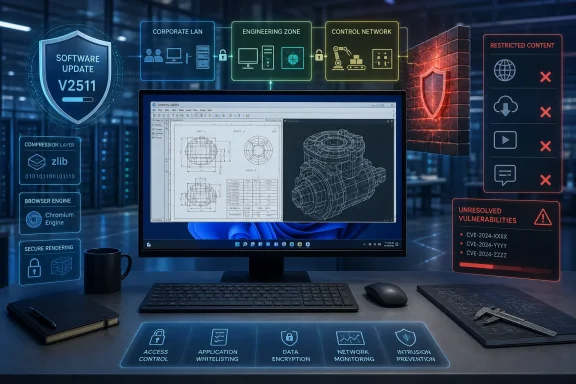 Overview
CADRA is not a typical consumer desktop application. Siemens positions it as a 2.5D drafting and design environment used to create, exchange, annotate, and manage engineering documentation. It supports workflows involving formats such as DWG, DXF, IGES, PDF, HPGL, CADAM, CATIA, CADDS, and others, placing it at a junction where design data routinely crosses internal teams, suppliers, manufacturing partners, and archival systems.That interoperability is a major reason CADRA remains valuable in long-lived engineering environments. It is also why a vulnerability advisory involving compression libraries and document-rendering components deserves attention beyond the CAD workstation itself. A compromised or unstable engineering desktop can affect intellectual property, bill-of-material accuracy, design release timing, and, in some environments, downstream production preparation.
The July 2026 advisory covers ten CVEs. Seven affect CADRA versions before V2511 and can be addressed by updating. Three affect all CADRA versions and have no Siemens product fix at publication time. The distinction matters because updating is necessary, but it is not a complete remediation.
The core remediation split
Siemens divides its response into two tracks:- Update CADRA installations earlier than V2511.
This remediates the listed zlib-related vulnerabilities affecting older releases. - Apply compensating controls for all CADRA versions.
Siemens identifies protections against untrusted or external web content for two high-severity type-confusion vulnerabilities, while broader operational safeguards remain necessary for the remaining unfixed issue.
Background
CADRA has evolved in environments where design tools often remain in service for years or decades. That longevity is common across manufacturing, aerospace, automotive supply chains, electronics, chemicals, energy, communications, and commercial facilities. Engineering software frequently persists because historical drawing fidelity, custom macros, specialized translators, plotter configurations, and trained workflows can be difficult to replace.Siemens now presents CADRA as a Windows 11-capable design drafting product with a modern ribbon interface, support for multi-user systems, automation features, COM-based APIs, object handling, bill-of-material automation, and extensive translation options. Those capabilities make it a practical tool in organizations that need to bridge legacy design estates with contemporary Windows desktops.
The security consequence of this versatility is easy to overlook. A CAD package is not merely opening native drawings. It may process compressed content, import files, display PDFs, communicate with licensing systems, invoke integrations, consume web-rendered or embedded content, and interact with automation frameworks. Each capability can bring third-party code and different trust boundaries into a workstation that may hold highly sensitive design information.
Why legacy engineering workflows heighten exposure
Many CADRA deployments are likely to include characteristics that security teams find difficult:- Long application lifecycles can leave older releases in place because upgrades require regression testing against drawings, output formats, macros, and peripheral equipment.
- Engineering users often exchange files externally with suppliers, customers, contractors, fabrication shops, and maintenance partners.
- Workstations may have broad local permissions due to licensing, drivers, plugins, legacy integrations, or specialist support needs.
- Design environments can straddle IT and operational technology when drawings and design records feed manufacturing, plant maintenance, or production engineering processes.
- Security controls may be less mature on specialist endpoints than on standardized office PCs, particularly where endpoint agents, browser policies, or patch-management baselines create compatibility concerns.
What Siemens and CISA Disclosed
Siemens ProductCERT’s advisory, SSA-470355, describes “zlib and Foxit vulnerabilities in CADRA.” CISA’s July 21 republication increases visibility for organizations that rely on government industrial-control advisories as part of their vulnerability management process.The highest CVSS v3.1 score cited in the advisory is 9.8. That number is important, but it requires careful interpretation. It reflects characteristics of individual underlying flaws under standardized scoring assumptions; it is not a guarantee that every CADRA installation can be compromised remotely without user interaction.
Several of the listed zlib issues carry high or critical severity because they involve memory-safety failures such as buffer overflows, out-of-bounds writes, heap corruption, improper input validation, integer overflow, and incorrect bitwise shifts. Such weaknesses are serious because they can produce denial of service and, depending on an application’s implementation and mitigations, potentially enable arbitrary code execution.
The affected version boundary
The updateable portion of the advisory applies to:- CADRA versions earlier than V2511, which Siemens says are affected by seven zlib-related CVEs.
- CADRA V2511 and later, which address those specified zlib issues according to Siemens’ remediation table.
The all-version exposure
Siemens also states that all CADRA versions are affected by:- CVE-2025-10585, a V8 type-confusion issue.
- CVE-2025-13223, another V8 type-confusion issue.
- CVE-2026-22184, a zlib-related flaw associated with the standalone
untgzdemonstration utility.
Why the zlib Issues Matter
zlib is one of the most widely embedded compression libraries in software. Its code supports common compression and decompression tasks and can be pulled into applications directly, packaged through dependencies, or incorporated through third-party components. That prevalence makes zlib vulnerabilities a recurring supply-chain problem: a weakness may be old, yet remain relevant because a product ships an outdated embedded copy.The CADRA advisory includes vulnerabilities spanning more than two decades. That wide date range is not evidence that CADRA itself is inherently outdated in every respect. Instead, it illustrates a persistent software-security reality: applications can inherit risk from components that outlive the assumptions under which they were originally integrated.
Memory-safety bugs are not all equal
The seven zlib CVEs remediated by V2511 include flaws associated with malformed compressed data, pointer arithmetic, invalid bitwise operations, memory corruption during compression, gzip header handling, and MiniZip processing. The relevant CVEs are:- CVE-2005-2096.
- CVE-2016-9840.
- CVE-2016-9841.
- CVE-2016-9842.
- CVE-2017-14919.
- CVE-2018-25032.
- CVE-2022-37434.
- CVE-2023-45853.
A malformed compressed stream may result only in a crash in one application path, while a related flaw could be more dangerous in another context. Exploitability depends on whether CADRA invokes the vulnerable code, whether an attacker can supply appropriate input, whether Windows exploit mitigations are active, and whether the process runs with elevated privileges or can access valuable data.
The danger of “old CVE” complacency
A CVE first disclosed in 2005 or 2016 can still be operationally important in 2026. The age of a vulnerability may mean public technical analysis, proof-of-concept material, and attacker familiarity are more likely to exist. It can also mean defenders mistakenly assume the weakness has disappeared everywhere.For a CAD workstation, older flaws become especially relevant when the device is exposed to externally supplied drawings, compressed archives, PDF collateral, or project data arriving through email, shared folders, cloud collaboration platforms, removable media, or supplier portals. The attacker does not need to target the compression library directly in a theoretical sense; they need only find a viable file-processing path that reaches vulnerable functionality.
The Foxit and V8 Component Question
The advisory’s summary references Foxit vulnerabilities, yet CVE-2025-10585 and CVE-2025-13223 are described as V8 type-confusion flaws previously addressed in Chromium-based software. That wording points to the complications created by embedded components: a desktop engineering package may include a document, HTML, help, preview, or rendering feature whose security posture depends on a browser-derived engine or another third-party library.Siemens does not publicly spell out every internal component relationship in the advisory. Administrators should therefore avoid assumptions about precisely which CADRA feature invokes the vulnerable code. The safe operational conclusion is the one Siemens provides: block access to untrusted or external web content from sensitive systems.
Type confusion and crafted content
Type confusion occurs when software interprets a resource as one type when it should be handled as another. In a high-performance JavaScript engine such as V8, type-confusion bugs can result in heap corruption. Under the wrong conditions, heap corruption can be turned into code execution.Both CVE-2025-10585 and CVE-2025-13223 have CVSS v3.1 scores of 8.8 in the Siemens advisory. Their documented attack pattern requires a user to reach or interact with crafted HTML content. That is a meaningful mitigating factor, but it does not eliminate risk. “User interaction required” often means an attacker needs to persuade someone to open a page, follow a link, preview a document, or use a feature that loads external content.
Why design PCs should not be general browsing stations
The bluntest compensating control is often the strongest: engineering desktops that hold proprietary designs should not routinely access untrusted websites. The restriction should not rely solely on user judgment.A defensible configuration includes technical enforcement such as DNS filtering, outbound proxy policy, browser restrictions, firewall egress controls, application allowlisting, and a separate lower-trust system for internet research or supplier portal access. If CADRA needs particular external destinations for licensing, support, updates, or approved content, permit only those destinations through controlled paths.
This is not an argument for making designers less productive. It is an argument for separating two different risk profiles: creating and managing critical design data versus navigating the open web.
A Windows Endpoint Response Plan
For most WindowsForum readers, the operational challenge is translating the advisory into a repeatable endpoint program. That begins with asset discovery. The software may appear under different package names, in shared engineering images, on standalone design stations, on virtual desktops, or within long-lived project environments that do not report cleanly to ordinary inventory systems.Start by identifying all installed CADRA versions and the accounts, teams, drawings, integrations, and network shares associated with them. Treat disconnected or infrequently used engineering systems as a priority rather than an exception; those are often the systems least likely to receive routine application updates.
A practical sequence for remediation
- Inventory CADRA installations and establish exact versions.
Identify systems running a release earlier than V2511, including virtual machines, contractor-managed devices, offline workstations, training systems, and golden images. - Classify each endpoint by business criticality and exposure.
Record whether it opens external files, accesses the internet, holds production-related documentation, connects to manufacturing networks, or uses elevated local privileges. - Obtain and validate the current Siemens-supported CADRA build.
Use authorized Siemens channels and confirm package integrity, licensing requirements, compatibility notes, and prerequisites before deployment. - Test V2511 or later in a representative pilot group.
Validate opening, saving, plotting, exporting, importing, macro execution, COM integrations, custom libraries, network paths, and drawing translation workflows. - Deploy the update in controlled waves.
Prioritize externally exposed or externally collaborative design systems, followed by the remaining older CADRA estate. - Apply compensating controls to every CADRA device.
The unfixed vulnerabilities mean that version updates alone are insufficient. Restrict untrusted web access and reduce the workstation’s ability to receive or render untrusted content. - Document exceptions and assign expiry dates.
If a system cannot be upgraded, isolate it, define its allowed function, remove internet access, restrict file transfer, monitor it closely, and set an accountable retirement or remediation milestone.
Testing is a security control, not a delay tactic
Industrial and engineering teams are right to be cautious about untested updates. An upgrade that breaks a translator, corrupts a workflow, invalidates a macro, or creates drawing-compatibility uncertainty can cause costly disruption. But that caution must be bounded by a formal process.The appropriate response is not indefinite deferral. It is risk-based testing with a fixed deadline, rollback planning, backup validation, and executive visibility into the exposure retained by any unpatched machine.
Enterprise Impact: Engineering Data, Operations, and Governance
In an enterprise setting, a CADRA workstation can be a high-value initial foothold. Design files reveal products, processes, component choices, facility layouts, equipment specifications, and supplier relationships. Even when no direct path exists from a drafting workstation to industrial control equipment, the information stored on it may be valuable for espionage, fraud, extortion, or preparation for later attacks.A successful compromise could also create operational disruption without ever touching a controller. Attackers can encrypt design shares, alter drafting data, steal drawings before product launch, disrupt release workflows, or use the workstation to move laterally into broader corporate resources.
The IT and OT boundary
CISA’s republication classifies the advisory in an industrial-control context and identifies affected critical-infrastructure sectors including chemical, commercial facilities, communications, and energy. That should not lead teams to conclude CADRA itself is necessarily operating a control process. It means the software can exist within organizations where engineering and operational technology have meaningful consequences.The primary risk is often at the boundary. A drafting workstation might access files stored on business systems, communicate with manufacturing engineering services, support maintenance documentation, or reside in a network zone that has more trust than a conventional office endpoint. Flat networks turn a compromise of a specialist desktop into a much more serious event.
Governance questions security leaders should ask
Security leaders should require clear answers to several questions:- Which CADRA systems can reach the internet, and why?
- Which users can load external files, archives, PDFs, or HTML-based content?
- Which endpoints have access to proprietary design repositories or production documentation?
- Which CADRA systems share credentials, local administrator rights, or remote-support tools with other engineering assets?
- Which systems cannot yet move to V2511 or later, and what measurable controls protect them?
- Can the organization detect unusual process launches, scripting activity, unexpected outbound traffic, or anomalous file access from CADRA hosts?
Consumer and Small-Business Impact
CADRA is more likely to be found in specialized professional environments than in a typical home setup, but smaller firms should not dismiss the advisory. Machine shops, PCB designers, fabricators, contractors, engineering consultancies, schools, and independent designers may operate a single CADRA workstation without centralized IT management.That model can create a dangerous concentration of risk. One PC may contain years of customer drawings, licensing information, design libraries, archived projects, and email attachments. It may also function as the accounting machine, research device, file server, and remote-access endpoint.
The small-team baseline
Smaller organizations should adopt a practical minimum standard:- Update CADRA to V2511 or later as soon as compatibility testing permits.
- Keep Windows 11 and supporting applications fully updated.
- Use a standard, non-administrator account for daily work.
- Avoid browsing unknown sites or opening unsolicited content from the CAD workstation.
- Maintain versioned backups that are disconnected or otherwise protected from ransomware.
- Use Microsoft Defender or another managed endpoint protection platform with cloud-delivered protection enabled.
- Require multifactor authentication for email, cloud storage, remote support, and design collaboration services.
- Use a separate device or virtual environment for high-risk web research and external content review where feasible.
Network Segmentation and Secure Remote Access
CISA’s general guidance remains especially relevant: minimize network exposure, prevent direct internet accessibility, place control-system networks and remote devices behind firewalls, and isolate them from business networks. Remote access should use secure methods such as VPNs, while recognizing that a VPN is only as trustworthy as the identities, endpoints, and configurations behind it.For CADRA, segmentation should be designed around workflow rather than fear alone. Engineering teams need access to approved design repositories, license services, plotters, certain update paths, and sometimes manufacturing or product-lifecycle systems. The goal is to permit only those specific flows while blocking everything else by default.
A workable zone model
A common model divides systems into zones with explicit conduits:- Engineering workstation zone: CADRA endpoints, approved plotting systems, and controlled engineering tools.
- Engineering services zone: file repositories, license servers, application deployment services, and approved integration hosts.
- Industrial DMZ or transfer zone: scanned file-transfer services, jump hosts, brokered remote access, and monitored interfaces to operational environments.
- Business IT zone: ordinary office systems, email, collaboration platforms, and general browsing devices.
- Operational technology zone: production, plant, process, or equipment systems that should not be reachable from a CAD workstation except through narrowly defined and audited paths.
Remote support deserves special scrutiny
Remote support tools are useful in specialized CAD environments because vendors, integrators, and internal experts may be geographically dispersed. They are also a common route through which trust boundaries disappear.Organizations should require named accounts, multifactor authentication, time-limited access, session logging where possible, approval workflows, and restrictions on file transfer and clipboard sharing. Generic shared credentials and permanently enabled unattended access are difficult to justify on a high-value engineering endpoint.
Strengths and Opportunities
The Siemens and CISA disclosures create a useful opportunity to improve CAD workstation governance rather than merely close a set of CVEs.- The V2511 remediation boundary gives administrators a concrete compliance target for the older zlib vulnerabilities.
- The advisory exposes hidden component risk and reinforces the need for a software bill of materials mindset in engineering applications.
- The all-version issue encourages stronger endpoint isolation instead of a false belief that every problem can be solved only through patching.
- The web-content mitigation is operationally specific and can be translated into browser, proxy, DNS, firewall, and application-control policies.
- The advisory can catalyze overdue asset discovery for engineering systems that may sit outside normal desktop-management processes.
- Cross-functional review can improve resilience by bringing engineering, IT, OT, procurement, and security teams into the same remediation process.
A chance to modernize the engineering desktop
CADRA’s current Windows 11 support and automation capabilities mean organizations may be able to use this event to retire older operating systems, rebuild unmanaged devices, standardize endpoint protections, and validate backup and recovery procedures. A security update can be the trigger for an engineering desktop modernization program that improves supportability well beyond this particular advisory.The key is to avoid equating modernization with forced replacement of useful tools. Effective modernization preserves validated workflows while reducing unmanaged dependencies, unnecessary local privileges, unsupported operating systems, and unrestricted network access.
Risks and Concerns
The advisory also contains several reasons not to overstate the safety of an updated deployment.- Updating to V2511 or later does not remove the three all-version vulnerabilities identified by Siemens.
- The advisory does not provide a public CADRA fix timeline for CVE-2025-10585, CVE-2025-13223, or CVE-2026-22184.
- One V8 vulnerability has known-exploited status, which raises the stakes where CADRA’s affected component can process hostile content.
- Engineering file exchange increases the attacker’s delivery options through suppliers, contractors, email, shared storage, and collaboration tools.
- Compatibility concerns can prolong vulnerable deployments if organizations lack representative test environments.
- Flat networks and broad permissions magnify impact after an endpoint compromise.
- Security teams may incorrectly focus only on the CVSS 9.8 figure instead of the actual exposure paths and the remaining unfixed component risk.
CVSS is a signal, not a deployment decision
A 9.8 score commands attention, but it should not substitute for risk assessment. A system with no internet access, strict file controls, standard-user operation, network isolation, and strong endpoint telemetry may present a different operational risk than a workstation that browses supplier portals, opens unsolicited files, uses local administrator rights, and has access to sensitive design shares.Conversely, low apparent exposure should not be used as an excuse to defer the update. Attackers frequently enter through routes organizations did not consider part of the threat model: compromised supplier accounts, malicious cloud-share links, removable media, remote-support sessions, or lateral movement from an ordinary business endpoint.
What to Watch Next
The next important development will be a revised Siemens advisory or CADRA release that addresses the all-version CVEs. Security teams should subscribe to Siemens ProductCERT notifications, monitor CISA advisory updates, and track internal deployment status rather than waiting for quarterly review cycles.Administrators should also watch for clarification concerning the affected rendering or web-content paths. Siemens’ mitigation language makes the immediate precaution clear, but future product notes may provide more detail about which CADRA capabilities rely on the vulnerable components and how a permanent correction changes the exposure profile.
Indicators that require fast escalation
Organizations should investigate promptly if CADRA systems show any of the following:- Unexpected browser-engine, script-host, command-shell, PowerShell, or installer activity launched from the CADRA process tree.
- Unusual outbound connections from an engineering workstation to unfamiliar domains or IP addresses.
- Sudden access to large volumes of design data or drawing archives outside normal work patterns.
- Crashes or repeated instability while opening compressed, archived, PDF-related, or externally sourced content.
- New local administrator accounts, modified remote-access settings, or unexplained security-control exclusions.
- Design-file changes that cannot be tied to an approved engineering change process.
Looking Ahead
The Siemens CADRA advisory is a reminder that the modern Windows engineering workstation is a layered software environment, not an isolated drafting appliance. It contains operating-system services, file parsers, automation interfaces, document technologies, third-party libraries, identity dependencies, network connections, and business-critical data. Any one layer can become the route through which an attacker reaches the rest.The sensible response is therefore layered as well: update CADRA versions earlier than V2511, restrict untrusted external web content on every CADRA system, separate engineering endpoints from general browsing and operational networks, reduce privileges, validate backups, and monitor for abnormal behavior. Siemens’ fix addresses an important set of inherited zlib flaws; the remaining all-version vulnerabilities make it equally important to ensure that a CAD workstation has as little exposure—and as little ability to spread damage—as its real-world engineering role allows.
References
- Primary source: CISA
Published: 2026-07-21T12:00:00+00:00

Siemens CADRA | CISA
www.cisa.gov
- Related coverage: siemens.com
CADRA Design Drafting Software
CADRA is a portfolio of affordable, easy-to-use design drafting software that uses 2.5D that allows the user to reuse existing geometry within the drawing. www.siemens.com
