

Agent evaluation in Copilot Studio is the practical bridge between early optimism and operational trust — the moment you move from “it seems to work” to “we can safely run this at scale.”
Microsoft designed agent evaluations (or “evals”) in Copilot Studio to make the variability of AI agents visible and manageable. Rather than a one‑off manual test or ad hoc QA, evals create a repeatable, auditable process that turns agent behavior into measurable signals across quality, grounding, and capability dimensions. This is the difference between sampling a few promising answers in a demo and having the empirical evidence needed to gate production rollouts.
Copilot Studio’s evaluation tooling is intentionally integrated with the platform’s identity, data, and telemetry controls so results reflect the access boundaries and knowledge sources that matter in production — not an idealized, privileged test environment. That integration matters because agents will behave differently under different user identities, with different connectors, model versions, or knowledge indexes. Evaluate under the same conditions your users will experience.
A test that runs with admin‑level access but is intended for low‑privilege users will create false confidence. Conversely, evaluating under the precise production identity reveals permission-related risks early.
These signals let you quantify behavior changes across runs and build an evidence trail for production decisions. Use the output to map where agents are strong and where they need adjustments.
Continuous evals turn agent quality into a measurable, auditable property, not an intermittent belief.
If your agent depends on conversational state, explicitly add tests that emulate turn sequences, store expected context windows, and verify that permission boundaries are respected across turns. Where product tooling lacks fully automated multi‑turn evals, replicate multi‑turn sequences via CI tests or scripted harnesses that capture the runtime state.
Two practical implications:
But important risks remain:
Do not treat a single green dashboard as evidence of readiness. Instead, use evals to build a continuous confidence loop — and to prove, with data, that your agent behaves the way your users and your risk teams expect.
Source: Microsoft How to evaluate AI agents in Microsoft Copilot Studio | Microsoft Copilot Blog
 Background / Overview
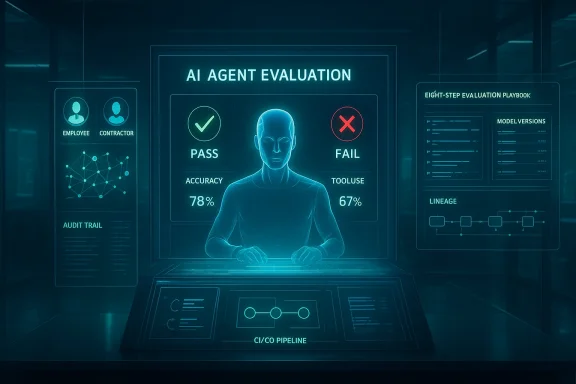
Microsoft designed agent evaluations (or “evals”) in Copilot Studio to make the variability of AI agents visible and manageable. Rather than a one‑off manual test or ad hoc QA, evals create a repeatable, auditable process that turns agent behavior into measurable signals across quality, grounding, and capability dimensions. This is the difference between sampling a few promising answers in a demo and having the empirical evidence needed to gate production rollouts.Copilot Studio’s evaluation tooling is intentionally integrated with the platform’s identity, data, and telemetry controls so results reflect the access boundaries and knowledge sources that matter in production — not an idealized, privileged test environment. That integration matters because agents will behave differently under different user identities, with different connectors, model versions, or knowledge indexes. Evaluate under the same conditions your users will experience.
Why evaluation matters now
AI agents are not deterministic services; their outputs change with model updates, prompt tweaks, data refreshes, and runtime context. This drift can be subtle at first — occasional inaccurate answers or missing escalation — and catastrophic later when an agent automates tasks that touch billing, HR, or customer commitments.- Evaluations provide a repeatable way to detect regressions after code, model, or data changes.
- They create objective evidence for production gates and stakeholder decisions.
- They surface permission-related risks early by running tests under specific identity contexts.
The eight‑step evaluation playbook — practical walkthrough
Below is a tested, tactical workflow based on Copilot Studio’s guidance and product capabilities. Use it as both a checklist and a template for your organization’s eval program.1. Decide what you’re evaluating
Start by defining the scenario and the success criteria. Are you validating factual correctness, escalation behavior, tool invocation, or privacy adherence? Narrower scopes give clearer signals; broader scopes expose emergent risks.- Define the scenario in a sentence (e.g., “An HR assistant that answers leave policy and escalates to HR ticketing when necessary”).
- Choose the evaluation scope: single-turn answers, multi-turn flows, or full orchestration including downstream actions.
2. Ground evaluation in real user behavior
Use realistic prompts — not perfectly phrased, sanitized examples. Real users ask partial, ambiguous, and multi‑intent questions. Build your test set from:- Historical chats and production transcripts (sanitized for PII).
- Manually authored edge cases for known failure modes.
- AI‑assisted prompt generation to expand coverage.
3. Define your evaluation logic
Choose graders that reflect your tolerance for paraphrase, grounding, and tool use:- Exact Match / Partial Match — rigid checks for regulated outputs.
- Similarity / Intent Match — semantic checks that tolerate rephrasing.
- AI‑powered graders (relevance, completeness, groundedness) — for generative answers where nuance matters.
4. Set the right identity context
Run evaluations under the specific user identity profiles that matter (full-time employee, contractor, manager, etc.). Identity controls determine data access and connector reach — and therefore what the agent can retrieve and disclose.A test that runs with admin‑level access but is intended for low‑privilege users will create false confidence. Conversely, evaluating under the precise production identity reveals permission-related risks early.
5. Run the eval and measure responses
Execute the test set and let Copilot Studio simulate the prompts under the configured user context. Each grader evaluates different aspects of the output and produces structured signals (pass/fail, scores, or classifications).These signals let you quantify behavior changes across runs and build an evidence trail for production decisions. Use the output to map where agents are strong and where they need adjustments.
6. Step back to see the bigger picture
Aggregate results to identify patterns, not just anomalies. Focus on:- High‑frequency failures in common workflows.
- Single failures that indicate systemic issues (e.g., wrong knowledge source).
- Trends across model versions, instructions, or knowledge refreshes.
7. Investigate why individual cases pass or fail
Drill down into failing cases. Copilot Studio provides explainability primitives to show:- Which grader triggered a failure.
- Which knowledge sources, topics, or connectors the agent used.
- Whether the expected tool was invoked (or unexpectedly omitted).
- The turn‑by‑turn conversation trace.
8. Treat evaluation as a continuous confidence loop
Run evals continuously or on every change that could affect behavior: model upgrades, knowledge index refreshes, prompt/instruction changes, or flow edits. Compare runs to spot regressions and to confirm improvements over time.Continuous evals turn agent quality into a measurable, auditable property, not an intermittent belief.
Deep dive: graders, metrics, and what to measure
Good evaluations use a mix of deterministic and semantic checks. Key grader types you should consider:- Exact / Partial Match — required for compliance or verbatim outputs (contracts, legal language).
- Similarity / Intent Match — valuable for customer support or policy inquiries where phrasing varies.
- Capability / Tool Use Graders — ensure the agent calls the expected connector, UI‑automation, or backend action.
- AI‑powered Quality Graders — measure relevance, completeness, and groundedness in generative answers.
- Accuracy / Pass rate by scenario
- Hallucination frequency (unsupported claims)
- Tool invocation correctness
- Escalation precision (did it escalate when it should have?)
- Latency and token consumption for cost visibility
Multi‑turn conversations and current limitations
Many enterprise workflows are multi‑turn by nature: clarifying questions, context accumulation, and progressive disclosure. At the time Microsoft has emphasized eval tooling, single‑turn automated evaluation was available while multi‑turn support and additional graders were described on the roadmap. Treat single‑turn tests as necessary but not sufficient when your agent’s value depends on sustained dialogues. When multi‑turn evaluation is required, combine automated tests with manual scenario audits and staged user pilots.If your agent depends on conversational state, explicitly add tests that emulate turn sequences, store expected context windows, and verify that permission boundaries are respected across turns. Where product tooling lacks fully automated multi‑turn evals, replicate multi‑turn sequences via CI tests or scripted harnesses that capture the runtime state.
Governance, identity, and compliance: preventing surprises
Copilot Studio integrates with directory and governance primitives (Entra, Purview, Defender) so evaluation can reflect real deployment boundaries. Key governance controls to exercise and test:- Agent identities and least‑privilege scopes: ensure agents only see the content intended for their role.
- Connector restrictions and DLP rules: test that the agent doesn’t exfiltrate sensitive content via unsupported connectors.
- Audit trails and telemetry: validate that every answer has traceable prompt lineage, model version, and knowledge source metadata. These are essential for incident response and for attesting production readiness.
- Pin model selection for production agents to reduce unpredictability.
- Restrict experimental models and connectors to non‑production early release tenants.
- Require a risk memo and monitoring plan before production enablement.
Model changes, preview models, and evaluation implications
Model upgrades (for example, migration to newer GPT model families) can materially change agent behavior — from latency and token usage to hallucination patterns and reasoning depth. Microsoft’s guidance is clear: treat experimental or preview models as non‑production and run A/B tests and evaluation suites to quantify differences before rolling them into production. Lock model choices in production agents and maintain a baseline model for regression comparisons.Two practical implications:
- Model routing and adaptive thinking (where cloud routing escalates to deeper reasoning) can change cost profiles and latency percentiles. Instrument model selection events so you can attribute cost to thinking‑mode escalations.
- Product-level context windows and behavior may not match published model token ceilings. Always benchmark actual Copilot Studio behavior for long‑context tasks. Treat vendor numbers as hypotheses to validate in your tenant.
Operationalizing evaluation: CI/CD, telemetry, and runbooks
To treat agents like production software, build evaluation into your engineering lifecycle:- Integrate eval runs into CI pipelines for agent manifests, instruction edits, and model upgrades.
- Use telemetry to monitor token usage, model selection, latency percentiles, and failure modes per agent flow.
- Maintain runbooks: what to do on a regression detection, how to roll back model pins, and how to quarantine misbehaving agents via Agent 365 controls.
- Owner assigned and on‑call rotation defined.
- Evaluation suite with representative tests and pass criteria.
- Cost budget and alerts for unexpected consumption.
- Human‑in‑the‑loop gates for high‑risk actions.
- Exportable artifacts and documented handover plan for vendor or SI involvement.
Sample evaluation matrix (practical template)
Use this evaluation matrix as a starting point. Tailor thresholds and graders to your risk tier.- Scenario: HR Leave Policy
- Test set: 120 cases (50 common, 50 paraphrases, 20 edge cases)
- Graders: Similarity (>=0.8), Capability grader (escalation when ambiguous), Grounding check (no hallucinated policy citations)
- Identity contexts: Full-time employee, contractor
- Pass threshold: 92% similarity on common cases; 100% correct escalation on edge cases
- Action on failure: If pass <90%, hold deployment, open remediation ticket, re-evaluate after fixes.
- Scenario: Customer Quote Pricing
- Test set: 80 cases including price-sensitive scenarios
- Graders: Exact Match for pricing outputs; Capability grader for invoking pricing API
- Pass threshold: 100% exact match for price-related outputs; 100% correct API invocation on actionable requests
- Action on failure: Block agent from performing quote automation until issue is fixed and reverified.
Costs, telemetry, and scaling concerns
Agentic workloads can produce unpredictable costs when models escalate to deeper reasoning or when long context processing occurs. Practical controls:- Monitor and alert on model selection, token consumption, and per‑agent latency distributions.
- Use express or low‑cost modes for high‑volume, logic‑heavy but data‑light flows. Expect a trade‑off between completeness and speed.
- Simulate cost under expected escalation rates to produce a three‑year TCO model for procurement and budgeting conversations.
Red‑team tests and edge cases you must include
Automated evals catch many regressions, but add targeted red‑team tests for:- Hallucination triggers (questions that combine unrelated facts).
- Prompt injection and data exfiltration scenarios.
- Escalation avoidance (agent should decline or escalate when authority is required).
- Connector abuse (attempts to access restricted data via chained actions).
Strengths, practical opportunities, and remaining risks
Copilot Studio’s evaluation capability is distinct because it’s integrated into the same platform that runs, governs, and monitors agents. That reduces the friction of moving from test to pilot to production, and makes evaluation a first‑class part of the agent lifecycle. The tooling supports both deterministic checks (Exact Match) and semantic assessments (AI‑powered metrics), enabling a balanced approach to both productivity and safety.But important risks remain:
- Product exposure of model token/context limits may vary — always validate in your tenant.
- Preview models should remain in non‑production until you pass evaluation gates.
- Multi‑turn evaluation tooling was indicated as a roadmap item; if your workflows rely heavily on stateful dialogue, supplement automated evals with staged user pilots and scripted harnesses.
Quick start checklist for the first 30 days
- Identify 1–2 high‑value, low‑risk agent use cases (HR FAQ, internal search assistance).
- Build a 50–200 case test set using actual user queries + edge cases.
- Configure graders: start with default graders to get baseline signals, then refine.
- Run evals under representative identity contexts and collect pass/fail and grounding metrics.
- Drill into the top 10 failures and fix instruction, knowledge sources, or tool triggers.
- Integrate eval runs into your CI or release pipeline before agent publication.
- Produce a short risk memo and monitoring plan for production enablement.
Conclusion
Agent evaluation in Copilot Studio is not optional if you want agents to move beyond experimental demos into reliable production services. The platform’s automated evals, integrated identity and telemetry, and grader variety let teams convert subjective impressions into measurable outcomes. Yet the promise of evals only pays off when they are used as an ongoing, policy‑driven practice: define scope, ground tests in real behavior, pick graders that match risk tolerance, evaluate under correct identity contexts, and bake tests into CI and governance processes.Do not treat a single green dashboard as evidence of readiness. Instead, use evals to build a continuous confidence loop — and to prove, with data, that your agent behaves the way your users and your risk teams expect.
Source: Microsoft How to evaluate AI agents in Microsoft Copilot Studio | Microsoft Copilot Blog
