

Microsoft’s CEO stepping into the Excel World Championship with a Copilot-powered agent at his side is more than a photo op — it’s a practical demonstration of a shift that’s quietly re‑architecting how knowledge work gets done: agentic AI is moving from “assistive” autocomplete into autonomous collaborator, and Excel is the proving ground.
Since the initial Copilot announcements in 2023 and the subsequent rollouts, Microsoft has framed Copilot as more than a chat box — it’s an integrated productivity layer that reasons over Microsoft Graph, tenant data, and third‑party connectors to produce actionable artifacts inside Word, PowerPoint, Outlook and, crucially, Excel. Agent Mode extends that promise by letting the AI plan, execute, validate, and iterate inside a workbook rather than returning a single textual reply. Microsoft’s product teams describe Agent Mode as an in‑canvas agent that exposes its plan and intermediate actions so users can inspect, roll back, or refine steps — a design decision intended to preserve auditability while delivering speed. The Excel World Championship — an increasingly visible showcase for spreadsheet skill and speed — has become a useful stage to illustrate how these agentic features help non‑experts execute expert workflows under pressure. Reports of Satya Nadella using the Microsoft 365 Copilot “Agent Mode” during championship events (and social posts highlighting the demo) underline Microsoft’s wider message: complex spreadsheet work can be democratized. Independent coverage and community notes from preview programs confirm Agent Mode’s web‑first rollout, staged inclusion in preview programs such as Frontier, and admin gating for enterprise tenants.
The practical upshot:
But the technology is not a plug‑and‑forget miracle. The sensible path for organizations is pragmatic: pilot, measure, govern, and preserve human oversight. When those precautions are in place, Agent Mode and the agent ecosystem in Copilot Studio offer a powerful lever to accelerate productivity across finance, operations, and day‑to‑day knowledge work — turning Excel from a static tool into a dynamic co‑author that, when properly governed, can scale expertise across the enterprise.
Source: Blockchain News How M365 Copilot's Agent Mode Empowers Users in the Excel World Championship: AI Productivity Breakthroughs | AI News Detail
 Background / Overview
Since the initial Copilot announcements in 2023 and the subsequent rollouts, Microsoft has framed Copilot as more than a chat box — it’s an integrated productivity layer that reasons over Microsoft Graph, tenant data, and third‑party connectors to produce actionable artifacts inside Word, PowerPoint, Outlook and, crucially, Excel. Agent Mode extends that promise by letting the AI plan, execute, validate, and iterate inside a workbook rather than returning a single textual reply. Microsoft’s product teams describe Agent Mode as an in‑canvas agent that exposes its plan and intermediate actions so users can inspect, roll back, or refine steps — a design decision intended to preserve auditability while delivering speed. The Excel World Championship — an increasingly visible showcase for spreadsheet skill and speed — has become a useful stage to illustrate how these agentic features help non‑experts execute expert workflows under pressure. Reports of Satya Nadella using the Microsoft 365 Copilot “Agent Mode” during championship events (and social posts highlighting the demo) underline Microsoft’s wider message: complex spreadsheet work can be democratized. Independent coverage and community notes from preview programs confirm Agent Mode’s web‑first rollout, staged inclusion in preview programs such as Frontier, and admin gating for enterprise tenants. What Agent Mode actually does in Excel
From chat to multi‑step action
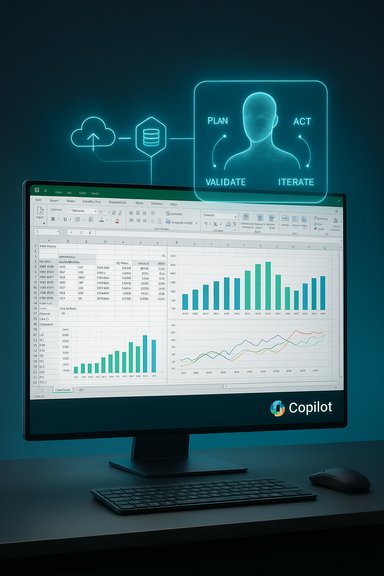
Agent Mode changes the interaction paradigm:- Plan: The agent decomposes a brief — for example, “build a monthly close report with YoY comparisons and a dashboard” — into discrete subtasks.
- Act: It performs edits directly in the workbook (create sheets, write formulas, generate PivotTables, build charts).
- Validate: It runs checks and reconciliation steps and surfaces uncertainties.
- Iterate: It asks clarifying questions and updates the workbook until the user approves.
Typical Excel tasks Agent Mode accelerates
- Generating and explaining formulas in natural language.
- Creating PivotTables and formatted summary sheets.
- Building dashboard visuals and applying consistent styling.
- Producing Power Query transformations for ETL tasks.
- Cross‑document ingestion: extracting tables from PDFs or consolidating Word/PowerPoint data into a workbook in supported flows.
Why this matters: democratizing spreadsheet expertise
Excel has long been the lingua franca of business data: fast, composable, and ubiquitous. Historically, high‑value spreadsheet work required months or years of skill — nested lookups, Power Query ETL, dynamic arrays, VBA and now Python. Agent Mode compresses much of that expertise into a conversational brief.The practical upshot:
- Non‑experts can produce complex artifacts with fewer manual steps.
- Analysts can prototype faster and focus on interpretation rather than repetitive construction.
- Training overhead drops because users can learn by inspection — agents produce formulas and also explain them.
The Excel World Championship as a use case
Using Copilot Agent Mode in a time‑limited, judged environment like the Excel World Championship is blunt evidence of two points:- Speed: Agents remove much of the manual formula‑construction and formatting work, collapsing multi‑step procedures into a handful of agent actions.
- Accessibility: Contestants who are less expert in formula syntax can still construct accurate, sophisticated solutions by steering the agent.
Technical underpinnings and model choices
Multi‑agent orchestration and model routing
Agent Mode operates as an orchestration layer: an agent decomposes tasks and then runs model‑driven reasoning and action steps. Microsoft’s platform includes model choice in some flows — routing reasoning tasks to OpenAI or Anthropic models (and Microsoft’s own tuned models) depending on safety, latency, and cost tradeoffs. Real‑world previews and Microsoft documentation make this an explicit design point to let tenants pick model policies and routing.Performance and latency
Agent Mode trades richer multi‑step reasoning for additional compute and network hops. Independent hands‑on reports from previews note perceptible latency when the agent reasons over large datasets or performs complex orchestration; user tests reported in press coverage have observed added seconds on some actions (the exact number varies by scenario and environment). These delays are being addressed through back‑end optimizations, hybrid models, and on‑device/edge inference where feasible, but teams should expect and measure latency in their own environments. Where real‑time performance matters (live trading desks, real‑time dashboards), pilot testing is essential to validate responsiveness.Copilot Studio and the agent factory
Copilot Studio provides low‑code tooling to build, tune and deploy agents; it integrates connectors (Graph, Power Query, third‑party APIs), identity (Entra Agent ID), and observability. Studio’s evolution — from its initial preview to production features like generative orchestration and triggers — positions it as the place enterprises will manufacture domain‑specific agents (finance reconciler, HR assistant, sales reporting agent). Microsoft’s product notes and release histories show active development of Studio features and an expanding catalog of prebuilt agents.Business impact and monetization
Productivity and ROI signals
Independent economic research and industry reports broadly agree: generative AI and agentic workflows can yield substantial labor productivity improvements in knowledge work. For example, macro studies indicate generative AI could add trillions to the global economy and raise productivity measures substantially across functions that rely on language and reasoning. Practical pilots in finance and retail show measurable reductions in reporting time and repetitive reconciliation tasks. Apply that savings to Excel‑centric workflows — budgeting, forecasting, reconciliations, and variance analysis — and the ROI case becomes immediate if controls and governance are in place.Commercial packaging
Microsoft’s Copilot pricing strategy has followed a clear path: a core enterprise Copilot SKU, consumer/individual Copilot plans, and targeted SMB bundles. The enterprise Copilot add‑on pricing announced for commercial customers has been a reference point for cost/numerator decisions (Copilot enterprise SKU at $30 per user per month for certain commercial plans was publicized by Microsoft when Copilot was broadly made available). Microsoft has also signaled SMB‑oriented Copilot Business SKUs and promotional bundles to lower the entry barrier. These pricing moves create near‑term upsell opportunities for enterprises and channel partners who can package Copilot with deployment and governance services.New revenue opportunities
- Custom agent development (industry vertical agents).
- Agent subscriptions for specific functions (Finance Copilot, Sales Copilot).
- Managed Copilot/Studio services from system integrators.
- Licensing and premium model options for latency‑sensitive workflows (on‑premise inference, private model deployments).
Risks, governance and compliance — what IT leaders must treat as non‑negotiable
Accuracy, auditability and model drift
Agentic workflows can produce polished results that nevertheless contain silent errors — a well‑formatted spreadsheet with a bad formula is still a wrong result. Microsoft’s UX mitigations — visible plans, intermediate artifacts, and validation checks — help, but they don’t eliminate the need for process controls:- Maintain human sign‑off for financial or regulatory spreadsheets.
- Implement reconciliation and back‑testing checks as mandatory steps.
- Snapshot or version agent actions for audit trails.
Data protection and residency
Agent Mode is web‑first in many deployments, meaning data flows to cloud inference services. Organizations must verify contractual protections, data residency commitments, DLP integration, and how prompts or intermediate artifacts are logged or retained. The EU AI Act and other regulatory regimes add obligations — the AI Act entered into force with a transition schedule (entry into force: 1 August 2024; staged application of key chapters through 2025–2027), creating compliance milestones that vendors and customers must track. Enterprises subject to GDPR or sectoral rules (HIPAA, financial regulations) should treat agent activations as formal change requests and validate data flows with legal and infosec.Bias, explainability and ethical usage
Agent outputs depend on training data and grounding sources. For financial forecasting or credit decisions, explainability and testable fairness checks matter. Microsoft’s Responsible AI commitments and platform controls are a starting point, but organizations must instrument their own bias tests and create governance that defines acceptable use cases for agentic automation.Practical rollout checklist for IT and finance teams
- Start with a focused pilot:
- Use a sanitized dataset and a single finance/operations team.
- Define acceptance criteria (numeric accuracy, time savings, UX acceptance).
- Require human verification:
- Agent outputs may auto‑populate drafts but require a named approver before production use.
- Implement technical controls:
- Tenant‑level DLP, Purview integration, connector whitelisting, and Entra‑based agent identities.
- Instrument observability:
- Log agent plans, actions, model versions, and connector calls for audit and rollback.
- Train and upskill:
- Teach domain teams to interpret agent plans and sanity‑check formulas; preserve skill through review cycles.
- Measure and iterate:
- Track error rates, time saved, and adoption; tune models and prompts via Copilot Studio governance.
Competitive landscape and market context
Microsoft is not alone in embedding AI into spreadsheets and BI workflows. Vendors such as Google (Sheets AI), BI platforms (Tableau, Power BI), and specialist vendors are racing to offer similar assistive and agentic capabilities. Microsoft’s strategic advantages are: deep integration with Office’s existing corpus, tenancy and identity controls via Entra, and a large installed base that channels Copilot adoption through existing commercial relationships. Independent market research shows rapid growth in AI application spending and a crowded supplier map; organizations should choose agents and platforms that best map to their governance and integration needs. Important note on commonly cited market figures: the popular “1.2 billion Office users” number is widely quoted across industry articles and vendor narratives as shorthand for Office’s reach, but exact phrasing and dating vary across sources and periodic reports — treat that figure as widely reported rather than a single, immutable quarterly metric, and confirm the precise time stamp when using it for planning. Likewise, adoption statistics across IDC/Gartner/McKinsey vary by methodology (pilot counts vs. production deployment) — interpret headline percentages carefully when estimating internal adoption forecasts.Where Agent Mode is strong — and where to be cautious
Strengths- Speed and accessibility: Agents collapse repetitive construction work and let more people create useful artifacts fast.
- Auditability design: Exposing plans and intermediate steps reduces opacity relative to one‑shot generation.
- Platform integration: Copilot + Studio + Entra + connectors create a managed environment for enterprise agents.
- False confidence: A polished spreadsheet can still be incorrect; human oversight remains essential.
- Latency and scale limits: Large datasets or multi‑step orchestrations can add seconds per action; measure in pilot environments before scaling.
- Regulatory complexity: The EU AI Act’s phased application and sectoral rules mean governance requirements will differ across geographies and industries; legal review is necessary.
- Skill erosion vs augmentation: Overreliance risks eroding critical spreadsheet literacy; balance automation with training.
The near‑term roadmap for organizations
- Q1: Run controlled pilots in finance and operations, instrumenting reconciliation and sign‑off controls.
- Q2–Q3: Extend Copilot Studio agents to adjacent functions (sales reporting, procurement reconciliation) and deploy agent identities with conditional access.
- Q4 and beyond: Integrate agentic workflows into end‑to‑end processes, combine with policy engines (Purview / DLP), and evaluate hybrid inference for latency‑sensitive tasks.
Conclusion — Excel’s evolution into an agentic platform
What was once a grid of cells and formulas is evolving into a platform for human‑agent collaboration. Agent Mode in M365 Copilot illustrates a broader transformation: AI agents that act inside familiar productivity surfaces can dramatically reduce routine toil and democratize complex workflows. The Excel World Championship provides a vivid public demonstration of that potential: under real‑time pressure, agentic assistance can raise the floor of competence and speed up craftsmanship.But the technology is not a plug‑and‑forget miracle. The sensible path for organizations is pragmatic: pilot, measure, govern, and preserve human oversight. When those precautions are in place, Agent Mode and the agent ecosystem in Copilot Studio offer a powerful lever to accelerate productivity across finance, operations, and day‑to‑day knowledge work — turning Excel from a static tool into a dynamic co‑author that, when properly governed, can scale expertise across the enterprise.
Source: Blockchain News How M365 Copilot's Agent Mode Empowers Users in the Excel World Championship: AI Productivity Breakthroughs | AI News Detail
