

Microsoft’s new Agent Workspace turns Copilot from a suggestive helper into a proactive, background-capable assistant that can read and act on files in your user folders — and that change has immediately reignited debates about privacy, attack surface expansion, and the trust model for AI on Windows PCs.
Microsoft has started rolling an experimental capability for Windows 11 — surfaced to Windows Insiders and Copilot Labs participants — called Agent Workspace (often discussed together with “Copilot Actions” and “experimental agentic features”). The feature provisions a dedicated runtime and distinct Windows accounts for AI agents so they can run in the background, interact with desktop apps, and work with files in known folders such as Documents, Desktop, Downloads, Pictures, Music and Videos. Microsoft frames this as an opt‑in preview intended to balance productivity gains with a layered security model. This is a material shift: rather than a Copilot that returns suggestions inside a pane or chat, Agent Workspace enables agents to act — clicking, typing, opening files, orchestrating multi‑app workflows and even operating persistently in the background. That promise brings clear productivity benefits but also elevates certain classes of risk that the company and security community are scrutinizing closely.
Windows is being recast as an “agentic OS” in design; whether that becomes a net win for security and privacy will depend less on architectural intentions and more on the hard work of consistent UX, rapid operational control (signing/revocation), and the security community’s ability to adapt detection and governance to a world where software can do on behalf of users, not just tell them what to do.
Source: WebProNews Windows 11’s AI Agents: Background Access to Your Files Sparks Security Alarms
 Background
Microsoft has started rolling an experimental capability for Windows 11 — surfaced to Windows Insiders and Copilot Labs participants — called Agent Workspace (often discussed together with “Copilot Actions” and “experimental agentic features”). The feature provisions a dedicated runtime and distinct Windows accounts for AI agents so they can run in the background, interact with desktop apps, and work with files in known folders such as Documents, Desktop, Downloads, Pictures, Music and Videos. Microsoft frames this as an opt‑in preview intended to balance productivity gains with a layered security model. This is a material shift: rather than a Copilot that returns suggestions inside a pane or chat, Agent Workspace enables agents to act — clicking, typing, opening files, orchestrating multi‑app workflows and even operating persistently in the background. That promise brings clear productivity benefits but also elevates certain classes of risk that the company and security community are scrutinizing closely.Overview: What Agent Workspace is and how it works
The technical model in plain terms
- Each agent runs under a separate, non‑interactive Windows account (an “agent account”) so actions are attributed to the agent, not the human user. This identity separation permits ACLs, auditing, and revocation.
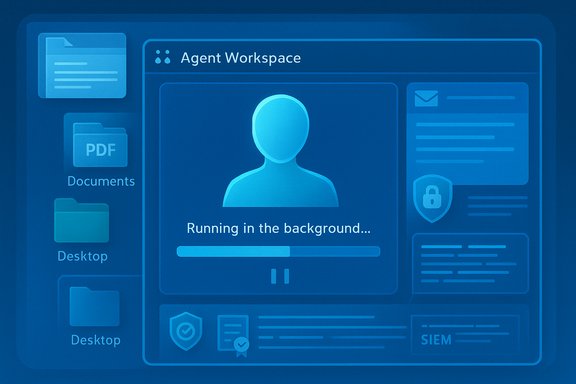
- Agents execute in Agent Workspaces — contained desktop sessions that provide a visible UI you can monitor and control (pause, stop, or take over). Microsoft describes these workspaces as lighter than a VM but stronger than an in‑process sandbox.
- Permissioning is scoped: in preview agents begin with access to known folders and must request explicit elevation to reach beyond those locations. Users must enable the experimental feature in Settings → System → AI components → Agent tools.
Why Microsoft built it this way
The design bundles three goals: deliver useful multi‑step automation (e.g., extract tables from PDFs into Excel, batch process photos), keep the automation observable and interruptible, and create addressable governance primitives (agent identities, signing and revocation) so enterprises can manage agents like other machine principals. The company stresses opt‑in defaults and iterative hardening via Insider telemetry.What agents can and cannot do in the preview
Typical agent capabilities
- Interact with UI elements (click, type, scroll) across desktop and web apps.
- Open, read, and manipulate files inside scoped known folders (Documents, Desktop, Downloads, Pictures, etc..
- Chain multi‑step workflows (collect files, extract data, assemble reports, draft emails).
- Run in the background to perform scheduled or long‑running tasks, while exposing visible progress.
Explicit limitations in the preview
- Agents are not given blanket access to the entire profile or system folders by default; system and protected directories remain out of scope unless explicitly permitted.
- Agent workspaces are not presented as full VMs or replacements for high‑assurance isolation: Microsoft positions them as a compromise between performance and containment.
Microsoft’s security and privacy safeguards
Microsoft’s official guardrails are layered and pragmatic. The most important primitives are:- Opt‑in, admin‑gated rollout: the experimental toggle is off by default and targeted to Windows Insider channels so telemetry and UX can be observed before wider exposure.
- Agent accounts and auditable logs: agents are first‑class principals; their actions are logged separately, making incident attribution and auditing possible.
- Runtime isolation and visible controls: the Agent Workspace shows step‑by‑step progress and offers pause/stop/takeover, keeping a human in the loop for sensitive steps.
- Digital signing and revocation: agents must be cryptographically signed so Microsoft and enterprise controls can revoke or block misbehaving agents.
- Scoped folder permissions and ACL enforcement: initial access is limited to known folders and governed by standard Windows ACLs.
Where the risks remain — a close security analysis
Despite the protections, Agent Workspace introduces new and non‑trivial attack surfaces. The following are the most meaningful concerns and why they matter.1) Data exfiltration via automation flows
An agent that can open files in known folders and invoke connectors (email, cloud storage) becomes a potential data‑exfiltration vector. Scoped folders reduce the blast radius, but they do not eliminate it; mis‑granted permissions or social engineering can still permit leakage. Enterprises must integrate Data Loss Prevention (DLP) and SIEM/EDR to detect anomalous automated exports.2) Prompt injection (adversarial content)
When an agent reasons over document content, adversaries can embed malicious instructions inside files, web pages, or UI text to alter agent planning — a class of attack known as prompt injection or cross‑prompt injection. With agents that can act, prompt injection moves from an LLM problem into an OS‑level threat. Mitigations require input sanitization, step confirmations, and policy gating for high‑risk actions.3) Compromised agents and signing supply‑chain risks
Signing and revocation are vital, but signing infrastructure is itself a target. A misissued or compromised signing certificate, or a legitimate agent that receives a malicious update, could be used to distribute harmful behavior that looks benign until it executes a destructive multi‑step flow. Fast revocation, EDR orchestration, and supply‑chain governance are imperative.4) UI automation fragility and accidental damage
Agents that simulate clicks and typing are brittle: UI updates, localization, or minor layout shifts can cause an agent to interact with the wrong control and produce destructive effects (wrong file edits, ruptured workflows). The rollback and recovery semantics are not fully specified for all failure modes, so conservative measures and backups are essential.5) Background activity, resource impact and persistence risk
Always‑on agents can consume CPU, memory, and NPU cycles, potentially affecting device performance — especially on older hardware. Persistent agents also create longer windows for attackers to target them. Microsoft notes possible performance costs and has signaled hardware gating for richer local inference on Copilot+ NPU devices; the specifics of that gating require validation across OEM hardware.What independent reporting and experts are saying
Independent outlets and security researchers echo Microsoft’s basic architecture but are skeptical of any single control as a panacea. Reporting highlights:- The feature is intentionally opt‑in and built for staged rollout, but preview reports show variability in how folder permissions are presented in the UI; that inconsistency is a real concern because ambiguous consent dialogs invite misuse.
- Several analysts note that making agents first‑class principals is a positive — it enables auditing and policies — but the operational burden on IT (agent signing policies, revocation workflows, log ingestion) will be significant.
- Security research on agentic browsers and early agent architectures warns that if an agent is hijacked, it can act with the agent’s granted privileges; this is a clear route to credential theft or data exfiltration unless defenders adapt. Those findings underscore the need for integrated DLP, EDR, and policy enforcement.
Comparing Agent Workspace to past Windows AI missteps
Microsoft’s history with background AI features includes the Recall experiment, which faced criticism for recording screenshots and raising privacy alarms. Agent Workspace appears to have been architected with those lessons in mind: opt‑in defaults, visible execution, signing, and audits are explicit design responses to earlier mistakes. However, the underlying tension remains the same — convenience vs. control — and the new agentic capabilities simply change the shape of that tension by enabling more powerful side effects.Practical guidance: what users and enterprises should do now
For individual Windows users
- Keep Experimental agentic features disabled unless you explicitly want to test them on a non‑critical machine.
- If enabling, restrict agents to non‑sensitive known folders and review every permission dialog carefully. Use pause/stop/takeover controls to interrupt unexpected behavior.
- Maintain regular backups and OneDrive versioning; do not assume agent actions are always reversible beyond standard Windows restore points.
For IT administrators and security teams
- Treat agent accounts as first‑class audit subjects: ensure logs are ingested into SIEM and correlate agent actions with user and device events.
- Keep the feature off by default in production images and pilot with a small, vetted group. Require enterprise signing for any agent used in production.
- Integrate agent controls with DLP, EDR, Intune/MDM and enforce revocation checks for signed agents. Design policy guardrails for which agents can access which folders and connectors.
- Test recovery and rollback scenarios: simulate agent failures, accidental deletions, or malicious agent behaviors and confirm restoration procedures.
What to watch in the roadmap and unresolved questions
- The exact operational limits of agent signing, revocation speed, and how quickly EDR and Microsoft’s services can block compromised agents at scale remain operational questions to watch.
- The fallback behavior for devices without Copilot+ NPUs — when heavier reasoning falls back to cloud models — changes the privacy calculus. Microsoft’s public guidance discusses a Copilot+ hardware tier but numerical thresholds (e.g., reported “~40+ TOPS”) are provisional and should be treated as approximate guidance pending official hardware certification documentation. This is a case where the public numbers are informative but not final.
- The UX consistency for folder consent dialogs and step confirmations needs to be ironed out; any ambiguity there will be a fertile ground for social‑engineering attacks. Early preview reports already surface inconsistent behavior.
Balanced assessment: potential and peril
Agent Workspace is a well‑engineered attempt to make agentic AI practical on consumer and enterprise Windows devices. Its strengths are clear:- It formalizes agent identity and provides audit trails that enterprises require.
- It makes automation visible and interruptible, ensuring a human can remain in the loop for risky steps.
- It scopes the initial attack surface through known folders and admin‑gated enablement.
Final takeaway and recommended stance
Windows 11’s Agent Workspace marks a pivotal evolution: an OS‑level approach to agentic AI that treats assistants as actors rather than only advisors. That shift unlocks real productivity and accessibility opportunities, but it also requires an updated security playbook. For most users and organizations today, the prudent approach is conservative:- Wait for broader hardening and enterprise controls before enabling Agent Workspace on production machines.
- Where pilots are appropriate, require enterprise signing, integrate agent telemetry with SIEM/DLP/EDR, and maintain robust backups and rollback plans.
Windows is being recast as an “agentic OS” in design; whether that becomes a net win for security and privacy will depend less on architectural intentions and more on the hard work of consistent UX, rapid operational control (signing/revocation), and the security community’s ability to adapt detection and governance to a world where software can do on behalf of users, not just tell them what to do.
Source: WebProNews Windows 11’s AI Agents: Background Access to Your Files Sparks Security Alarms
