

The messy truth about AI at work in 2026 is simple: having more models, agents, and extensions on your browser does not automatically make your day easier. The real wins come from designing a clear outcome, mapping the steps to get there, and orchestrating a small set of AI tools as reliable junior teammates — not trusting them as a magic button. This practical guide distills the Nucamp primer’s central advice into a field‑ready playbook you can use this week, and verifies the biggest claims and risks with contemporary research and vendor guidance.
AI use at work has become widespread, but messy. Microsoft and LinkedIn’s 2024 Work Trend Index found roughly 75% of knowledge workers now use generative AI in their jobs, a dramatic adoption curve that has changed expectations about productivity and skills. At the same time, independent workforce research tells a more ambivalent story. An Upwork Research Institute study reported that 77% of employees who use AI say it has increased their workload — largely because people spend extra time reviewing, correcting, and integrating AI outputs into existing workflows. That paradox — high adoption, uneven benefit — is why the practical playbook that follows emphasizes workflow redesign over tool hoarding. Business and HR leaders are already shifting from pilot‑centric rhetoric to outcome measurement. Dayforce’s HR leadership, for example, predicts 2026 will be “the year of outcomes for AI” — a move from demos to measurable business impact.
Caveats and verification notes
Source: nucamp.co How to Use AI at Work in 2026: A Beginner's Guide for Any Profession
 Background / Overview
AI use at work has become widespread, but messy. Microsoft and LinkedIn’s 2024 Work Trend Index found roughly 75% of knowledge workers now use generative AI in their jobs, a dramatic adoption curve that has changed expectations about productivity and skills. At the same time, independent workforce research tells a more ambivalent story. An Upwork Research Institute study reported that 77% of employees who use AI say it has increased their workload — largely because people spend extra time reviewing, correcting, and integrating AI outputs into existing workflows. That paradox — high adoption, uneven benefit — is why the practical playbook that follows emphasizes workflow redesign over tool hoarding. Business and HR leaders are already shifting from pilot‑centric rhetoric to outcome measurement. Dayforce’s HR leadership, for example, predicts 2026 will be “the year of outcomes for AI” — a move from demos to measurable business impact. Why the “smoky kitchen” metaphor matters
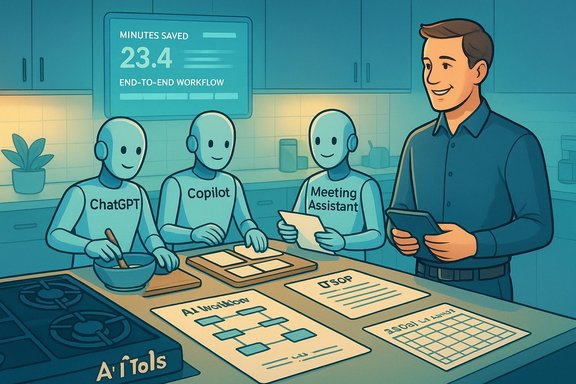
Most people’s experience of AI at work feels like a tiny kitchen at dinner rush: five burners on, three timers beeping, and no one coordinating the line. The common mistakes are:- Signing up for half a dozen AI apps because each promises a “time saving.”
- Using AI ad hoc for single tasks rather than redesigning end‑to‑end workflows.
- Skipping a consistent verification step, then spending hours fixing hallucinations and errors.
Quick verified facts you should know now
- Adoption: 75% of knowledge workers report using generative AI at work.
- Backlash: Surveys show around 77% of AI users say that poorly managed AI has raised their workload because of the extra review and integration burden.
- Agents: ADP research and guidance projects rapid growth in agent adoption, including a cited projection of a large percentage increase in agent adoption across HR organizations (ADP details emphasize agentic AI as a priority). Amin Venjara (ADP) highlights that human oversight and guardrails remain essential as agents take on multistep tasks.
The playbook: turn chaos into a calm dinner service
1) Choose the right dish: pick one “Friday dinner rush”
Start by identifying one recurring, high‑friction workflow that steals your time each week. Examples:- Weekly status report that takes 60–120 minutes.
- Customer onboarding email sequence and follow‑ups.
- A monthly spreadsheet reconciliation and executive summary.
2) Baseline and commit to a 30‑day experiment
Run an A/B style pilot for 30 days:- Document the “before” process and time per step.
- Select 2–3 tools: one general assistant (ChatGPT/Claude/Gemini), one workspace copilot (Microsoft 365 Copilot or Google Workspace/ Gemini), and optionally one meeting/research tool.
- Implement the new AI‑assisted workflow on one real instance and measure the result.
3) Map the line: who owns each step
Write your workflow as 8–12 sequential steps and label each step:- H = Human only (judgement, approvals)
- A = AI‑ready (data cleaning, first drafts)
- H/A = Hybrid (AI suggests, human verifies)
- Collect raw inputs (A) — AI gathers tickets/notes.
- Clean & structure (A / H‑A) — AI proposes grouping; human confirms.
- Interpretation (H) — human decides what matters for the audience.
- Draft output (A) — AI generates text or slides.
- Final check & send (H) — human reviews, fact‑checks, signs off.
4) Build a small toolkit (your line, not the junk drawer)
Pick:- One general‑purpose assistant (e.g., ChatGPT or Anthropic Claude).
- One integrated copilot (Copilot for Microsoft 365 if you live in Office; Gemini if you’re in Google Workspace).
- Optionally, one specialist (Otter/Fireflies/Klu for meeting capture; Notion AI for notes → action items).
Prompting and recipes: how to give good orders to your junior cooks
Prompts are instructions. The Nucamp guide and other practical primers converge on a small set of levers you should include in every prompt: Role, Goal, Context, Format, Constraints, and Tone.- Role: “You are a customer success manager.”
- Goal: “Explain a 15% price increase while preserving trust.”
- Context: “Client X has been with us 5 years; they just renewed.”
- Format: “3 short paragraphs + PS offering a 30‑minute call.”
- Constraints: “Do not mention other clients’ pricing.”
- Tone: “Empathetic, not salesy.”
Agentic AI and workflow design — build meals, not single dishes
Agentic AI (agents that hold context, call tools, and act over time) is becoming mainstream in 2026. ADP and other vendors project sharp agent adoption growth and emphasize that human oversight is critical as agents coordinate multistep tasks. When you chain agents, you can automate gathering, cleaning, drafting and flagging — but you must design explicit handoffs and approval gates. Practical pattern:- Agent 1: Data gatherer — compiles inputs and creates a canonical dataset.
- Agent 2: Analyst/drafter — produces bullet insights and a first draft.
- Agent 3: Formatter/scheduler — generates slides or emails and queues for human signoff.
Human: Final review, verification, and send.
Profession-specific quick wins (concrete patterns)
- Writers/Marketers: AI for ideation, drafting, and repurposing. Keep a house style guide and human edit for brand voice. Use AI to generate headline batches and A/B variants, then human‑select and polish.
- Analysts/Ops: AI to clean, categorize, and create initial pivot charts. Always include a “claims to verify” checklist before sharing metrics.
- Project Managers: Auto‑summarize meeting transcripts, generate risk registers, draft weekly updates from board activity.
- HR/Recruiters: Screen and schedule automation, JD drafting with inclusive language prompts, cluster candidate profiles for triage (human review required for final shortlist).
- Customer Support: Suggest three reply drafts for agents to pick and tweak, then human send.
Quality, ethics, and the “tasting spoon”
AI can confidently speak nonsense. That’s why a deliberate verification step — the tasting spoon — is non‑negotiable. The Nucamp guide recommends a simple checklist that should be part of every AI‑assisted deliverable:- Accuracy: Spot‑check 2–3 factual claims, numbers, or named sources.
- Relevance: Confirm the output actually solves the stated problem.
- Tone & risk: Scan for biased, insensitive, or off‑brand language.
- Provenance: Can you explain how AI was used if asked by a manager or regulator?
Avoid the “too many gadgets” trap
Common traps:- Tool hoarding: dozens of assistants with no owner or SOP.
- No SOPs: one-off AI uses that no one can reproduce or audit.
- Over‑automation: trying to automate nuanced decisions end‑to‑end without governance.
- Run small pilots on single workflows.
- Write a one‑page SOP: what changed, which steps are AI‑assisted, and real measured outcomes.
- Prune monthly: remove tools that don’t show documented savings.
Build real AI skills — no CS degree required
Hiring trends and employer guidance emphasize three practical, non‑technical skills:- AI literacy: know what tools can and can’t do; write good prompts; manage verification.
- Workflow design: map a 10–12 step process and assign owners.
- Change leadership: run pilots, document SOPs, and coach colleagues.
Your first 10 hours: a realistic hands‑on plan
The Nucamp primer’s “first 10 hours” approach is practical. A recommended breakdown:- Hours 1–4: Meet one main assistant; run brainstorming, drafting and improving prompts on a small task.
- Hours 5–8: Turn AI on where you already work (Copilot, Gemini, Notion AI); run a meeting transcript through Otter/Fireflies and have the assistant convert notes into an action plan.
- Hours 9–10: Design and document your first AI‑powered workflow (8–12 steps; tag H/A), create a one‑page SOP, and block calendar slots for practice.
What leaders should do differently
Executives and IT should stop asking how many seats of a tool they can buy and start asking:- Which 3 workflows deliver the most predictable ROI when redesigned end‑to‑end?
- What governance, logging, and non‑training contractual terms do we need for sensitive data?
- Do we have a clear human‑in‑the‑loop policy for high‑risk outputs?
Risks you must watch and a short mitigation checklist
- Hallucinations: Always require source citations and spot‑check critical claims.
- Data leakage: Use enterprise, non‑training contracts or on‑prem options for sensitive content.
- Compliance risk: Log AI outputs, prompts, and approvals for auditability.
- Skill gaps: Fund microlearning and role‑based training; tie AI competencies to performance metrics.
- Add a “list three claims to verify” step to every AI prompt.
- Keep AI outputs in managed storage (OneDrive/SharePoint) for traceability.
- Require an explicit reviewer (human) for any output that affects customers, finances, or personnel.
Final verdict — your practical takeaway
AI in 2026 is not a magic productivity bullet; it’s an operating‑model problem. The organizations and professionals who succeed will do three things well:- Start from outcomes, not tools: pick the high‑friction workflow that actually matters.
- Design the line: map human, AI, and hybrid steps and instrument the process.
- Guard the craft: keep the tasting spoon (human review), log provenance, and build a compact, well‑used toolset.
- Pick your Friday dinner rush and document the current steps and minutes.
- Choose one general assistant + one in‑suite copilot (or two tools total).
- Run a 30‑day pilot with a simple metric (minutes saved / week).
- Create a one‑page SOP and one prompt template you’ll reuse.
- Share the pilot result with one colleague and teach them the workflow.
Caveats and verification notes
- Several statistics in popular primers (including the Nucamp guide) combine vendor materials and independent surveys. The key, practical point — that well‑designed, integrated workflows save time, while poorly managed tool sprawl increases workload — is backed by multiple independent studies (Microsoft Work Trend Index, Upwork Research Institute, and ADP guidance).
- A specific numeric claim cited in some primers (e.g., “Simpplr: 3.5+ hours saved per week”) was not found as a single, independently published Simpplr figure in public pages during verification; Simpplr’s public commentary references substantial time savings but uses different thresholds in different posts. Where exact ROI matters, run your own 30‑day pilot and measure outcomes internally.
Source: nucamp.co How to Use AI at Work in 2026: A Beginner's Guide for Any Profession
