

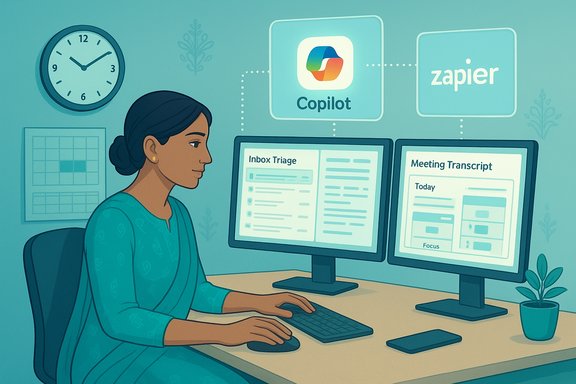
AI tools can reclaim hours from your workweek when deployed with clear rules, minimal permissions, and a single-task focus — not as magic fixes but as deliberate productivity amplifiers that Indian professionals can adopt today.
Background / Overview
The surge of generative AI and workspace copilots has reshaped how professionals tackle email overload, meeting fatigue, content creation, and routine data work. Tools embedded inside Microsoft 365, standalone assistants like ChatGPT and Claude, and specialised services such as Otter for transcription and Motion for scheduling now form a practical toolkit for saving time at work. These solutions range from simple summarisation features to multi-step agentic automations that act across apps — and many deliver measurable time savings when used with appropriate safeguards.This article translates those capabilities into a tactical playbook: concrete productivity hacks, step-by-step setups, governance rules, and India-specific recommendations so professionals — from agency creatives to corporate managers — can adopt AI responsibly and quickly.
Why AI tools matter now
AI-powered assistants reduce repetitive cognitive work: summarising long threads, drafting first-pass content, extracting structured data from documents, and suggesting calendar optimisations. These are high-frequency tasks that, when automated, free time for higher-value activities like strategy, client work, or deep focus sessions. Vendors and early adopters report significant time savings from inbox triage, contract review, and meeting summarisation, especially when the tools are tailored to a single use case.At the same time, adoption raises three central concerns: accuracy (hallucinations), privacy (data exposure), and governance (who controls the assistant). Practical adoption therefore balances convenience with controls: least-privilege access, human-in-the-loop approval for risky actions, and audit logging for automated flows.
Quick list: High-impact AI tools for saving time at work
- Microsoft 365 Copilot — deep Office integration for email summarisation, meeting prep, and document drafting; strong for organisations embedded in Microsoft ecosystems.
- ChatGPT / GPT-based copilots — flexible drafting, brainstorming, and templating for communications and code.
- Claude — research-oriented assistant useful for deeper analysis and nuanced text generation.
- Otter.ai — live meeting transcription and automated notes for faster post-meeting action.
- Perplexity / research assistants — fast, citation-aware summarisation for background research.
- No-code automation platforms (Zapier, Power Automate, Airtable, Notion automations) — connect forms, sheets, calendars, and messaging apps to automate routine workflows.
Practical productivity hacks (step‑by‑step)
1. Trim your inbox: automated triage and reply drafts
- Choose a summariser: enable Gmail AI summaries or Microsoft 365 Copilot’s inbox features if you’re on Outlook.
- Configure a morning digest: set the assistant to produce a 5-item priority list of unread threads flagged as “action required.” Route the digest to a dedicated folder or a short Slack/Teams message.
- Use AI to draft replies: have the assistant create a tone-matched reply draft marked “Draft — review” so you keep final approval control.
- Apply least-privilege: give the summariser access to a mail folder (e.g., “AI-Triage”) instead of your entire mailbox to reduce exposure.
2. Turn meetings into focused outputs
- Use live transcription (Otter / integrated Teams transcription) to capture the meeting. Otter creates searchable notes and highlights action items automatically.
- After the call, run a summariser prompt: “Extract three decisions, two follow-ups, and the person(s) responsible; produce two-sentence context.” Store these in your project board.
- Assign a single “meeting owner” who validates the AI summary within 24 hours to close the loop.
3. Automate document summarisation & contract reviews
- For multi-page documents, run Copilot or other document-understanding tools to extract key clauses, deadlines, and obligations. Microsoft 365 Copilot and some IDP (Intelligent Document Processing) platforms excel at this when integrated with SharePoint or document repositories.
- Build a short checklist for human reviewers: check critical dates, payment terms, and confidentiality clauses. Keep the human review step non-negotiable for legal or high-value agreements.
4. Auto-generate first drafts and templates
- Create prompt templates for repetitive outputs: press releases, client emails, performance summaries, and weekly reports. Use a prompt library stored in OneNote or Notion.
- Use AI for the “first draft only.” Route outputs to a human editor for brand-voice and factual verification. This preserves speed while reducing hallucination risks.
5. Smart scheduling and calendar management
- Use AI schedulers (Motion, Reclaim, or Copilot’s calendar features) to protect focus time and propose meeting slots across time zones. For Microsoft 365 users, Copilot’s calendar automation ties directly into Outlook.
- Define protected blocks (e.g., core focus hours) and allow the scheduler to auto-reschedule flexible items only. Start with a test calendar to avoid accidental conflicts.
Setup recipes for Indian professionals (practical, low-friction)
A. Agency / creative teams
- Use ChatGPT or Claude for brainstorming and multiple headline variants. Store approved variants in a shared Airtable base with AI-generated performance metadata.
- Automate post-approval: when a creative is marked “Approved,” trigger a Zapier flow to schedule social posts and create a reporting row.
B. Corporate managers & consultants
- Enable Copilot for meeting prep (agenda, previous action items) and for concise daily email digests to triage decisions. Copilot’s contextual awareness of Teams and Outlook reduces prep time for meetings.
- Use Otter in client meetings and have AI draft next-step emails within Teams or Outlook.
C. Startups and founders
- Use no-code automations to convert customer forms into CRM leads and immediately create follow-up tasks. Stack: Google Forms → Zapier → Google Sheet / CRM. Add an AI field to summarise lead intent for SDRs.
Governance and security: essential rules before you enable anything
- Least-privilege access: grant the minimum scope an assistant needs (calendar-only, single folder, specific SharePoint site). This limits risk if credentials leak.
- Human-in-the-loop for risky actions: require a person to approve financial actions, external communications to clients, and changes to authoritative systems.
- Audit logs and provenance: use tools with audit trails and keep prompts + outputs stored for at least 90 days to enable checks and compliance.
- Data classification and masking: never feed PII, credentials, or unreleased IP into public LLM endpoints. Use tenant-isolated or enterprise models when handling sensitive data.
- Pilot before scale: run 4–8 week pilots on synthetic or anonymised data to measure error rates and real time saved before organisation-wide rollout.
Measuring ROI: how to justify AI investments
- Baseline: measure time spent on target tasks for two weeks (email triage, meeting minutes, contract review).
- Pilot: enable the AI-assisted workflow for the next four weeks and record time spent with and without AI.
- Compare: calculate hours saved per person per week, multiply by hourly cost to get immediate savings.
- Scale decision: if time saved × people × weeks > cost (and risk mitigation is acceptable), expand usage.
Common pitfalls and how to avoid them
- Blind trust in summaries: AI summaries are helpful but can omit nuance or misstate facts. Always require a human spot-check for decisions or external communications.
- Over-broad permissions: giving full mailbox or tenant-level access accelerates automation but exponentially raises risk. Apply least privilege.
- Hallucinations in high-stakes text: for legal, regulatory, or financial language, use AI to draft but never to finalise. Have experts review.
- Cultural and language fit: Indian professionals often work across languages and formalities; ensure prompts include local tone and compliance requirements. When in doubt, iterate prompts with examples.
Real-world case patterns (what works)
- Sales teams: automated lead summaries + calendar proposals → faster client response and fewer missed opportunities.
- Consulting teams: AI-generated first-pass research briefs reduce initial literature review time by an estimated 40–60% in pilot settings (verify in your context).
- Product teams: Copilot-assisted code edits and documentation drafting speed up iteration cycles when paired with CI checks.
Prompts, templates, and short prompt-library to start with
- Inbox triage: “Summarise unread emails in this folder into 5 priority items with one-sentence rationale and suggested action.”
- Meeting summary: “From this transcript, list three decisions, five action items, and assign owners in a table.”
- Contract review: “Extract renewal date, payment terms, termination clause summary, and any customer-facing obligations.”
- Research brief: “Give a 250-word executive summary, 5 supporting facts with sources, and three recommended next steps.”
Future trends to watch (and how to prepare)
- Deeper OS integrations: tools that embed AI capabilities into Windows and Office will tighten workflows and reduce friction; plan for tighter tenant controls and training on built-in copilots.
- Agentic automations: expect more assistants that can execute conditional workflows across apps; prioritise sandboxed pilots and auditability.
- Localized models and compliance: look for regionally tuned models and enterprise offerings that support Indian data residency and regulatory needs. Until then, enforce stricter masking and governance for India-specific data.
Quick adoption checklist (one page)
- Define one narrowly scoped automation to pilot (email triage / meeting summarisation / contract triage).
- Choose the appropriate tool and configure least-privilege access.
- Create a prompt template and store it in a shared knowledge base.
- Run a 4–8 week pilot with human-in-the-loop validation and audit logging.
- Measure hours saved, adjust controls, and scale conservatively.
Final assessment: strengths and risks
AI tools deliver concrete time savings for high-frequency, low-complexity tasks — the strengths lie in summarisation, first-draft generation, transcription, and routine automation that reduce context switching and cognitive load. For Indian professionals, who often juggle multi-client workloads, cross-timezone meetings, and tight deadlines, these tools can be transformational when applied to a single pain point at a time.The risks are clear: model hallucinations, data leakage, and organisational overreach if governance lags adoption. The cheapest path to failure is giving broad, unchecked access to an assistant and expecting perfect accuracy. Instead, prioritise least-privilege, human validation for risky outputs, and robust audit trails.
Where vendor marketing promises rapid, universal gains, exercise scepticism and insist on your own pilot metrics before scaling. Some claims about productivity percentages or future scenarios are optimistic and should be treated as directional rather than guaranteed outcomes.
The most pragmatic approach for Indian professionals is not maximal automation but intentional automation: pick one repetitive task, apply a single AI tool with narrow permissions, measure the result, and then scale the successful pattern across the team while enforcing simple governance controls. With that method, AI becomes a productivity accelerator — not a liability.
Source: Storyboard18 How to Use AI Tools to Save Time at Work - Productivity Hacks for Indian Professionals
