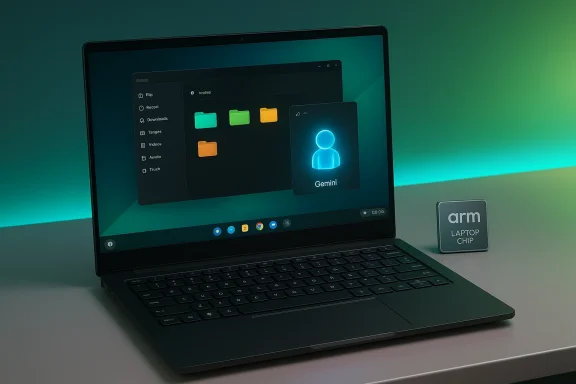
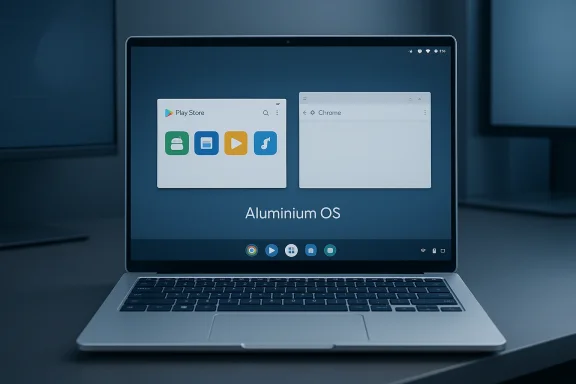
Google’s long‑mooted plan to bring Android to full‑blown laptops and desktops has taken a concrete shape: an Android‑based PC operating system codenamed Aluminium OS is in development and poised to reshape Google’s device strategy over the next several years.
For more than a decade Google has maintained two separate client platforms: Android for phones and tablets, and ChromeOS for laptops and education devices. That distinction is shrinking fast. Aluminium OS represents a deliberate move to unify the Android codebase and ChromeOS feature set into a single, AI‑forward operating system designed to run across laptops, detachables, tablets and desktop boxes. The project is widely reported to be Android‑based, built with on‑device AI capabilities in mind, and intended to deliver a more seamless cross‑device experience for Google’s ecosystem.
The news has immediate implications for several audiences: Chromebook owners and IT administrators, PC OEMs, app developers, enterprises that manage fleets of ChromeOS devices, and rivals such as Microsoft (Windows) and Apple (macOS). What’s clear is Google is aiming to close the integration gap with Apple’s tightly coupled hardware‑software approach, while also bringing the reach and app diversity of Android to larger screens.
What this means in practice:
However, this transition will require developers to:
Key enterprise considerations:
However, historical lessons warn that platform transitions are messy. Google must manage developer relations, enterprise commitments, device eligibility, and regulatory risks all at once. The ideal outcome is a smoother Android experience on larger screens that leverages Android’s app breadth while providing the control and manageability schools and businesses require. The worst outcome would be fragmentation, frustrated IT admins, and a perception that ChromeOS users were abandoned mid‑commitment.
Yet execution will define success. Google needs to:
Source: IOL Watch out Windows and MacOS ... Here comes Android OS!
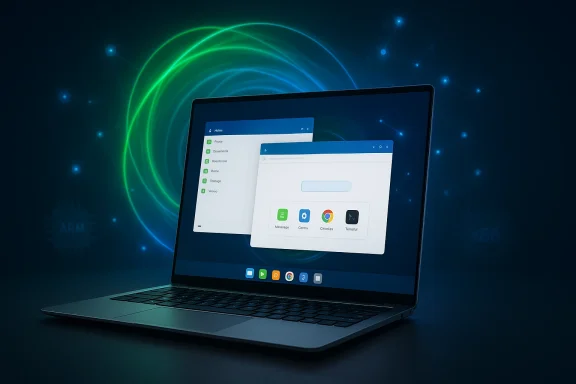 Background / Overview
For more than a decade Google has maintained two separate client platforms: Android for phones and tablets, and ChromeOS for laptops and education devices. That distinction is shrinking fast. Aluminium OS represents a deliberate move to unify the Android codebase and ChromeOS feature set into a single, AI‑forward operating system designed to run across laptops, detachables, tablets and desktop boxes. The project is widely reported to be Android‑based, built with on‑device AI capabilities in mind, and intended to deliver a more seamless cross‑device experience for Google’s ecosystem.The news has immediate implications for several audiences: Chromebook owners and IT administrators, PC OEMs, app developers, enterprises that manage fleets of ChromeOS devices, and rivals such as Microsoft (Windows) and Apple (macOS). What’s clear is Google is aiming to close the integration gap with Apple’s tightly coupled hardware‑software approach, while also bringing the reach and app diversity of Android to larger screens.
What is Aluminium OS?
A brief definition
Aluminium OS (internal shorthand often shortened to ALOS in industry reporting) is a desktop‑class variant of Android designed to replace—or at least sit alongside—ChromeOS over a multi‑year transition. It promises native Android app support on desktops, improved local AI capabilities, and a platform architecture that treats Chrome as an app rather than the whole operating system.Key technical direction (what we know)
- Aluminium OS is reportedly built on the Android platform, not the Linux‑centric ChromeOS userland. That means the platform primitives, update model and many device drivers will be Android‑centric.
- Strong emphasis on on‑device AI, including optimized access to Neural Processing Units (NPUs) and frameworks for running compact models such as Gemini Nano locally.
- Support across architectures: early demos and reports indicate Intel x86 and ARM devices will be supported, enabling both traditional laptop silicon and mobile SoCs to run the OS.
- A device tiering model is being discussed internally: versions or SKUs for entry, mass premium, and high‑end platforms (mirroring ChromeOS marketing tiers such as Chromebook and Chromebook Plus).
- Chrome will become an app that can be updated independently via app‑style channels rather than being the OS itself, enabling faster browser feature updates without OS reimaging.
Timeline and release expectations — proceed with caution
Several outlets and internal job listings indicate Google planned public testing or developer previews beginning in 2026, and some public commentary by Android leadership referenced a 2026 goal. At the same time, court filings and follow‑up reporting suggest a more conservative, multi‑phase rollout that could stretch into 2028 for broad availability and that ChromeOS support commitments could last into the early 2030s.What this means in practice:
- Expect phased rollouts: early developer or commercial testing on a limited set of qualifying hardware in 2026, broader commercial availability in subsequent years.
- Not all existing Chromebooks will be eligible for an Aluminium OS upgrade; hardware capabilities (NPUs, virtualization support, CPU features) will determine upgradeability.
- Google is likely to maintain ChromeOS in a “Classic” mode for older hardware and long‑term update commitments while steering new devices toward Aluminium OS.
Why Google is doing this: strategic motives
Close the ecosystem gap with Apple
Apple’s headline advantage is a unified, tightly integrated software experience across iPhone, iPad, and Mac. Google has been attempting to approximate that cohesion—Android for phones and tablets, ChromeOS for laptops—yet fragmentation and divergent development tracks made parity difficult. A single Android‑based platform simplifies cross‑device feature delivery and preserves Android’s massive app ecosystem.Make desktop Android genuinely useful and productive
Desktop usage needs more than a scaled‑up mobile UI. Aluminium OS aims to deliver real desktop features: windowed multitasking, native desktop applications, better external display handling, and virtualization support for running full Linux or legacy apps. These gaps have limited ChromeOS in certain markets; Aluminium OS targets those deficiencies.AI as a differentiator
On‑device AI—optimizing small models for local inference and tighter NPU integration—is central to Google’s vision. Aluminium OS appears intended to enable efficient local model access for features like system‑level assistants, advanced productivity tools, and privacy‑sensitive AI that runs without cloud roundtrips.Consolidation for accelerated development
Maintaining two distinct client OS codebases is expensive. Unifying efforts allow Google to consolidate engineering investment, ship features to more device classes more quickly, and provide a consistent API model for developers.What this means for ChromeOS users and Chromebook buyers
Upgrade eligibility will matter
Aluminium OS will likely require hardware features that many older Chromebooks lack, including NPUs and advanced virtualization capabilities. The bottom line: not every Chromebook will be upgradable. Google is expected to continue supporting ChromeOS devices to honor existing update commitments, but those devices may remain on the older “ChromeOS Classic” track.Education and enterprise fleets face a migration strategy problem
Schools and businesses that purchased Chromebooks for simplicity and manageability will need a plan:- Assess current device inventories for Aluminium OS eligibility.
- Expect a long co‑existence period where ChromeOS remains supported for legacy hardware.
- Plan testing cycles for web apps, Android apps, and any Linux workflows to validate behavior under the new platform.
Buying guidance for consumers
If you need Aluminium OS features (on‑device AI, native Android desktop apps, or advanced virtualization), target newer “Chromebook Plus” or premium models with explicit support for NPUs and modern virtualization extensions. If you prefer the stability and simplicity of ChromeOS today—particularly for education environments—buying older, lower‑cost Chromebooks remains a defensible choice.Developer and app ecosystem implications
Android apps on desktop: opportunity and friction
The most enticing prospect is the ability to run Android apps natively on large screens with desktop features. This expands the audience for Android developers and could revive categories like professional productivity and desktop‑grade utilities on Android.However, this transition will require developers to:
- Ensure apps scale and adapt to windowed, multi‑tasking environments.
- Support features like keyboard/mouse input, resizable UIs, and window management.
- Consider security models and sandboxing differences between mobile and desktop contexts.
Linux and classic desktop apps
Google appears to be investing in better Linux support via virtualization frameworks that run on Android, providing GPU acceleration and more robust performance than current container approaches. For many developers and power users this could mean improved compatibility for traditional desktop software, including developer tooling and select games.Gaming: a mixed picture
Reports indicate Steam for Chromebooks in its earlier containerized form has been reevaluated as the underlying OS architecture shifts. For gaming:- Devices with robust GPU and virtualization support could host higher‑performance Linux/Windows virtualization and possibly Steam.
- Many low‑cost Chromebooks will still be unsuitable for heavy local gaming.
- Cloud gaming will likely continue to be the practical path for entry‑level hardware.
Enterprise and management: policy, security and deployment
Security model adjustments
Switching to an Android base changes the update and security model. Aluminium OS will likely adopt Android’s mechanisms for app sandboxing and Play Store distribution, but it will also need to preserve the management capabilities enterprises depend on for policy enforcement.Key enterprise considerations:
- Device provisioning and management tools will require updates to handle the new platform; expect Google to provide migration pathways via Admin Console improvements.
- Endpoint security vendors will need to adapt agents and integrations to the new architecture.
- The decoupling of Chrome as an app could be a security win—faster browser updates without full OS re‑imaging—but it also requires administrators to manage multiple update channels.
Long support windows and transition risk
Court filings and reporting suggest Google intends to support ChromeOS for years to avoid breaking existing contracts and educational deployments. Enterprises should therefore prepare for a prolonged dual‑platform era and plan migrations accordingly.Competition: what Aluminium OS means for Windows and macOS
Not an immediate Windows or macOS killer
Aluminium OS is an evolution, not an outright takeover. Windows and macOS each have decades of desktop application compatibility, enterprise tools, and developer ecosystems. In the short term, Aluminium OS will focus on modern workflows and Android‑native apps rather than attempting to run the entire historical Windows/macOS software base.Pressure on Apple and Microsoft
That said, Aluminium OS tightens competition on several fronts:- Apple’s seamless device integration is now a headline target; Google wants the same cross‑device experience across Pixel phones, tablets, and laptops.
- Microsoft faces pressure in education and affordable laptop markets where ChromeOS has already made gains; Aluminium OS could broaden Android’s appeal in these segments.
- Enterprise customers now have more leverage; competition typically improves pricing and innovation.
Strengths: Where Aluminium OS could shine
- Unified developer platform: One codebase for phones, tablets and PCs simplifies cross‑device feature rollouts.
- Native Android app ecosystem: Hundreds of thousands of apps could reach laptops without porting.
- On‑device AI integration: Tight NPU access and AI frameworks can enable fast, private AI features that localize capabilities like assistant, summarization, and image processing.
- Faster browser updates: Decoupling Chrome from the OS can speed feature and security patches for the browser.
- Hardware flexibility: Support for both ARM and x86 positions Aluminium OS to run on a wide spectrum of devices.
Risks and unresolved challenges
- Hardware fragmentation and upgrade eligibility: Many existing Chromebooks may be left behind; the transition risks fragmenting user bases and complicating support.
- Developer readiness: Android apps will need reengineering to behave well in windowed desktop environments; not all developers will invest the effort.
- Enterprise migration cost: Large fleets will need time, testing and possibly hardware refresh cycles to adopt Aluminium OS safely.
- Gaming and legacy apps: Without robust compatibility layers, Aluminium OS will struggle to match Windows for legacy desktop software.
- Market perception: Consumers and businesses distrust frequent platform pivots—Google must execute a careful communications strategy to avoid alienating schools and enterprise customers.
- Regulatory scrutiny: Court filings have already surfaced in public reporting; any platform consolidation invites regulator attention, which could shape how Google transitions ChromeOS.
Practical guidance for stakeholders
For consumers
- If you need the latest and greatest Android‑desktop features, buy a premium or “Chromebook Plus” device with modern hardware and explicit NPU support.
- If you value long‑term simplicity and low cost (e.g., for students), continue to prioritize proven ChromeOS devices today.
- Avoid buying entry devices if your goal is to run future Aluminium OS features; those low‑end Chromebooks are likeliest to be stuck on Classic ChromeOS.
For IT admins
- Audit your device inventory for virtualization support, CPU generation and NPU availability.
- Plan test labs to evaluate Aluminium OS on pilot hardware before any mass migration.
- Revisit app compatibility: web apps, Android apps, and Linux workloads should be validated under the new OS.
- Expect a multi‑year migration window—don’t rush to flip every device immediately.
For developers
- Start adapting Android apps for windowed, resizable UIs and keyboard/mouse input now.
- Consider making desktop‑first UI layouts and testing on high‑DPI external displays.
- Keep an eye on Google’s developer guidance for Aluminium OS and prioritize features that leverage local AI models and NPUs.
The bigger picture: platform consolidation in the AI era
Aluminium OS is more than a cosmetic merge; it’s part of a larger industry trend where platform vendors align around AI‑capable hardware and software stacks. Local model inference, fast updates, and consistent cross‑device experiences are becoming core competitive dimensions. By folding ChromeOS into Android (or building an Android‑heavy successor), Google is betting that an AI‑centric, unified platform will deliver better product experiences and a stronger competitive stance versus Apple and Microsoft.However, historical lessons warn that platform transitions are messy. Google must manage developer relations, enterprise commitments, device eligibility, and regulatory risks all at once. The ideal outcome is a smoother Android experience on larger screens that leverages Android’s app breadth while providing the control and manageability schools and businesses require. The worst outcome would be fragmentation, frustrated IT admins, and a perception that ChromeOS users were abandoned mid‑commitment.
Final assessment: cautious optimism
Aluminium OS is an ambitious and logical next step for Google’s long‑running effort to bring Android to new form factors. Its strengths—AI integration, Android app availability, and unified development—offer tangible upgrades over ChromeOS, especially for modern productivity and AI‑assisted workflows.Yet execution will define success. Google needs to:
- Clearly communicate upgrade eligibility and support timelines to avoid stranded users.
- Provide robust developer tools and migration guides to help apps transition to desktop paradigms.
- Maintain enterprise‑grade management and security features to protect education and business customers.
- Manage regulatory and contractual obligations transparently to avoid legal backlash.
Source: IOL Watch out Windows and MacOS ... Here comes Android OS!