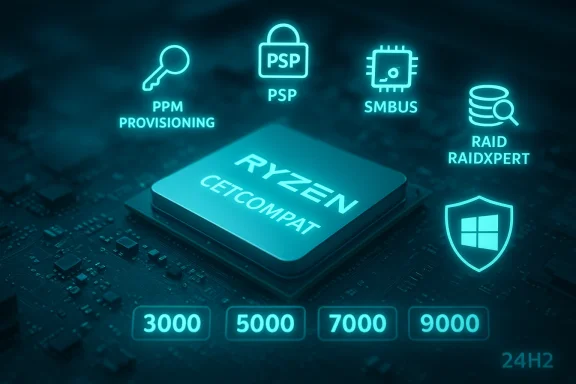
AMD has quietly pushed a new universal chipset package that expands official support across its Ryzen generations and — critically for security-minded Windows users — adds explicit CET compatibility for several chipset components, while a follow-up release tightens device support and fixes long-standing stability and RAID issues for AM4/AM5 platforms.
AMD’s chipset driver packages are not a single driver but a bundled installer that deploys a set of independent, platform-specific drivers (SMBus, GPIO, PCI device, CPI, PSP/PSP/PSP drivers, RAID binaries, and more) tailored to each motherboard and CPU family. These packages affect low-level interactions between Windows and the platform firmware, touching security features, power-management primitives, and IO stacks that influence stability and performance.
The most notable recent package identified in manufacturer notes is Revision 6.10.17.152, which AMD published with a release focus on Windows 10 and Windows 11 compatibility and the addition of CETCOMPAT support for certain components. That same era saw later chipset revisions (for example, 7.04.09.545) appear in AMD’s distribution stream to add device IDs, bug fixes, and incremental compatibility imp00 and earlier families.
Common installation pitfalls to be aware of:
In short: this is the kind of platform-level housekeeping that matters — not flashy, but essential. Apply it carefully, verify thoroughly, and you’ll gain broader CET alignment and improved chipset support across AMD’s Ryzen families.
Source: Windows Report https://windowsreport.com/amd-rolls...pset-drivers-for-ryzen-9000-and-older-series/
 Background
AMD’s chipset driver packages are not a single driver but a bundled installer that deploys a set of independent, platform-specific drivers (SMBus, GPIO, PCI device, CPI, PSP/PSP/PSP drivers, RAID binaries, and more) tailored to each motherboard and CPU family. These packages affect low-level interactions between Windows and the platform firmware, touching security features, power-management primitives, and IO stacks that influence stability and performance.The most notable recent package identified in manufacturer notes is Revision 6.10.17.152, which AMD published with a release focus on Windows 10 and Windows 11 compatibility and the addition of CETCOMPAT support for certain components. That same era saw later chipset revisions (for example, 7.04.09.545) appear in AMD’s distribution stream to add device IDs, bug fixes, and incremental compatibility imp00 and earlier families.
What changed — the headlines
- AMD’s chipset package revision 6.10.17.152 formally added CET compatibility flags to a subset of chipset drivers, marking a security-first update for Windows 11 systems that support Control-flow Enforcement Technology. This is important for enabling Microsoft’s CET enforcement on AMD systems where the chipset driver stack may otherwise block or degrade CET operation.
- Subsequent driver packages in th7.02.x and 7.04.09.545) continued to expand chipset device support, include bug fixes (including installation and language-string issues), and update RAID driver binaries for modern Windows 11 branches. These updates explicitly list support for Ryzen 9000, 8000, 7000, and earlier families across AM5 and AM4 ecosystems. ([techpowerup.com](AMD Releases Ryzen Chipset Software 7.04.09.545 and forum threads show a mixed rollout experience: some users report smooth installs and CET recognition, while others encounter partial installs, cosmetic “install summary failed” messages, or driver version reporting discrepancies in Device Manager after running the AMD installer. These are not universal, but they are sufficiently frequent to require attention before wide deployment.
Why CET support matters (and what CETCOMPAT is)
Control-flow Enforcement Technology (CET) is a CPU- and OS-level mitigation introduced by CPU vendors and Microsoft to make certain classes of memory corruption attacks (notably return-oriented programming and other control-flow hijacks) harder to exploit.- CET requires both CPU/firmware cooperation and compatible low-level platform drivers so that kernel-mode trampolines, exception dispatching, and context switches do not break CET guarantees.
- The CETCOMPAT marker in AMD’s release notes indicates the vendor has marked certain chipset drivers as compatible with CET-aware Windows kernels; this helps Windows enable CET-based protections without being blocked by driver behavior that might violate CET assumptions.
Supported platforms and compatibility notes
AMD’s release notes for the 6.x and 7.x packages enumerate chipset and socket support across multiple product families. Key takeaways:- Formal support now covers the AM5 ecosystem (Ryzen 7000 and Ryzen 9000 families) and extends back to AM4 lines where appropriate, including widely used chipsets such as X670/X670E, B650/B650E, X570, and others. Enterprise-grade and high-end workstation chipsets (WRX90/TRX50) are support matrix.
- RAID driver updates were published in parallel (versions in the 9.x series), and AMD explicitly called out Windows 11 compatibility, including newer feature updates/enablement scenarios. If you use onboard RAID or software-assisted RAID, the updated RAID binaries are a reason to consider the new package.
- AMD’s installer is a packaging layer that allows selection of only the drivers you need; many motherboard vendors still publish OEM-wrapped versions on their support pages, and some users prefer vendor packages to AMD’s standalone bundle for maximum board-specific compatibility.
What to expect during installation
When you run the AMD Ryzen Chipset installer you’ll see an organized selection UI listing components such as:- AMD Interface)
- AMD SMBus Driver
- AMD GPIO Driver
- AMD PCI Device Driver
- AMD PSP / AMD Secure Processor drivers
- RAID driver binary (where applicable)
- Optional power plans and platform utilities
Common installation pitfalls to be aware of:
- Non-English Windows localizations can show mixed-language driver names in the summary or UI. AMD has acknowledged this in release notes as a cosmetic bug.
- The AMD Installer or bundled AMD Manager may not always reflect the same installed revision that Device Manager reports — users have reported the UI offering a newer revision that fails to materialize after installation, likely due to package-layering or leftover older INF entries.
- Some RAID and device-id additions require a firmware (UEFI/BIOS) update on the motherboard to be fully recognized; always check your board manufacturer’s advisories if you rely on vendor RAID.
Step-by-step: recommended upgrade path (practical install guide)
- Identify your motherboard model and BIOS/UEFI revision. Recorsion and driver versions (Device Manager → view driver details for key components).
- Visit your motherboard vendor’s support page and compare the chipset package listed there to AMD’s standalone package. Use the vendor package if it explicitly bundles vendor-specific INF or firmware patches for that board.
- If using AMD’s standalone package: download the proper revision for your OS (Windows 10 or Windows 11) and extract/install choosing only the drivers you require (for many users this will exclude RAID if unused).
- Reboot and verify Device Manager driver versions. Check installation summary logs for errors but prioritize Device Manager and driver file versions as the authoritative state.
- If something fails or device versions are inconsistent, obtain the driver package’s MSI from the temporary installer folder and try manual install of the specific INF that failed. If that still fails, rollback using Windows System Restroll-back and open a vendor support ticket.
Benefits — what users stand to gain
- Improved security posture: CETCOMPAT means fewer platform-level barriers when enabling Windows CET-based protections. For enterprise defenders and users running hardened policies, this is a clear gain.
- Wider device support: newer revisions add device IDs and explicit compatibility for Ryzen 9000/7000 series, reducing the need for unofficial drivers andte or OEM tools can identify devices correctly.
- Stability and RAID fixes: updated RAID binaries and bug fixes in the 7.x line address known causes of BSODs and RAID init failures on some builds, improving reliability for storage-heavy users.
- Cleaner vendor matrix: AMD’s iterative releases bring the public support matrix up to date so system builders can better plan OS builds, driver deployment, and security baselines.
Risks and limitations — where to be cautious
- Installer inconsistencies and cosmetic “fail” messages: A subset of installs report a summary failure even when the devices update. This can be confusing and may hide real failures for less technical users; confirm results in Device Manager.
- Edge cases with OEM-packaged boards: Vendor-wrapped packages sometimes include board-specific INF changes; using AMD’s generic package on a heavily customized OEM board can produce unexpected behavior. Prefer vendor packages for laptops and OEM desktops.
- Rollback complexity: If a low-level driver interacts badly with a particular BIOS revision, rolling back can be more cumbersome than a typical driver rollback. Keep current backups, create a restore point before installing, and ensure you have a fallback method to access the system (safe mode or recovery USB).
- Windows version interactions: Microsoft’s CET and mitigation behaviors are evolving across Windows 10 and Windows 11 feature updates; AMD’s CETCOMPAT flags reduce friction, but full CET-based protection still depends on the OS build and other kernel-mode drivers. Administrators should validate on representative systems before mass rollout.
Real-world reports — community feedback and troubleshooting patterns
Community threads and forum posts provide a live lens into deployment realities:- Some users report the new drivers resolve previously encountered BSODs and RAID initialization problems after Windows feature updates; for these users, the update was stabilizing.
- Other users saw confusion when the AMD Installer advertised a new revision but Device Manager still displayed an older sub-driver — this typically results from older INF entries or the need for a manual uninstall of previous chipset packages before reapplying the new one.
- Language-string issues and cosmetic uninstall summary anomalies have been repeatedly called out; AMD has acknowledged some of these as known issues in release notes. These are largely cosmetic but diminish user confidence and complicate support workflows.
Enterprise guidance — how to approach deployment at scale
- Create a test matrix: include representative hardware (AM5/AM4 boards, differing BIOS versions, RAID vs. non-RAID systems).
- Validate security telemetry: measure CET enablement and any changes to mitigation status before and after the chipset update.
- Stage rollout: deploy to non-critical systems first, then escalate to broader populations after 48–72 hours of monitoring.
- Maintain vendor fallback: ensure that vendor-specific drivers are available in your management catalog (SCCM/Intune/WSUS) to support rollback if vendor builds are preferred.
- Document known cosmetic quirks (install summary messages, mixed-language strings) so frontline support doesn’t misinterpret benign logs as failures.
Troubleshooting quick reference
- fails:
- Reboot and disable any third-party security software temporarily.
- Run the installer as Administrator.
- If sections fail, extract the MSI from the package and install INF-by-INF in Device Manager.
- Device Manager shows old versions:
- Uet driver package via Apps & Features, reboot, then run a clean install.
- Use vendor-provided driver packages if the generic installer doesn’t update vendor-customized INF entries.
- RAID issues after update:
- Check for a firmware/UEFI update for the motherboard.
- Verify RAID driver binaries included with the package and match to the RAID version recommended by the OEM.
Critical analysis — strengths, oversights, and what this rollout signals
Strengths- AMD is addressing a clear security vector by marking chipset drivers as CET-compatible. This shows coordination with Microsoft’s mitigation roadmap and benefits users seeking stronger control-flow protections. The release also brings wider chipset coverage for the company’s newest Ryproves platform readiness for Windows feature updates.
- The installer’s cosmetic failures, mixed-language driver name behavior, and inconsistent reporting between the AMD Manager UI and Device Manager reveal a packaging maturity gap. While the functional drivers are often updated correctly, these UX issues can increase help-desk workload and risk misdiagnosis.
- Distribution fragmentation remains a challenge. OEM-packaged drivers, vendor INF customizations, and AMD’s generic bundle may not always align; enterprises and enthusiasts must choose carefully between vendor-tested packages and AMD’s upstream releases.
- The addition of CETCOMPAT suggests AMD sees CET as lasting OS-level mitigation and is aligning its platform software accordingly. That’s a positive sign for long-term security integration — but it places responsibility on system administrators to validate CET activation across diverse device fleets before assuming protective parity with Intel-based systems.
Recommendations — practical takeaways for users and IT pros
- Individual users (enthusiasts and home builders):
- If you care about CET and run Windows 11, consider installing the updated chipset package after backing up and creating a system restore point. Verify driver versions in Device Manager and keep your motherboard BIOS current.
- If you’re uncomfortable with low-level upgrades, stick with the chipset driver provided on your motherboard maker’s support page — those packages are often tested against the vendor’s BIOS and board firmware.
- IT administrators (small business to enterprise):
- Test the new packages in a lab, validate CET enablement telemetry, and stage the rollout. Include rollback plans and vendor fallbacks in your update playbook.
- Document cosmetic installer anomalies for helpdesk staff so that benign summary messages don’t trigger unnecessary escalations.
- Enthusiast power users:
- If you run RAID or custom storage setups, check the RAID driver version in the new package and match it to your board vendor recommendations. Consider manual deployment of the RAID binary if you use pre-boot RAID frequently.
Final verdict
AMD’s recent chipset revisions represent a pragmatic and security-forward step: marking drivers as CET-compatible and expanding device support for Ryzen 9000 and earlier processors brings measurable benefit to Windows 10/11 users who prioritize mitigations and system robustness. However, the rollout is not flawless — installer UX quirks and packaging inconsistencies mean the update is best handled with a disciplined rollout and verification process. For most users who keep vendor BIOS and drivers reasonably current, the update is a net positive; for environments that require absolute stability and predictability, take a staged approach and prefer OEM-tested distributions where available.In short: this is the kind of platform-level housekeeping that matters — not flashy, but essential. Apply it carefully, verify thoroughly, and you’ll gain broader CET alignment and improved chipset support across AMD’s Ryzen families.
Source: Windows Report https://windowsreport.com/amd-rolls...pset-drivers-for-ryzen-9000-and-older-series/