

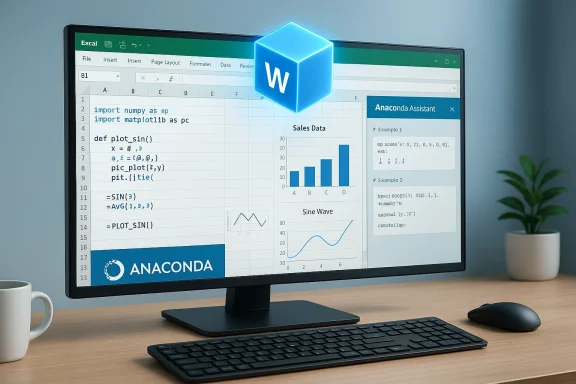
Anaconda’s new Anaconda Code public beta brings a major new option to users of Python in Excel: run Python locally inside Excel — no remote execution, no cloud round-trip, and no need for a separate local Python installation to get started.
When Microsoft introduced Python in Excel in 2023 it changed the equation for many analysts, finance teams, and data scientists by exposing Python’s data stack directly in the Excel grid. That original implementation executes Python code in secure containers in Microsoft’s cloud, using an Anaconda-provided distribution and curated libraries so that workbooks remain reproducible and safe when shared. That cloud-first model solved a set of problems — security isolation, cross-user reproducibility, and low friction for non-technical Excel users — but left others unsatisfied: people who needed strict offline operation, lower latency for iterative development, or more direct control over package choices wanted a local execution option.
Anaconda’s response is Anaconda Code, shipped inside the company’s Anaconda Toolbox for Excel. The offering arrives as a public beta and enables Excel users to author Python (and R) code cells and run them locally using a WebAssembly-based runtime. The intent is explicit: give users the ability to keep code and data inside the workbook and on the desktop, while still lowering the friction to use the language and the rich scientific ecosystem that surrounds it.
Limitations of the WASM approach deserve attention: WASM-based Python runtimes are powerful but not identical to native CPython. Native C-extension modules that depend on OS-level binaries or compiled extensions unavailable in WASM will not run unless the extension is rebuilt/ported for WASM. Package availability therefore is good for pure-Python and many scientific libraries — but edge cases may exist, and heavy native-compiled packages or GPU drivers aren’t available the same way as in a local native environment.
In short: Anaconda Code makes local Python-in-Excel plausible and practical for many workflows, but it is not a drop-in replacement for native CPython environments. Treat it as a strategic tool in the toolbox — powerful when used for the right problems, and something to be validated carefully for mission-critical or uncommon dependency scenarios.
Source: HPCwire Anaconda Debuts New Solution to Run Python Locally in Microsoft Excel - BigDATAwire
 Background
When Microsoft introduced Python in Excel in 2023 it changed the equation for many analysts, finance teams, and data scientists by exposing Python’s data stack directly in the Excel grid. That original implementation executes Python code in secure containers in Microsoft’s cloud, using an Anaconda-provided distribution and curated libraries so that workbooks remain reproducible and safe when shared. That cloud-first model solved a set of problems — security isolation, cross-user reproducibility, and low friction for non-technical Excel users — but left others unsatisfied: people who needed strict offline operation, lower latency for iterative development, or more direct control over package choices wanted a local execution option.Anaconda’s response is Anaconda Code, shipped inside the company’s Anaconda Toolbox for Excel. The offering arrives as a public beta and enables Excel users to author Python (and R) code cells and run them locally using a WebAssembly-based runtime. The intent is explicit: give users the ability to keep code and data inside the workbook and on the desktop, while still lowering the friction to use the language and the rich scientific ecosystem that surrounds it.
Overview: what Anaconda Code is and what it does
- What it is: An add-in experience inside the Anaconda Toolbox that lets users insert code cells into a workbook and execute Python code locally without a conventional Python install.
- How it runs: A WebAssembly (WASM)-based stack (driven by PyScript/Pyodide technology) executes Python in a runtime shipped into the workbook or provided by the add-in—this is the core mechanism that removes the need for a native CPython installation.
- Where it integrates: Works within Excel (desktop, Mac, and web add-in models), available via the Anaconda Toolbox install from the Office add-in marketplace.
- Key UX pieces: Code editor cells, environment management (package selection/pinning), user-defined functions (UDFs callable from spreadsheet cells), an Anaconda Assistant AI helper for generating code snippets, a visualization builder, and dataset connectors that sync with Anaconda.cloud resources.
- Primary value prop: Local execution with controlled environments and easier sharing of reproducible spreadsheets — the local runtime aims to give developers and analysts the best of both worlds: Python’s power and Excel’s distribution model.
The technical foundation: PyScript, Pyodide, and WebAssembly
At the heart of Anaconda Code’s local execution model is the browser-era ecosystem that brought Python to WebAssembly.- WebAssembly (WASM) provides a portable binary execution container usable in browsers and other hosts. WASM lets projects like Pyodide compile CPython and many C-extension-backed packages to run inside a WASM sandbox.
- Pyodide is the runtime that provides a CPython-compatible interpreter compiled to WASM and a packaging approach to bring numpy, pandas, scikit-learn, and a slice of the scientific stack into the WASM environment.
- PyScript is a higher-level framework and UI toolkit that builds on Pyodide and browser APIs to present an HTML/Python developer model. Anaconda has invested in PyScript; the Anaconda Code documentation and blogposts confirm that the runtime approach is based on PyScript/Pyodide technology, adapted for an Excel add-in environment.
Limitations of the WASM approach deserve attention: WASM-based Python runtimes are powerful but not identical to native CPython. Native C-extension modules that depend on OS-level binaries or compiled extensions unavailable in WASM will not run unless the extension is rebuilt/ported for WASM. Package availability therefore is good for pure-Python and many scientific libraries — but edge cases may exist, and heavy native-compiled packages or GPU drivers aren’t available the same way as in a local native environment.
Features in the Anaconda Toolbox + Anaconda Code
Anaconda Toolbox positions itself as the wrapper and user experience layer for the code execution capability. Key features announced by Anaconda include:- Anaconda Assistant — an AI-driven helper that analyzes tables and suggests Python transformations, producing code snippets and maintaining a history that travels with the user between workbooks.
- Code Snippet Management — save, share, and reuse Python snippets inside Excel; useful for teams and repeatable workflows.
- Advanced Visualizations — templates and builders layered on top of Python visualization libraries so users can author richer charts than Excel’s native visuals without managing plotting code from scratch.
- Streamlined Data Handling — connectors that let users sync datasets between workbooks and Anaconda.cloud notebooks, including dataset versioning for reproducibility.
- Local Environment Management — ability to select or pin specific Pyodide (WASM) versions and select packages (within WASM capability constraints). Environments are self-contained and can be embedded with the workbook for shareability.
- User-Defined Functions (UDFs) — define Python functions and decorate them so they appear in Excel’s function picker and can be invoked directly from sheet cells. This is a major convenience for analysts who want to expose Python logic as ordinary spreadsheet functions.
Strengths: why this matters for users and organizations
- Local control and offline execution. Not everyone can or wants to route logic to cloud containers. Anaconda Code gives organizations and individuals the option to keep work entirely local for latency, compliance, or air-gap reasons.
- Lower friction for non-Python users. Anaconda’s Toolbox layers AI assistants and templates on top of Python, reducing the learning curve for Excel-first professionals while providing portability for workflows.
- Reproducibility via pinned environments. The ability to pin a WASM runtime and package list to a spreadsheet helps ensure consistent results when the workbook is opened later or by another user.
- Bridging Excel and Python ecosystems. By supporting both cloud and local models, Anaconda widens the bridge between Excel users and Jupyter/Anaconda notebook users.
- Rapid prototyping and interactive iteration. Local runtimes can reduce round-trip delays that occur when code must be executed in a remote container, which speeds exploratory analysis.
Risks and limitations — what to watch for
- Package compatibility and WASM limits. The WASM/Pyodide environment can’t run every CPython extension out of the box. Native compiled packages requiring OS-level APIs, hardware drivers, or non-WASM dependencies will not behave the same as in a full Anaconda native environment.
- Performance considerations. For many pandas/numpy workloads WASM performance is competitive, but heavy numerical computation, GPU-accelerated work, or workloads relying on native BLAS/LAPACK optimizations may underperform compared to native environments.
- Security surface and governance. Local execution changes the threat model: while cloud-based execution is isolated in hypervisor containers managed by Microsoft, local execution requires organizations to evaluate the local sandboxing model, update policies, and potentially control who can create or run embedded code cells. Administrators need clear policies for workbook distribution and validation.
- Supply-chain clarity. The Anaconda Toolbox uses curated builds and pinned WASM runtimes; organizations must validate that the packaging and update process meets their internal software supply chain standards.
- User confusion and dual models. Teams will now have two legitimate models for Python in Excel — cloud-based and local. Without governance, this can lead to fragmented workflows, confusion over which model to use for sharing, and maintenance overhead.
- Shared workbook behavior. If a workbook embeds a pinned local environment, recipients without the Toolbox or without WASM-enabled capability may see degraded functionality or may be blocked from running the code — administrators should test shareability in their collaboration scenarios.
How Anaconda Code differs from Microsoft’s cloud Python in Excel
- Execution locus
- Microsoft: Python executes in Microsoft Cloud containers (Azure), enforced isolation, enterprise compliance by default.
- Anaconda Code: Python executes locally within the Toolbox WASM runtime.
- Access to native resources
- Microsoft: cloud runtime limits access (e.g., no arbitrary network, no access to client machine).
- Anaconda Code: local execution can more easily interoperate with local files and resources — but the add-in’s sandboxing may limit some operations for safety.
- Reproducibility approach
- Microsoft: managed containers and curated Anaconda distribution guarantee consistent environments across users via cloud provisioning.
- Anaconda Code: pinned WASM environments aim for reproducibility, but versioning and delivery depend on embedded runtime management and workbook distribution practices.
- Performance and capabilities
- Microsoft cloud containers may have broader package support and access to larger resources (including potential scale), while local WASM is lightweight and convenient but limited by WASM boundaries.
What IT and analytics leads should evaluate before adoption
If you’re responsible for tooling, governance, or analytics platforms, treat Anaconda Code as a capability requiring evaluation along several axes.- Security and compliance
- Determine whether local execution is permissible under your data governance policies.
- Ask: How is the WASM runtime sandboxed? Can local code access protected files? What telemetry or connectivity does the add-in require?
- Reproducibility and lifecycle management
- Evaluate how environments are pinned and how updates are managed to avoid “works on my machine” drift.
- Packaging and supply chain
- Assess whether the Anaconda Toolbox meets SBOM, signing, and third-party vendor requirements.
- User experience and support
- Decide who gets the Toolbox, how to handle versions, and whether training is needed for new UDF workflows.
- Interoperability testing
- Test common packages used by your teams to confirm they run correctly in the WASM environment.
- Change control
- Add Anaconda Toolbox to your application inventory and ensure your endpoint management teams are prepared to approve and deploy the add-in across controlled environments.
- Identify a representative workbook that uses Python workflows you rely on.
- Recreate the workflow with Anaconda Code locally and document differences in behavior and performance.
- Exchange the workbook with a colleague who has standard Excel (no Toolbox) and observe compatibility and degradation modes.
- Validate dataset connectors and UDFs from IT-managed accounts.
- Document mitigation steps for packages that fail under WASM.
For power users and analysts: practical tips
- Start small. Convert a single calculation to an Anaconda Code cell and compare results with the cloud Python experience.
- Use pinned environments for any workbook you intend to share broadly.
- When you rely on a package with native components, test early: some packages either won’t be available or will have reduced performance under WASM.
- When creating UDFs, prefer pure-Python implementations or those supported by Pyodide’s package set.
- Keep a “compatibility” sheet inside shared workbooks describing environment version, required packages, and known differences from native CPython.
The ecosystem and market implications
Anaconda’s move is significant for several reasons:- It signals maturation in the WebAssembly + Python tooling world — what once was a fringe approach (Python-in-browser) is now positioned as a pragmatic execution model inside a mainstream productivity app.
- It gives enterprises a choice: cloud-managed Python (Microsoft) or local, WASM-based Python (Anaconda). Variety can drive adoption but also increases the need for governance.
- Anaconda’s investment in PyScript and Pyodide is an example of a company turning an open-source runtime into a commercial productivity feature. Expect more integrations from tooling vendors that use WASM to provide contained local runtimes.
- For the Python community, this broadens exposure to Python for non-developers who work in Excel primarily. For the Anaconda ecosystem, it increases lock-in to their tooling and cloud features (Anaconda.cloud) but also opens novel collaboration pathways.
Where Anaconda’s messaging deserves scrutiny
Anaconda and its promotional materials emphasize large user counts and broad package support. Those claims are valuable as context, but organizations should verify the following concretely before making decisions:- User base numbers: marketing materials sometimes update counts and figures across multiple releases. Confirm the metric most relevant to you (active users, downloads, enterprise customers) with vendor materials or procurement.
- Package availability: Anaconda’s curated distribution is robust, but WASM packaging is different. Verify that the packages you rely on are supported in the Anaconda Code / Pyodide environment.
- Operational guarantees: understand how updates to the WASM runtime are delivered, how pinning works, and what guarantees exist for pinned workbooks over time.
Final analysis and recommendation
Anaconda Code is a thoughtful and technically interesting addition to the Python-in-Excel ecosystem. It demonstrates how WASM runtimes have evolved from an experimental novelty into a pragmatic delivery vehicle for constrained, reproducible Python workloads inside mainstream apps.- Who benefits most: analysts and teams that need local execution, faster iteration, and direct control over environments — especially where cloud execution is not an option for compliance or latency reasons.
- Who should be cautious: teams depending on native, compiled Python packages (or GPU acceleration) and organizations that manage strict software supply chains should pilot carefully and validate compatibility.
- Organizational approach: adopt a policy that defines when to use cloud-based Python-in-Excel and when a local Anaconda Code approach is acceptable. Use pilot projects to build a compatibility database that captures which packages and patterns work in WASM.
In short: Anaconda Code makes local Python-in-Excel plausible and practical for many workflows, but it is not a drop-in replacement for native CPython environments. Treat it as a strategic tool in the toolbox — powerful when used for the right problems, and something to be validated carefully for mission-critical or uncommon dependency scenarios.
Source: HPCwire Anaconda Debuts New Solution to Run Python Locally in Microsoft Excel - BigDATAwire
