

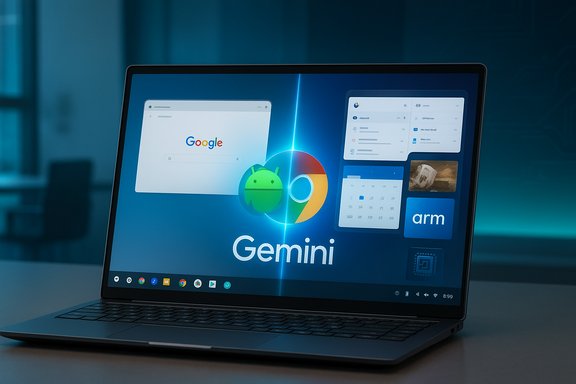
Google’s plan to fuse ChromeOS and Android into a single desktop platform — an initiative Google executives publicly teased at Qualcomm’s Snapdragon Summit — marks the most consequential reshaping of the PC landscape in years and could deliver a true Android for PC experience that runs native Android apps, embeds Google’s Gemini AI, and favors Arm-based Snapdragon silicon.
Google has run two separate, closely related operating system lines for more than a decade: Android for phones and tablets, and ChromeOS for lightweight laptops and education devices. ChromeOS evolved from a browser-centric environment into a fuller desktop that already supports Android apps (via a container/VM layer), Linux apps, and more recent AI features under the Gemini umbrella. That history makes the idea of unifying ChromeOS on top of Android technically plausible and, in Google’s telling, strategically sensible. Several things set this moment apart. First, Google is explicitly positioning the merged platform to take advantage of its AI investments — Gemini and associated assistant features — so the merger is not just about app compatibility but about building an AI-first desktop experience. Second, Qualcomm’s public endorsement and hints that early devices will use Snapdragon PC-class chips suggest Google will favor Arm silicon in this phase rather than the x86 ecosystem that dominates Windows laptops. Those technical and commercial signals change how OEMs, enterprises, and consumers should think about the short-term PC roadmap.
The roadmap is clear enough to be taken seriously: demos and executive statements at Snapdragon Summit, corroborating reporting, and hiring artifacts point to ships in the harbor rather than mere sketches on a whiteboard. For consumers, developers, and IT pros, the sensible path is cautious observation now and selective piloting later — be ready to evaluate devices for compatibility, security posture, and long-term manageability when early Android PCs arrive in 2026.
Source: GB News Google to launch 'incredible' new rival to Windows 11 later this year that combines Android and ChromeOS
 Background / Overview
Google has run two separate, closely related operating system lines for more than a decade: Android for phones and tablets, and ChromeOS for lightweight laptops and education devices. ChromeOS evolved from a browser-centric environment into a fuller desktop that already supports Android apps (via a container/VM layer), Linux apps, and more recent AI features under the Gemini umbrella. That history makes the idea of unifying ChromeOS on top of Android technically plausible and, in Google’s telling, strategically sensible. Several things set this moment apart. First, Google is explicitly positioning the merged platform to take advantage of its AI investments — Gemini and associated assistant features — so the merger is not just about app compatibility but about building an AI-first desktop experience. Second, Qualcomm’s public endorsement and hints that early devices will use Snapdragon PC-class chips suggest Google will favor Arm silicon in this phase rather than the x86 ecosystem that dominates Windows laptops. Those technical and commercial signals change how OEMs, enterprises, and consumers should think about the short-term PC roadmap. What Google and Qualcomm said at the Snapdragon Summit
The public teaser — unified foundation and Gemini on PC
Onstage at Qualcomm’s Snapdragon Summit, Google’s Rick Osterloh framed the effort as an engineering consolidation: “In the past, we’ve always had very different systems between what we are building on PCs and what we are building on smartphones. We’ve embarked on a project to combine that. We are building together a common technical foundation for our products on PCs and desktop computing systems.” That same conversation explicitly referenced bringing Gemini and Google’s assistant tech to the PC domain. Qualcomm CEO Cristiano Amon — speaking immediately after the demo — praised what he had seen in unequivocal terms: “I’ve seen it, it is incredible. It delivers on the vision of convergence of mobile and PC. I cannot wait to have one.” His reaction matters because Qualcomm is the most likely silicon partner for a first wave of Android-first PCs.Timeline signals and executive confirmations
Google executives have tied this work to a near-term timeline. Sameer Samat, President of the Android Ecosystem at Google, described the work as a re-baselining of ChromeOS on Android and indicated the company expects to accelerate shipping Android-first desktop experiences in the following year. Media coverage and job posting leaks add to the expectation that initial devices will appear in 2026. While Google has not published a product roadmap with exact ship dates, multiple company representatives signaled the project is past the “idea” stage and into engineering and partner demos.What “Android for PC” looks like technically
Native Android apps, not emulation
A core claim from Google and corroborating coverage is that, by moving ChromeOS’s UX on top of Android’s engineering stack, Android apps will run natively on desktop hardware rather than inside the Android VM/container approach ChromeOS uses today. That should reduce latency, improve performance, and simplify developer testing and distribution. For users, native execution means better keyboard/mouse behavior, improved multi-window handling, and lower overhead for app compatibility.Gemini and on-device AI
Google intends to bring its Gemini models and assistant features to the desktop experience as a first-class system capability. That implies two architectures will be important:- Local/hybrid inference on-device using NPUs or Hexagon-like accelerators for latency-sensitive features (text generation snippets, local summarization, image edits).
- Cloud-assisted model inference for heavyweight workloads where latency or privacy tradeoffs make cloud processing desirable.
Arm-first silicon: Snapdragon, Oryon, and the performance story
Qualcomm’s Snapdragon PC-class chips — particularly the newer generations built around Oryon CPU cores and beefier NPUs — are central to Google’s early hardware strategy for Android PCs. Arm-based chips promise higher efficiency and competitive CPU/GPU/NPU balances in thin, fanless designs; that’s appealing for long battery life and always-on connected experiences. Early commentary indicates OEMs will lean on Snapdragon variants (X, X2/X2 Elite, or similar) for marketing the first wave of Android-powered laptops and desktops.The “Aluminium OS” codename and job posting signals
In late 2025, reporters and industry trackers identified a Google job posting referencing work on a “new Aluminium, Android-based, operating system,” sparking speculation that Aluminium is a working codename for the unified desktop platform. The job listing described a role responsible for ChromeOS and Aluminium Operating System (ALOS) commercial devices across laptops, tablets, detachables, and “boxes,” and explicitly said Aluminium is built with AI at its core. Multiple outlets independently reported on the listing, and observers noted that the name mirrors Google’s pattern (Chromium → Chrome, etc. while signaling Android as the base. These hiring artifacts reinforce that the effort is organizationally real and targeted at mainstream device categories. Caution: job listings can expose genuine internal projects, but they are not product announcements. Naming conventions can be fluid, and internal codenames occasionally change before public launch. Treat Aluminium as a plausible internal identifier rather than an irrevocable brand.Who benefits — and who loses — from an Android desktop world
Potential winners
- Consumers who want phone-like continuity: A tightly integrated Android desktop could make phone‑to‑PC workflows (messages, notifications, app continuity) much smoother for Android-first households.
- App developers already on Android: Less porting and fewer platform quirks to handle for large-screen builds; a single set of APIs for both phones and laptops simplifies testing and distribution.
- OEMs that already build Android hardware: Manufacturers that produce phones and tablets can reuse supply chains and software investments to ship laptops and desktops, creating new commercial opportunities.
- Qualcomm and Arm ecosystem partners: A shift away from x86 in specific PC segments helps Arm silicon makers gain share in long-battery-life, thin-and-light designs where Windows-on-Arm is still nascent.
Potential losers and friction points
- Windows-dominant software vendors: Enterprises and legacy software publishers rely on x86 Windows compatibility; an Android-first ecosystem cannot, today, replace Windows for many vertical applications without strong virtualization or cloud alternatives.
- Some Chromebook users and admins: Although Google says ChromeOS will continue in some form, a re-baselining raises questions about update policies, device lifecycles, and enterprise manageability for existing fleets.
- Intel and the x86 OEM supply chain in the entry-to-mid laptop tiers: a hardware pivot by major OEMs could shift supplier dynamics where price and power efficiency matter most.
Enterprise, education, and IT management: practical implications
- Management stacks and MDM: Enterprises will want clear answers about mobile device management (MDM) parity, policy controls, and patching cadence. If Android-first laptops adopt Android’s app model, IT teams will need updated MDM features to treat these devices like managed endpoints rather than consumer phones.
- App compatibility planning: Organizations with Windows-only software must decide whether to:
- Keep Windows fleets, or
- Move to SaaS/cloud-hosted versions, or
- Use virtualization/VDI (Parallels on ChromeOS today, other VDI options for Android desktops).
- Pilot programs first: Deploying Android PCs at scale without thorough app, driver, and peripheral tests increases support costs. Pilot projects should validate critical line-of-business apps and security tooling before broad rollouts.
Security, privacy, and governance risks
- Gemini integration: Exposing a powerful assistant at the OS level creates data-flow questions. Where will user context be sent for inference? Which data is stored locally vs. in the cloud? Organizations and privacy-conscious consumers will insist on clear controls and on-device options for sensitive workloads.
- Update and patching model: ChromeOS has a long history of automated, signed updates and verified boot. A move to Android as the foundation must preserve or improve secure boot, attestation, and update guarantees to match enterprise expectations.
- Driver/firmware security: New silicon and new drivers increase the attack surface. OEMs and Google must provide timely firmware updates and strong attestation to prevent supply-chain or firmware-level compromise.
- App vetting and sideloading: Android’s flexible app distribution has commercial benefits but complicates enterprise app controls. Admins will demand robust configuration to prevent risky sideloading on managed devices.
Developer and ecosystem questions
- Desktop UX APIs: For Android to be a credible laptop OS, Google needs to provide first‑class desktop APIs for windowing, multi-display support, keyboard shortcuts, and pointer precision. Google’s desktop-mode work in Android 16/17 offers a start, but robust developer tooling and migration guides will decide adoption speed.
- Native or containerized Linux workflows: Many developers rely on Linux toolchains. ChromeOS added Project Crostini; an Android foundation must ensure equivalent Linux container capabilities and reliable peripheral support for dev tools.
- Monetization and app distribution: Stores, licensing, and enterprise app distribution mechanisms must be suitable for desktop‑class apps. Google may evolve Play Store policies or introduce new distribution channels for premium laptop experiences.
The vendor dance: Microsoft, Apple, and the competitive response
Microsoft’s position is complex. Windows still dominates the desktop market, and the end of free mainstream support for Windows 10 on October 14, 2025, reinvigorates upgrade cycles toward Windows 11 and OEM refreshes — a dynamic Microsoft hopes to monetize through Copilot+ and premium PC offers. Google’s move into Android desktops will likely be pitched at different segments first: education, consumer thin-and-light devices, and price-sensitive markets where Arm efficiency and Android app familiarity are compelling. Microsoft will keep defending its verticals (enterprise, professional content creation, heavy gaming) where Windows remains essential. Apple’s macOS remains a premium alternative with tight ecosystem continuity for iPhone users. Google’s promise of phone/PC convergence is a direct counter to Apple’s “continuity” advantages, but Apple’s hardware and developer base remain a high bar for direct competition in the premium segment.What to expect and how to plan (practical guidance)
- Expect staged rollout (2026+): Initial devices will likely arrive as OEM pilots or premium showcase models on Snapdragon silicon. Widespread, cheap Android laptops replacing every Chromebook or entry PC is unlikely in the first 12 months.
- Pilot before you buy in: For IT shops, run a small pilot focusing on app compatibility (custom LOB apps), device management, and user workflows before committing to mass purchases.
- Preserve fallback options: Keep Windows images or VDI options for workloads that cannot yet run on Android desktops.
- Watch developer previews: Google will likely publish SDKs/desktop guidelines and preview builds; those will be the best early indicator of how mature the platform will feel.
Strengths, opportunities, and serious caveats
Strengths and upside
- Unified developer surface: One platform simplifies engineering and speeds feature parity for phones and PCs.
- AI continuity: Gemini at the OS level promises contextual, desktop-aware assistant workflows.
- Hardware efficiency: Arm-based Snapdragon chips could enable ultra-thin, fanless devices with long battery life and fast wake/resume behavior.
Risks and open questions
- Enterprise software gap: Windows-centric apps and drivers remain a major barrier for enterprise adoption.
- Unproven desktop UX: Running Android apps on a 14–16" laptop at laptop-class workflows is not automatically solved by native execution — UI paradigms, multitasking, and developer support must be excellent.
- Branding and product transition: Will Google rebrand ChromeOS devices as “Aluminium” or keep the Chromebook identity? How will update lifecycles and corporate support change for existing ChromeOS fleets? Job postings and demos hint at the strategy but don’t finalize answers.
Final analysis — why this matters for WindowsForum readers
For Windows enthusiasts and IT professionals, Google’s Android-for-PC initiative is a structural change in the PC ecosystem. It won’t displace Windows overnight, but it introduces a well-resourced alternative with these implications:- Consumer choice increases: Buyers who prioritize battery life, phone continuity, and app convenience will have a more polished Android laptop option.
- Pressure on pricing and features: Microsoft and OEMs may accelerate Windows innovations (better Arm support, improved local AI via Copilot+, or pricing moves) to keep share.
- Long-term fragmentation risk: Multiple architectures (x86 Windows, Arm Windows, Android desktop, macOS) complicate cross-platform support, but they also spur better tooling and virtualization options.
Conclusion
Google’s push to place Android at the heart of a new desktop platform — coupled with Gemini AI integration and a likely Snapdragon-first hardware approach — is the most significant challenge to the status quo since Chromebooks themselves rose to prominence. The immediate benefits (native Android apps, AI at the OS level, long battery life on Arm silicon) are compelling, but the real test will be in execution: developer tooling, enterprise controls, update guarantees, and compatibility for professional Windows workflows.The roadmap is clear enough to be taken seriously: demos and executive statements at Snapdragon Summit, corroborating reporting, and hiring artifacts point to ships in the harbor rather than mere sketches on a whiteboard. For consumers, developers, and IT pros, the sensible path is cautious observation now and selective piloting later — be ready to evaluate devices for compatibility, security posture, and long-term manageability when early Android PCs arrive in 2026.
Source: GB News Google to launch 'incredible' new rival to Windows 11 later this year that combines Android and ChromeOS
