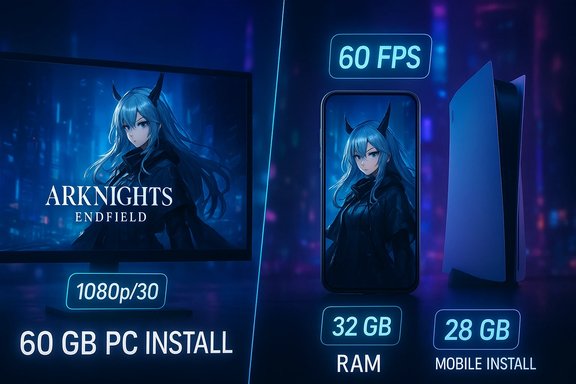
Arknights: Endfield’s minimum and recommended hardware targets are finally public, and they paint a clear — if occasionally inconsistent across outlets — picture of what players need to run the game on PC and mobile when it launches on January 22, 2026.
Arknights: Endfield is a 3D action-RPG spinoff from the Arknights universe developed by Hypergryph and published globally by GRYPHLINE. The title will launch on PC (Windows), Android, iOS and PlayStation 5, arriving with cross-platform ambitions and large-scale production values that have driven millions of pre-registrations ahead of launch. The developer’s public materials and support FAQ list concrete PC, Android and iOS system guidance intended to help players verify compatibility before day one.
(Release date and hardware guidance verified against the developer/publisher support page and multiple independent reporting outlets; specifics may be updated by the publisher between announcement and launch.
Source: Khel Now Arknights Endfield system requirements: PC, Android, iOS & more details
 Background
Arknights: Endfield is a 3D action-RPG spinoff from the Arknights universe developed by Hypergryph and published globally by GRYPHLINE. The title will launch on PC (Windows), Android, iOS and PlayStation 5, arriving with cross-platform ambitions and large-scale production values that have driven millions of pre-registrations ahead of launch. The developer’s public materials and support FAQ list concrete PC, Android and iOS system guidance intended to help players verify compatibility before day one. What you need to know right now
- The official release date is January 22, 2026; global rollout times vary by region.
- Official PC guidance lists a Minimum target built for 1080p/30 and a Recommended target for higher-fidelity play; mobile guidance provides minimum and recommended SoC and RAM classes.
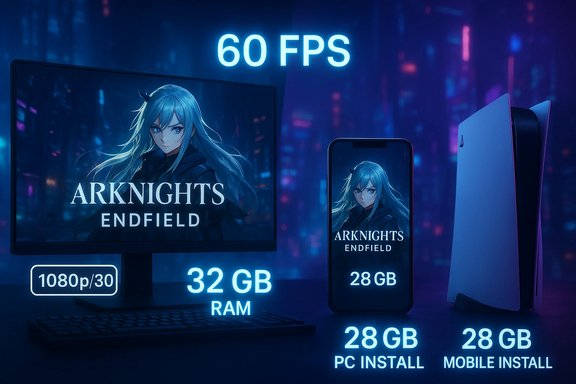
- The headline install footprint cited for PC is roughly 60 GB, while Android and iOS builds require around 28 GB of free space; installers and unpacking overhead may require additional headroom.
PC requirements: exact numbers and practical meaning
Official minimum vs. recommended (summary)
The developer’s support guidance gives this compact view for Windows PCs:- Minimum:
- CPU: Intel Core i5‑9400F (or equivalent)
- GPU: NVIDIA GeForce GTX 1060 6GB (or equivalent)
- RAM: 16 GB
- Storage: 60 GB free (SSD recommended)
- OS: Windows 10 / Windows 11 (64‑bit)
- Recommended:
- CPU: Intel Core i7‑10700K (or equivalent)
- GPU: NVIDIA GeForce RTX 2060 (or equivalent)
- RAM: 32 GB
- Storage: 60 GB (SSD recommended)
- OS: Windows 11 (64‑bit)
These tiers are intended to map to a playable 1080p/30 experience at the minimum and a higher-fidelity 60‑FPS comfort target on recommended hardware.
CPU: mid‑range entry, comfortable headroom for recommended
Minimum CPU guidance targets mainstream 6‑core desktop chips from the late 2010s and early 2020s (for example, Intel i5‑9400F or Ryzen 5 equivalents). The recommended column pushes to higher single‑ and multi‑thread throughput (i7‑class CPUs), which aligns with typical demands for real‑time simulation, AI, and streaming assets in modern open‑world-like environments. If you’re on a 6-core CPU from the 10th Gen Intel or Ryzen 3000/5000 family, you should generally be in the playable range; creators or players who stream while playing will benefit from the recommended tier.GPU: old‑gen midrange minimum, newer midrange recommended
The minimum GPU (GTX 1060 / RX 580 class) represents an accessible baseline for 1080p/30 gameplay on lowered presets. The recommended GPU (RTX 2060 family and equivalents) provides the shader horsepower and VRAM headroom for higher quality textures and stable frame pacing, particularly if you push resolution or enable vendor upscalers and frame‑generation features on RTX cards. Users running GPUs older than GTX 1060 should expect to lower resolution and quality significantly.RAM: the unusual jump to 32 GB (and why it matters)
One of the most notable entries in published guidance is the 32 GB recommended figure — an unusually high number for a developer’s 1080p/60 target. The recommended 32 GB reflects either a conservative posture for multitasking creators (who run capture software, overlays and browsers alongside the game) or a working set that benefits from larger system RAM because of aggressive asset streaming and in‑memory buffers. Players on 16 GB will be able to run the game at the minimum target, but those who hope to record, stream, or keep many background apps should plan for 32 GB.Storage: what the 60 GB headline actually means
The publisher’s guidance lists 60 GB of free space as the PC install footprint; multiple outlets also warn that unpacking and day‑one patches can increase that requirement and that SSD installation is strongly recommended to avoid streaming hitching. Some third‑party reporting has broken the install into compressed package and unpacking overhead (for example, “55 GB + additional unpacking”), so leaving an extra 15–40 GB free beyond the headline figure is prudent.Internet and OS
Online features require broadband connectivity, and the recommended OS for the best experience is Windows 11 (though Windows 10 is supported). Expect periodic updates right at launch and within the first weeks that can alter install size or introduce new driver recommendations.Mobile requirements: Android and iOS breakdown
Android (minimum → recommended)
Official and consolidated reporting lists Android requirements in SoC and RAM classes:- Minimum:
- SoC: Snapdragon 855 / Dimensity 1000 / Kirin 990 (or equivalent)
- RAM: 6 GB
- Storage: ~28 GB free
- OS: Android 10 / HarmonyOS 2.0+
- Recommended:
- SoC: Snapdragon 8+ Gen 1 / Dimensity 9000 / Kirin 9000S (or equivalent)
- RAM: 8 GB
- Storage: ~28 GB free
- OS: Android 11 / HarmonyOS 4.0+
These classes place the minimum roughly at mid‑2019 flagship hardware and the recommended in modern flagship territory. Expect device thermal throttling and battery drain during long sessions on phones that just meet the minimum.
iOS (minimum → recommended)
iOS guidance is more device‑centric:- Minimum:
- Device: iPhone 11 / iPad with A13-class SoC
- OS: iOS 15 / iPadOS 15+
- Storage: ~28 GB free
- Recommended:
- Device: iPhone 13 Pro / iPad with A15-class SoC
- RAM: ~6 GB (implied for Pro devices)
- OS: iOS 15+
Apple’s device naming is intentionally practical: the listed models are proxies for the SoC class and the memory/configuration Apple ships with those devices, since Apple does not publish RAM specs as transparently as Android OEMs. If you own an iPhone 11 or newer, the minimum should be achievable; older devices will struggle.
Mobile install size and growth
Across the reporting, mobile builds require about 28 GB free space at install. Remember that initial APK/IPA download sizes are typically smaller, but the first-run asset download can add tens of gigabytes. Mobile publishers also compress packages during distribution; plan on reserving significantly more space than the headline number for updates and caches.Release timing and cross‑platform context
Arknights: Endfield’s global launch is set for January 22, 2026, with staggered local release windows; the game will be available on PC, PS5, Android and iOS at that time. The January 22 date was announced during The Game Awards 2025 and repeated by multiple outlets and the official press materials. Beta tests and technical tests preceded launch and used similar hardware guidance, but beta specs have historically changed before retail release, so treat these numbers as the developer’s published guidance at the time of announcement.Cross‑checks, discrepancies and what to trust
Multiple outlets reproduced the developer’s two‑tier PC table, but small differences appear in GPU / CPU naming across write-ups (for example, some outlets list RTX 2060 Super or RTX 2060 Ti variants, while others list RTX 2060 / RTX 2060 Super interchangeably). The most authoritative source is the developer/publisher support page and official system requirements pages — use those as the single source of truth for driver recommendations and last-minute changes. Where outlets disagree, the safest assumption is that minor model naming differences reflect editorial rounding to the nearest comparable GPU class rather than wholesale specification changes. When planning hardware upgrades, prioritize the published vendor guidance and the Steam/official storefront fields for the final word close to launch.Practical upgrade recommendations (what to buy or change)
If your rig sits close to the minimum, prioritize improvements in this order:- Storage: Move the install to an SSD (NVMe if possible). Asset streaming and loading behavior benefit most from fast reads.
- RAM: If you run background apps, content capture, or streaming tools, bump memory from 16 GB to 32 GB. 32 GB is recommended for a smooth, multitasked experience.
- GPU: If you want higher preset fidelity or stable 60 FPS beyond the recommended target, upgrade to the recommended‑class GPU or better.
- CPU: Upgrade only if your current CPU causes bottlenecks with modern multi‑threaded workloads or if your platform prevents efficient GPU utilization.
Day‑one checklist and troubleshooting tips
- Free up at least 20–40 GB of extra disk space beyond the headline numbers for unpacking and day‑one patches.
- Update GPU drivers (NVIDIA/AMD/Intel) to the latest stable build before installing. Vendor features (upscaling/frame generation) may be driver‑dependent.
- On PC, close unnecessary background apps (browsers, Discord, streaming software) if you’re on 16 GB of RAM to avoid paging. Consider a 32 GB upgrade if you multitask.
- On mobile, disable aggressive battery‑saving modes for the session and watch for thermal throttling; consider a shorter session or lower graphics if the device heats up.
Risks, unknowns, and what to watch after launch
- Install size will likely grow. Like most live-service/gacha titles, day‑one patches, seasonal content and language packs typically expand the on‑disk footprint over time. Treat 60 GB (PC) / 28 GB (mobile) as the launch snapshot, not a final cap.
- Beta specs are not final. Numbers published during technical tests and betas have been changed by studios before retail in the past; check the official storefront/system pages within 24–48 hours of launch for any updates.
- Mobile fragmentation: Android performance will vary widely across OEMs, drivers and thermal designs even within the same SoC family. The SoC + RAM guidance is a useful filter, but real‑world experience depends on the OEM’s power/thermal tuning.
- Vendor feature support: some platform‑specific upscaling or frame‑generation tech (e.g., NVIDIA DLSS or frame generation) can materially change the perceived performance envelope; availability and quality depend on vendor integrations and driver maturity. Expect platform patches that add or optimize these features post‑launch.
Quick FAQs (practical, short answers)
- What are the PC minimum specs?
- Intel Core i5‑9400F (or equivalent), GTX 1060 6GB (or equivalent), 16 GB RAM, ~60 GB free space, Windows 10/11.
- What are the PC recommended specs?
- Intel Core i7‑10700K (or equivalent), RTX 2060 (or equivalent), 32 GB RAM, SSD with ~60 GB free.
- Can my Android phone run it?
- If it has a Snapdragon 855 / Dimensity 1000 / Kirin 990 and 6 GB RAM (minimum), you’ll likely run the game at a lowered profile. Flagship SoCs from 2022+ (Snapdragon 8+ Gen 1 and equivalents) with 8 GB will deliver a better experience.
- What about iPhone compatibility?
- iPhone 11 (A13) is listed as minimum; iPhone 13 Pro (A15) as recommended. Ensure iOS 15+ and at least ~28 GB of free space.
- Will these specs change?
- They can. Beta/test requirements sometimes differ from final retail specs. Always re‑check the official support or storefront pages close to launch.
Final analysis — strengths and potential risks
Arknights: Endfield’s published requirements show a balanced approach that keeps the entry bar accessible while nudging power users and creators toward higher‑spec hardware. The strengths are clear:- Transparent two‑tier guidance that ties hardware classes to concrete performance targets (playable 1080p/30 vs. comfortable 60 FPS) helps consumers plan purchases.
- Mobile guidance is device-class aware, giving realistic SoC and RAM targets rather than vague “recent phones” statements. This helps midrange owners understand whether to expect playability.
- Recommended 32 GB RAM is unusually high for a 1080p target and will surprise many users; it likely reflects conservative planning for creators/multitaskers or large in‑memory streaming needs. Players should interpret this as a suggestion to plan headroom rather than a hard block for casual play.
- Install size creep and post‑launch patches are almost certain to increase the disk footprint over time; plan extra storage.
- Mobile diversity means performance will vary more than the minimum table suggests. Device thermals and OEM tuning are the wild cards.
Bottom line
If you’re a PC player with a mid‑range rig built in the last three years (GTX 1060 / Ryzen 5 or Intel i5 equivalents and 16 GB RAM), you’ll likely be able to play Arknights: Endfield at launch at lowered settings. If you want the developer’s recommended, smoother, higher‑detail experience — especially while streaming or recording — plan for a 32 GB RAM upgrade, SSD install and a recommended‑class GPU. Mobile players on devices from the 2019‑2020 flagship generation will have a path to play, but modern flagships will deliver the best experience. Check the official support guidance and the store pages within 48 hours of launch for any last‑minute edits to installer sizes or driver guidance.(Release date and hardware guidance verified against the developer/publisher support page and multiple independent reporting outlets; specifics may be updated by the publisher between announcement and launch.
Source: Khel Now Arknights Endfield system requirements: PC, Android, iOS & more details